

Visit Japan Web Registration Guide 2026: Smooth Entry to Japan
Planning a Japan trip in 2026? Streamline your entry with our guide to Visit Japan Web registration. Learn how to quickly complete the digital forms and use QR codes for faster immigration and customs. Get ready for a smooth arrival!
Japan Travel Preparation: Latest on Immigration
Visit Japan Web Registration Method
Words & Photos by Travel Sun

When you're gearing up for a trip to Japan,
after booking your flights and accommodation, the next crucial step is
registering with Visit Japan Web.
In the past, you'd fill out immigration and customs declaration forms on the plane.
But now, if you register with Visit Japan Web in advance,
you can skip the manual paperwork for immigration, making your arrival much smoother.
It's an essential part of your Japan travel prep,
so let's break down the latest Visit Japan Web registration process.
Last updated: June 13, 2026!
Why Register for Visit Japan Web?
While Visit Japan Web registration isn't strictly mandatory,
if you're planning a trip to Japan,
I highly recommend doing it.
You won't need to fill out paper immigration and customs forms,
and you can use a QR code for faster immigration processing.
It significantly cuts down on waiting times at immigration,
so if you want to avoid wasting precious time on your Japan trip,
registering for Visit Japan Web is a must!
When to Register for Visit Japan Web
For many Southeast Asian destinations, you often register for immigration a day or two before your flight.
However, for Visit Japan Web, there isn't a strict timeframe for when you can start registering;
you just need to complete it before you arrive in Japan.
Just make sure it's done before you board your flight.
Don't forget!
I completed mine the day before my flight :)
How to Register for Visit Japan Web for Immigration
Below, I'll quickly outline the latest Visit Japan Web
registration steps. You can do this on either your mobile device or computer.
Some find mobile more convenient,
while others prefer using a computer.
It's entirely up to you. I personally used a computer (love the bigger screen!).
✔️ First, access the site below to begin:
 Visit Japan Web | Digital Agency Services
When you click the 'Start using' button,
you'll first need to create an account.
If this is your first time using Visit Japan Web,
just click the 'New registration' button, like I did.
If you've used it before, simply enter your email address and password
to log into your existing account!
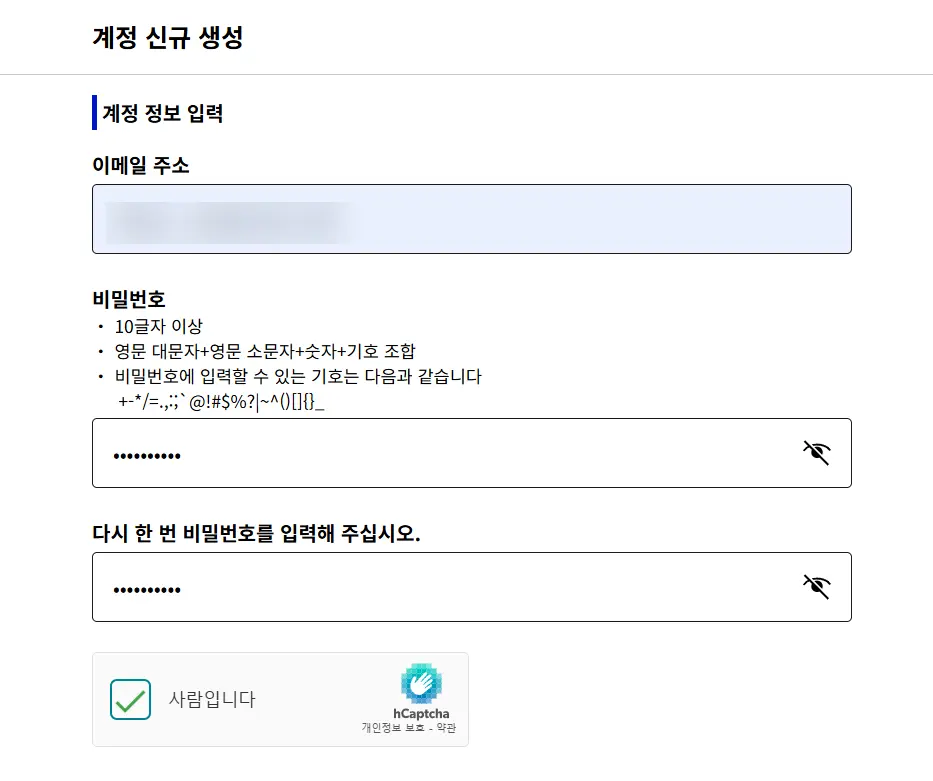
After entering your email, a verification code will be sent to that address.
Check your email for the code and then log in. Remember, your password must include an uppercase letter!
Once you're logged in,
it's time to start filling in your details one by one.
Since there's an English version, it's not particularly difficult to navigate.
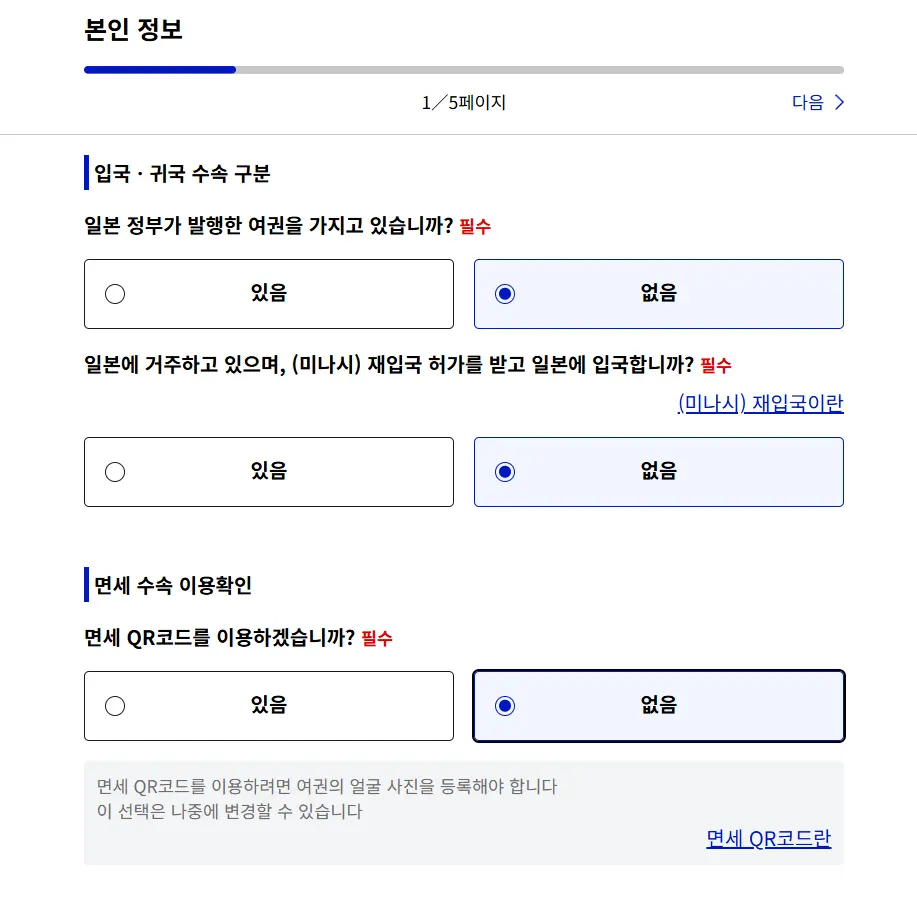
Just fill in the relevant sections. The 'Tax-free QR code' feature is for purchasing tax-free items later on,
acting as a digital alternative to your physical passport.
If you choose to use this feature, you'll need to upload a photo of your passport.
I just selected 'None' and carried my physical passport during my trip.
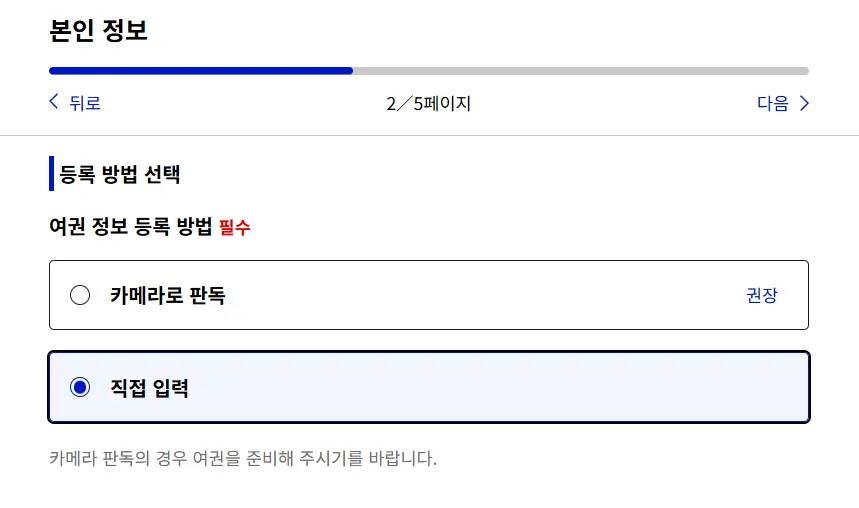
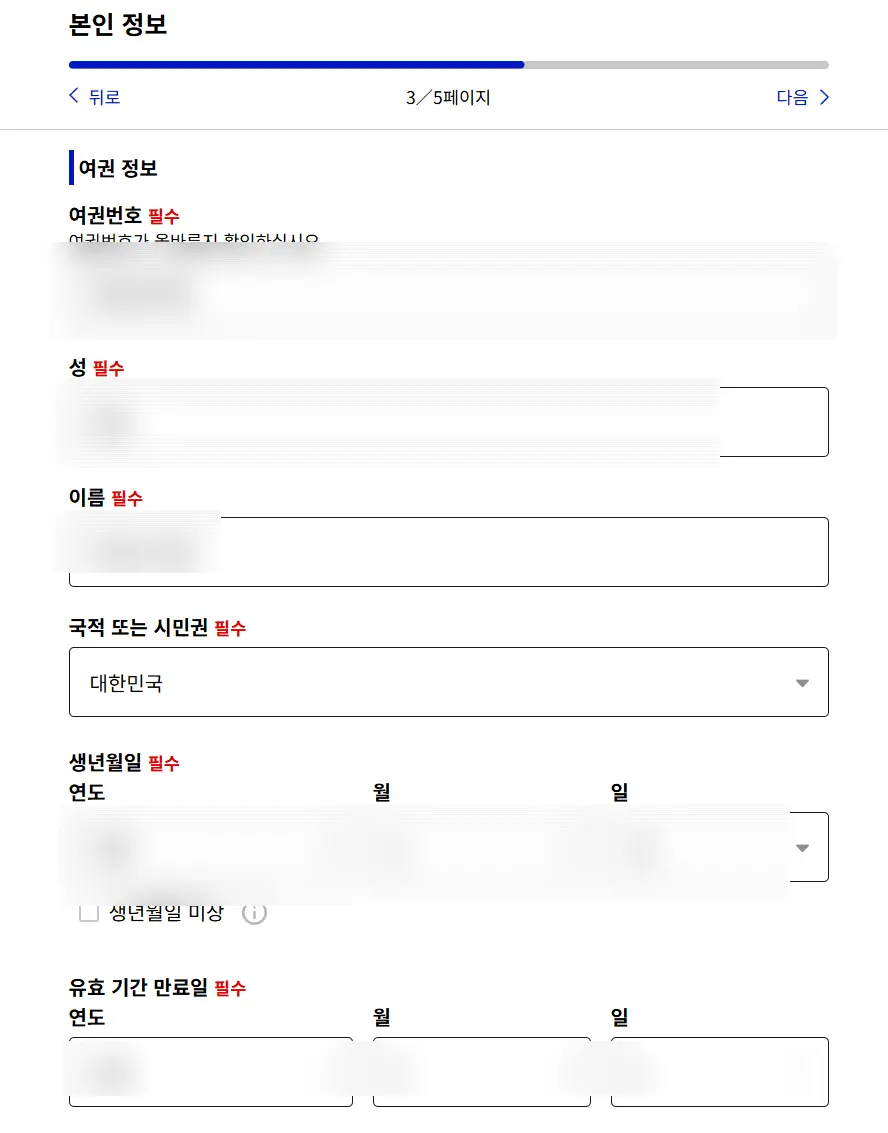
Next up is entering your passport information.
You can either use your camera for a quick scan or input the details manually.
They say using the camera is simpler, but since I was on a computer, I opted for manual entry.
Just enter the information exactly as it appears on your passport, one field at a time.
Make sure your first and last names are entered in English!
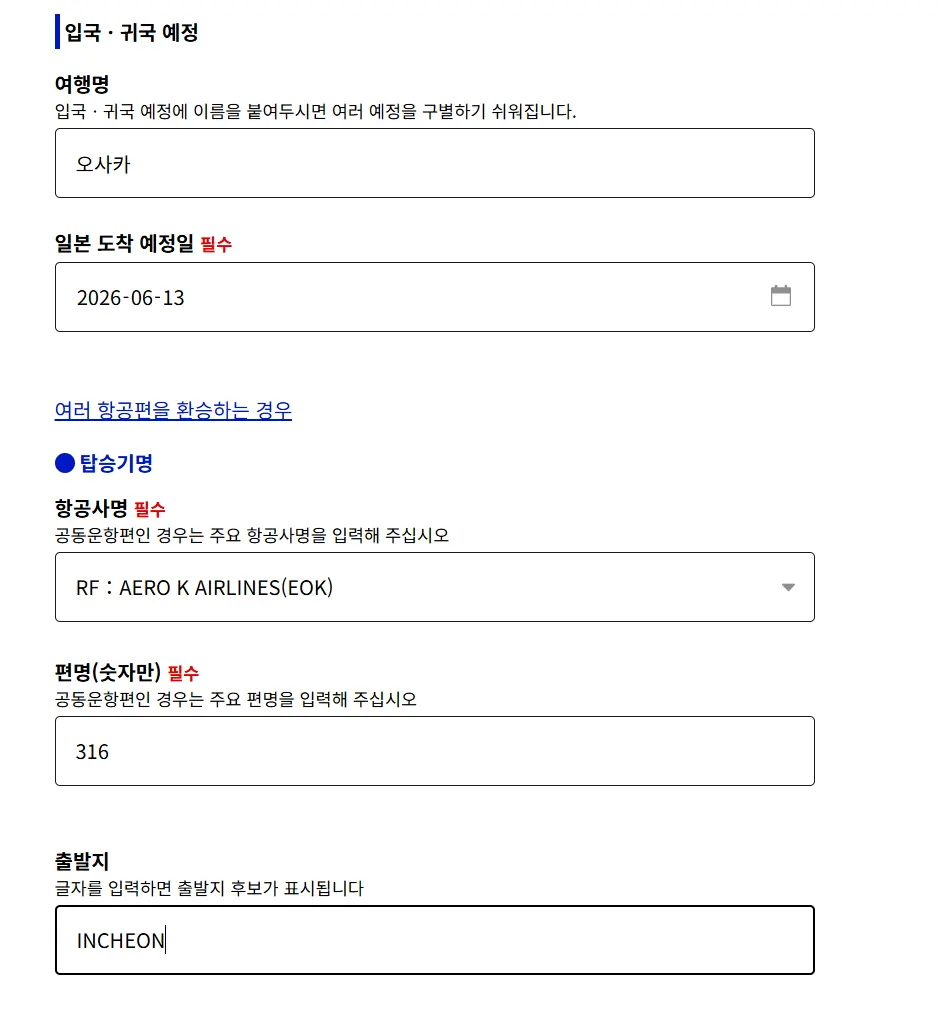
After that, you'll fill in your travel details.
The 'Trip Name' is just for your own reference, so name it something easy for you to remember.
For instance, if you're visiting Osaka multiple times, you might name it 'Osaka_Date'.
Then, enter your airline name.
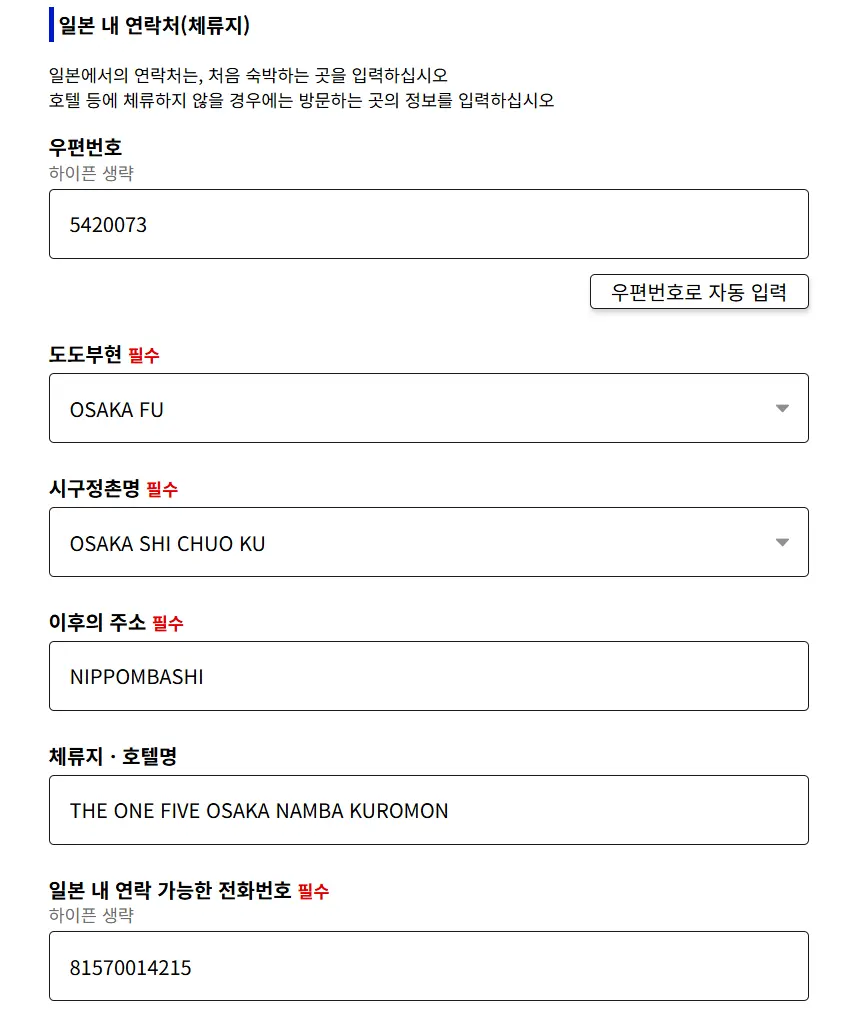
Next is the contact information within Japan, where you'll provide your accommodation address and phone number.
You can find your hotel's postcode by searching on Google Maps.
Enter the 7-digit postcode, then click 'Auto-fill from postcode' on the bottom right,
and the required address fields will populate automatically. So convenient!
Finally, enter the hotel name and phone number, and you're done.
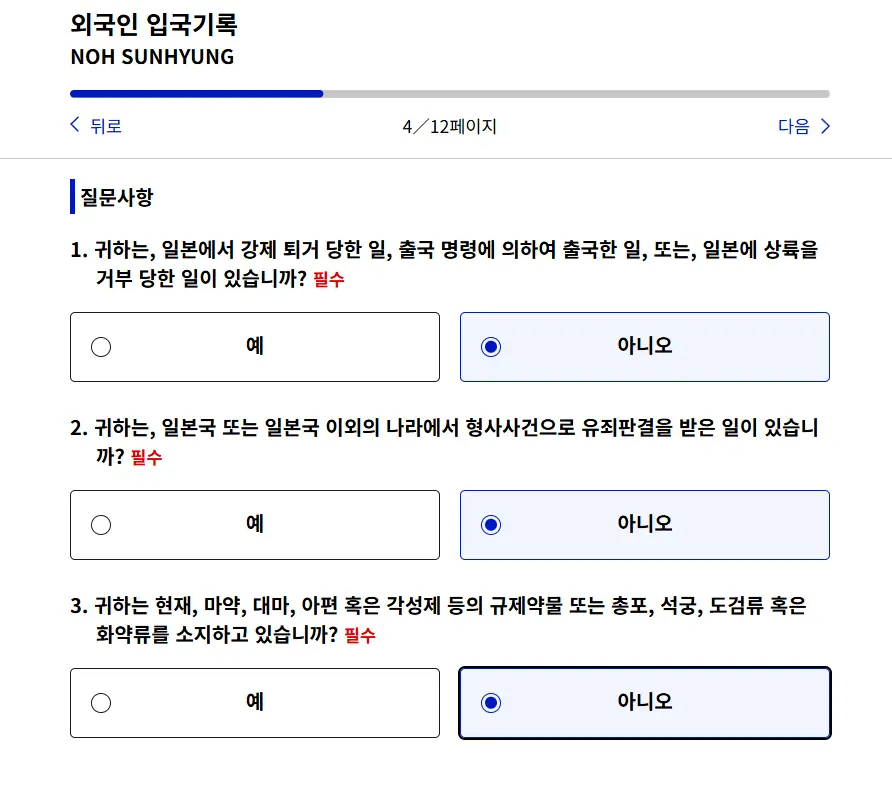
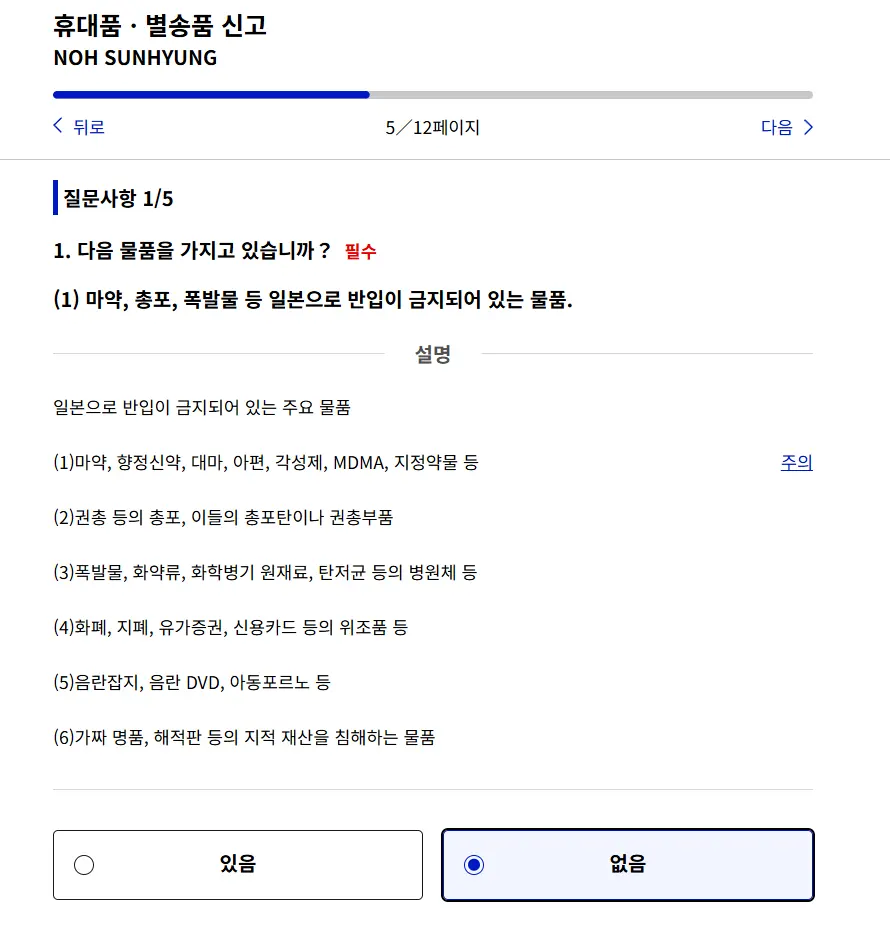
And these are the final sections where you'll typically check 'None' for all items.
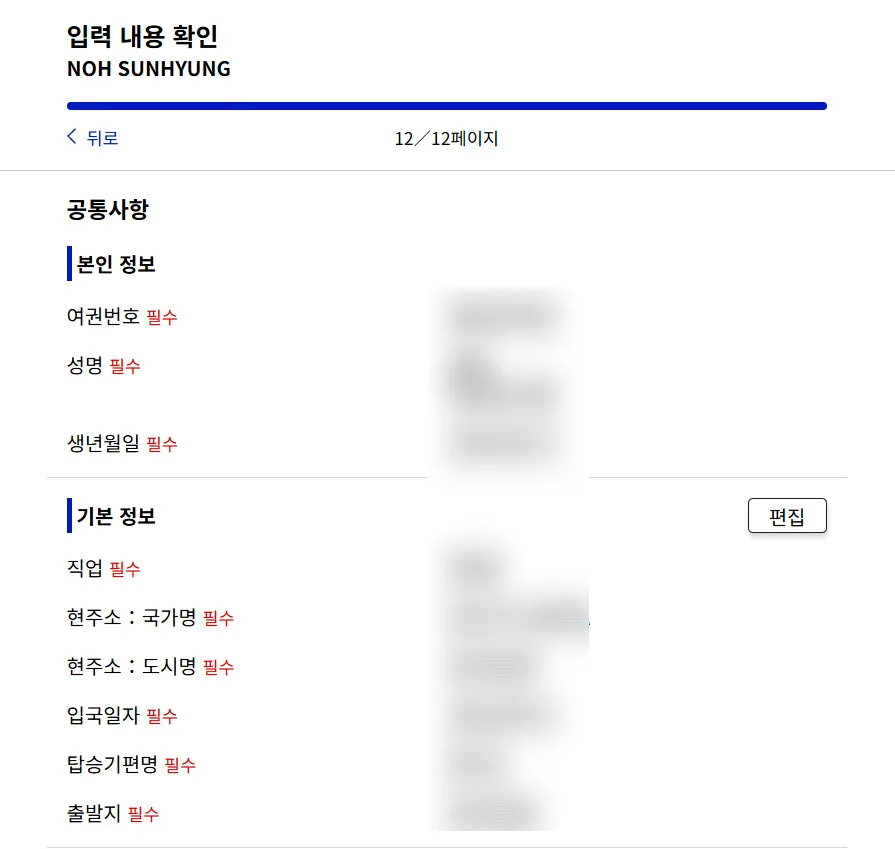
After reviewing the information you've entered,
you'll be able to see your QR code.
Simply screenshot this QR code and use it when you go through immigration. 🙂🙂
It's definitely much faster and more convenient compared to the old Japan immigration process.
When preparing for your Japan trip, registering for Visit Japan Web takes less than 10 minutes,
so make sure to complete it beforehand for a quick and easy immigration process,
and start your adventure without delay!
>> For more travel information <<
<Click the link below to become a fan of Travel Sun>

Frequently Asked Questions
What are the benefits of registering for Visit Japan Web compared to the old immigration forms?
By registering for Visit Japan Web in advance, you don't need to fill out paper immigration and customs declaration forms. You can use a QR code for faster immigration screening, which reduces waiting times for entry.
How many days before arriving in Japan should I register for Visit Japan Web?
There is no specific deadline for Visit Japan Web registration. You just need to complete it before arriving in Japan, meaning before you board your flight.
Which device is better for registering for Visit Japan Web: mobile or computer?
Visit Japan Web registration can be done on both mobile devices and computers. You can choose based on your convenience; the article's author used a computer due to its larger screen.
Approximately how long does it take to register for Visit Japan Web?
According to the article, Visit Japan Web registration takes less than 10 minutes. Completing it in advance allows for convenient and quick immigration screening.
Share this article
Featured in Collections
Discover more travel stories curated around the same theme.

Related Travel Stories

USJ Express Pass Review: Skip the Lines in Osaka
Planning a trip to Universal Studios Japan? Learn how to navigate the confusing ticket options and see exactly why the Express Pass is a game-changer.

Osaka Castle Tickets 2026: Hours & Amazing Pass Guide
Discover everything you need to know about visiting Osaka Castle in 2026, from ticket prices and opening hours to money-saving Osaka Amazing Pass tips.

Karaksa Hotel Osaka Namba Review 2026: Family Stay
Looking for the perfect family-friendly hotel in Osaka? Here is our honest review of Karaksa Hotel Osaka Namba, a budget-friendly gem near Dotonbori.

USJ Osaka Tickets 2026: Guide to Passes & Rides
Navigating Universal Studios Japan in Osaka can be overwhelming. Here is your ultimate guide to USJ tickets, Express Passes, and top attractions for 2026.

Oriental Hotel Universal City Review 2026: USJ Stay
Beat the massive morning crowds at Universal Studios Japan! Stay at Oriental Hotel Universal City for under $85 and master your USJ open run strategy.

Candeo Hotels Osaka Review 2026: Best Umeda Stay
Planning an Osaka getaway with family or friends? Check out our 2026 review of Candeo Hotels Osaka The Tower, a quiet luxury oasis near Umeda Station.