

Kansai Airport Terminal 2 ATM: Seven Bank Cash Withdrawal
Land at Kansai Airport Terminal 2 and need cash? Here is how to find the Seven-Eleven ATM and withdraw Japanese Yen fee-free with your travel card.

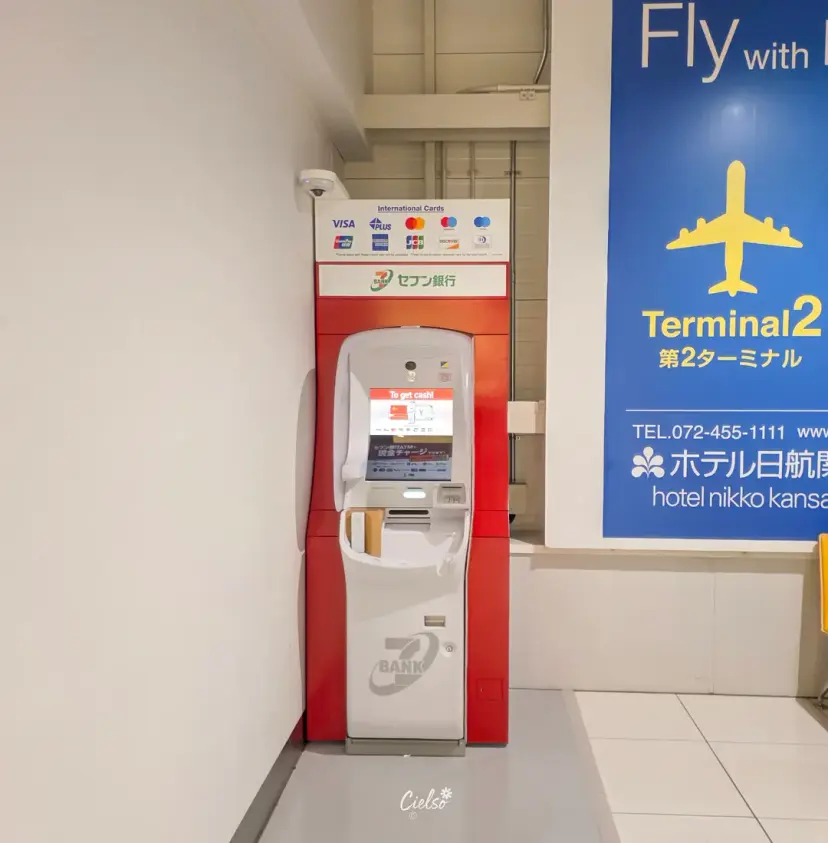
With a Travelog or international travel card,
ATM withdrawal fees are absolutely free!
Seven-Eleven ATM Cash Withdrawal Guide
Kansai International Airport Terminal 2
Hey fellow travelers! It's travel creator Cielso!
If you are heading to Osaka and planning to use a Travelog card,
or flying with a low-cost carrier like Jeju Air and arriving at
Kansai Airport Terminal 2,
this guide on "Seven-Eleven ATM locations and how to withdraw cash" is just for you.

💴 Kansai International Airport Terminal 2
I highly recommend Seven Bank ATM withdrawals if you:
✔︎ Want to skip local bank currency exchange and withdraw cash directly at the airport
✔︎ Hold a Travelog card or similar international card and want fee-free ATM access

🇯🇵 Which Terminal Does Your Flight Use?
When traveling to Osaka, you will land at Kansai International Airport (KIX). While Terminal 1 handles the majority of standard international flights, Terminal 2 is dedicated to specific low-cost carriers like Jeju Air, Peach Aviation, and Spring Airlines.
Kansai Airport Terminal 1 | Jin Air T'way Air Air Busan Korean Air Asiana Airlines Eastar Jet, etc... |
Kansai International Airport Terminal 2 | Jeju Air Peach Aviation, etc... |
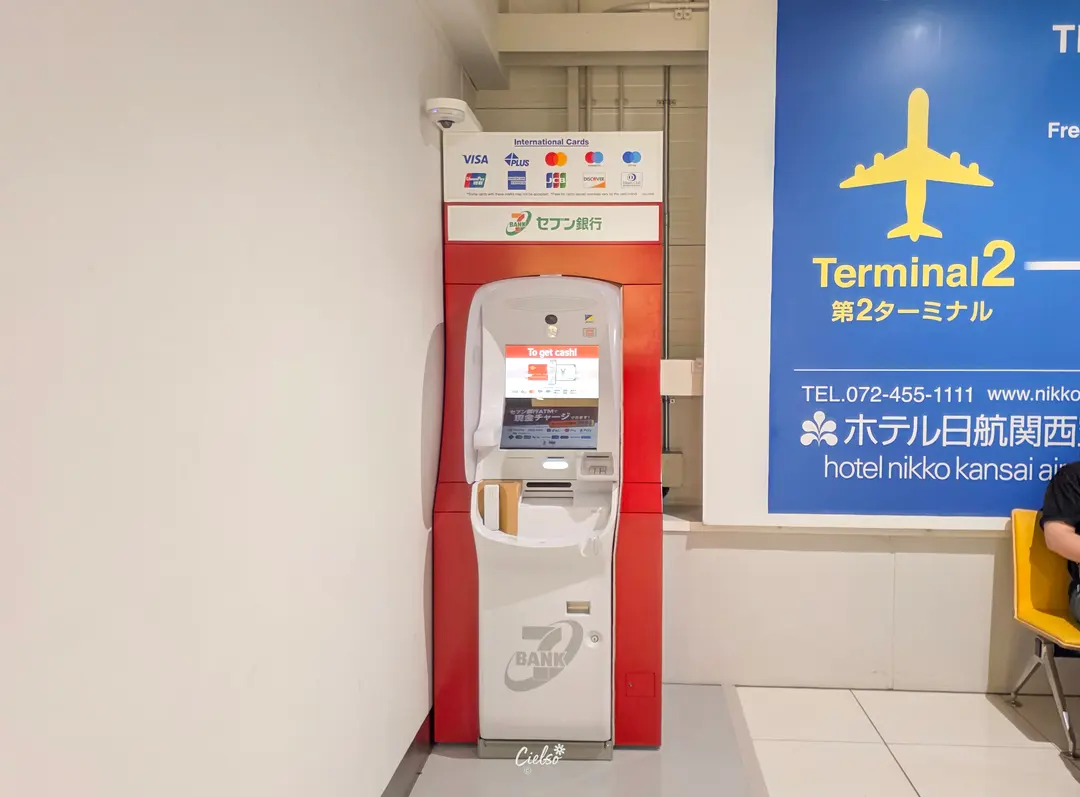
Where is the ATM in Kansai Airport Terminal 2?
Right after exiting the arrivals gate, near the exit doors leading to the shuttle buses,
you will see the Seven Bank (Seven-Eleven) ATM.
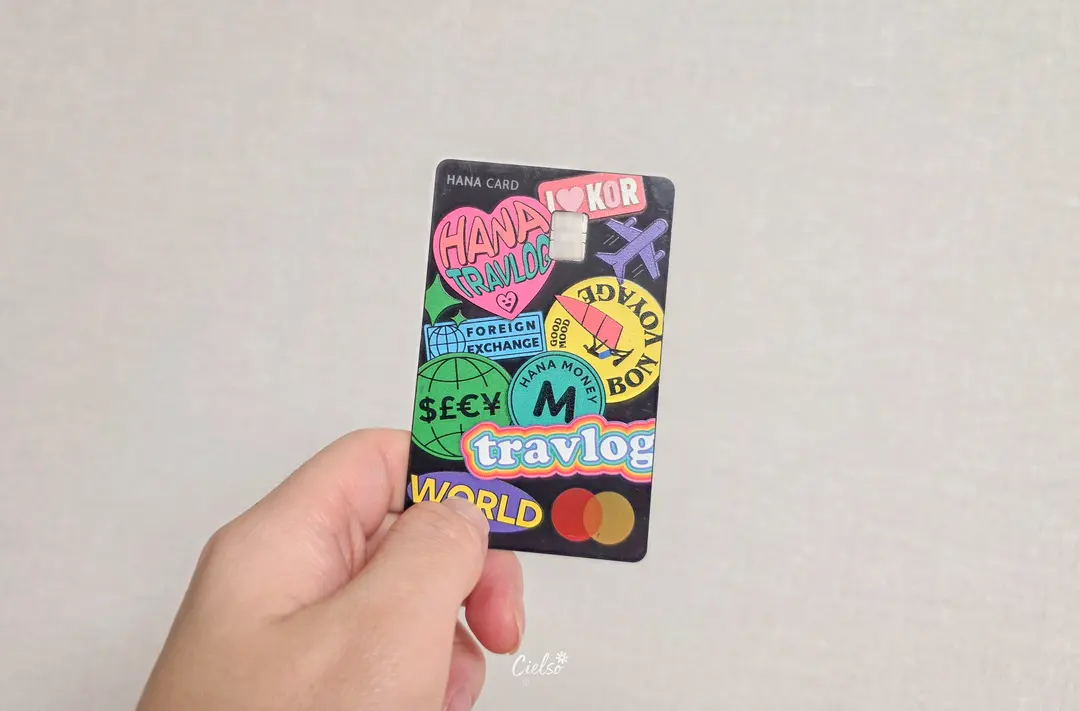
Why did I choose the Seven Bank ATM?
My primary travel card is the Hana Bank Travelog card,
which offers completely fee-free cash withdrawals
when using Seven Bank ATMs in Japan.
That is why I headed straight for this machine.
If you are using Travel Wallet instead,
note that Aeon ATMs are fee-free for those cards.
Step-by-Step Guide: How to Use Seven Bank ATMs
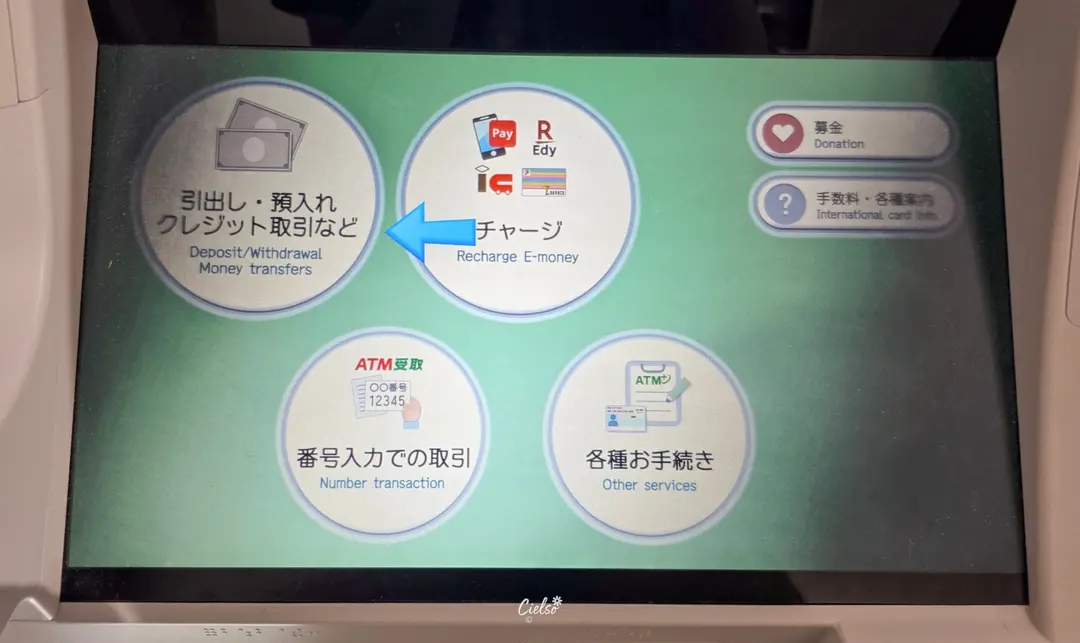
First, tap "Deposit / withdrawal money transfer" on the main screen.
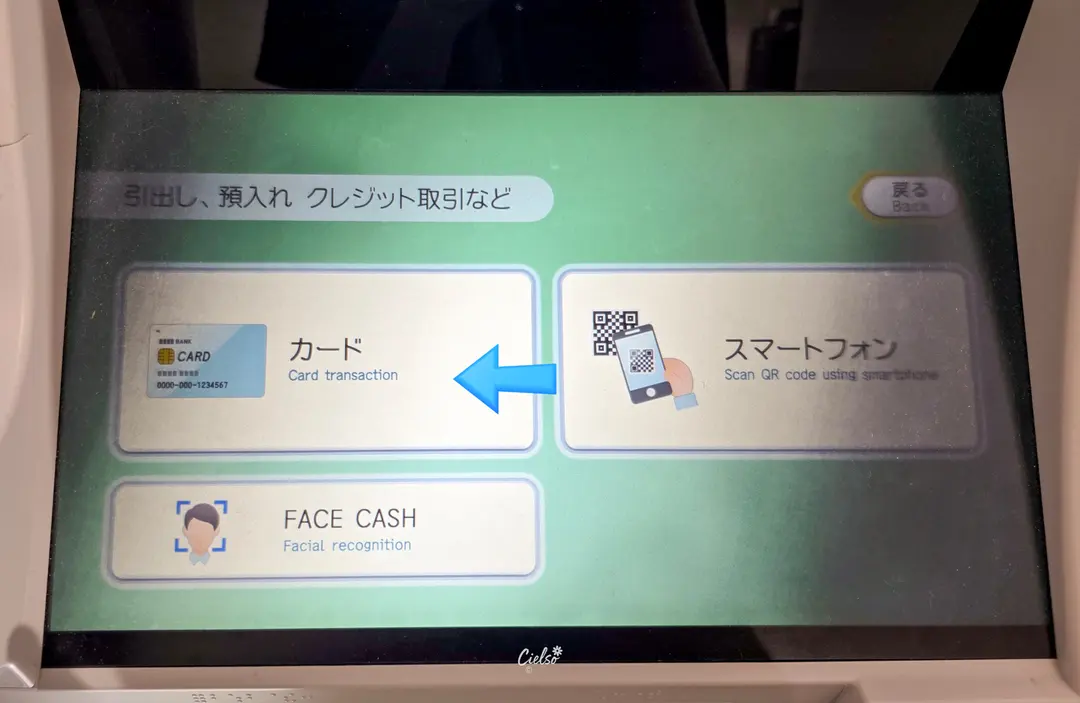
Since I was using a physical Travelog card,
I selected the "Card" option on the screen.
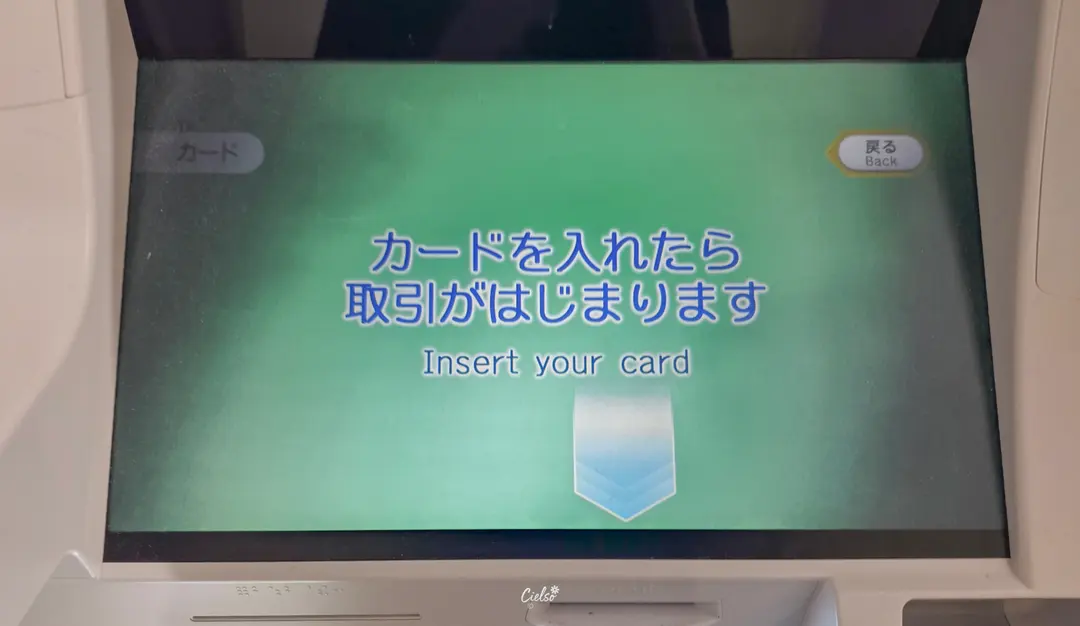
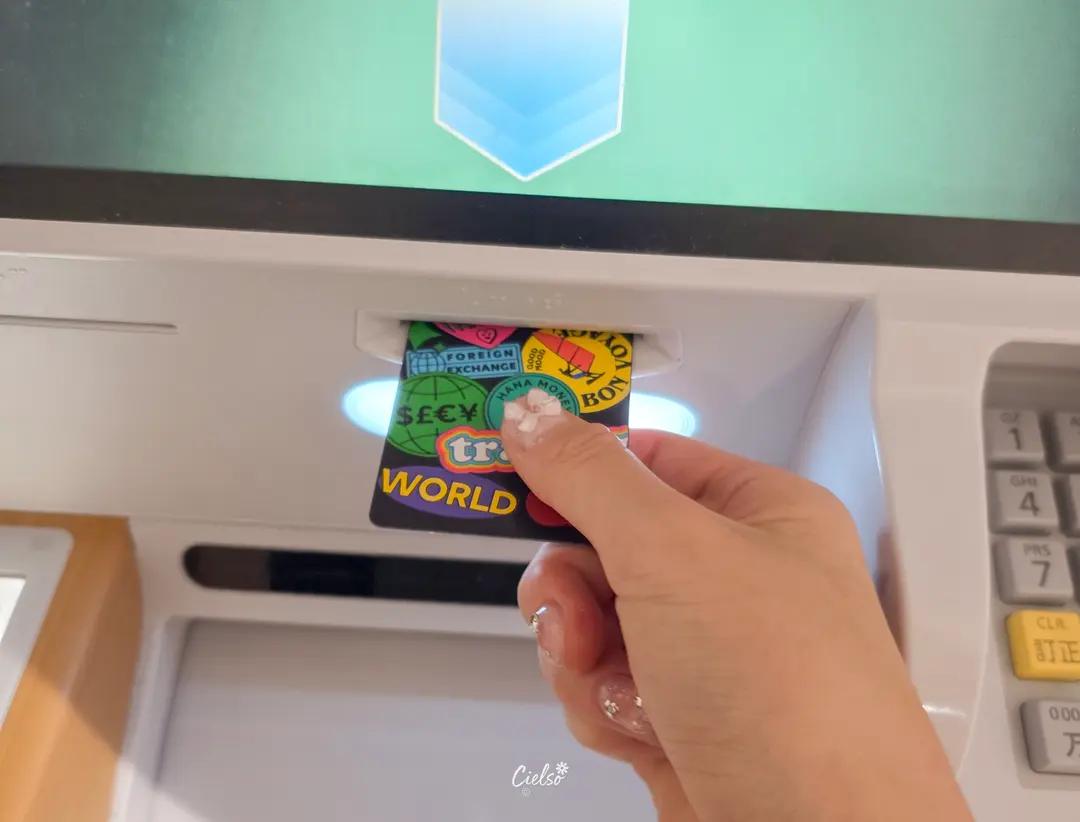
Go ahead and insert your card when prompted.
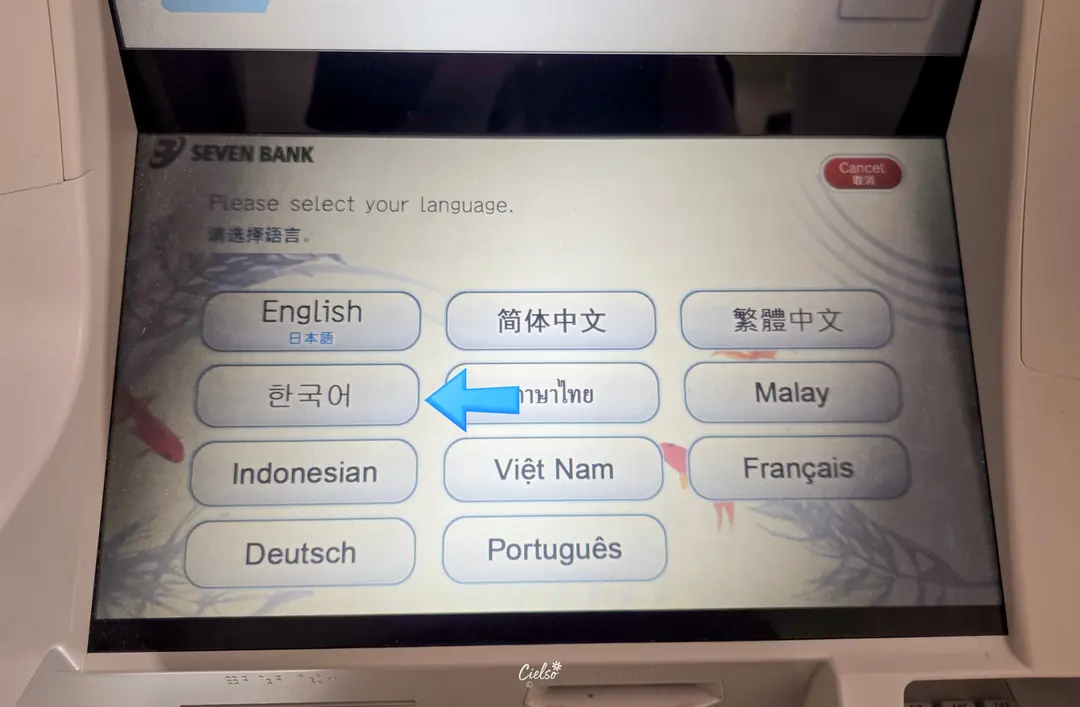
While the default guide is in English, you can easily
select your preferred language from the list.
I quickly tapped "Korean" (or you can keep it in English!).
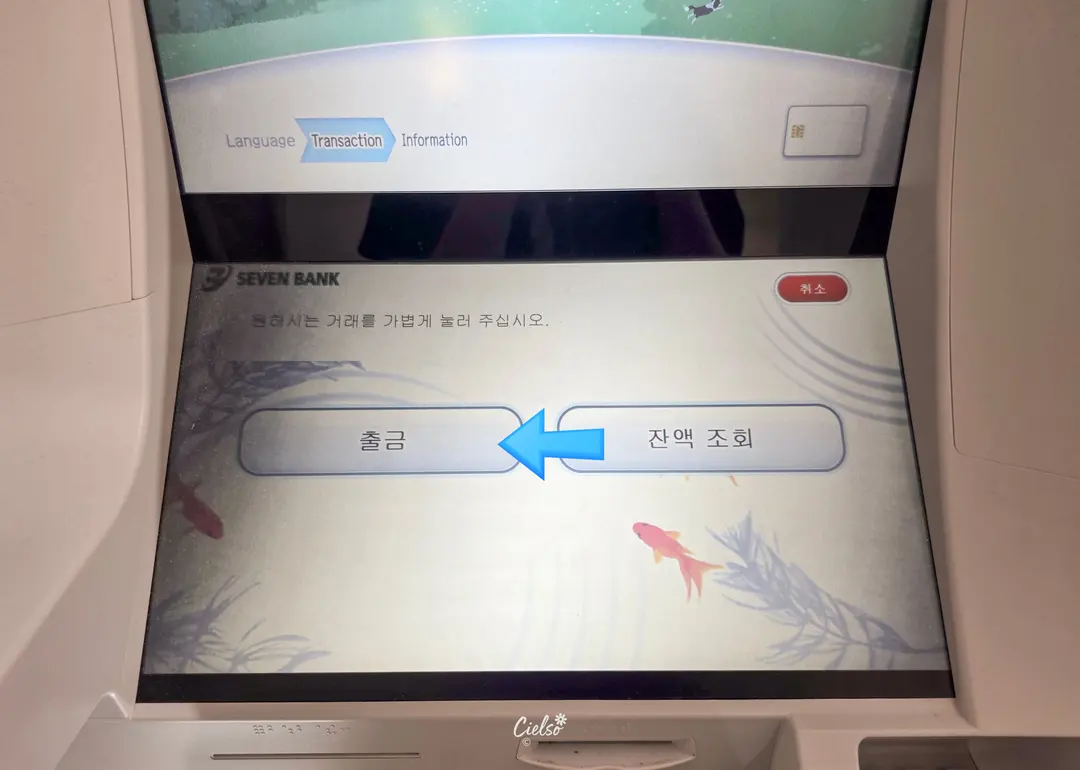
After changing the language, select "Withdrawal".
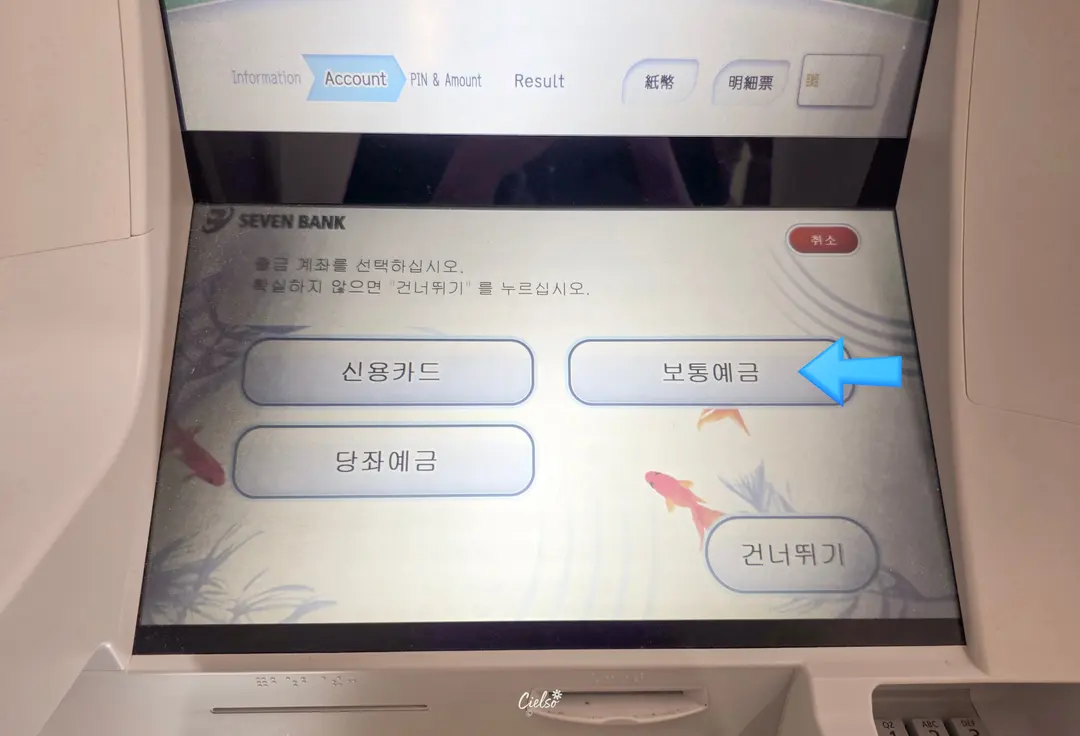
I selected "Savings Account" (보통예금),
but travelers have noted that you can simply tap "Skip" as well.
Either way, my withdrawal went through smoothly!
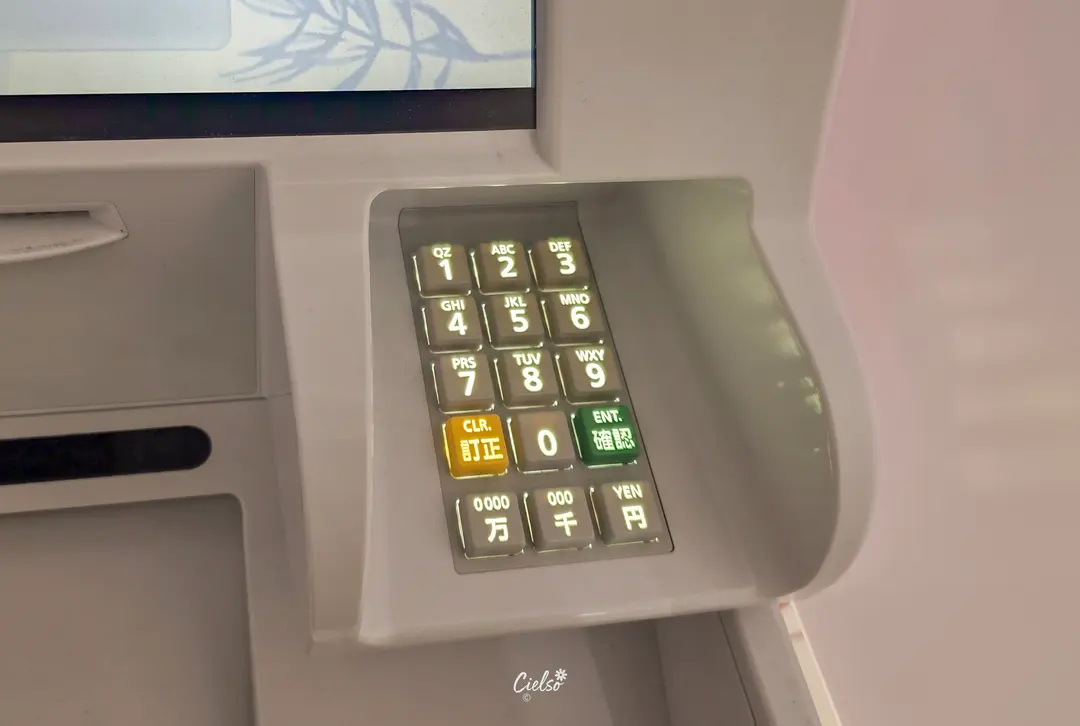
Next, enter your PIN.
Important: The PIN is usually your 4-digit code + "00" at the end!
After entering the PIN, select your desired withdrawal amount.
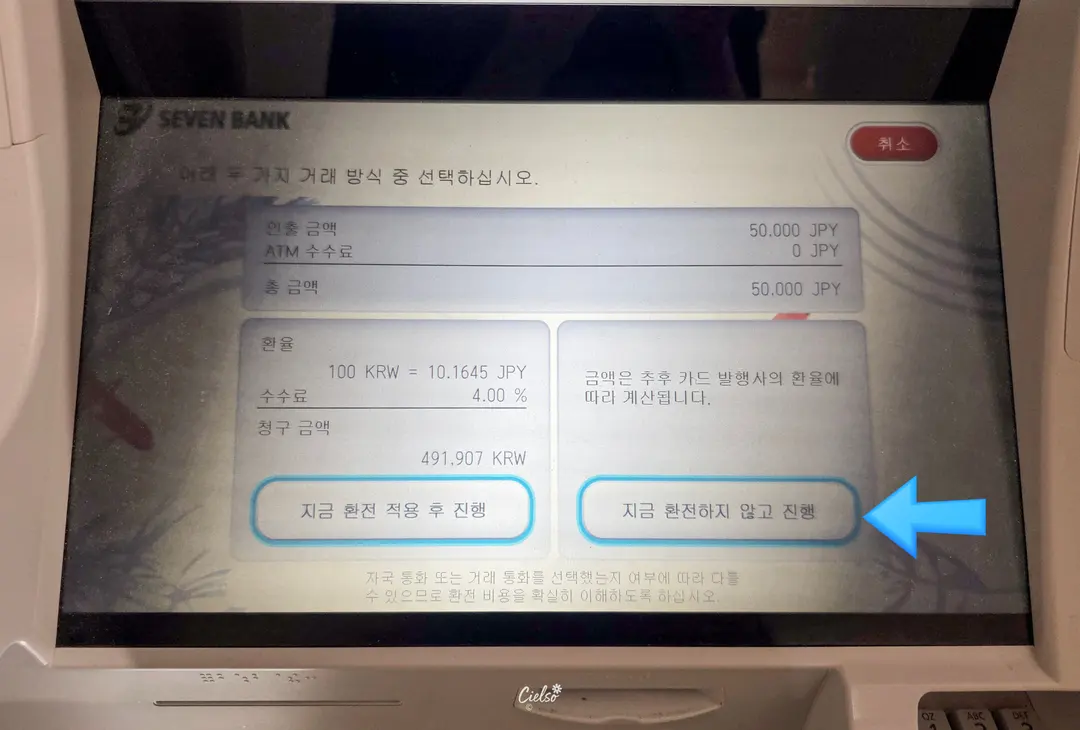
Now, here is the most critical step:
Always select "Proceed without currency conversion" (Decline Conversion).
‼️If you choose to apply the ATM's conversion rate, you will be charged hefty markup fees. Always pay in JPY!‼️
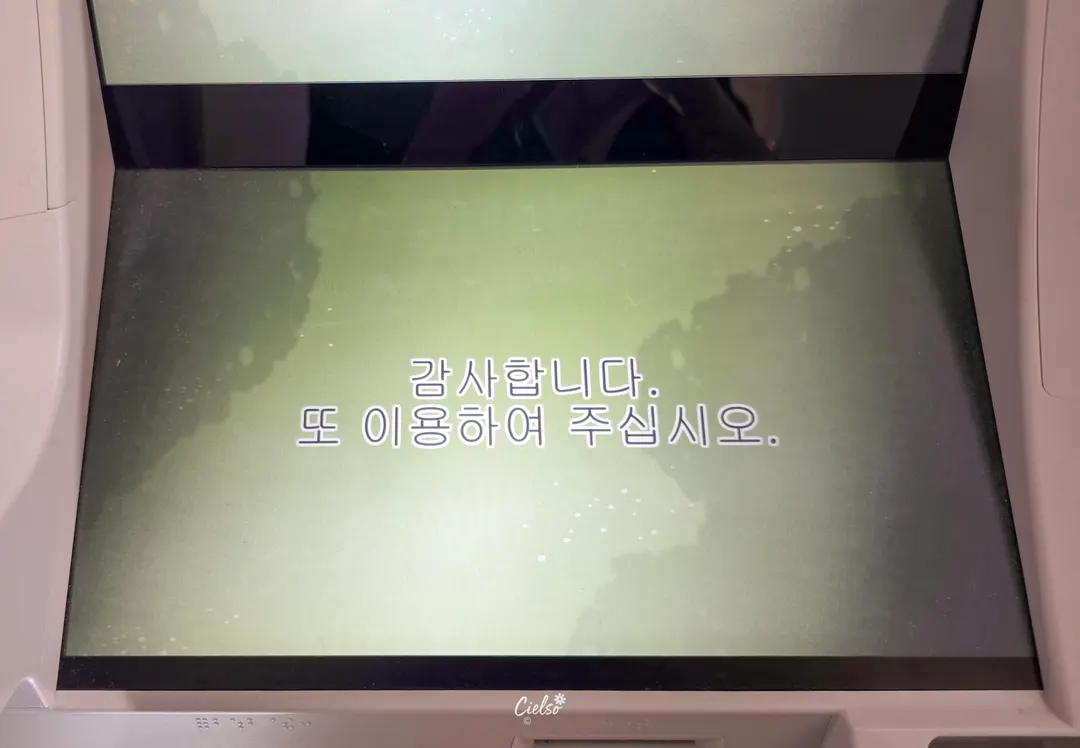
✔︎ Kansai Airport Terminal 2 Seven Bank ATM Experience
Since I usually fly into Terminal 1, I was slightly anxious about navigating Terminal 2 and finding the ATM. Luckily, it is located right in front of the exit as soon as you grab your bags!
Terminal 2 is significantly less crowded, which meant no long lines at the ATM.
With multi-language support, the entire withdrawal process took less than two minutes. Have a wonderful trip to Osaka!
Cielso
ⓒ2026.Cielso All rights reserved.
Frequently Asked Questions
Where is the 7-Eleven ATM located in Terminal 2 of Kansai Airport?
It is located near the entrance to the bus stops after exiting the arrivals hall. You can easily find it right in front of you after claiming your baggage and leaving the arrivals area.
Which machine should I use to make a fee-free withdrawal at Kansai Airport with a Travelog card?
The Travelog card is exempt from withdrawal fees when using a 7-Eleven ATM. On the other hand, if you have a Travel Wallet card, you must use an AEON ATM to withdraw money without fees.
How do I enter my PIN when withdrawing from a 7-Eleven ATM, and what precautions should I take to avoid fees?
You must enter your 4-digit card PIN followed by '00'. Additionally, during the withdrawal process, you must select 'Proceed without conversion' to prevent additional fees.
Share this article
Featured in Collections
Discover more travel stories curated around the same theme.

Related Travel Stories

Universal Studios Japan Tickets 2026: USJ Express Pass Guide
Planning a trip to Universal Studios Japan? Don't get lost in ticket options! We break down all USJ ticket types and share our best tips for using an Express Pass to beat the crowds.

Osaka Castle Tickets 2026: Hours & Amazing Pass Guide
Discover everything you need to know about visiting Osaka Castle in 2026, from ticket prices and opening hours to money-saving Osaka Amazing Pass tips.

Karaksa Hotel Osaka Namba Review 2026: Family Stay
Looking for the perfect family-friendly hotel in Osaka? Here is our honest review of Karaksa Hotel Osaka Namba, a budget-friendly gem near Dotonbori.

USJ Osaka Tickets 2026: Guide to Passes & Rides
Navigating Universal Studios Japan in Osaka can be overwhelming. Here is your ultimate guide to USJ tickets, Express Passes, and top attractions for 2026.

Oriental Hotel Universal City Review 2026: USJ Stay
Beat the massive morning crowds at Universal Studios Japan! Stay at Oriental Hotel Universal City for under $85 and master your USJ open run strategy.

Candeo Hotels Osaka Review 2026: Best Umeda Stay
Planning an Osaka getaway with family or friends? Check out our 2026 review of Candeo Hotels Osaka The Tower, a quiet luxury oasis near Umeda Station.