

Visit Japan Web Registration Guide 2026: Family & Re-entry
Simplify your Japan trip prep! This 2026 guide covers Visit Japan Web registration, including adding family, re-entry schedules, and confirming your QR codes for a smooth arrival.

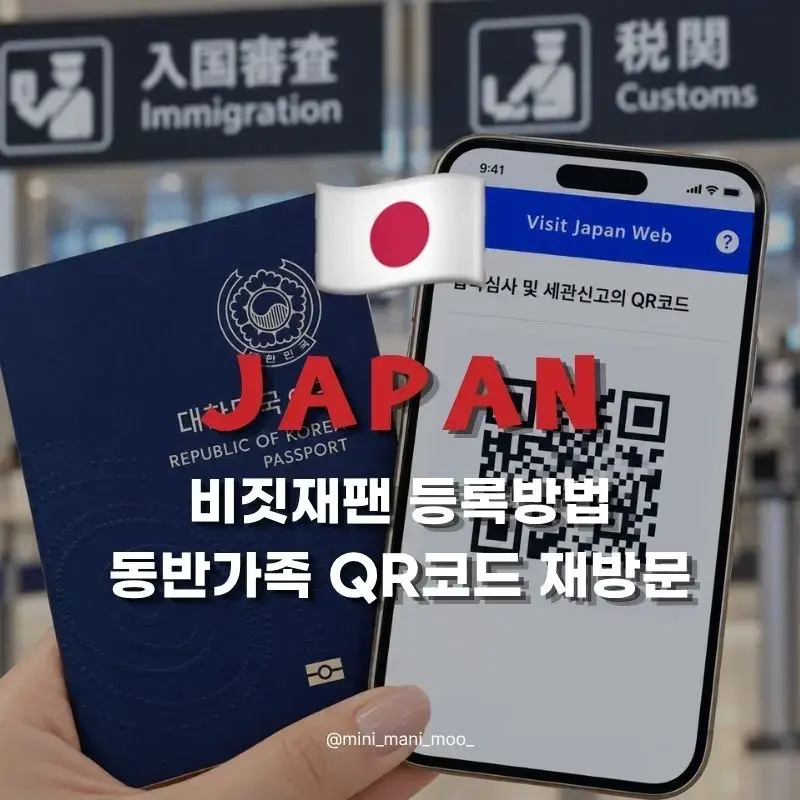
How to Register for Visit Japan Web
Adding Accompanying Family, QR Codes, and Re-entry Schedule
Photos/Text © MiniManimoo
Hello, explorers!
This is Mini, back with Mini's Annual Leave Trip!
Before your trip to Japan, have you tangled with Visit Japan Web?
Perhaps you've found registering family members or inputting accommodation details a bit tricky?
From the very first registration steps to adding accompanying family members,
and even adding a re-entry itinerary and checking your QR codes,
I'll break it all down for you!
Table of Contents | |
1 | Visit Japan Web Official Site and What You'll Need |
2 | Creating an Account and Registering Your Information |
3 | Registering Accompanying Family and Traveling with Friends |
4 | Registering Your Travel Itinerary and Adding a Re-entry Schedule |
5 | Immigration, Customs Declaration, and QR Codes |
6 | Mini's Planning Tips |
1. Visit Japan Web Official Site and What You'll Need |
Visit Japan Web is a service designed to help you pre-register the essential information
for immigration and customs declarations required for entry into Japan.
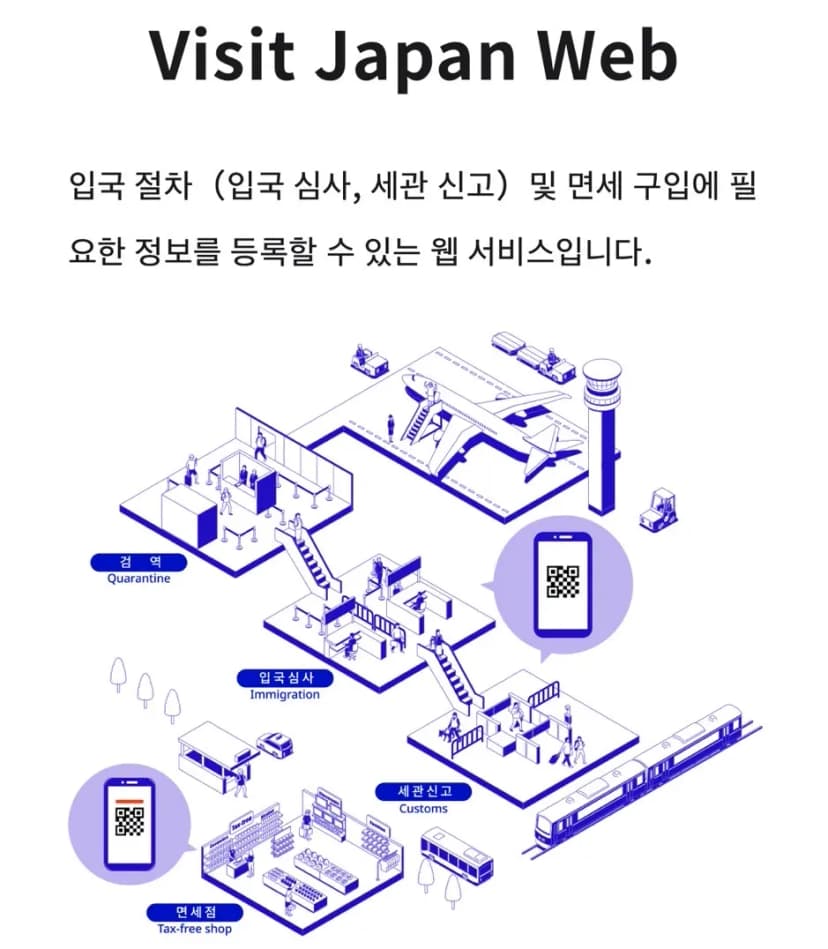
While using it isn't strictly mandatory,
completing it beforehand can significantly ease the burden of filling out declaration forms at the airport.
> Go to Visit Japan Web Official Site <
Before you register, please have the following documents ready:
What You'll Need | Information Required |
Passport | English Name, Passport Number, Date of Birth, Expiration Date |
For Login and Receiving Verification Codes | |
Flight Reservation Details | Arrival Date in Japan, Airline, Flight Number, Departure Location |
Accommodation Reservation Details | Accommodation Name, Postal Code, Address, Phone Number |
Family Passports | Needed if registering accompanying family members |
If this is your first time registering, start with Section 2.
If you have an existing account, you can jump straight to Section 4.
Even if you're a returning visitor, if you've recently renewed your passport,
please double-check your saved personal information.
2. Creating an Account and Registering Your Information |
① Create a New Account
After initiating the process on the official site,
select 'Create New Account'.
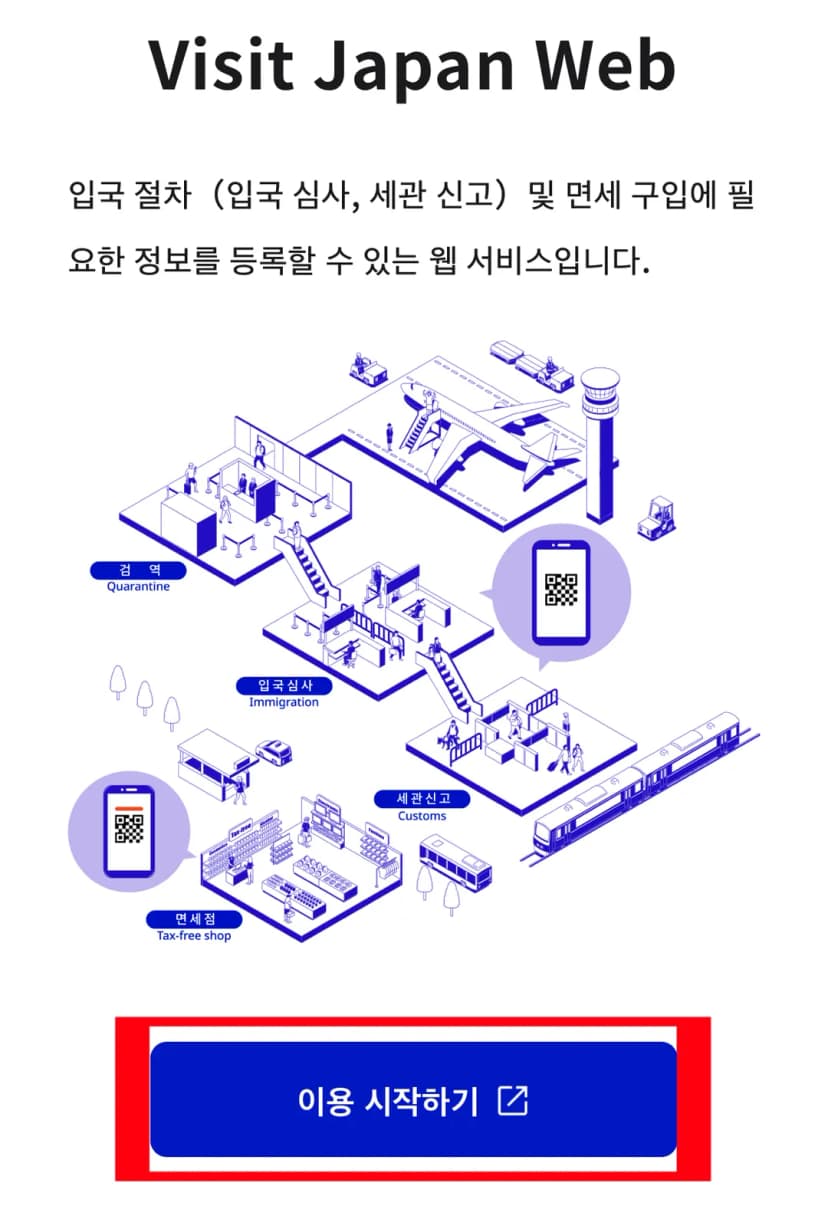
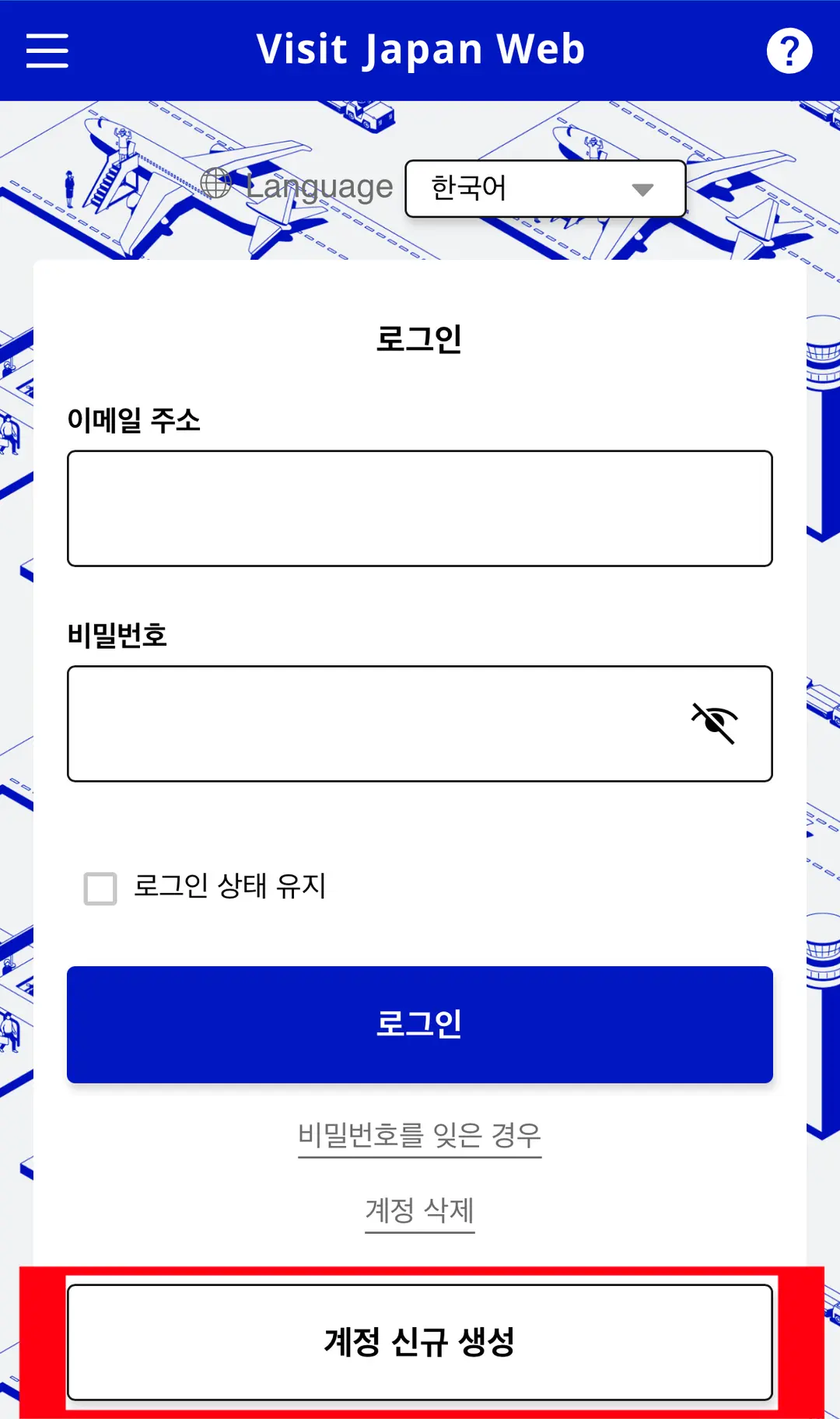
Review the terms and conditions,
then enter your email address and password.
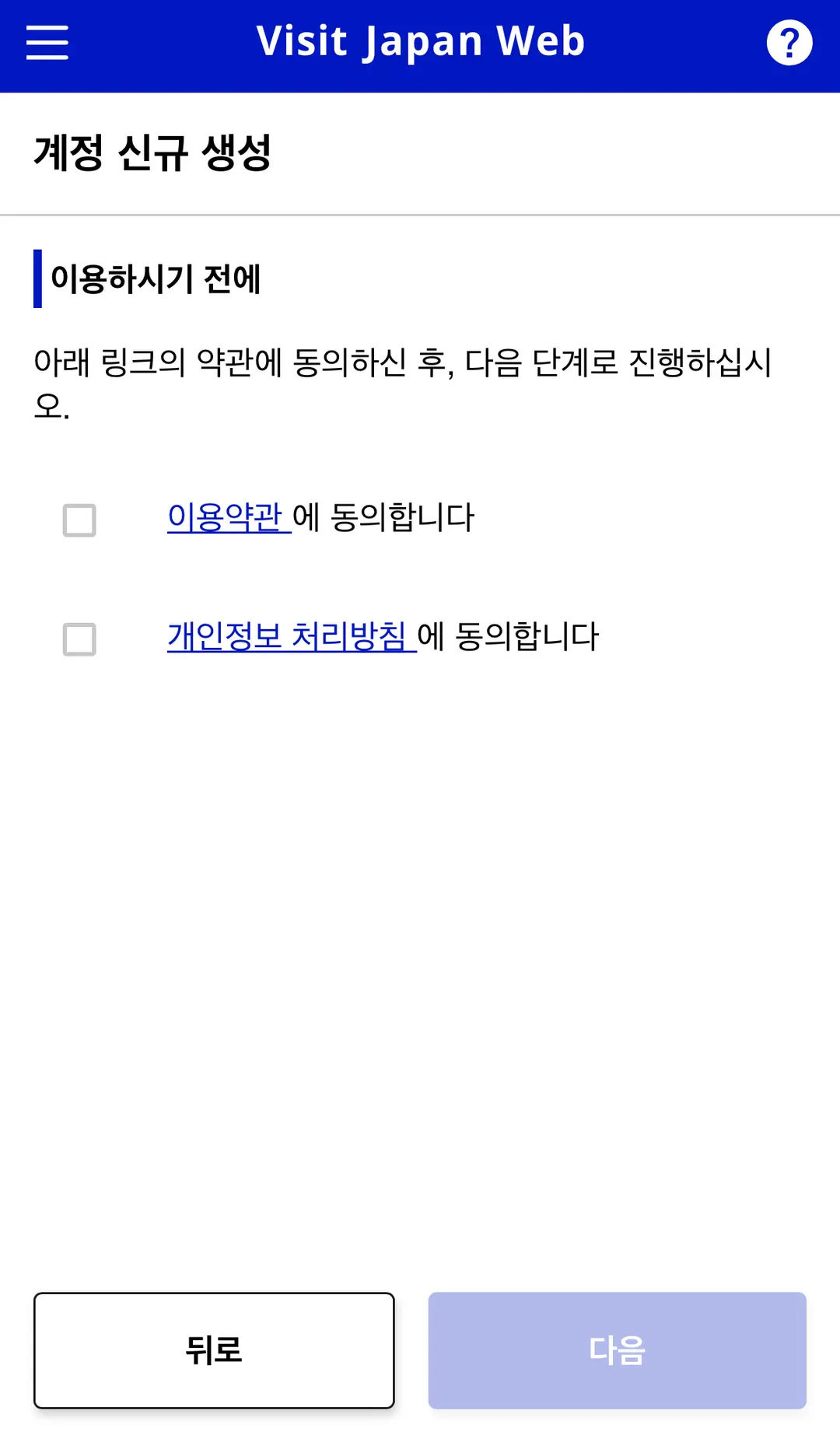
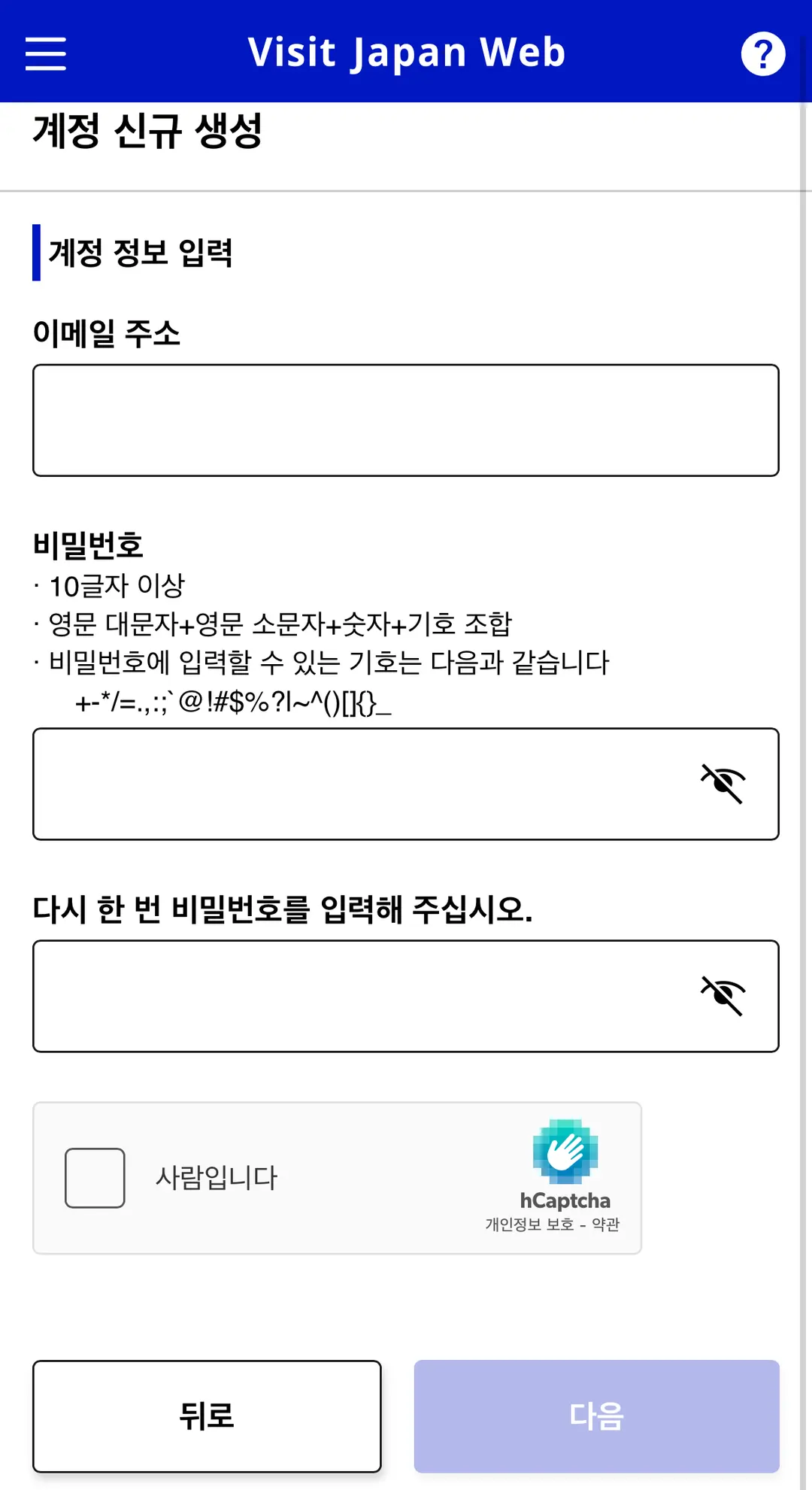
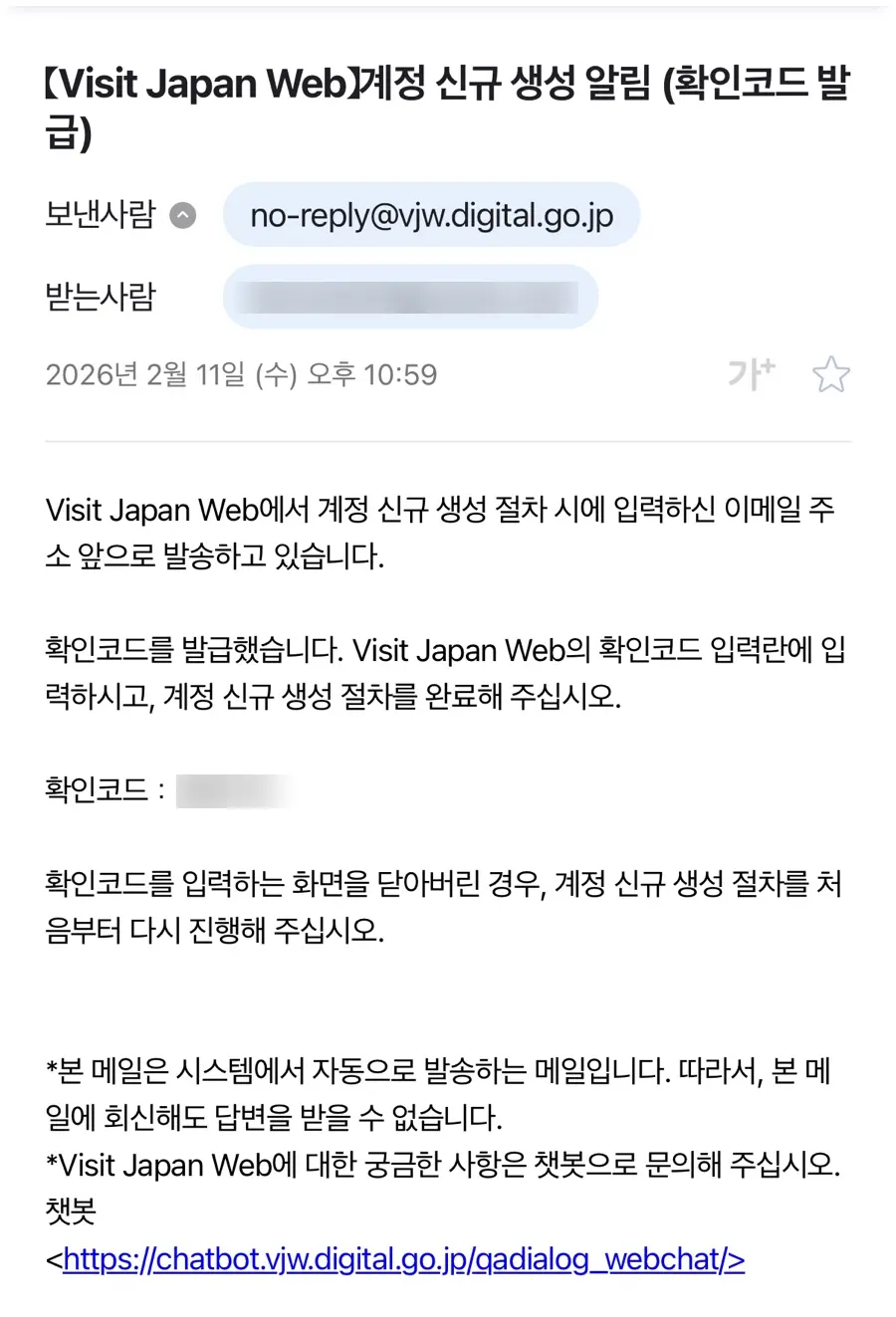
Once you've entered the verification code received via email,
you can proceed with email verification.
If the email doesn't arrive,
please check your spam folder and the email address you entered.
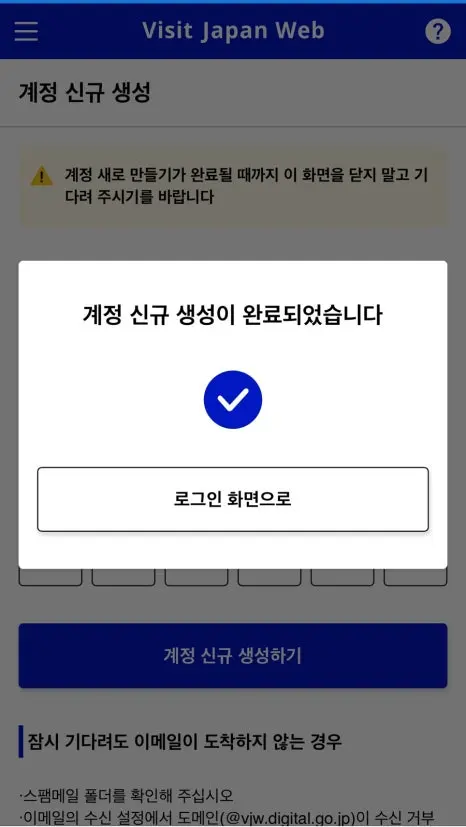
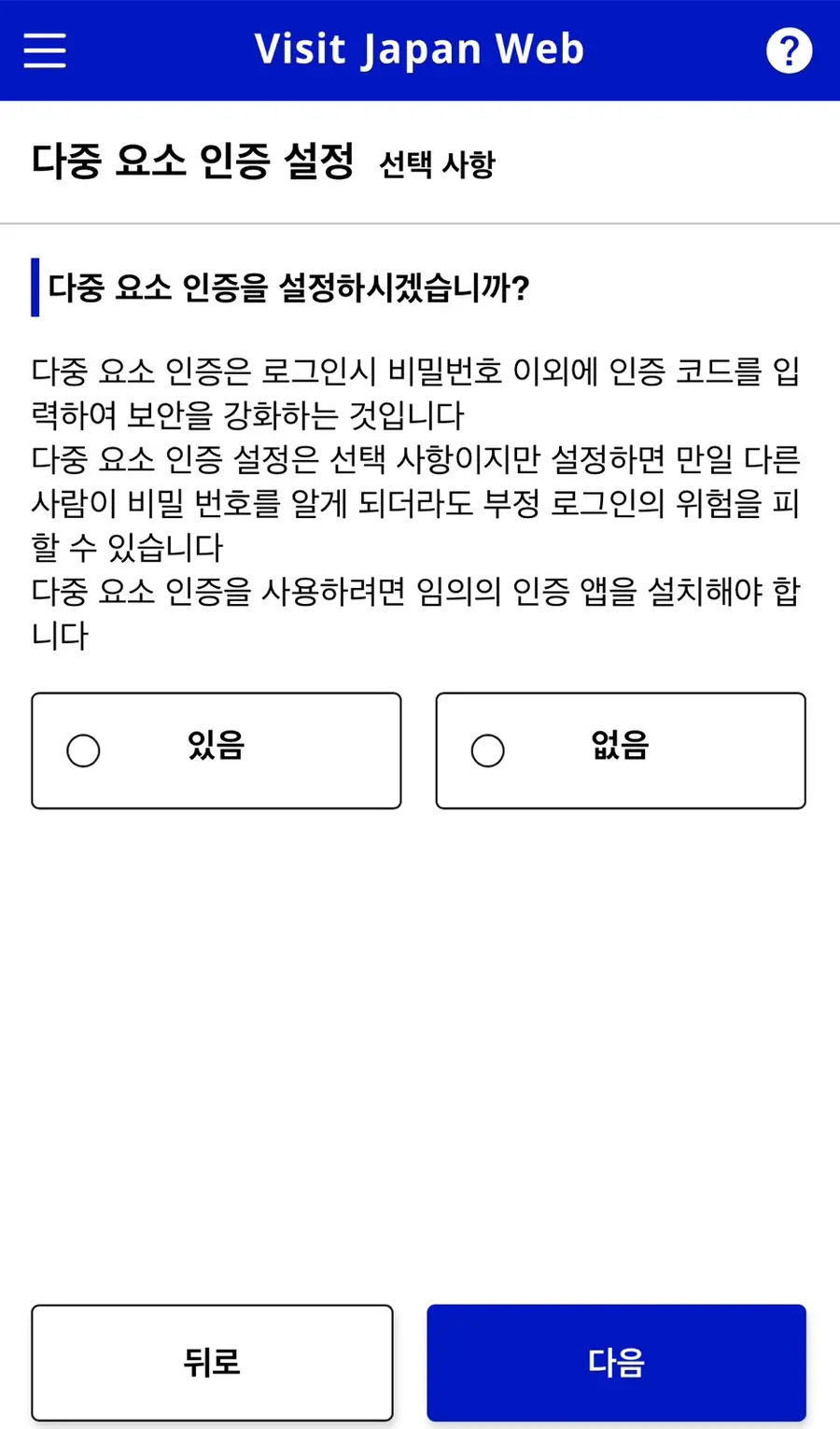
If you encounter a security settings screen, such as for multi-factor authentication,
please read the instructions and configure it.
② Select Your Personal Information
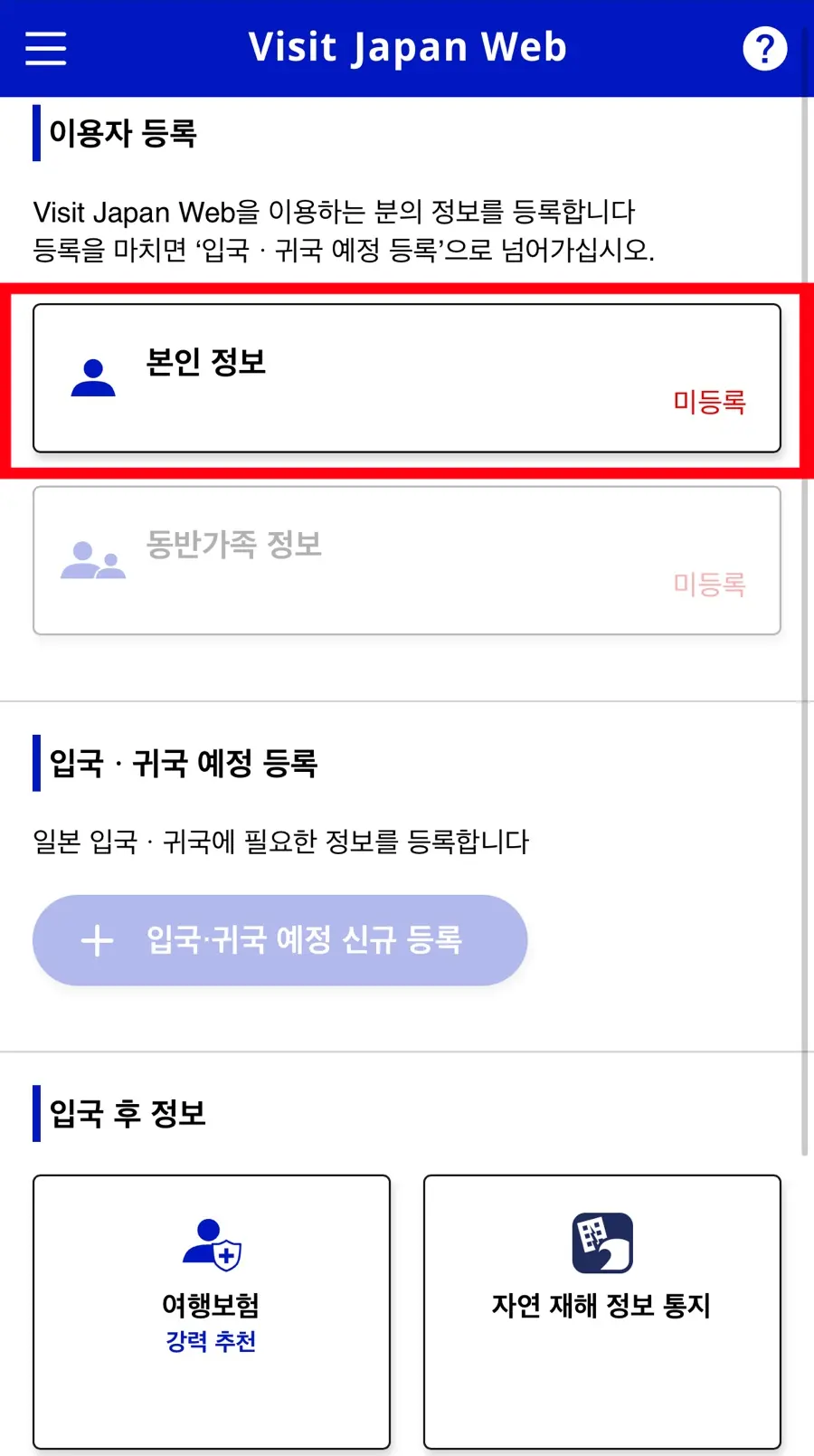
After logging in, from the User Registration menu,
select 'Personal Information'.
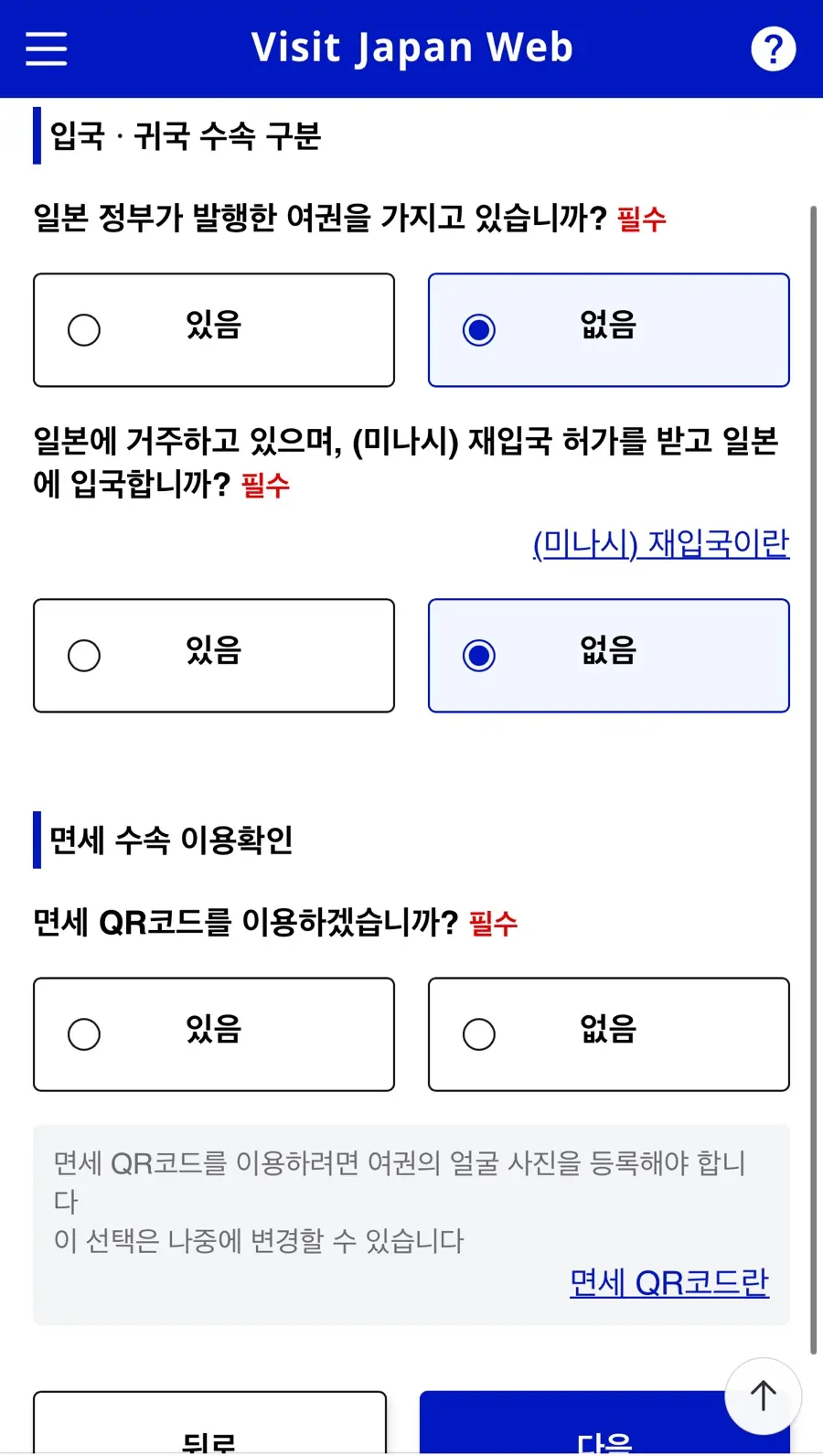
Read through the questions regarding entry and return procedures,
and simply proceed with the items that apply to you.
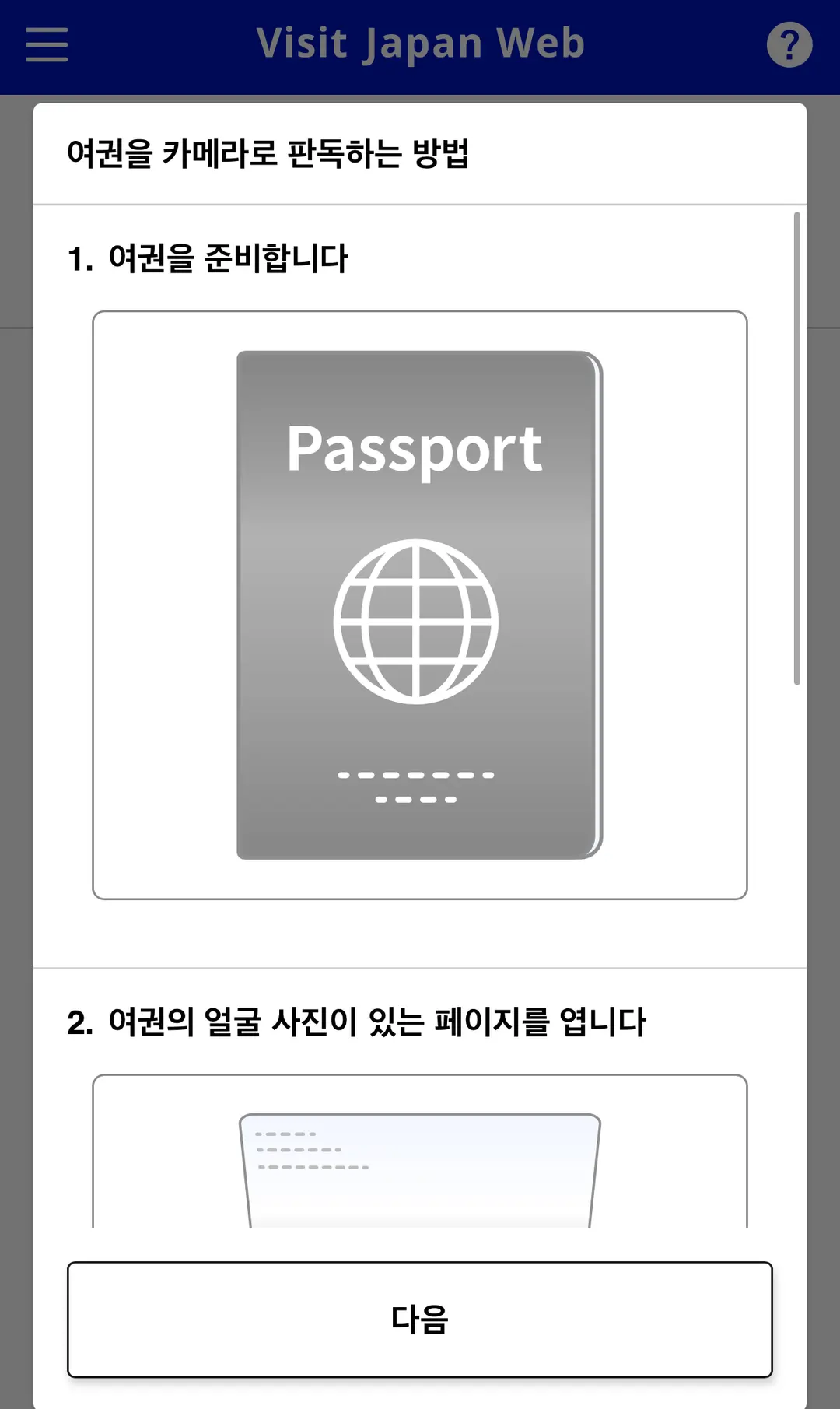
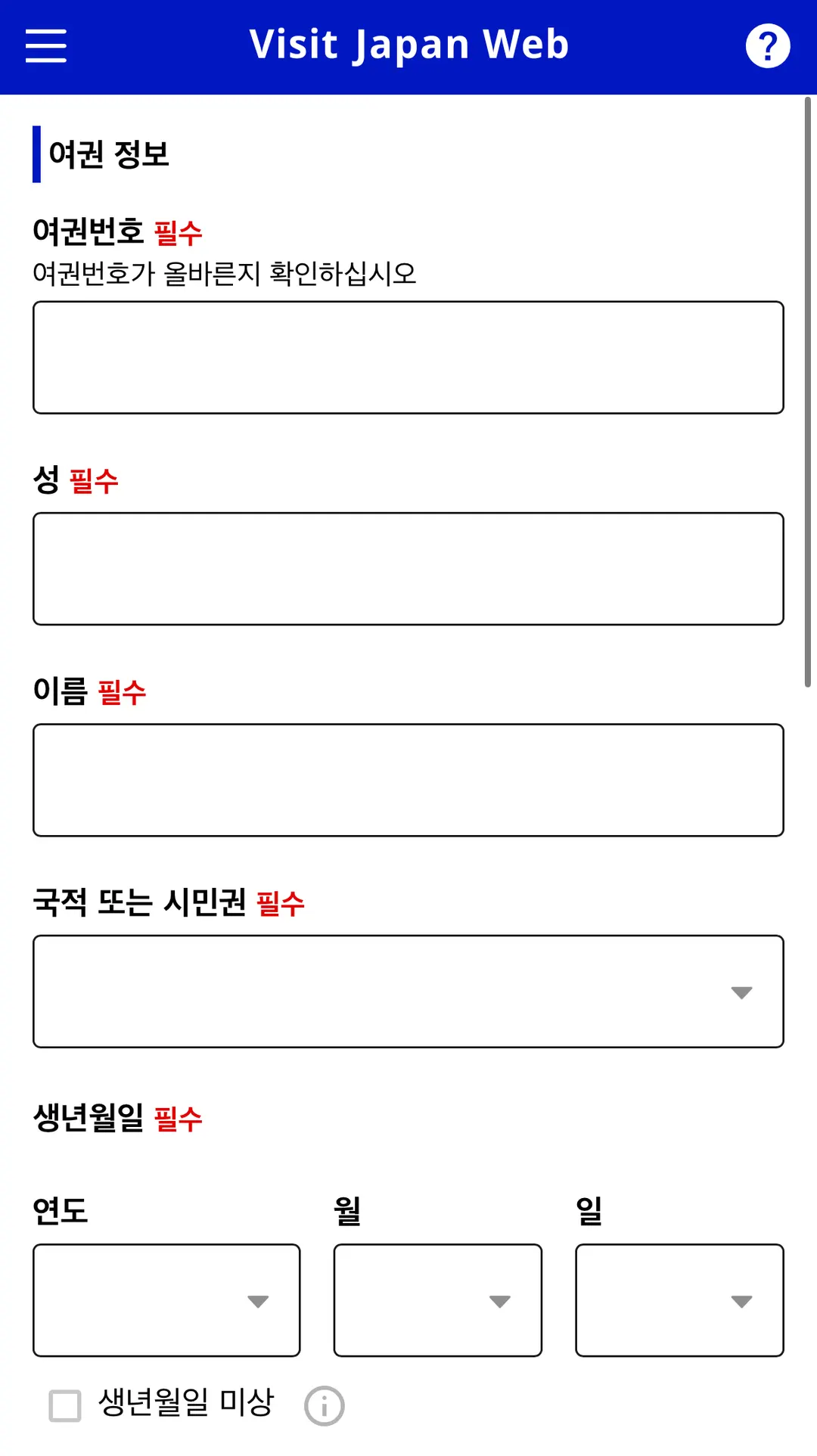
③ Register Your Passport Information
On the passport information screen, enter the details as provided.
If you've scanned your passport with the camera,
please compare the automatically entered information with your actual passport.
It's especially important to double-check your English name, passport number, date of birth, and expiration date.
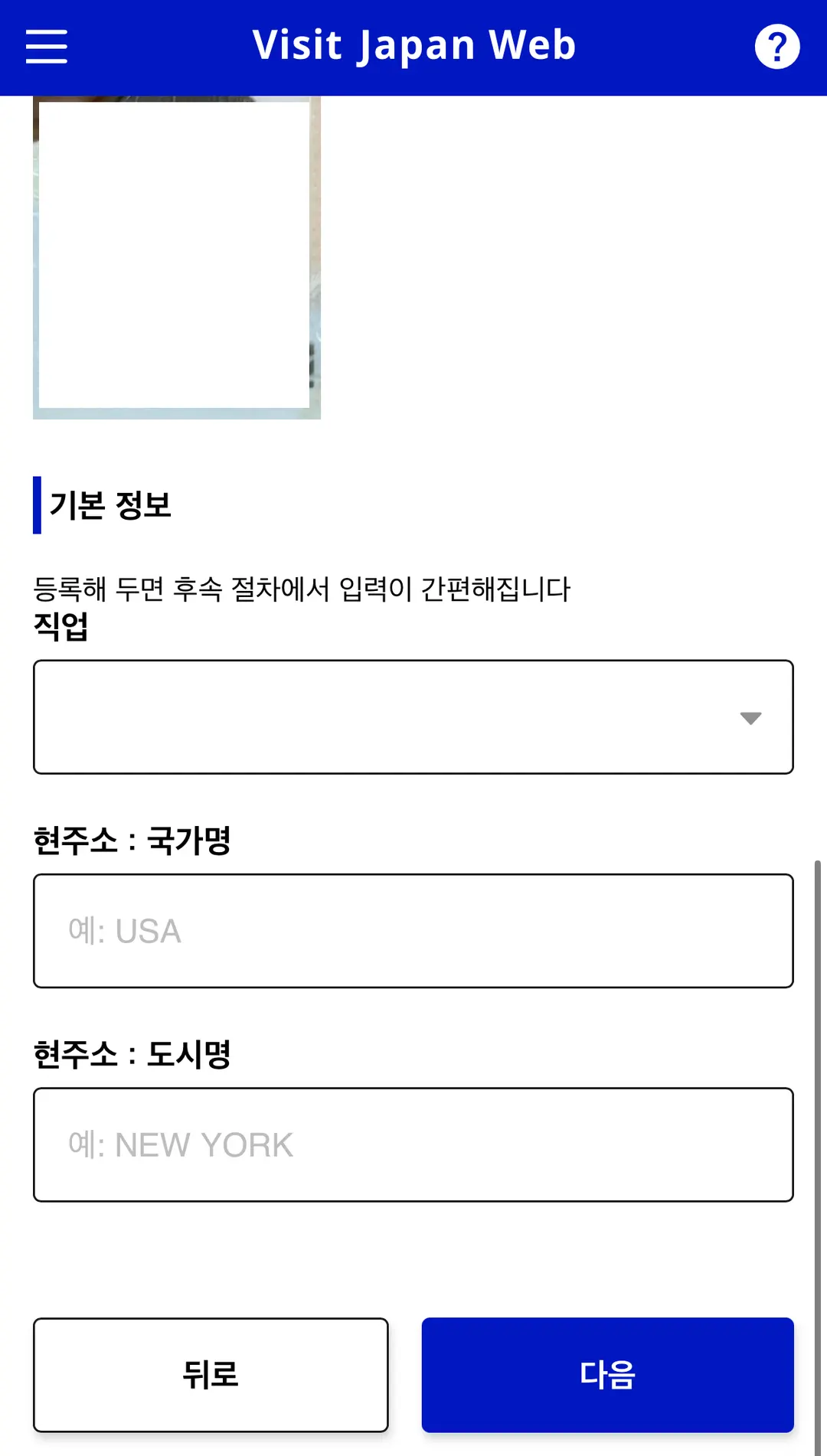
Once you've saved your personal information,
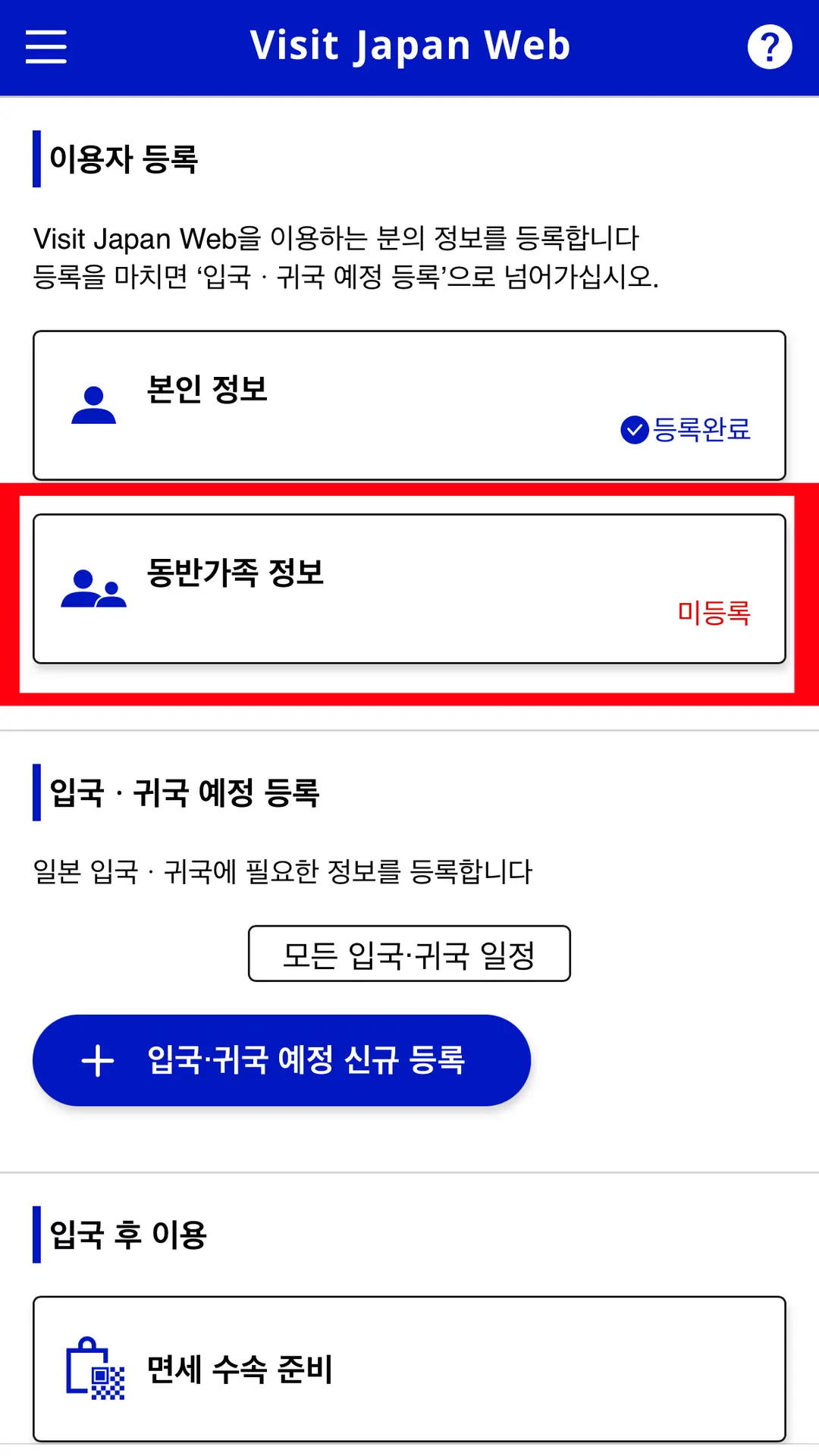
next, you can register family information or your travel itinerary.
A | 3. Registering Accompanying Family & Traveling with Friends on Visit Japan Web |
Do I need to register each family member separately?
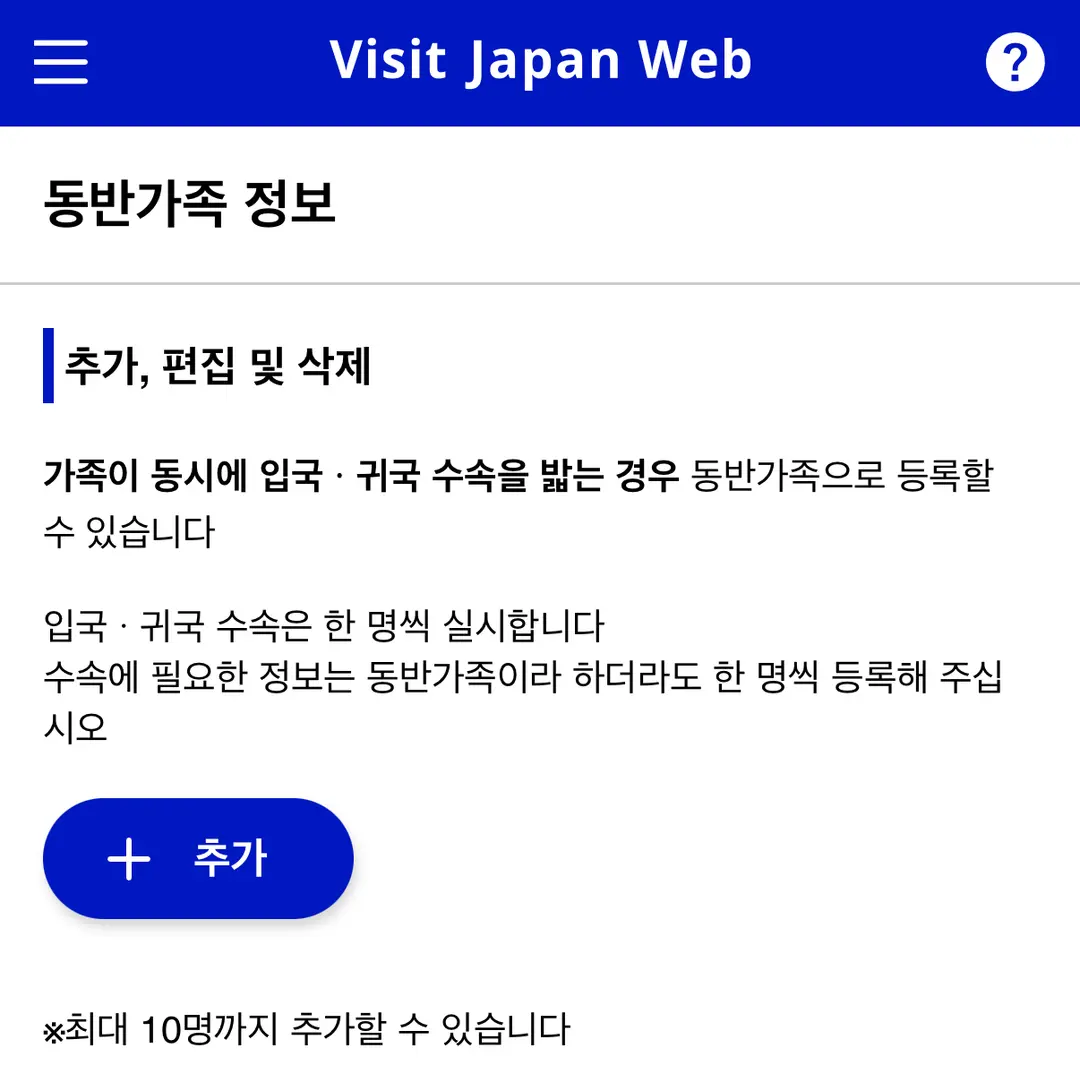
Visit Japan Web has an 'Accompanying Family Information' menu for managing the details
of family members entering the country together.
If your family members are completing entry/return procedures simultaneously,
you can register them as accompanying family.
You can register up to 10 accompanying family members.
See how to register accompanying family members
Even if you manage them under one account,
please ensure each person has their own QR code for immigration inspection.
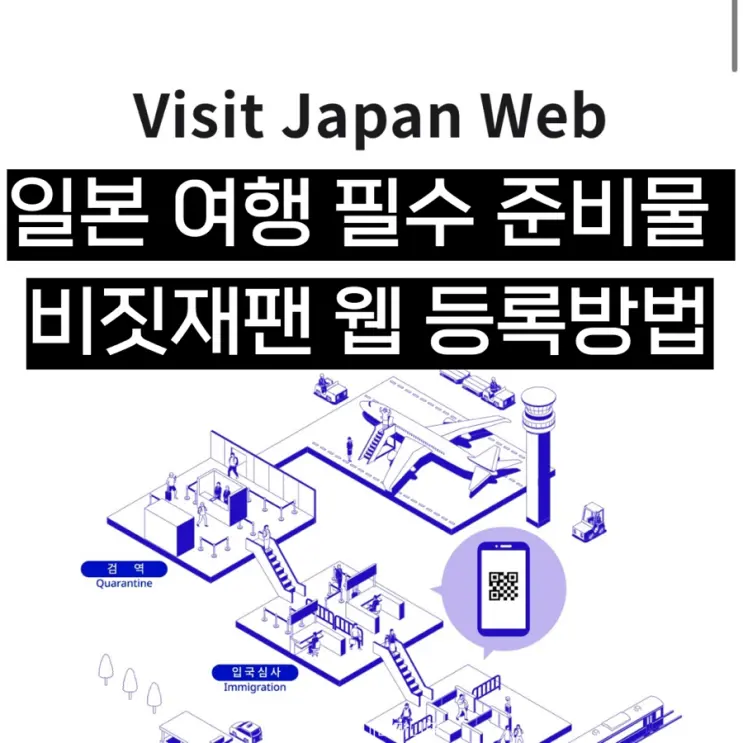 Essential Japan Travel Prep: How to Register for Visit Japan Web | Registering Accompanying Family & Friends
4. Registering Your Travel Plan & Adding Return Visit Itineraries |
Whether it's your first time or you're returning to Japan,
you'll need to register your travel itinerary.
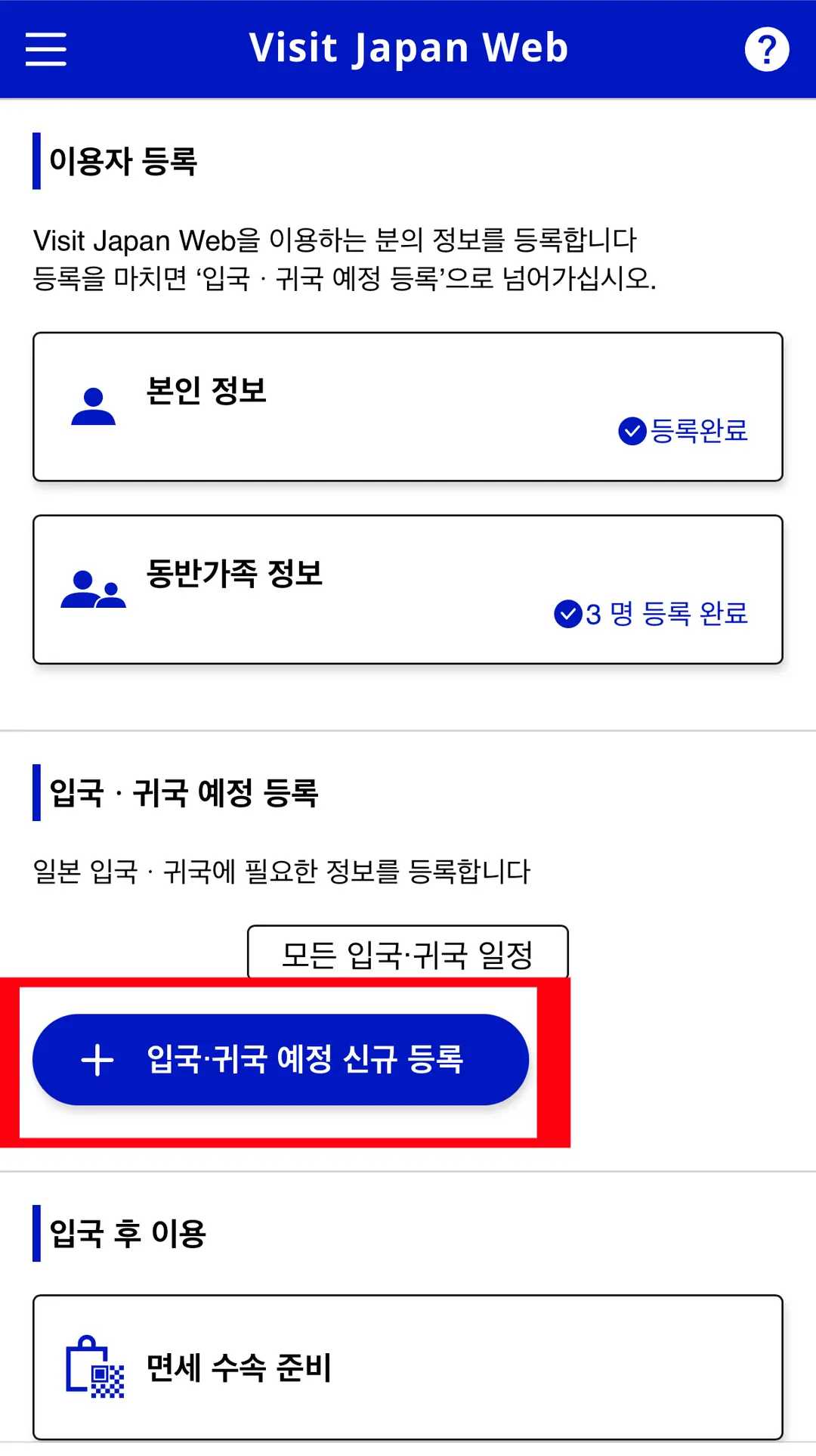
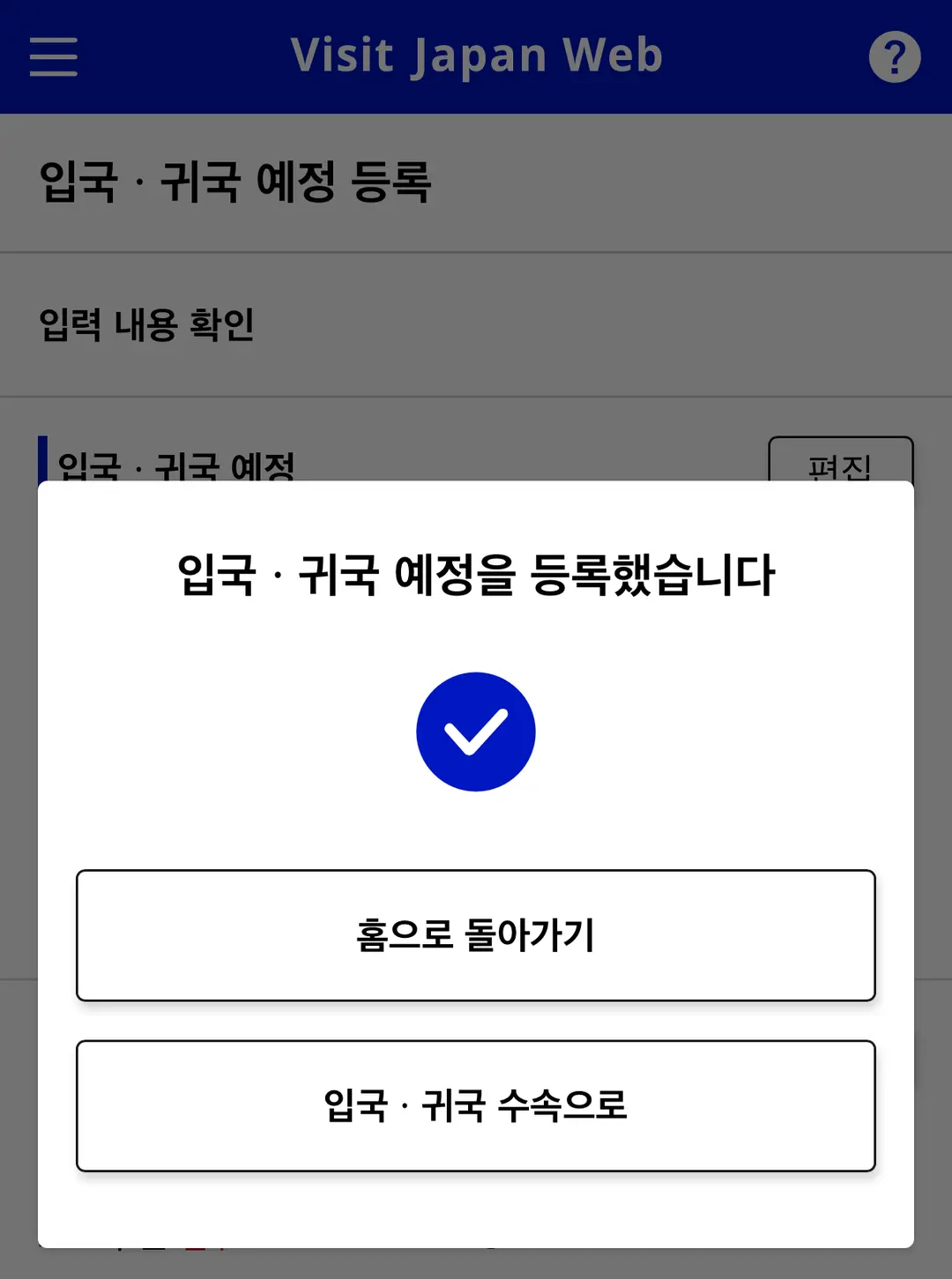
① New Registration for Entry/Return Schedule
From the initial screen,
select 'New Registration for Entry/Return Schedule'.
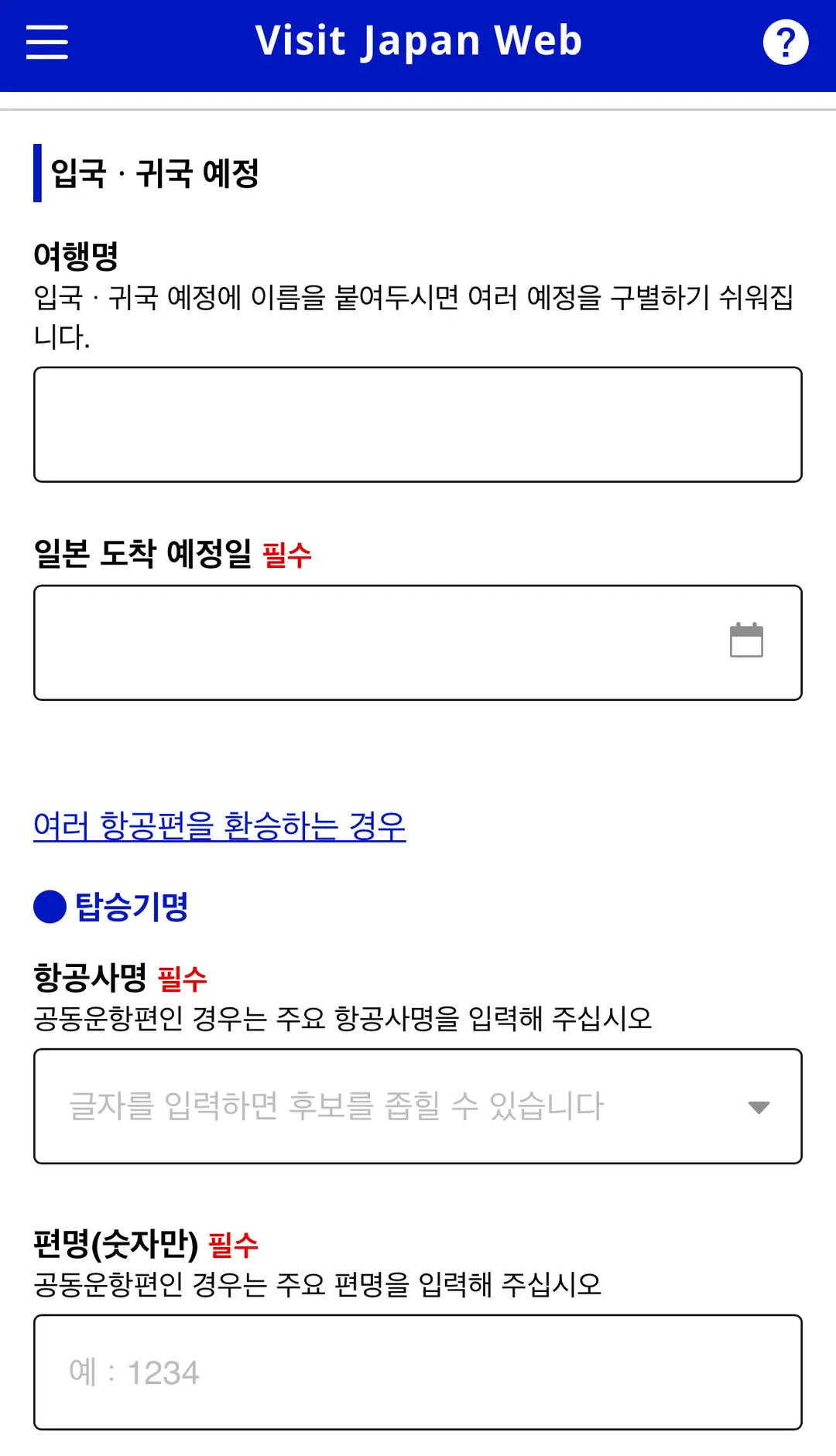
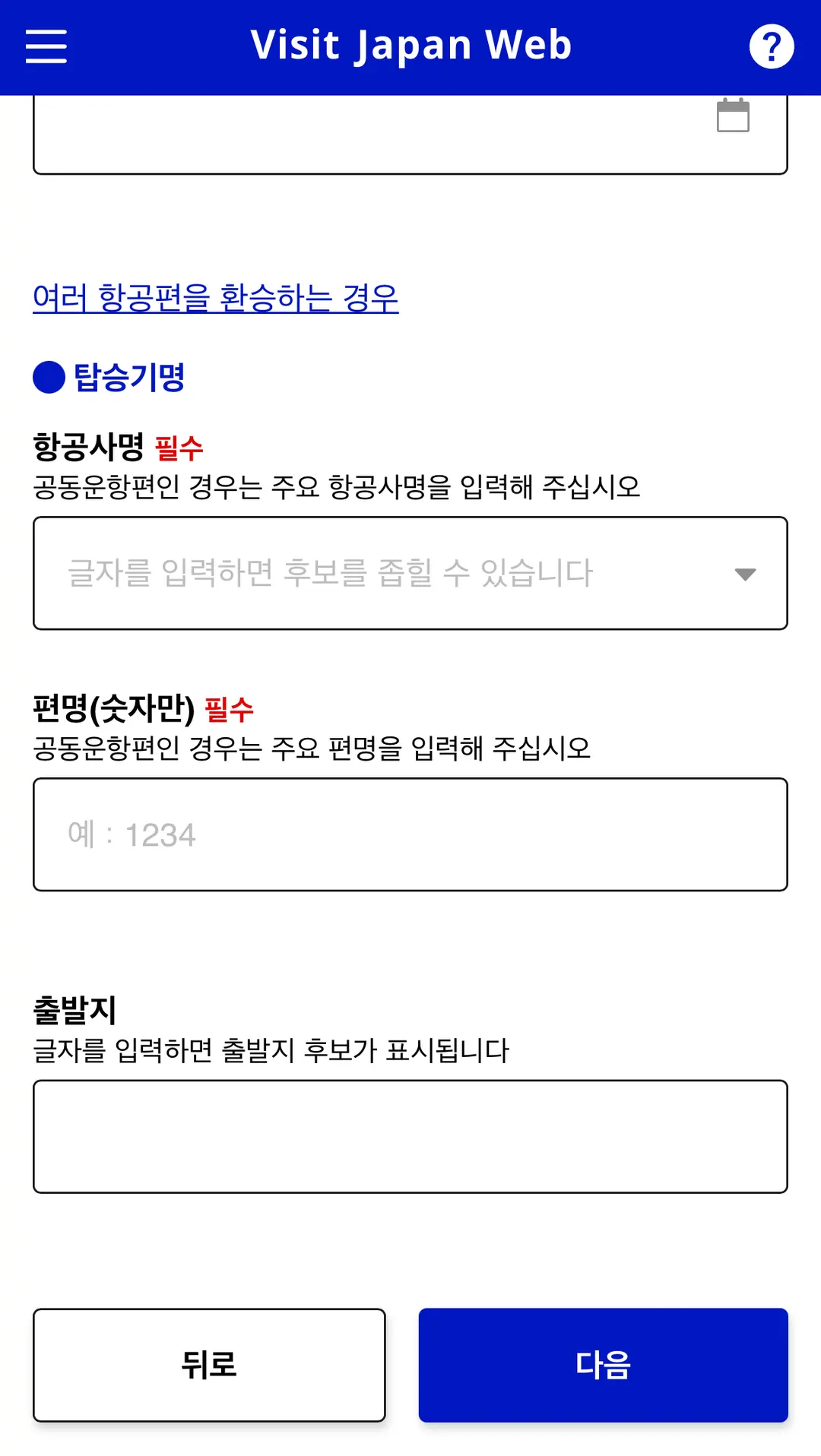
② Enter Your Trip Name and Flight Details
Enter your trip name, estimated arrival date in Japan, airline name and flight number,
and departure point.
It's helpful to include the region and date in your trip name.
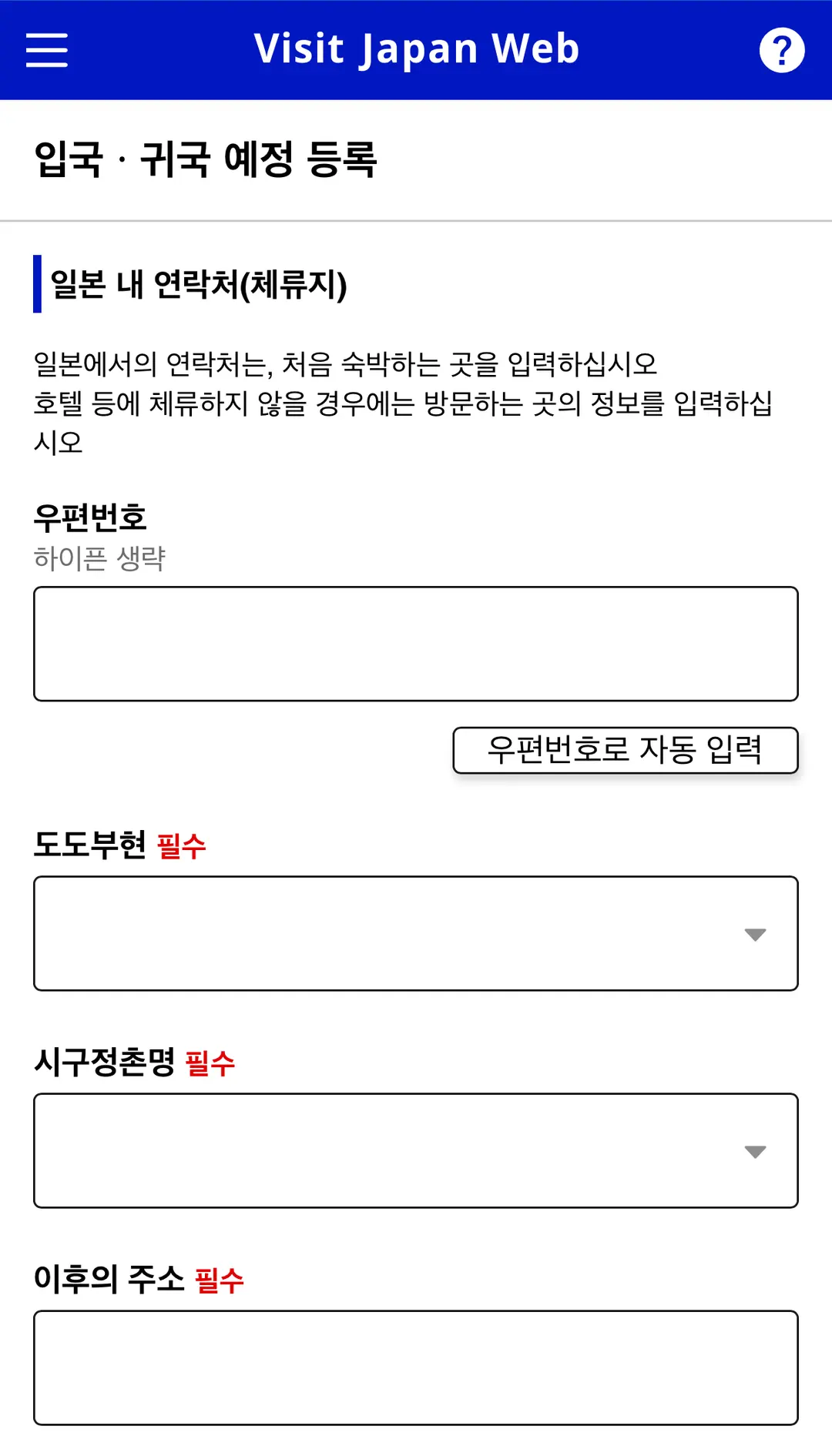
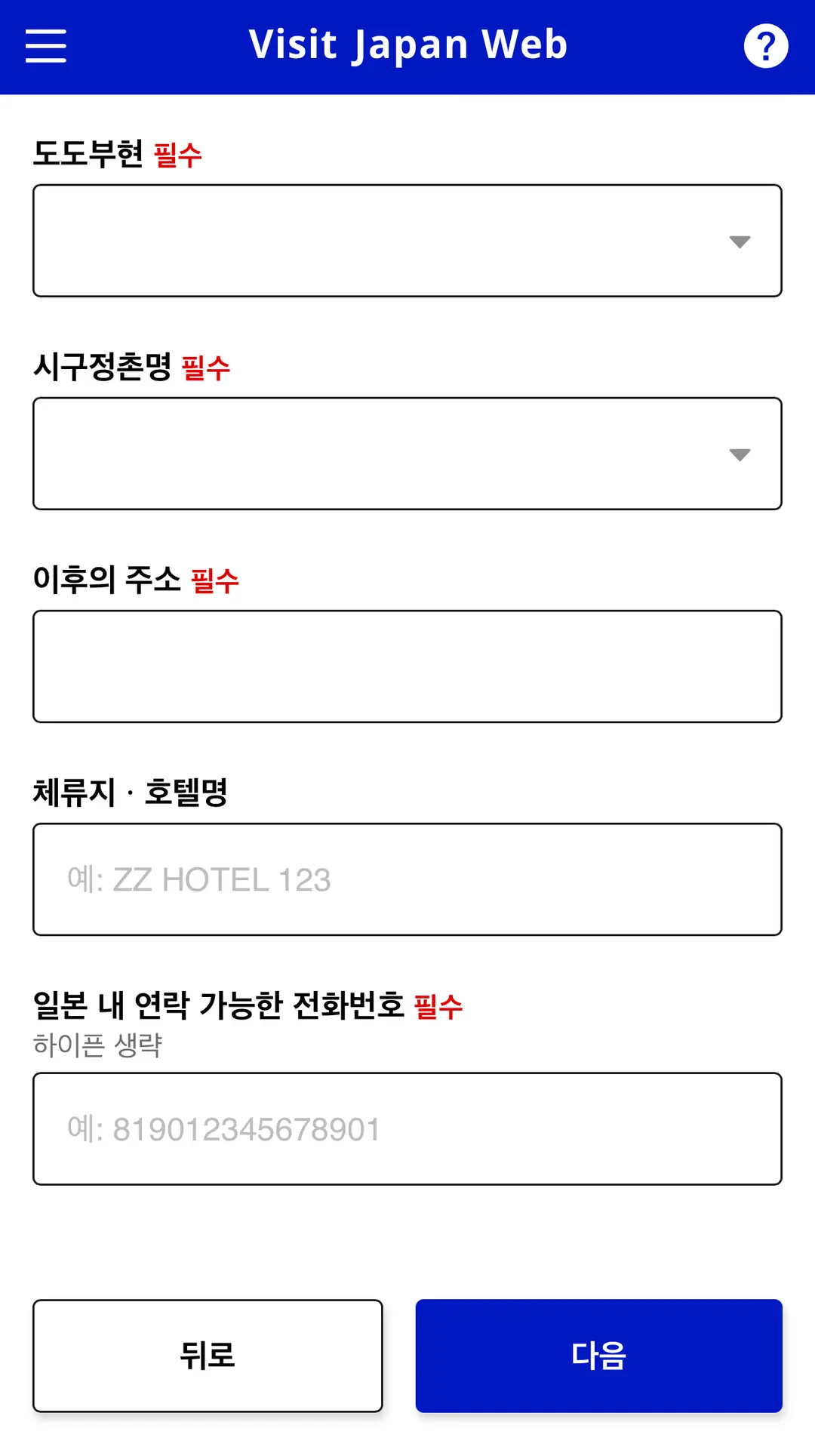
③ Enter Your Contact Information and Accommodation Address in Japan
Open your accommodation booking details to find
the postal code, address, accommodation name, and phone number.
Part of the address will be automatically entered when you input the postal code.
④ Confirming Travel Companions and Saving Your Itinerary
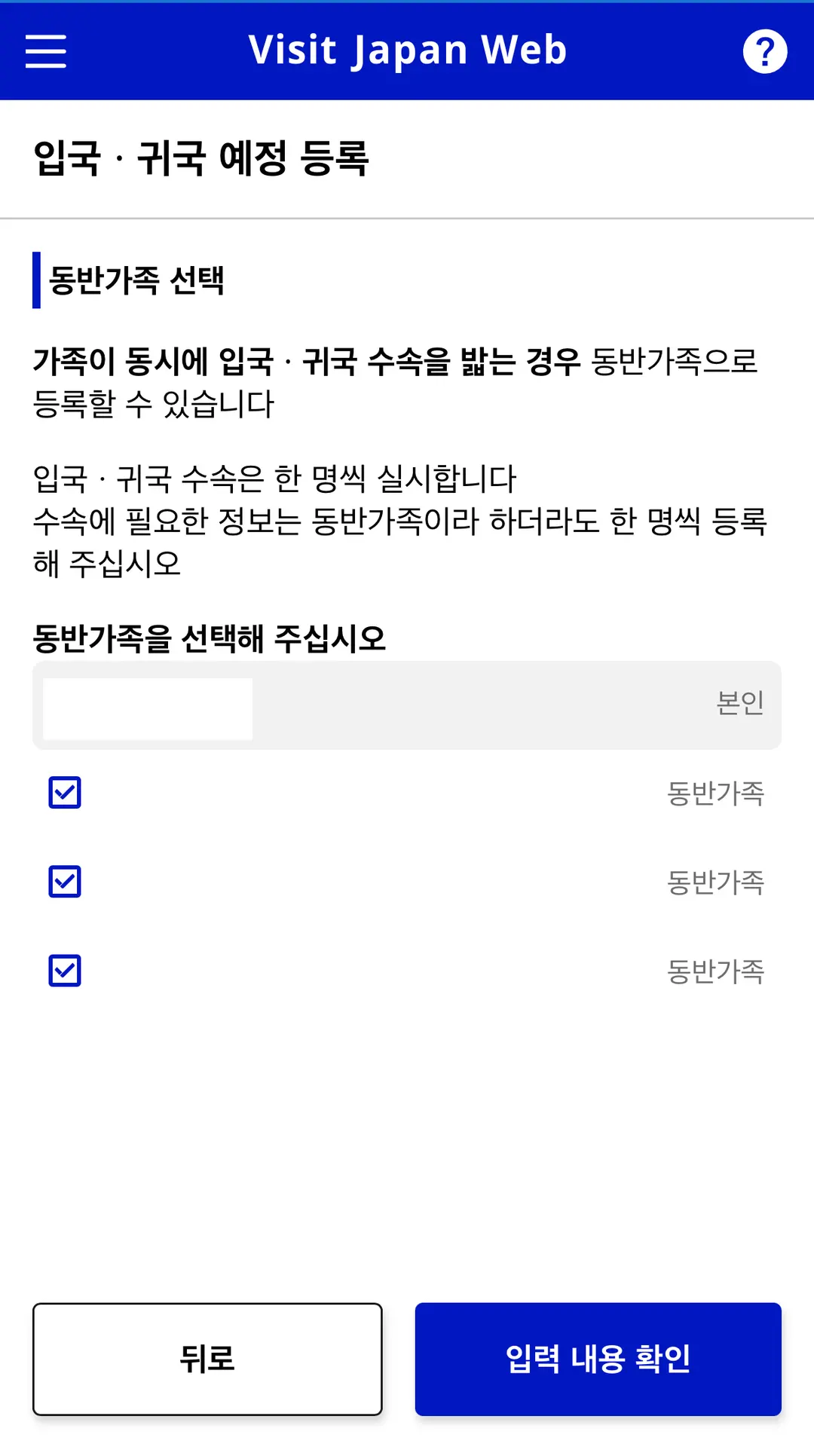
If you're traveling with family members you've registered,
please select those accompanying you on this trip.
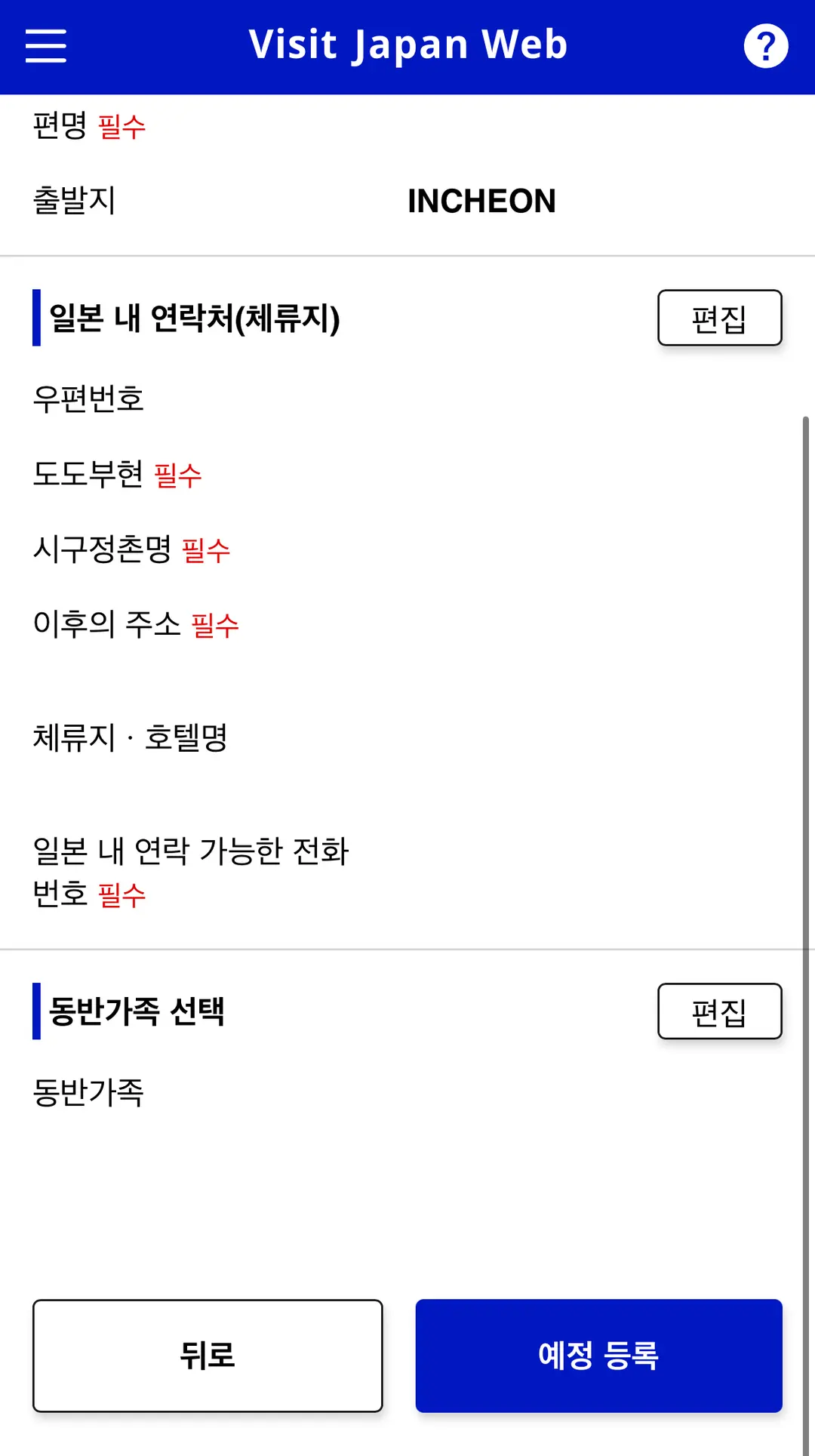
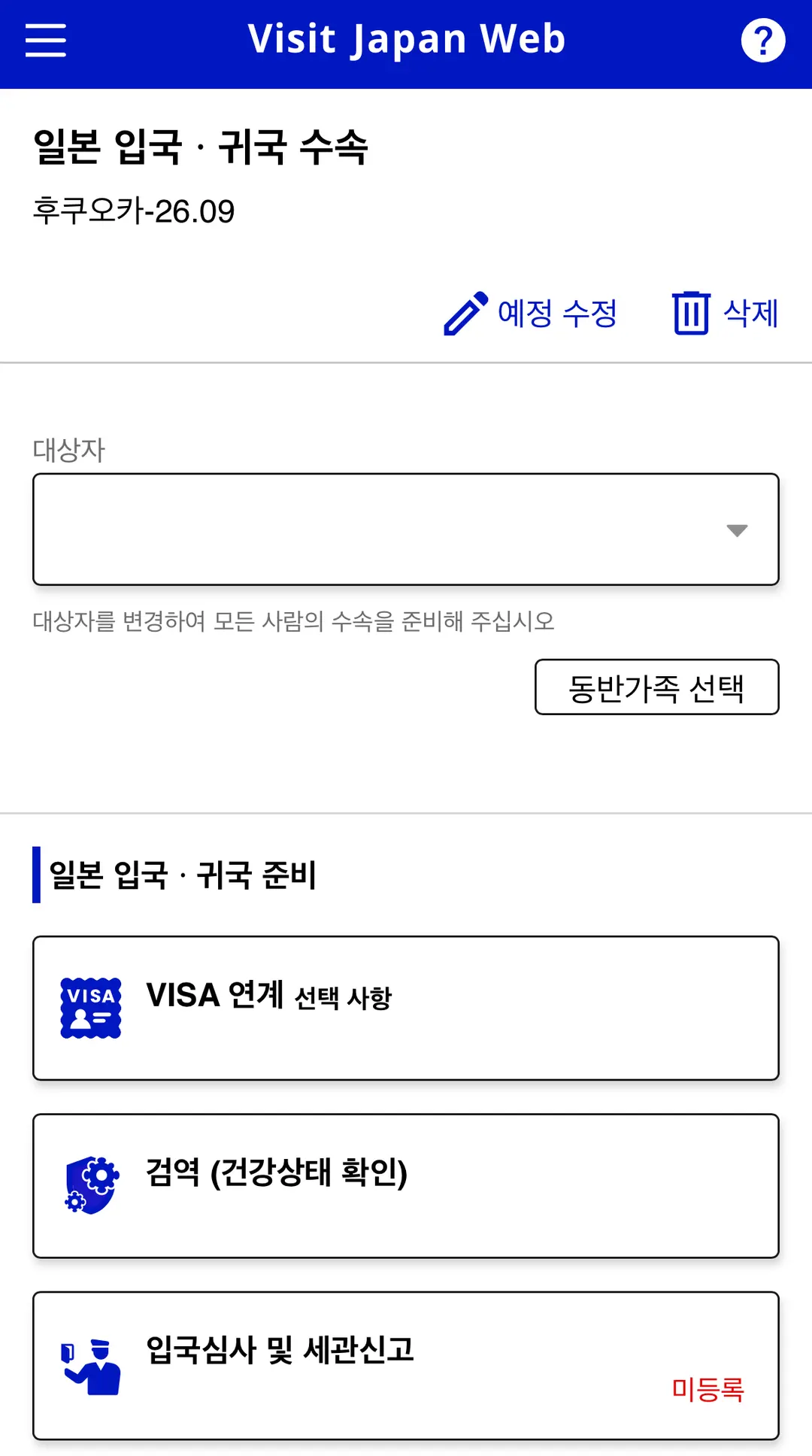
Even if you're a returning visitor, simply adding your itinerary isn't the final step!
You'll still need to complete the immigration and customs declaration for this trip
and ensure you check your QR code.
5. Immigration & Customs Declaration and QR Code |
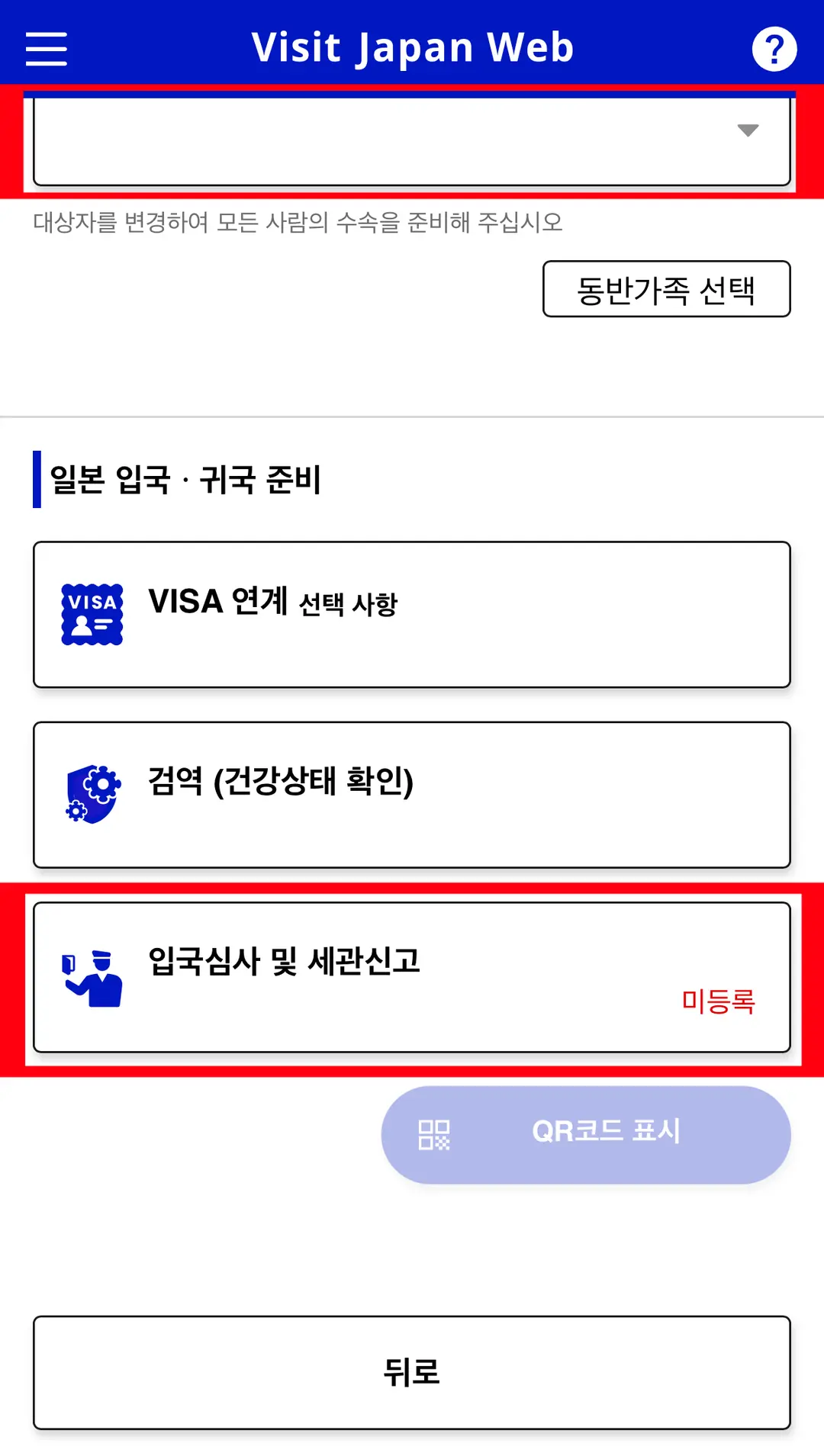
① Selecting Your Travel Itinerary and Applicants
Once you've selected the applicants,
select 'Immigration and Customs Declaration'.
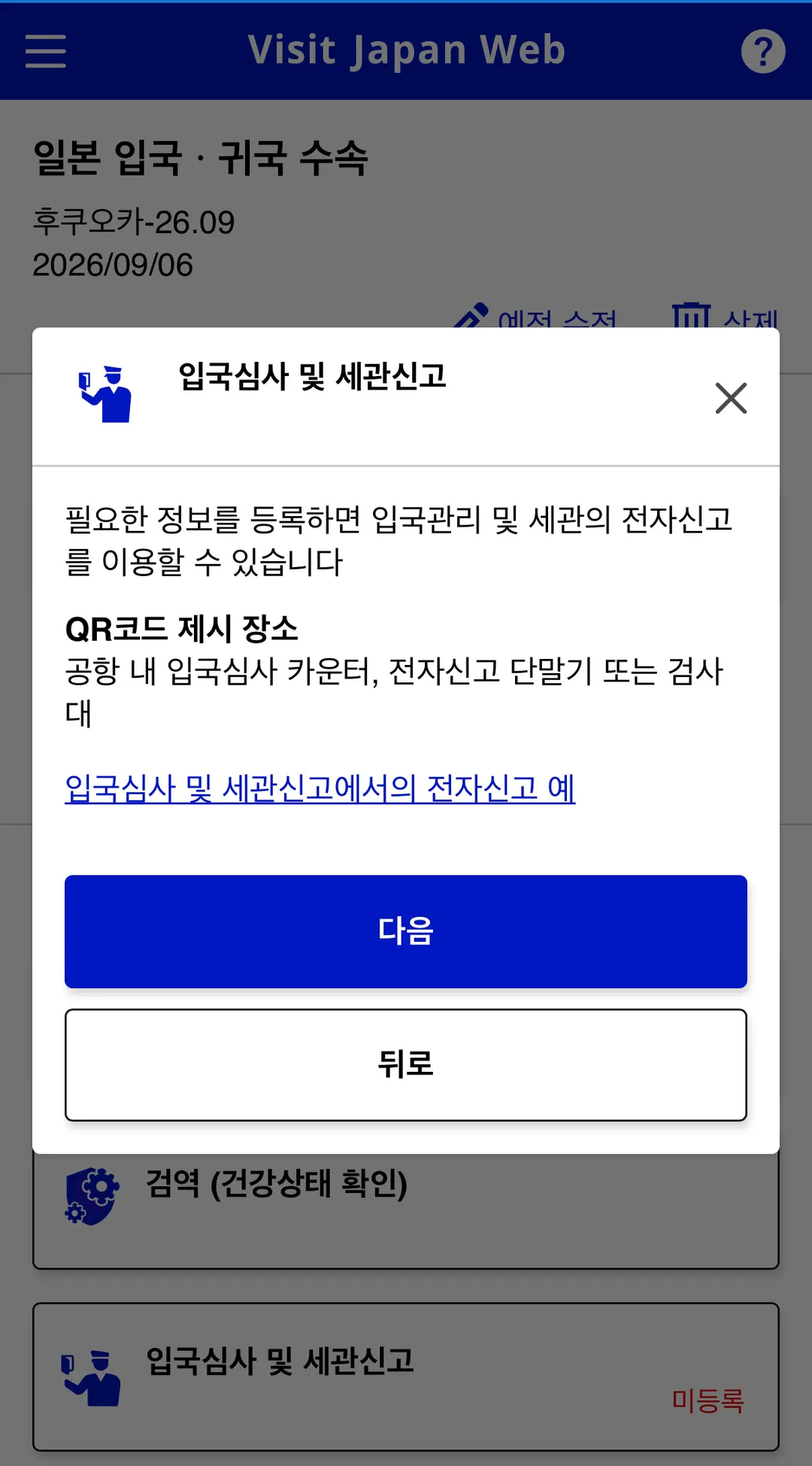
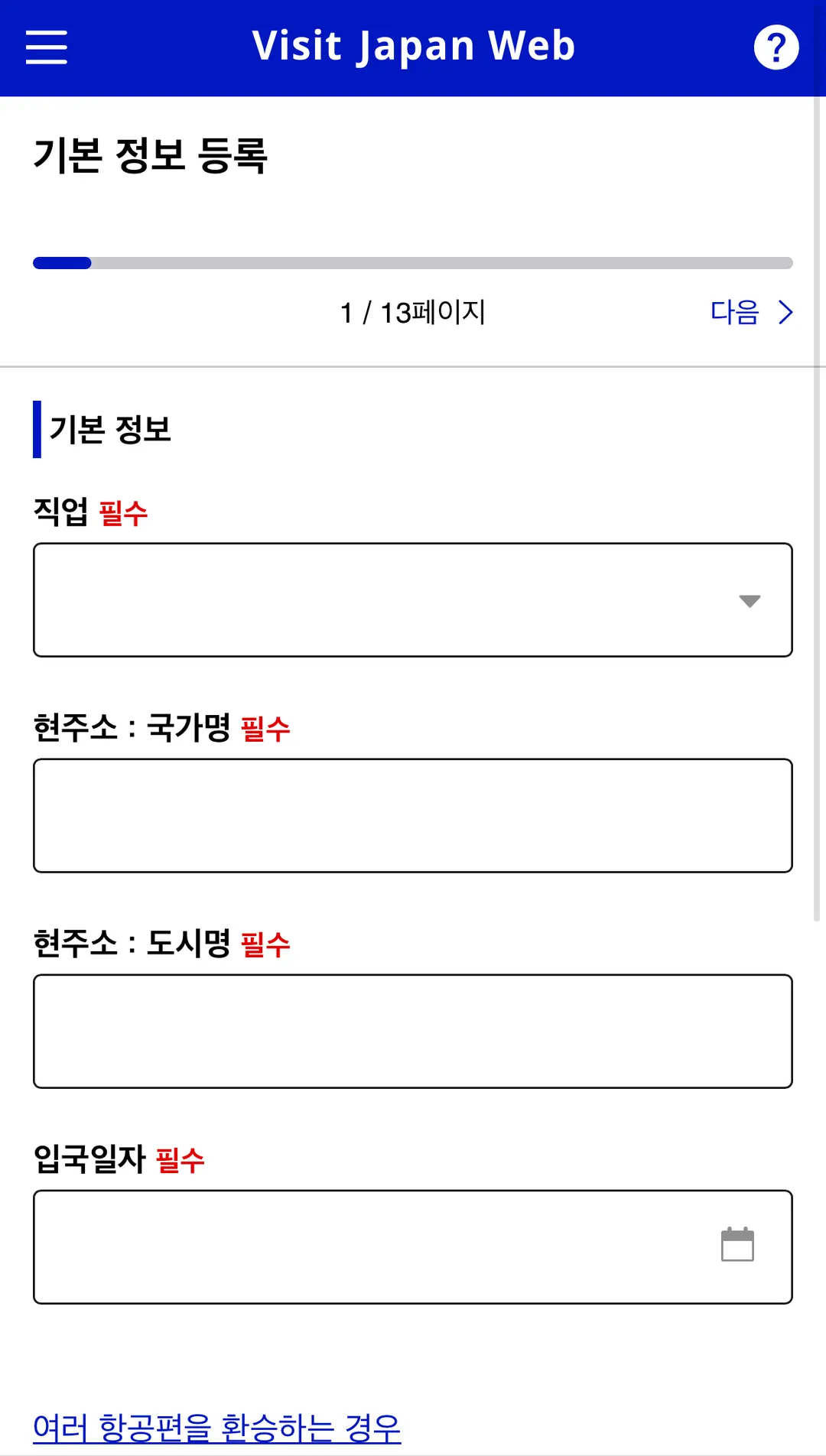
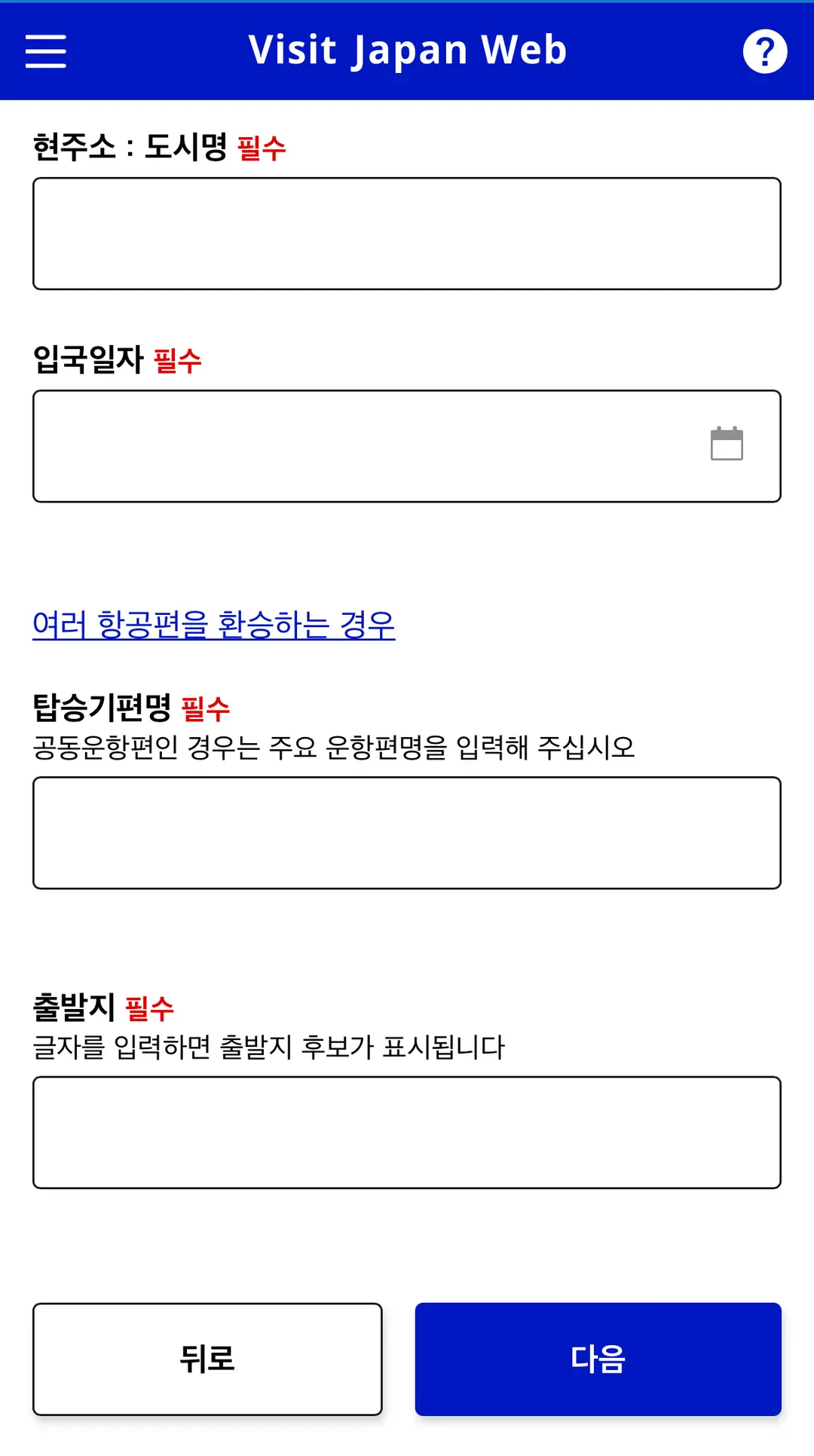
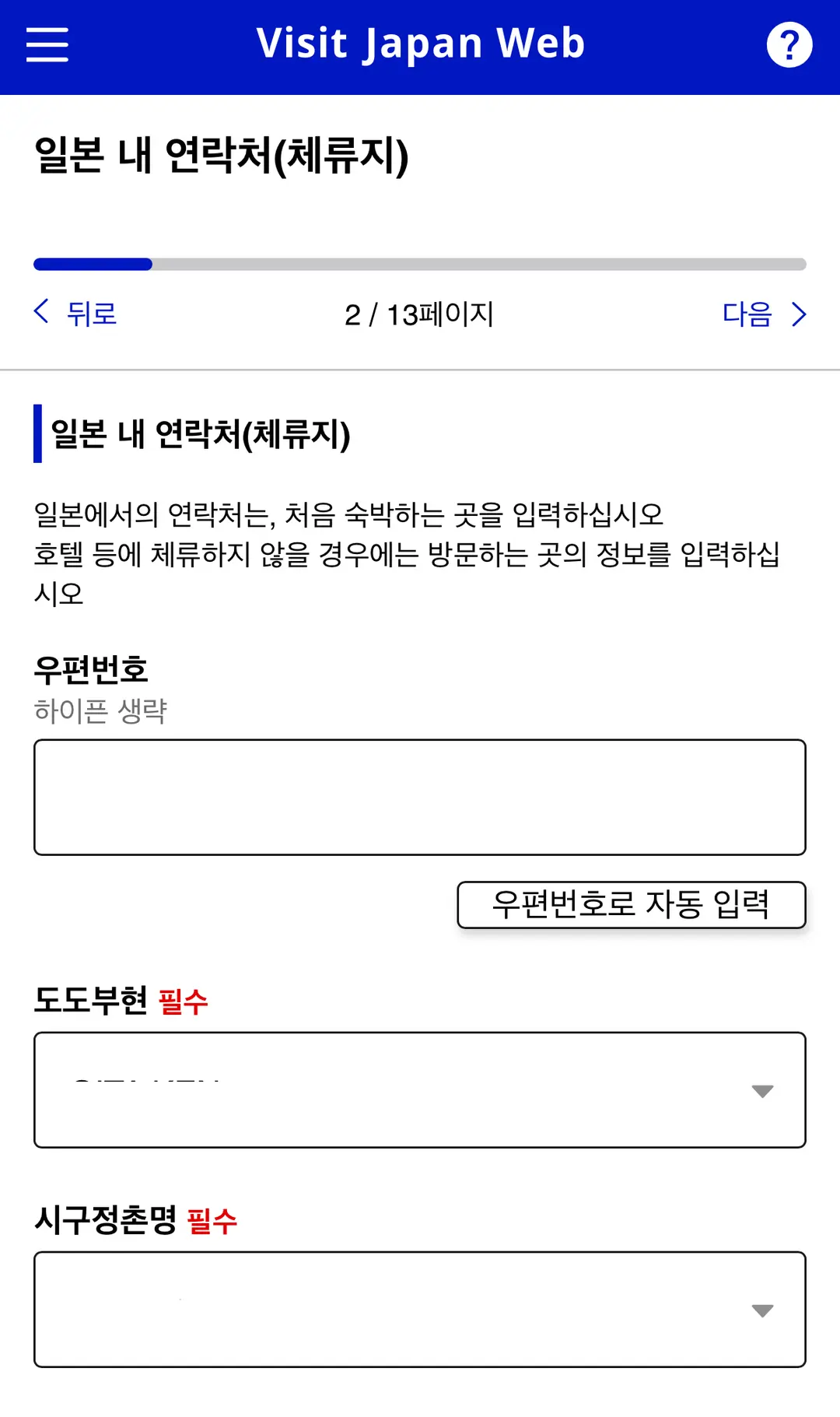
② Confirming Basic Information and Contact Details in Japan
Enter the required information, such as your occupation and current address,
and double-check your flight and accommodation details.
③ Entering Your Entry Information
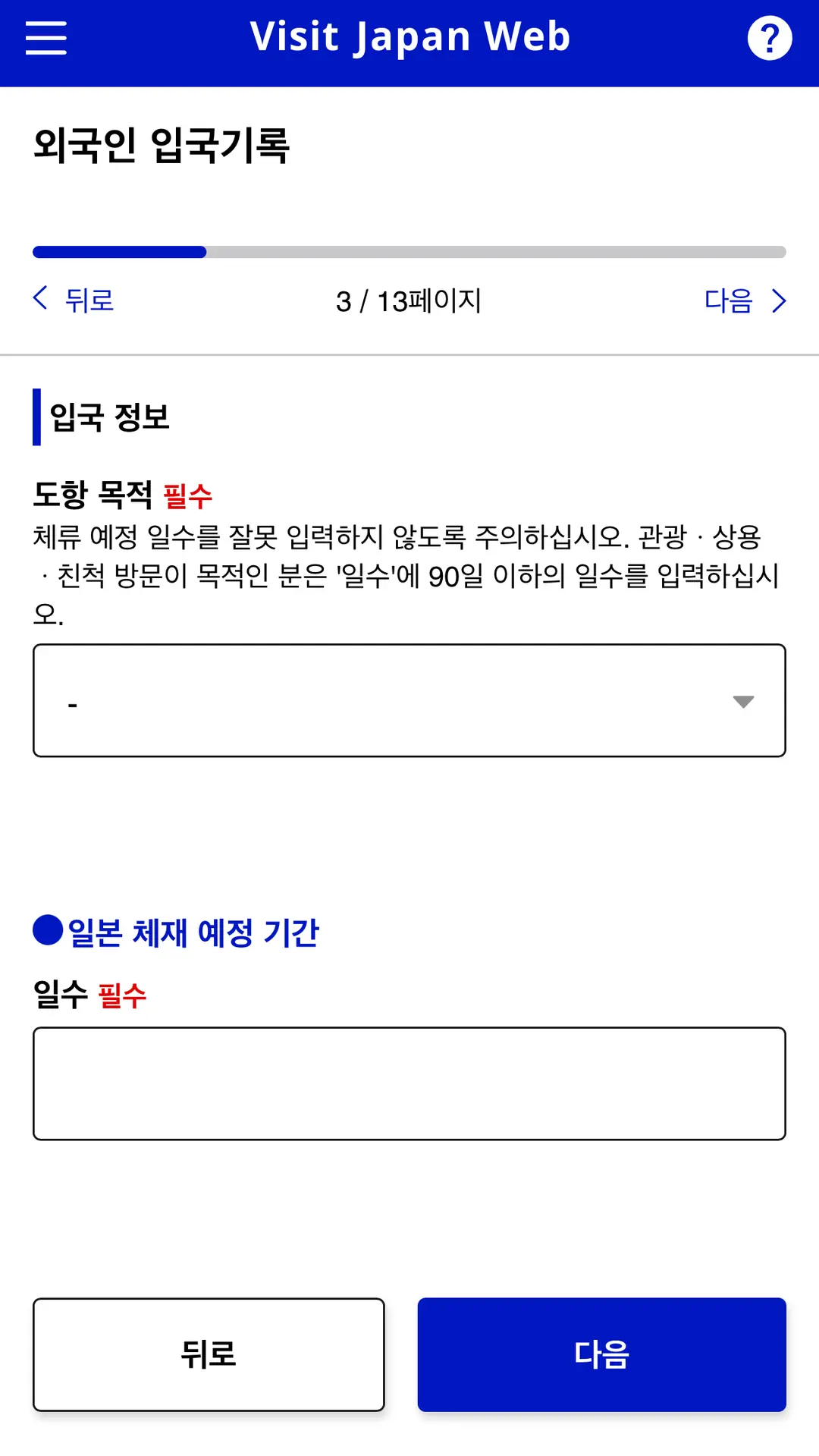
Fill in your purpose of visit and duration of stay,
and answer the questions presented.
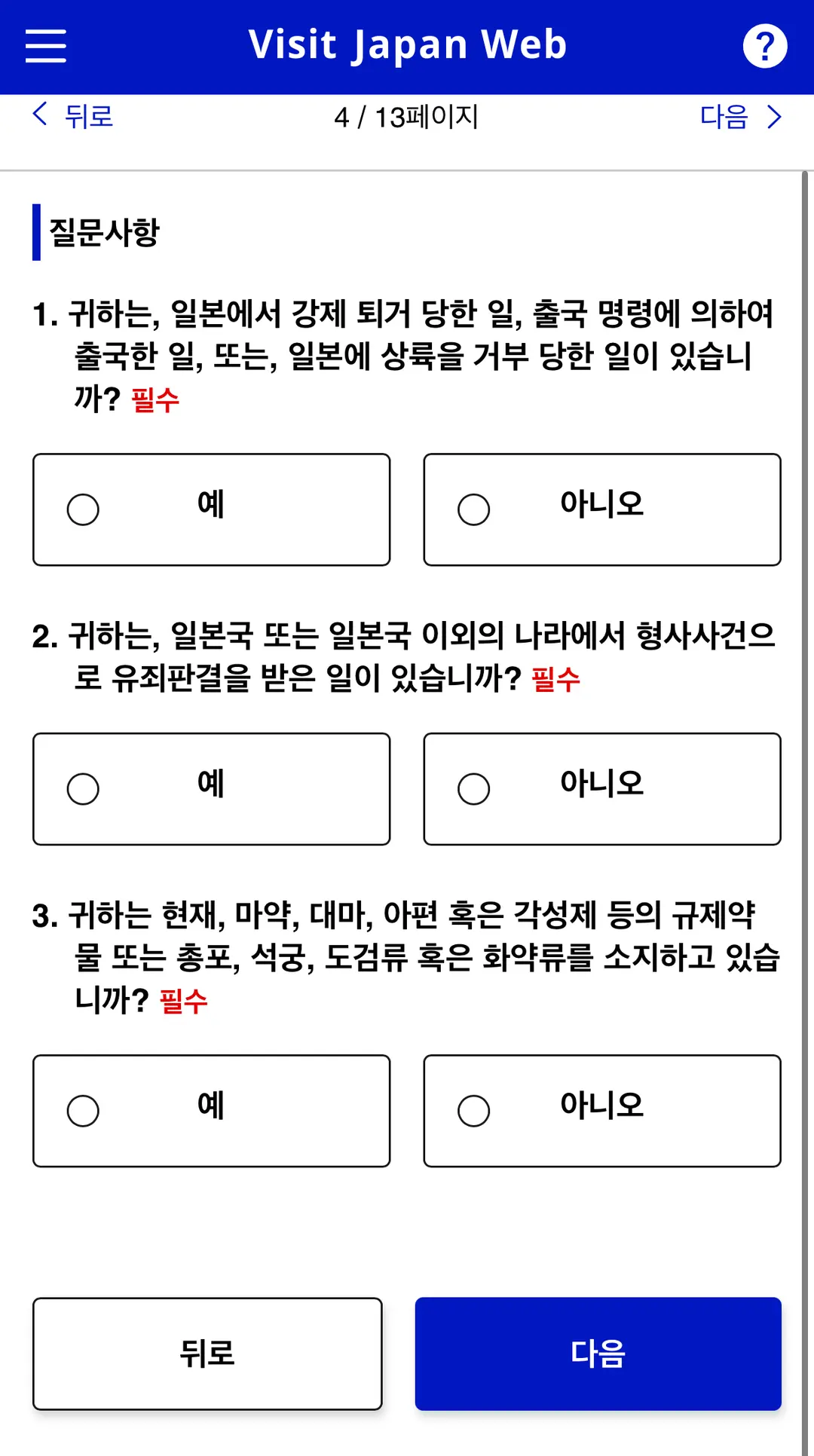
④ Declaring Accompanied and Unaccompanied Baggage
Please answer truthfully and accurately.
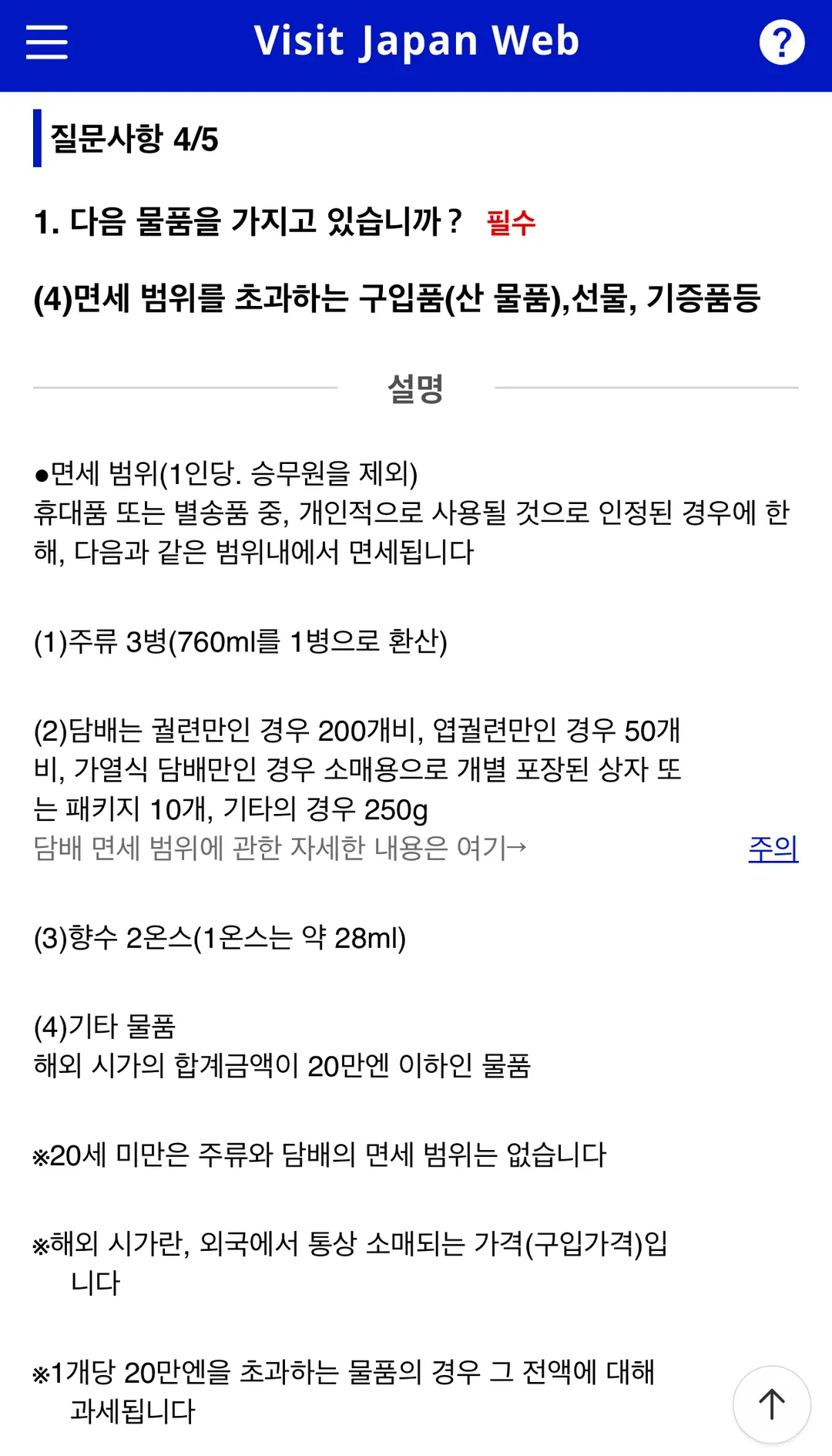
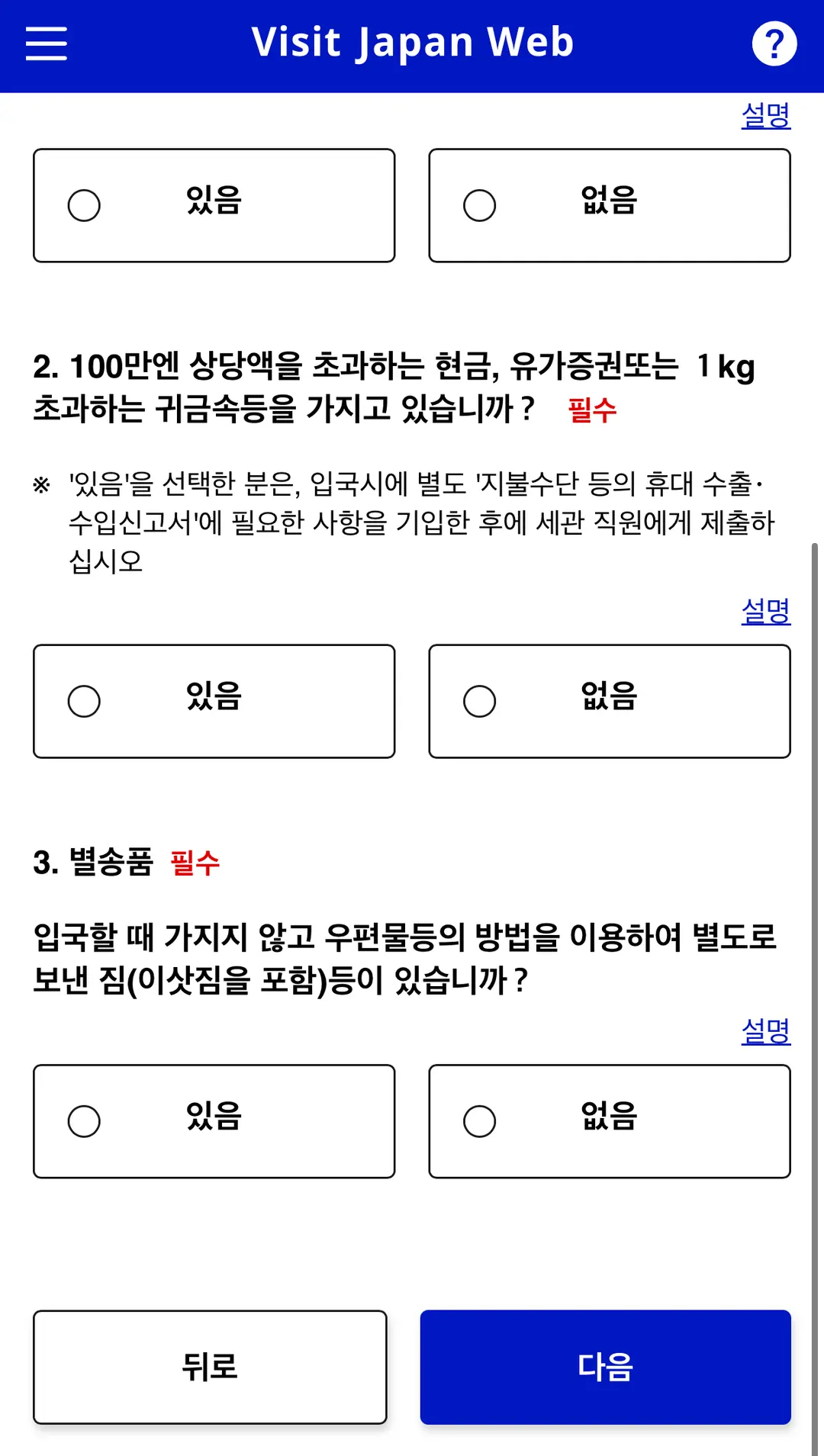
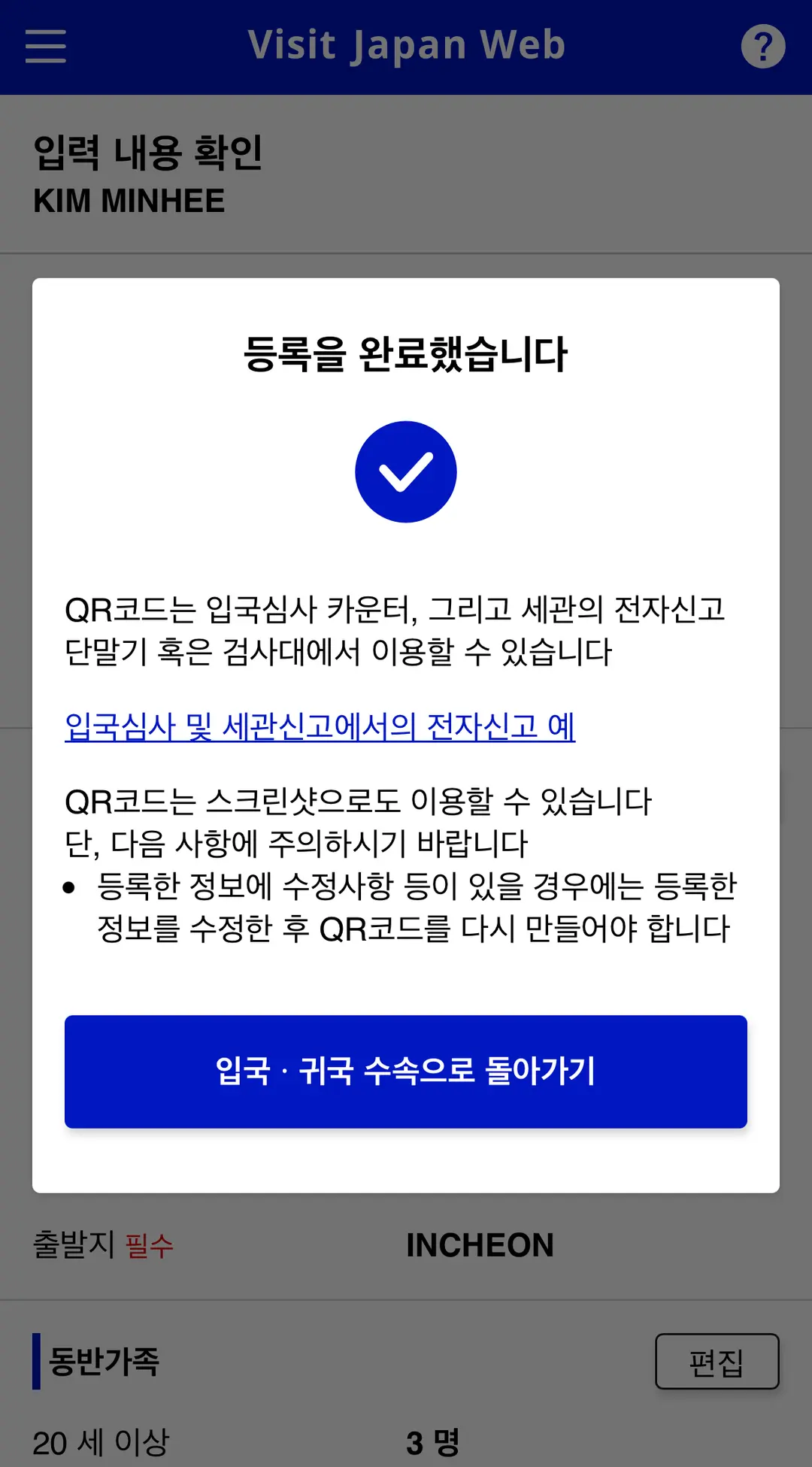
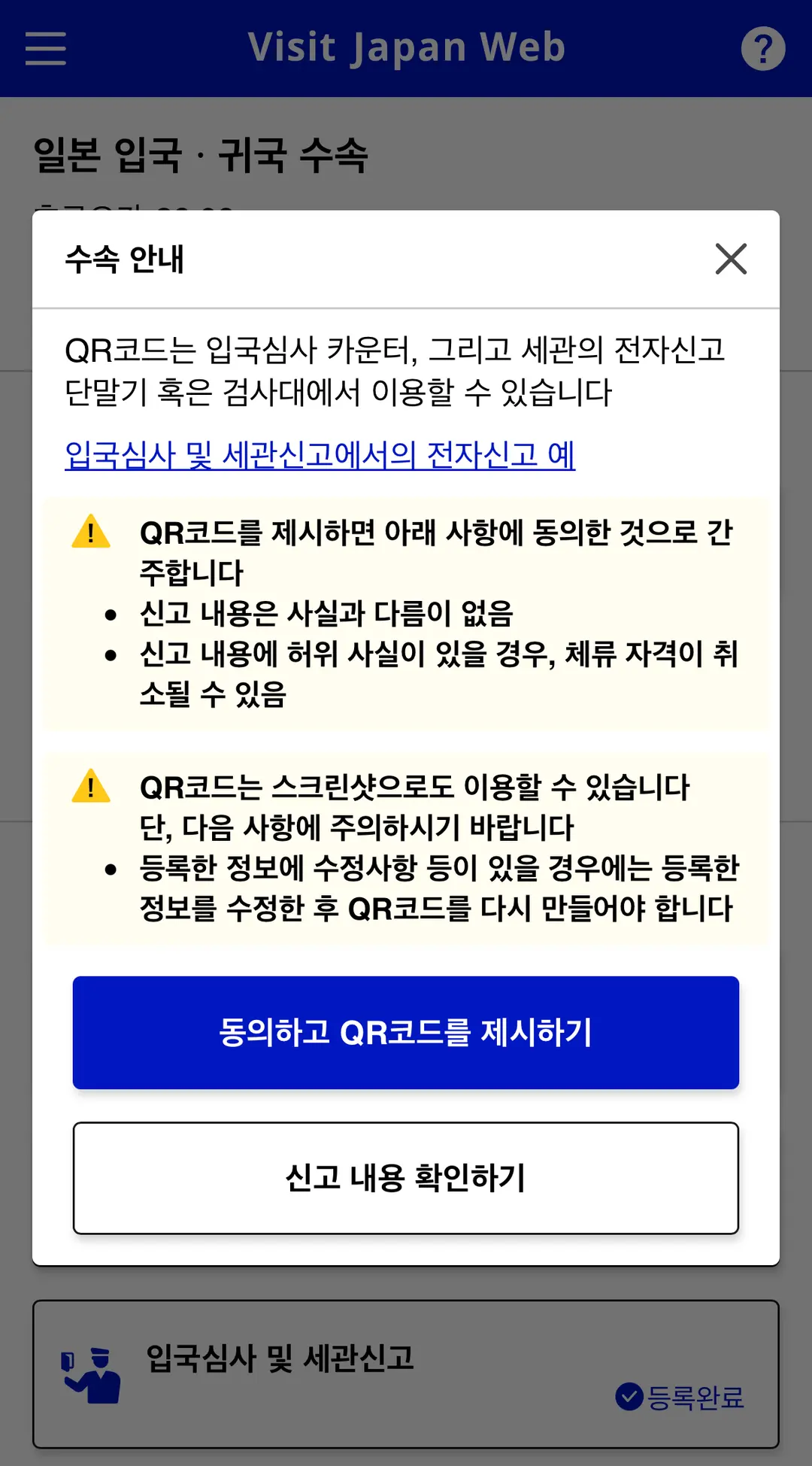
⑤ Confirming Your QR Code After Completing the Declaration
After reviewing the entered information and completing the registration,
press 'Display QR Code'.
If you have family members, switch between applicants
to confirm each person's declaration status and QR code.
6. Mini's Pro Planning Tips |
1. Gather Your Passport, Flight, and Accommodation Info All at Once |
If you have to go search for your hotel address or flight number in the middle of registration,
it can interrupt your flow.
So, before you begin, prepare your passport and all reservation details,
making sure to have your accommodation's address and phone number handy.
2. Review Each Family Member's Registration Individually |
Double-check that the travel itinerary is correct for this trip,
and ensure that each person's declaration and QR code confirmation is complete.
Please confirm this for each individual.
3. For Repeat Visits, Keep Your Itineraries Distinct |
If you register multiple trips,
you might find yourself with a stack of itineraries that look similar.
It's super handy to **label them with the region and dates clearly visible**
and **check them in advance**!
7. Final Thoughts |
For Visit Japan Web,
you can easily prepare everything in this order:
**Personal Information → Travel Itinerary → Declaration & QR Confirmation**.
If you're a **first-time registrant, have your passport and booking details ready**.
For **repeat visitors, simply create a new itinerary
and update your declaration details within your existing account**.
For family trips, don't forget individual QR confirmations!
Take your time to prepare everything step-by-step before you embark on your journey.
 How to get to Yufuin from Fukuoka | Fukuoka Airport Direct Bus Reservation, Prices, and Seats
 Incheon to Fukuoka Air Ticket Asiana OZ134 OZ133 Flight Time, Seats, In-flight Meal Review | Immigration Waiting Time
Frequently Asked Questions
What preparations and information are needed when registering on the Visit Japan Web?
You will need your passport, email, flight reservation details, and accommodation reservation details. You should prepare your passport's English name, passport number, date of birth, expiration date, as well as flight number, accommodation name, address, and phone number in advance. If registering accompanying family members, their passports are also required.
What is the maximum number of accompanying family members that can be registered on Visit Japan Web, and how should QR codes be checked?
You can register up to 10 accompanying family members on Visit Japan Web. Even if managed under one account, the QR codes for immigration clearance must be checked individually for each person. If you have family members, you should switch between each person to check their declaration status and QR code.
If revisiting Japan, what process should be followed on the Visit Japan Web?
If you have an existing account, you can start from step 4, 'Register Travel Plan / Add Revisit Plan'. Even repeat visitors must add a new itinerary, complete the immigration and customs declarations for the current trip, and then confirm their QR code.
When registering a travel plan on Visit Japan Web, what is a convenient way to name the trip?
It is convenient to include the region and date in the trip name, especially when you have multiple itineraries saved later. It's recommended to name it in a way that the region and date are visible for easy identification.
What should be particularly noted when registering passport information on Visit Japan Web?
If you scanned your passport with a camera, you must compare the automatically entered information with your actual passport to ensure they match. It is especially important to carefully check your English name, passport number, date of birth, and expiration date.
Share this article
Related Travel Stories

Fukuoka Yufuin Bus Tour 2026: Discover Charming Day Trips
Dreaming of a whimsical escape from Fukuoka? Discover the enchanting beauty of Yufuin, the majestic Yufudake, and the serene Hita village on a guided bus tour.

SUNQ Pass Fukuoka Review 2026: Save on Kyushu Buses
Explore Kyushu's hidden gems like Beppu and Huis Ten Bosch without breaking the bank. See how the SUNQ Pass can slash your travel costs in 2026!

Maizuru Park Fukuoka Cherry Blossoms 2026 Guide
Experience the magic of spring at the Maizuru Park Cherry Blossom Festival 2026 in Fukuoka. Discover light-up times, food stalls, and essential travel tips!

Asiana OZ134/OZ133 Incheon-Fukuoka Flight Review 2026
Explore our honest review of Asiana Airlines' OZ134 and OZ133 flights between Incheon and Fukuoka. Get insights on cabin comfort, delicious meals, baggage, and expedited immigration for your 2026 Japan trip!

Fukuoka Airport to Tenjin Transit Guide 2026
Navigate Fukuoka Airport to Tenjin Station like a local. Here is the fastest, cheapest way to reach downtown Fukuoka using the free shuttle and subway in 2026.

Hotel Monterey La Soeur Fukuoka Review 2026: Tenjin's Convenient Stay
Searching for a fantastic Fukuoka hotel in Tenjin? Hotel Monterey La Soeur offers spacious rooms, unbeatable convenience, and easy access to local delights.