

Visit Japan Web Registration Guide 2026: QR Entry & Customs
Prepare for your Japan adventure in 2026! Our step-by-step guide helps you navigate Visit Japan Web registration, ensuring a smooth entry with your QR code for immigration and customs.


With summer vacation just around the corner, more and more travelers are planning exciting trips to Japan in 2026! I'm personally looking forward to my upcoming journey to Sapporo this year.
Before you jet off to the Land of the Rising Sun, one crucial step is registering for 'Visit Japan Web.' This online portal allows you to pre-register your immigration and customs declaration information, making your entry into Japan incredibly smooth. You'll receive a QR code that's essential for a hassle-free arrival.
Ready to simplify your Japan entry? Let's dive straight into how to register for Visit Japan Web, step-by-step!
Visit Japan Web
First, access the official Visit Japan Web website.
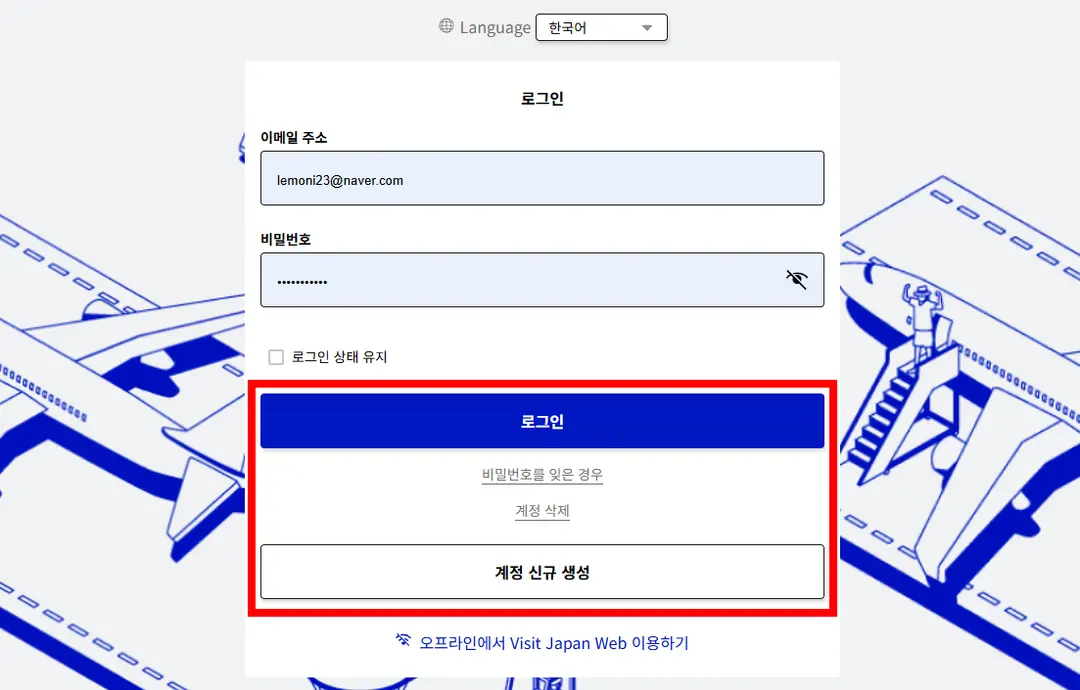
If you've traveled to Japan before, you likely already have a Visit Japan Web account with your ID and password. If this is your first time, you'll need to create a new account.
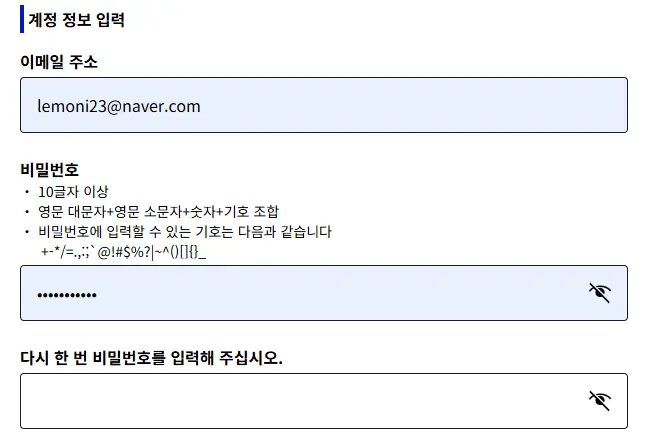
When creating your password, ensure it includes a combination of uppercase letters, lowercase letters, numbers, and symbols to be accepted.
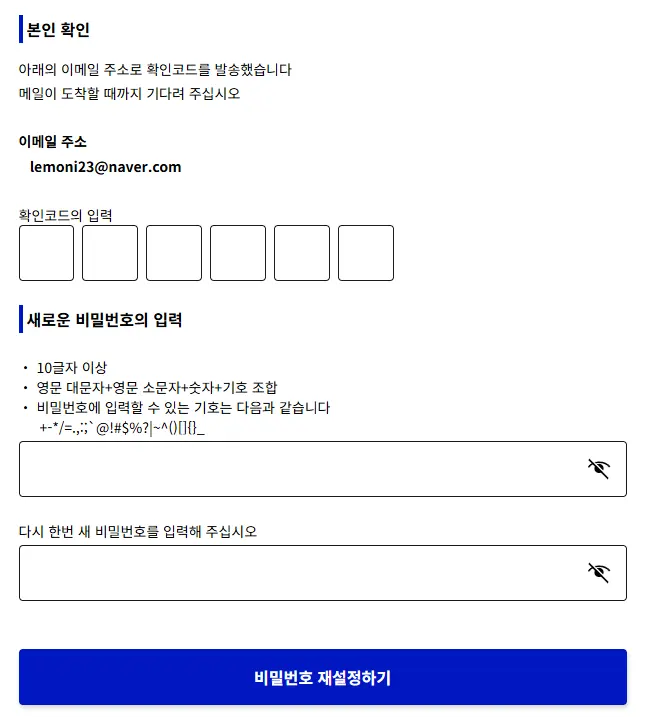
Should you forget your password later, simply click 'Forgot your password?' below the login button, enter your email address, and you can reset it with a new password after entering a confirmation code.
User Registration
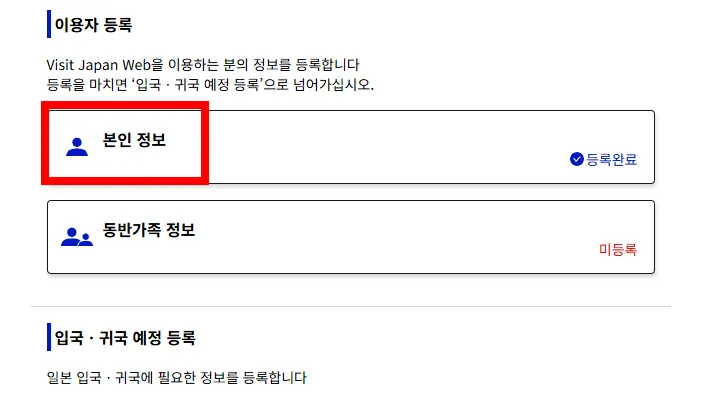
First, you need to register your personal information. If it's not registered, click to enter your passport details, first and last name, date of birth, expiration date, and basic information (occupation, country, city). Then, click confirm.
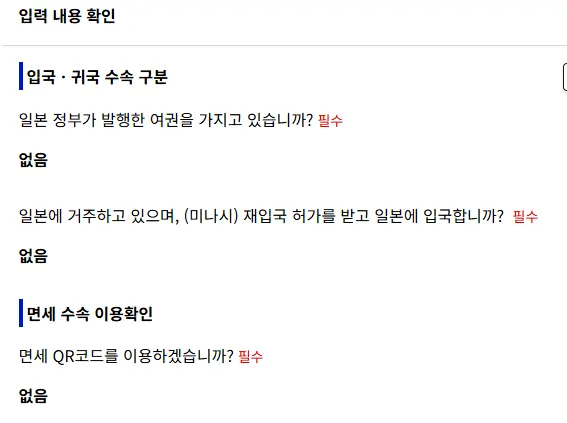
As a tourist, you won't have a Japanese passport, right? Select 'None' for both 'Residing in Japan' and 'Using tax-free QR code.'
If you're traveling with family, you can register 'Companion Family Information.' One person can act as the representative and enter the passport details for each family member. QR codes will be generated individually for each person, so you can use this feature or have each family member register their own information and go through immigration separately. Either method works!
Register Entry/Return Plan
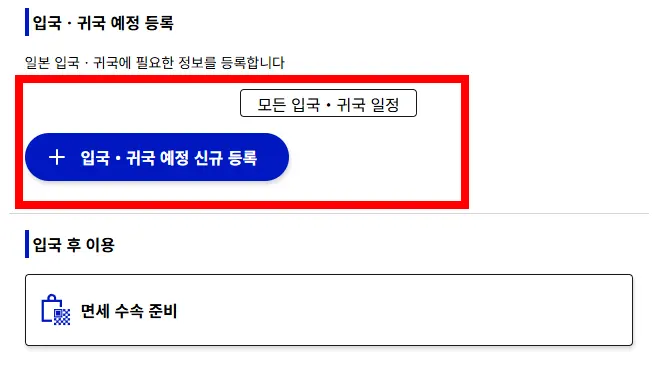
Once your personal information is registered, click 'New Registration for Entry/Return Plan.'
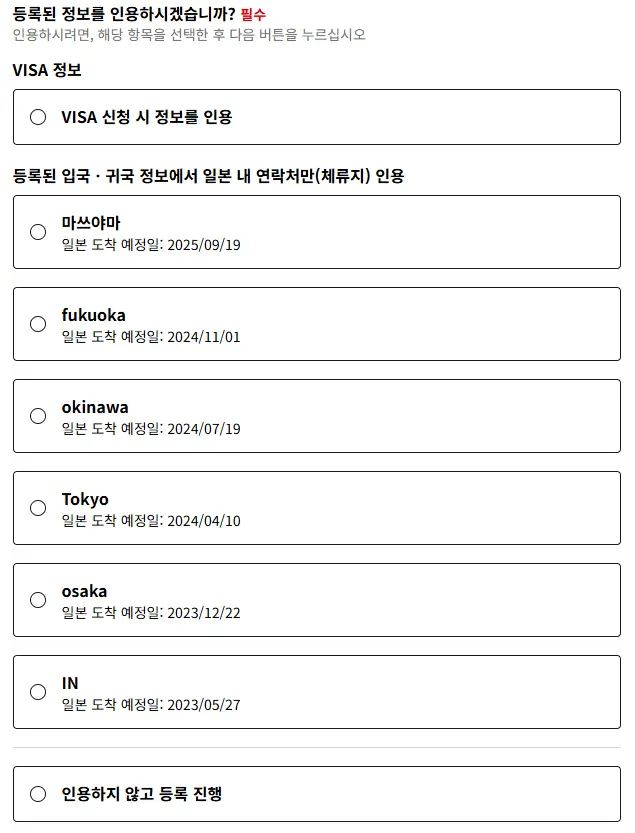
Any previously visited regions will be displayed. Click 'Proceed with registration without quoting.'
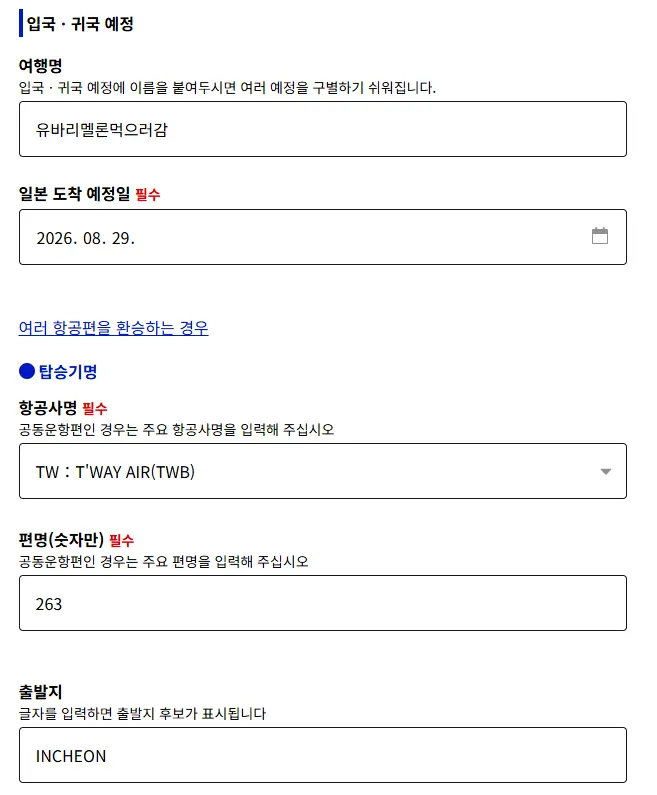
For the trip name, it's standard to enter the region, but you can enter anything you'll recognize. Then, input your estimated arrival date in Japan (e.g., 08/20/2026), airline name, flight number, and departure location.
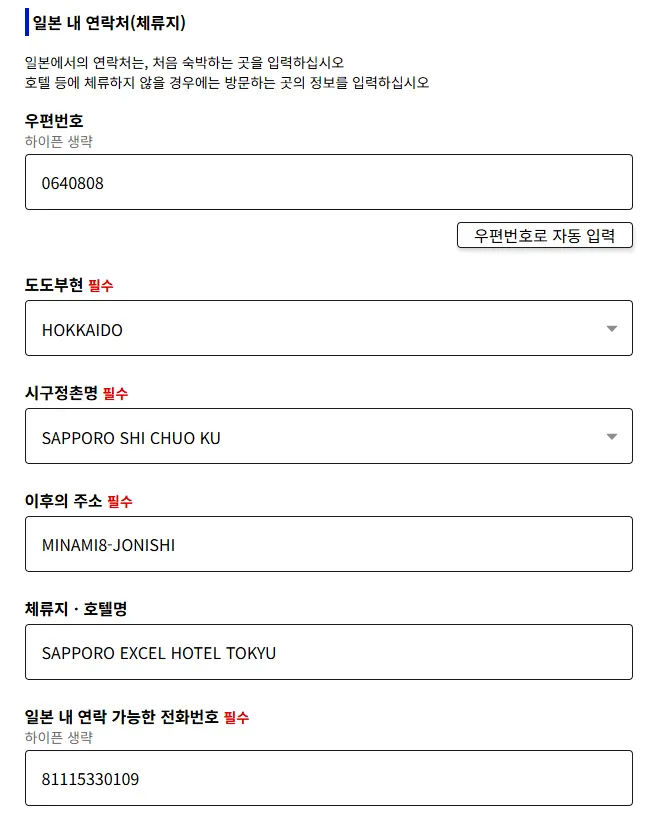
Search for your first night's accommodation on Google to find its address. You'll see numbers in the address; enter the zip code without the hyphen and click 'Auto-fill by postal code.' This will automatically populate the prefecture, city/town, and subsequent address details.
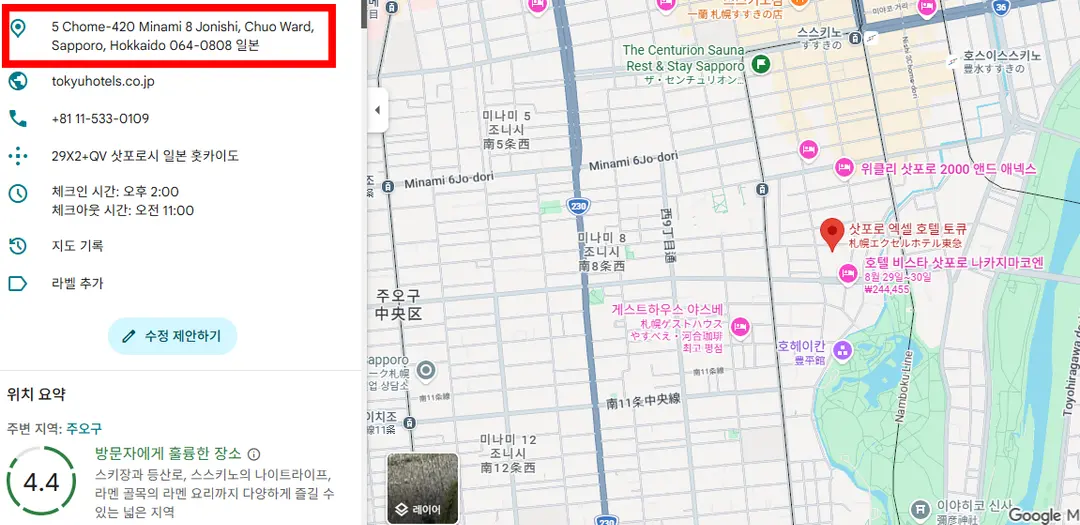
Enter the name of your accommodation (hotel) and the phone number, which can also be found on Google.
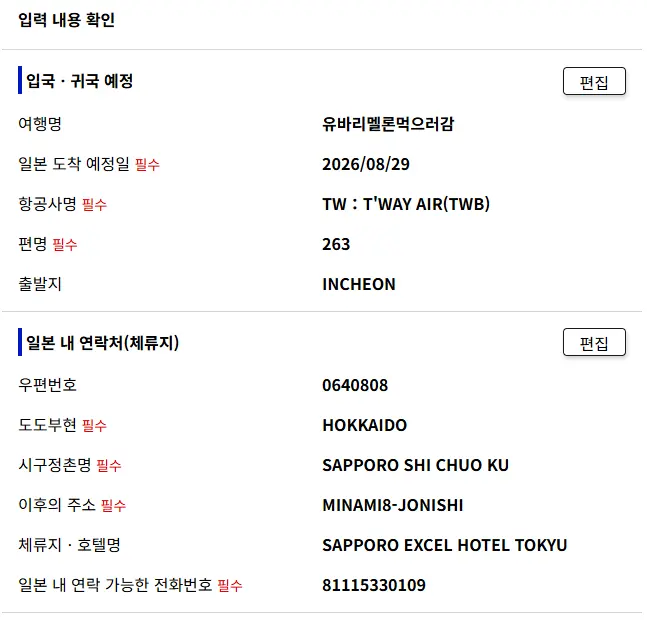
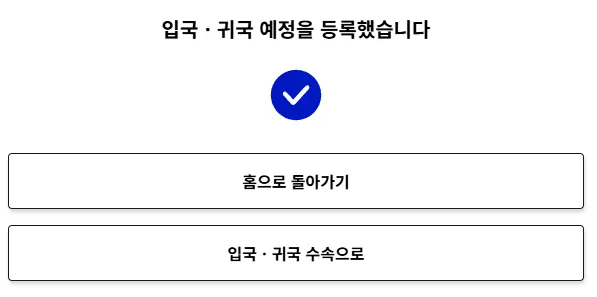
Confirm that the entered information is correct, then click 'Register.' OK!
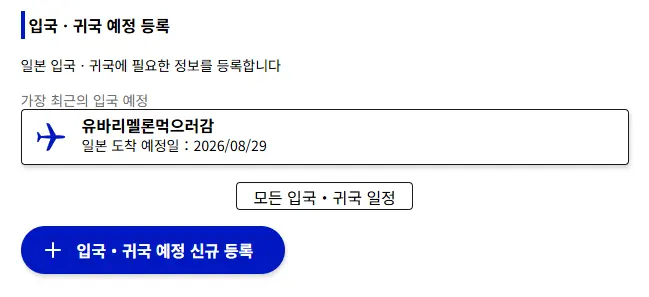
See the new entry in your Entry/Return Plan registration? Click on it again.
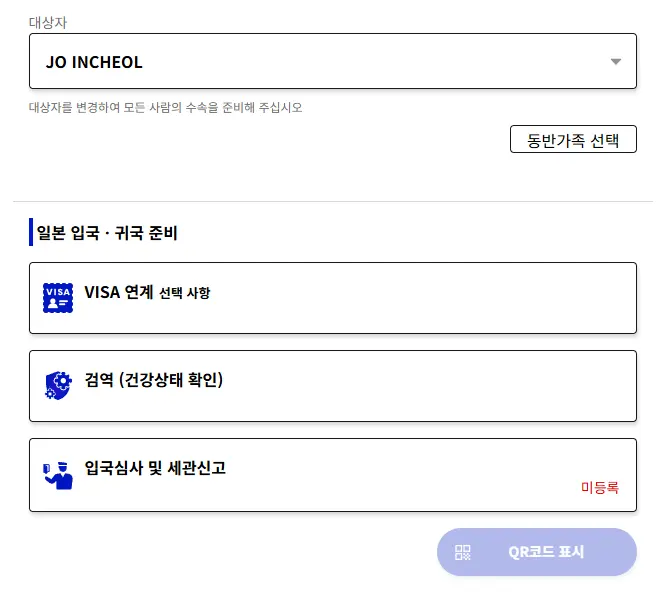
You don't need to fill out the VISA linkage or Quarantine sections. You only need to complete the 'Immigration and Customs Declaration' to generate your QR code.
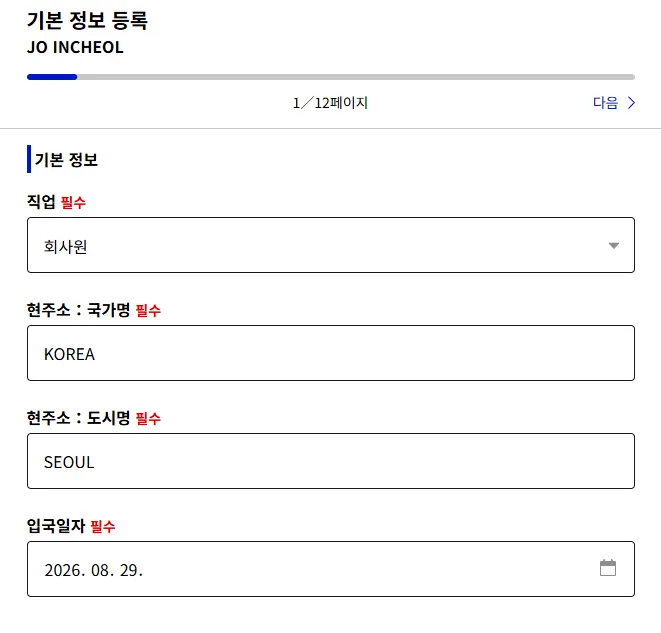
There are a total of 12 pages, and the questions are straightforward. Since your basic information is already registered, you can quickly move through the pages.
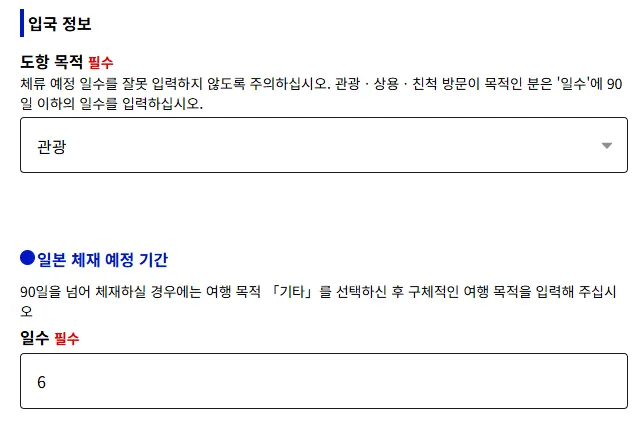
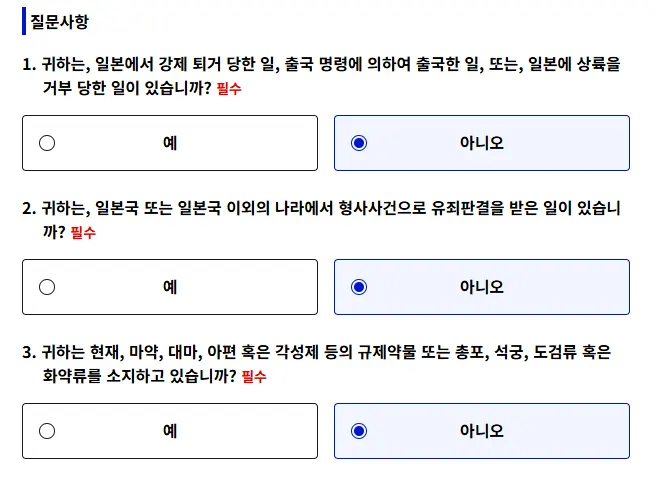
Your purpose of visit is 'Tourism.' Enter your planned length of stay. Read the remaining questions carefully, check the appropriate boxes, and proceed to the next page.
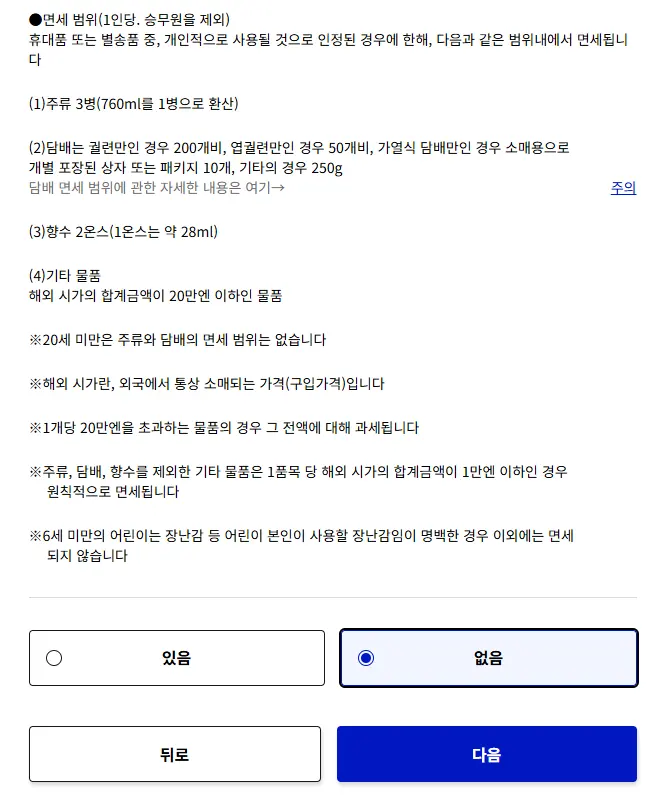
Review the duty-free limits. If you have any items to declare, select 'Yes'; otherwise, select 'No' and move on.
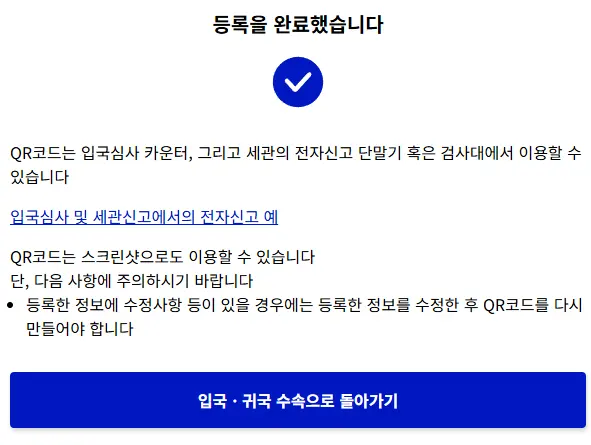
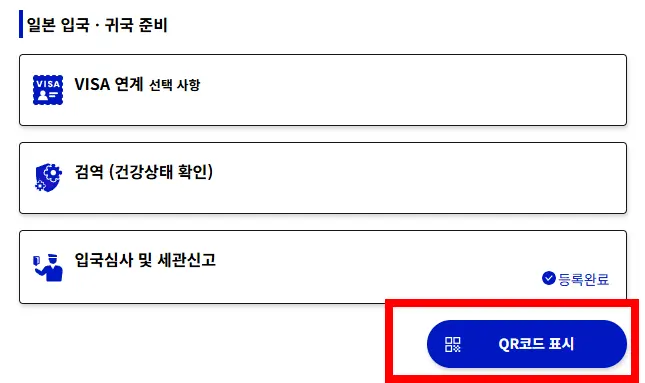
Once registration is complete, return to the Entry/Return Procedures page, and you'll see the QR code display window activated.
It's a good idea to take a screenshot of the generated QR code and save it separately. When you arrive at Sapporo Airport (or any Japanese airport), everyone will be trying to connect to the internet, so it's best to be prepared in case you have connectivity issues!
During immigration at the airport, simply show your passport and the QR code on your phone for a smooth and easy passage.
If you haven't prepared your international eSIM or SIM card yet, be sure to purchase one from eSIMSA in advance. I always buy and install an eSIM from eSIMSA before my international trips, and I'm able to set up internet connectivity within minutes of arriving at the airport.
 eSIMSA: The Travel Essential for Millions
📍 Sapporo City
Sapporo, Hokkaido, Japan
Frequently Asked Questions
What rules should I follow when setting a password for my Visit Japan Web account?
Your Visit Japan Web password must include a combination of uppercase English letters, lowercase English letters, numbers, and symbols. Adhering to these rules is necessary to create your account.
How do I register accompanying family information on Visit Japan Web when traveling to Japan with family?
One representative can click on 'Accompanying Family Information' in their own account and enter each family member's passport details for the number of family members. QR codes will be generated individually for each person.
Is there a way to use a postal code when entering a residential address in Japan on Visit Japan Web?
You can enter the postal code of your first night's accommodation, omitting the hyphen, and then click 'Auto-fill by postal code'. This will automatically populate the prefecture, city/town/village name, and the rest of the address.
How should I prepare to smoothly use the QR code issued by Visit Japan Web at Sapporo Airport?
It is recommended to take a screenshot and save the activated QR code display screen separately. This way, you will be prepared in case of unstable internet connection upon arrival at Sapporo Airport.
Share this article
Featured in Collections
Discover more travel stories curated around the same theme.

Related Travel Stories

Fukuoka Yufuin Bus Tour 2026: Discover Charming Day Trips
Dreaming of a whimsical escape from Fukuoka? Discover the enchanting beauty of Yufuin, the majestic Yufudake, and the serene Hita village on a guided bus tour.

SUNQ Pass Fukuoka Review 2026: Save on Kyushu Buses
Explore Kyushu's hidden gems like Beppu and Huis Ten Bosch without breaking the bank. See how the SUNQ Pass can slash your travel costs in 2026!

Maizuru Park Fukuoka Cherry Blossoms 2026 Guide
Experience the magic of spring at the Maizuru Park Cherry Blossom Festival 2026 in Fukuoka. Discover light-up times, food stalls, and essential travel tips!

Asiana OZ134/OZ133 Incheon-Fukuoka Flight Review 2026
Explore our honest review of Asiana Airlines' OZ134 and OZ133 flights between Incheon and Fukuoka. Get insights on cabin comfort, delicious meals, baggage, and expedited immigration for your 2026 Japan trip!

Fukuoka Airport to Tenjin Transit Guide 2026
Navigate Fukuoka Airport to Tenjin Station like a local. Here is the fastest, cheapest way to reach downtown Fukuoka using the free shuttle and subway in 2026.

Hotel Monterey La Soeur Fukuoka Review 2026: Tenjin's Convenient Stay
Searching for a fantastic Fukuoka hotel in Tenjin? Hotel Monterey La Soeur offers spacious rooms, unbeatable convenience, and easy access to local delights.