

Taiwan eSIM Guide 2026: Real-Name Verification & Easy Setup
Discover the ultimate convenience of using an eSIM for your 2026 Taiwan trip. This guide covers everything from setup to Taiwan's unique real-name verification.

How to Use Taiwan eSIM
(+Real-Name Verification)
These days, I find myself relying on eSIMs for all my international trips. It’s hard to imagine how I ever managed to swap physical SIM cards every time I traveled – eSIMs have become an absolute game-changer for convenience.
While the setup process is generally similar no matter where you go, a key difference for Taipei and other parts of Taiwan is the requirement for Taiwan eSIM real-name verification.
So, let's break down everything you need to know, including that crucial verification step.

First, let's talk about the difference from a physical SIM. If your phone supports eSIM technology, I highly recommend opting for a Taiwan eSIM.
Not having to physically swap cards is incredibly convenient. Plus, if you need to receive a text message for verification on your home number, you can do it instantly without switching back. Since I started using eSIMs, I've rarely gone back to physical SIMs.
If your phone doesn't support eSIM, you'll have to use a physical SIM. You can purchase a local Taiwan SIM upon arrival or pre-book one through services like Klook and pick it up at the airport.

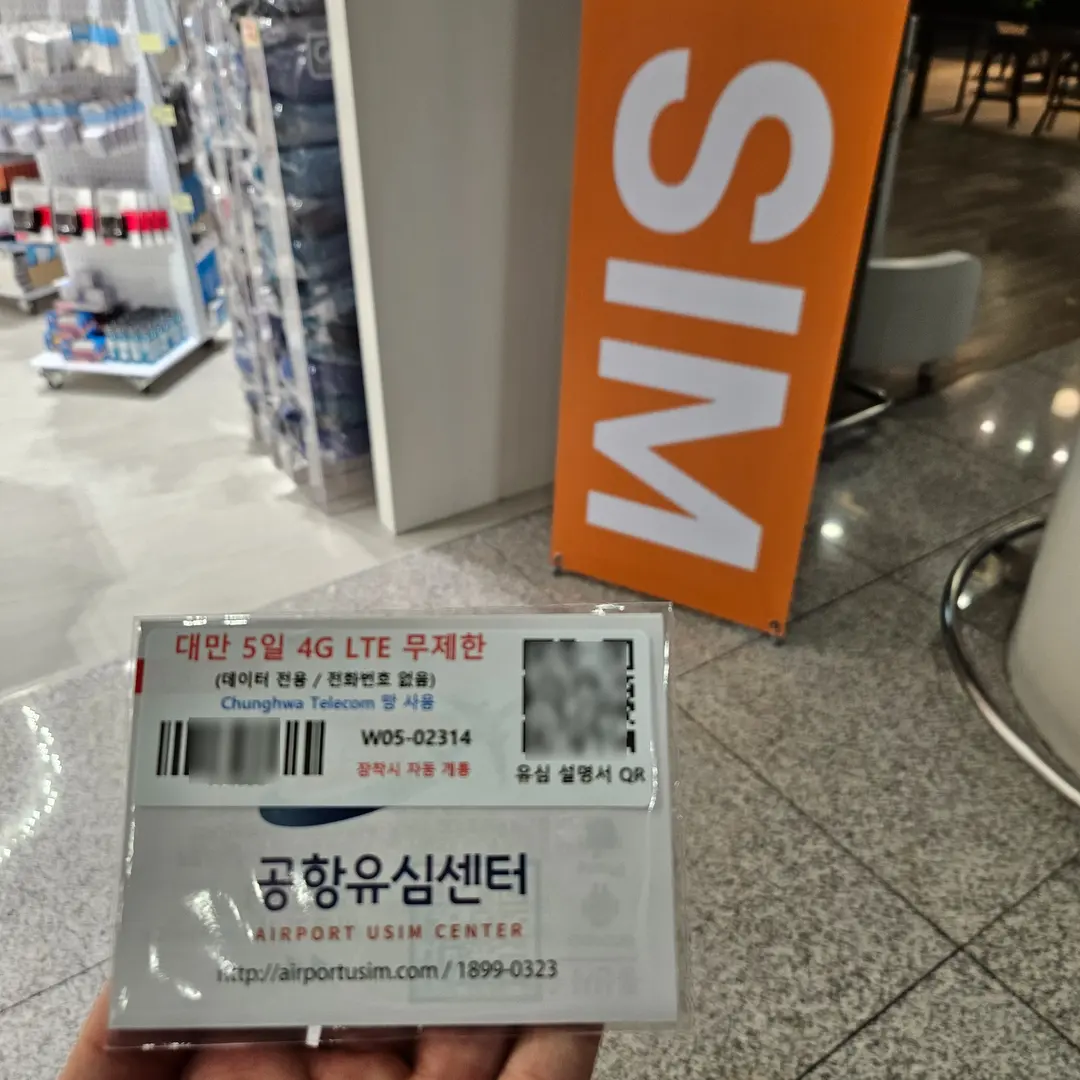
Taiwan eSIM Setup Guide

Head over to this link, select your destination (Taiwan), your travel duration, and the amount of data you need (e.g., 1GB, 2GB). Once purchased, you'll receive a QR code via text or email.
Take a screenshot of this QR code. You can install the eSIM before you leave or once you arrive in Taiwan. If you're feeling a bit anxious, it's always better to install it beforehand. Some countries require local installation, so always check the 'Installation Standard' section in the guide you receive. For Taiwan, pre-installation is perfectly fine; I did it before my trip.
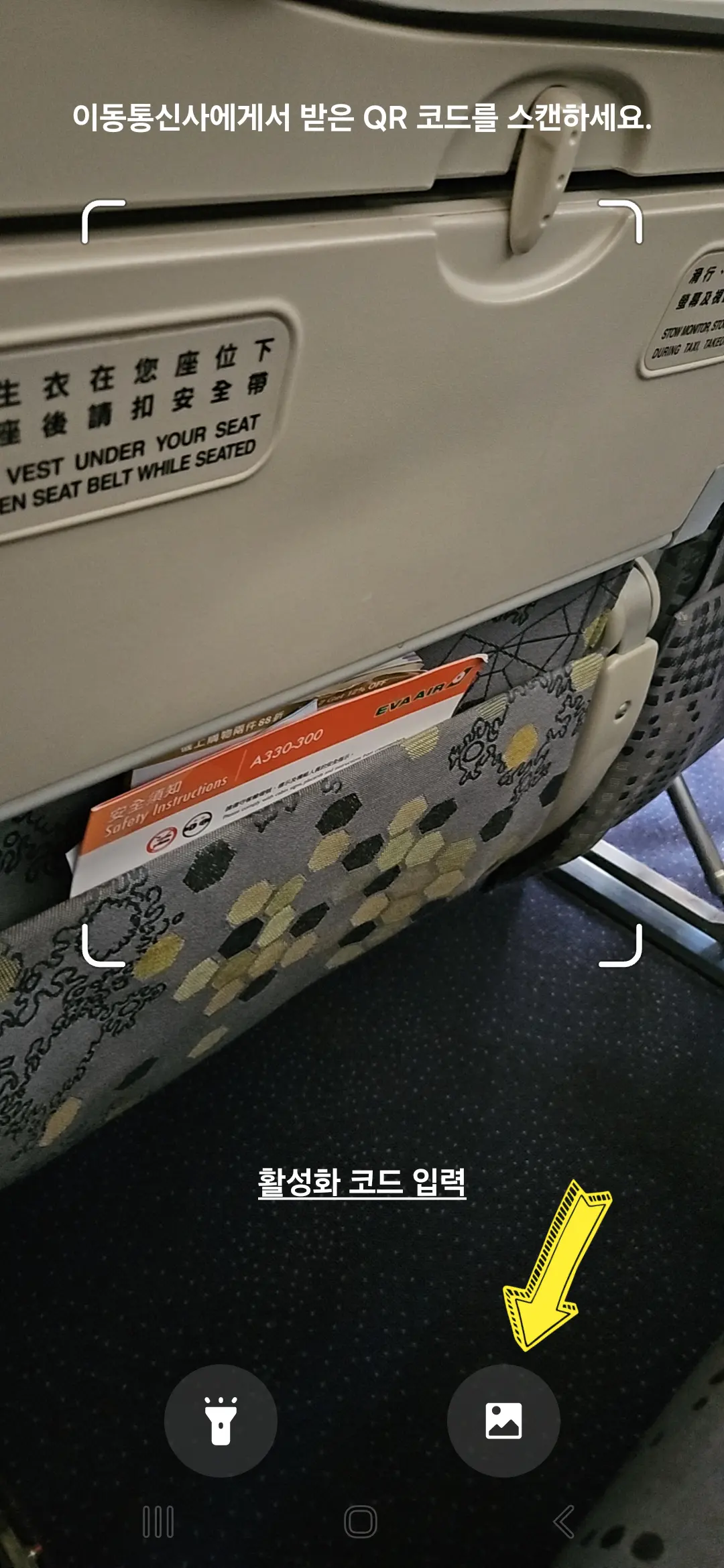
For those with a Samsung Galaxy phone (iPhone users should refer to the guide sent to them), follow these steps:
Settings → SIM card manager → Add eSIM → Scan QR code
Once you navigate through these menus, select the screenshot of your QR code, and you're all set.
After installation, you'll see the eSIM added to your phone. You can keep both your home SIM and the eSIM active simultaneously (though this will consume battery faster; I usually keep my eSIM off and only activate it when needed).
If you installed it before your trip, remember to keep it switched off until you arrive in Taiwan. Then, simply switch it on!
Taiwan eSIM Real-Name Verification
Now for the real-name verification. Just follow the step-by-step instructions provided in the guide you received via text or email. You can access the link from the guide, or you can refer to the images below if you're short on time.
Once you complete the Taiwan eSIM real-name verification process, you'll receive an email confirmation.
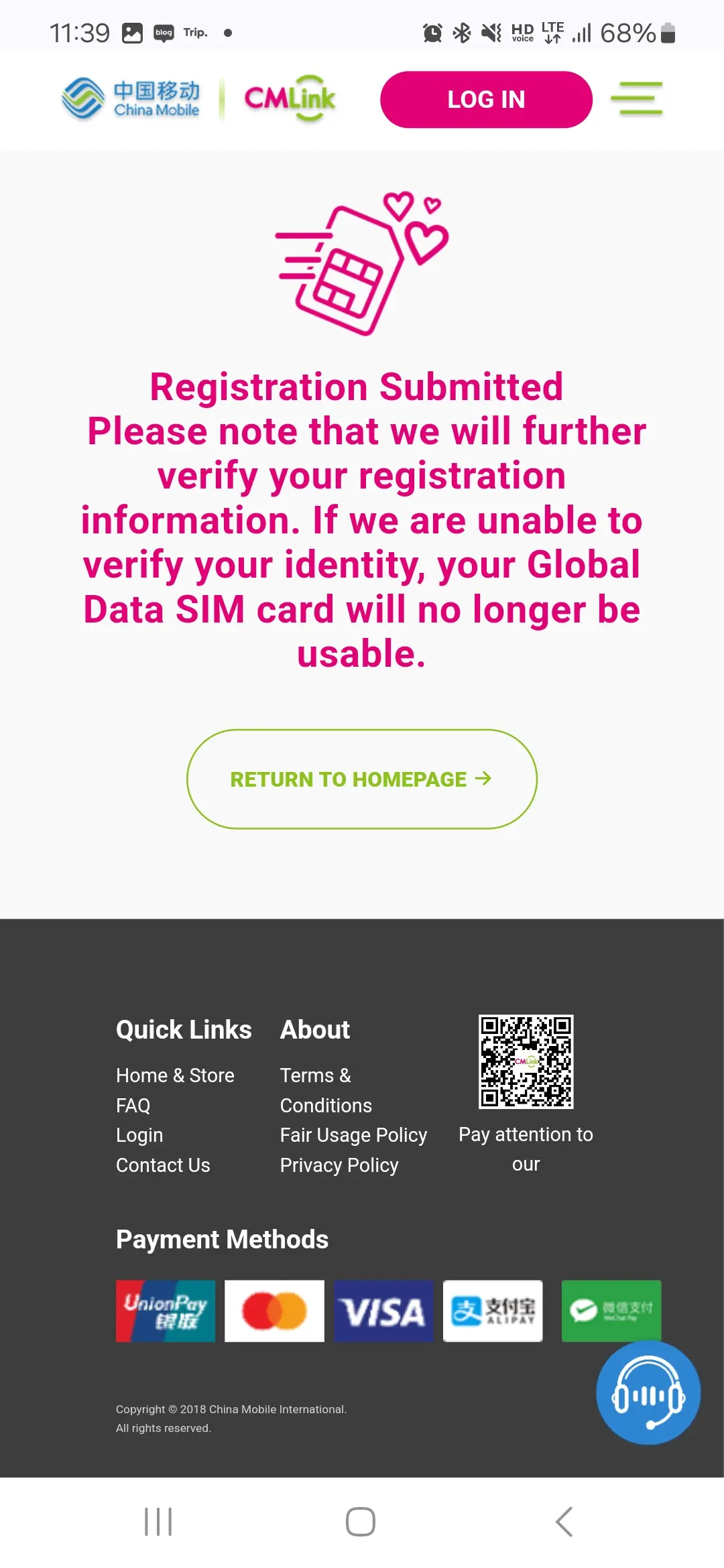
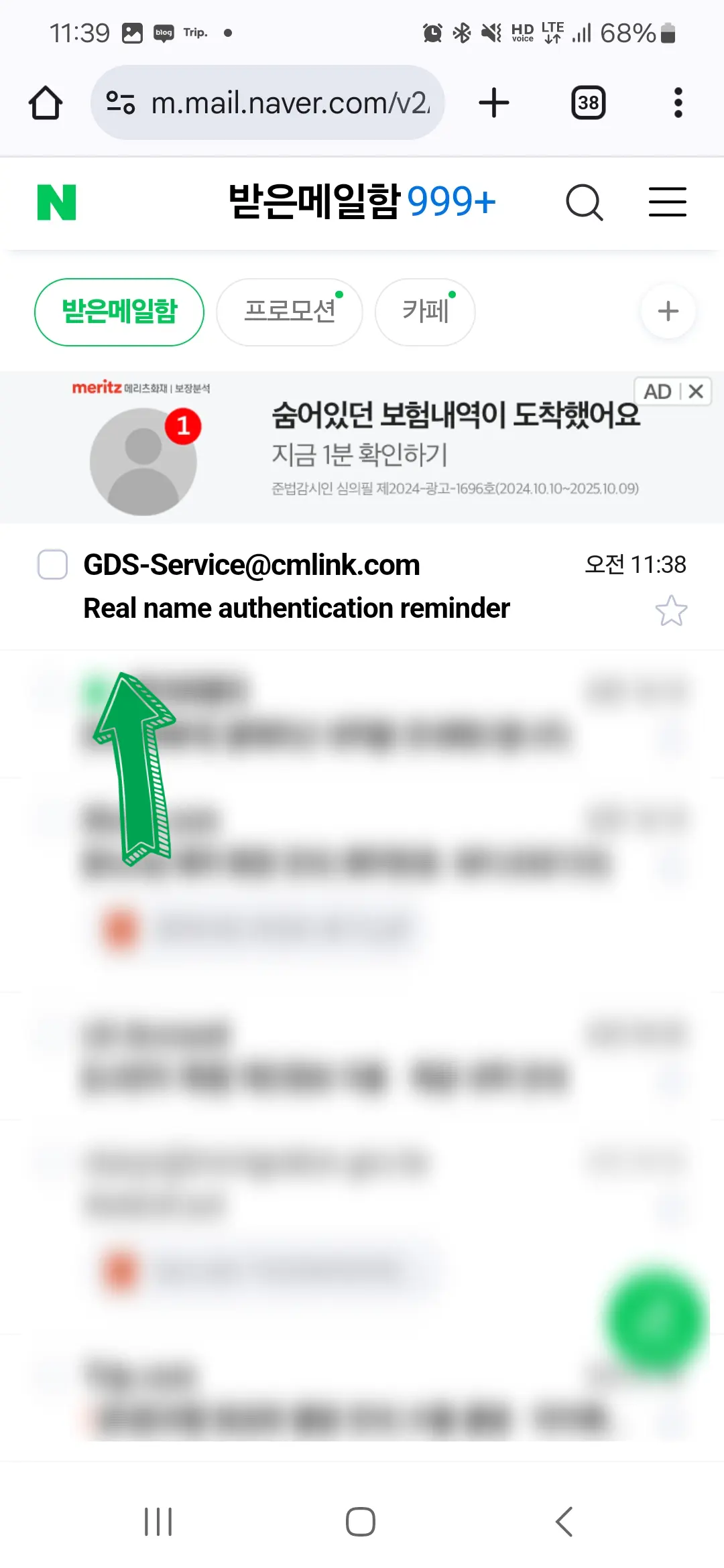
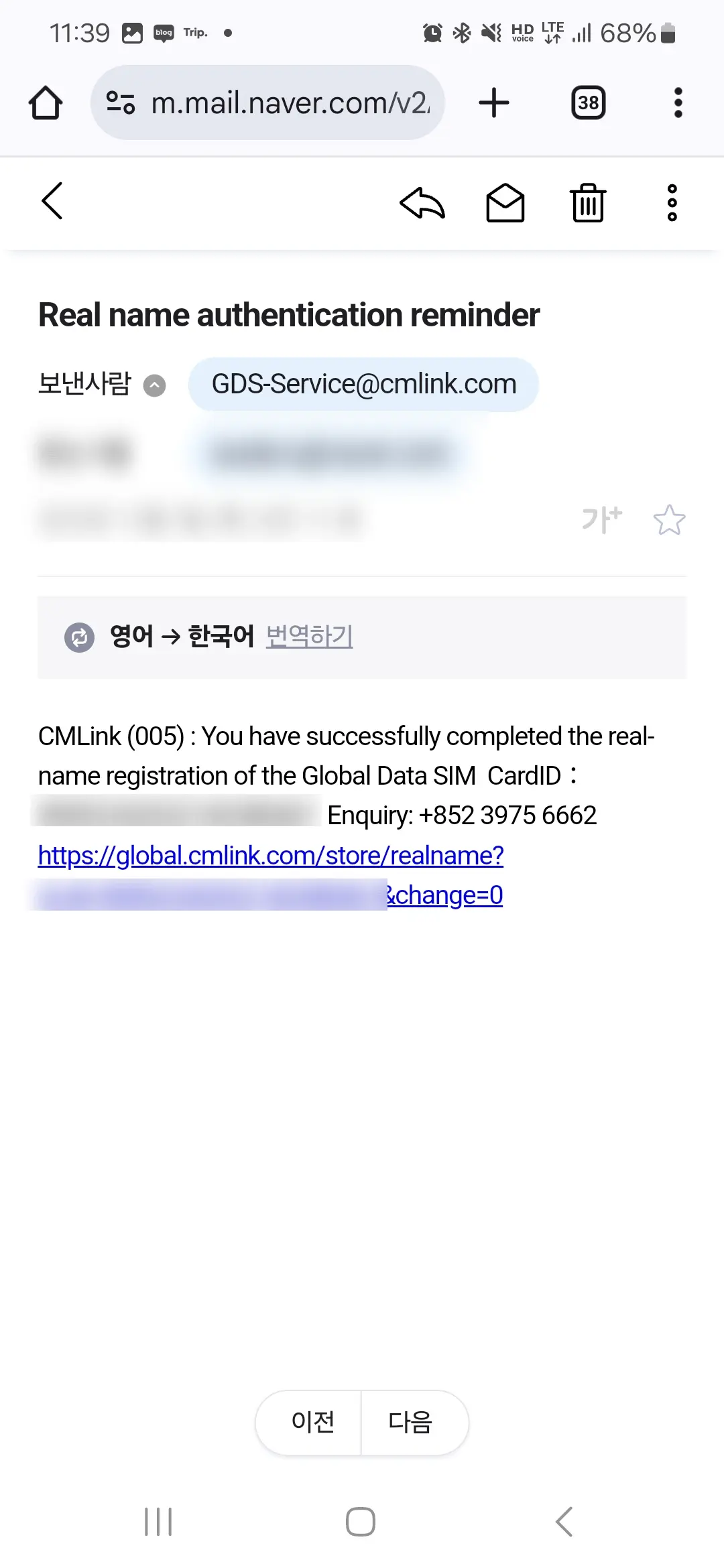
Upon arrival in Taiwan, simply switch on your eSIM, and you should connect to LTE without any issues.
Recommended eSIM for Your Taiwan Trip

You can book your eSIM through this link. Of course, they offer not only eSIMs but also physical SIM cards. If your phone doesn't support eSIM, a physical SIM is your only option. However, if your device is compatible, I highly encourage you to try an eSIM. It's a truly transformative experience, and you'll likely never want to go back to traditional SIMs. I've exclusively used eSIMs for my international travels lately.
Don't let the Taiwan eSIM real-name verification deter you; it's straightforward if you follow the steps outlined above.
Frequently Asked Questions
Are there any special procedures required to use an eSIM when traveling to Taiwan?
Yes, for Taipei, real-name verification for your Taiwan eSIM is required. You can follow the methods provided in the guide sent via chat or in the article to complete the verification.
How can I install a Taiwan eSIM on a Galaxy phone as mentioned in the article?
For Galaxy phones, you can install it by following the path: 'Settings → SIM manager → Add eSIM → Scan QR code'. You just need to select the QR code screenshot you received via chat.
When should I use a physical SIM card instead of an eSIM when traveling to Taiwan?
If your phone model does not support eSIM, you will need to use a physical SIM card. You can purchase a Taiwan SIM card locally or pre-book a Klook Taiwan SIM card for pickup at the airport.
Share this article
Related Travel Stories

Jiufen Shifen Tour Review 2026: Is It Worth It?
Can a budget day tour to Yehliu, Shifen, and Jiufen win over a die-hard solo traveler? Read this honest review and price comparison for your 2026 Taiwan trip.

Din Tai Fung Taipei 101 Review 2026: Menu & Wait Times
Is Din Tai Fung at Taipei 101 worth the hype? Get the inside scoop on the 2026 menu, pricing, and a genius hack to skip the notorious wait times.

Kuo-Kuang Bus 1819 Guide 2026: Taoyuan Airport to Taipei
Landing late in Taiwan? Here is how to easily book, redeem, and ride the 24-hour Kuo-Kuang Bus 1819 from Taoyuan Airport to Taipei Main Station in 2026.

Taipei Street Food Guide: Snacks to Try and Skip
Discover the best Taipei street food and snacks to try on your next trip. From silky douhua to giant crispy jipai, here is what is worth the hype and what to skip.

Malahotpot Ximen Taipei Review: All-You-Can-Eat Hot Pot
Discover Ximen Malahotpot in Taipei's Ximending, an all-you-can-eat hot pot haven offering unlimited meat, seafood, veggies, and even drinks and desserts. Get ready for a feast!

Taiwan EasyCard 2026: Your Guide to Buying, Topping Up & Refunds
Planning a trip to Taipei in 2026? Discover everything about the Taiwan EasyCard: how to buy it, top it up, get refunds, and where to use it for seamless travel.