

Gaode Maps China Guide 2026: Setup, English & Saving Locations
Unlock seamless travel in China! This guide shows you how to master Gaode Maps (Amap) in 2026, from initial setup and language settings to saving your must-see spots and adding personal notes.

How to Use Gaode Map
A to Z
© SsoeJini

Hello everyone! I'm SsoeJini,
a travel blogger specializing in Japan & China :)
Having traveled to China for N years now,
all I've really gained are some little tricks
to make my trips as easy as possible... haha.
But China is always changing so fast,
so I learn something new every time I visit.
People say Alipay makes you invincible,
but honestly, Gaode Map is also invincible, you know?
What's more, if you're an iPhone user, definitely use Apple Maps.
Apple Maps is based on Gaode Map,
so it's much better than Google Maps.
With these awesome tips, today I'll show you how to set up Gaode Map,
especially for those of us who can't write Chinese characters,
from initial setup to Korean language settings,
and even how to save your favorite spots with notes!
1. Gaode Map Download and Initial Location Settings
Whether you're on Apple or Galaxy, the app is the same,
but as an iPhone user,
I'll explain it based on the iPhone.
It's pretty much the same, so Galaxy users, follow along too!
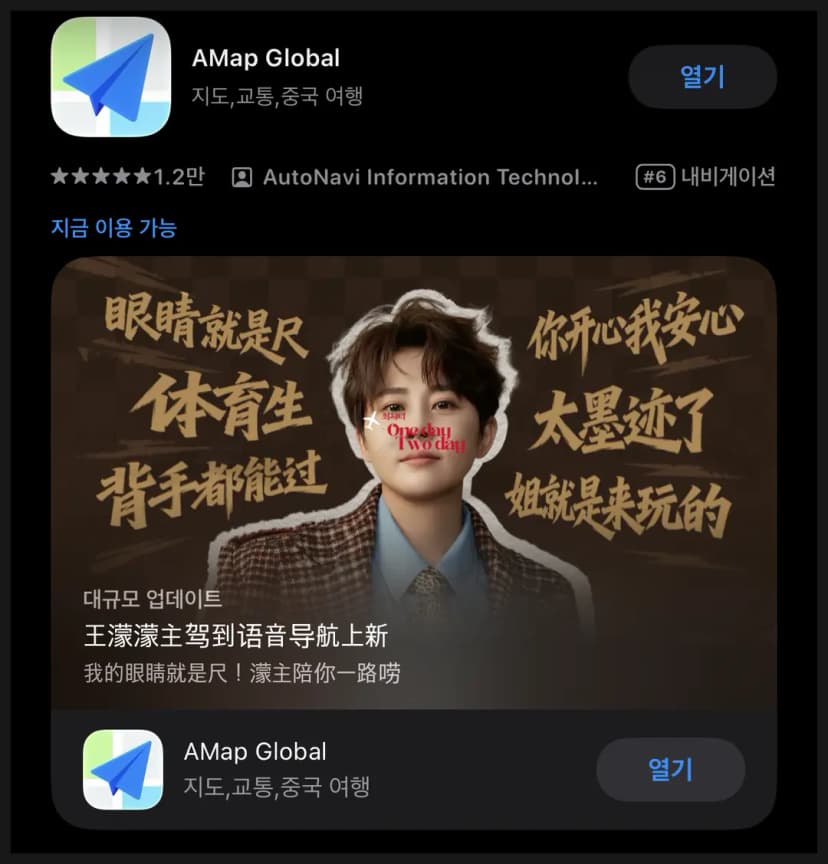
Surprisingly, some people have trouble finding Gaode Map,
and I get it.
Why Gaode Map advertises itself in a way that doesn't look like a map app...
is a mystery to me... lol.
Anyway, AMAP is Gaode Map!
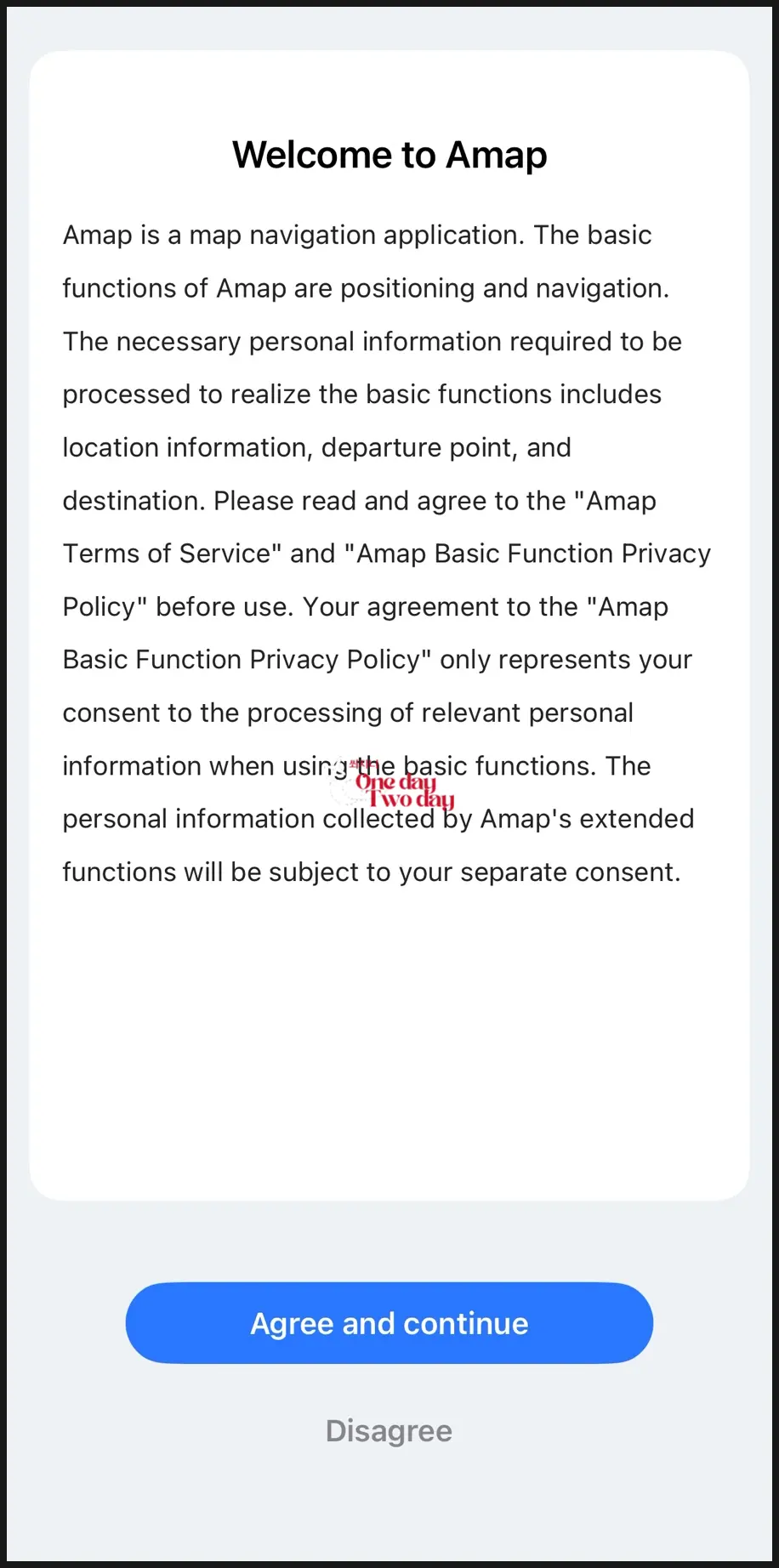
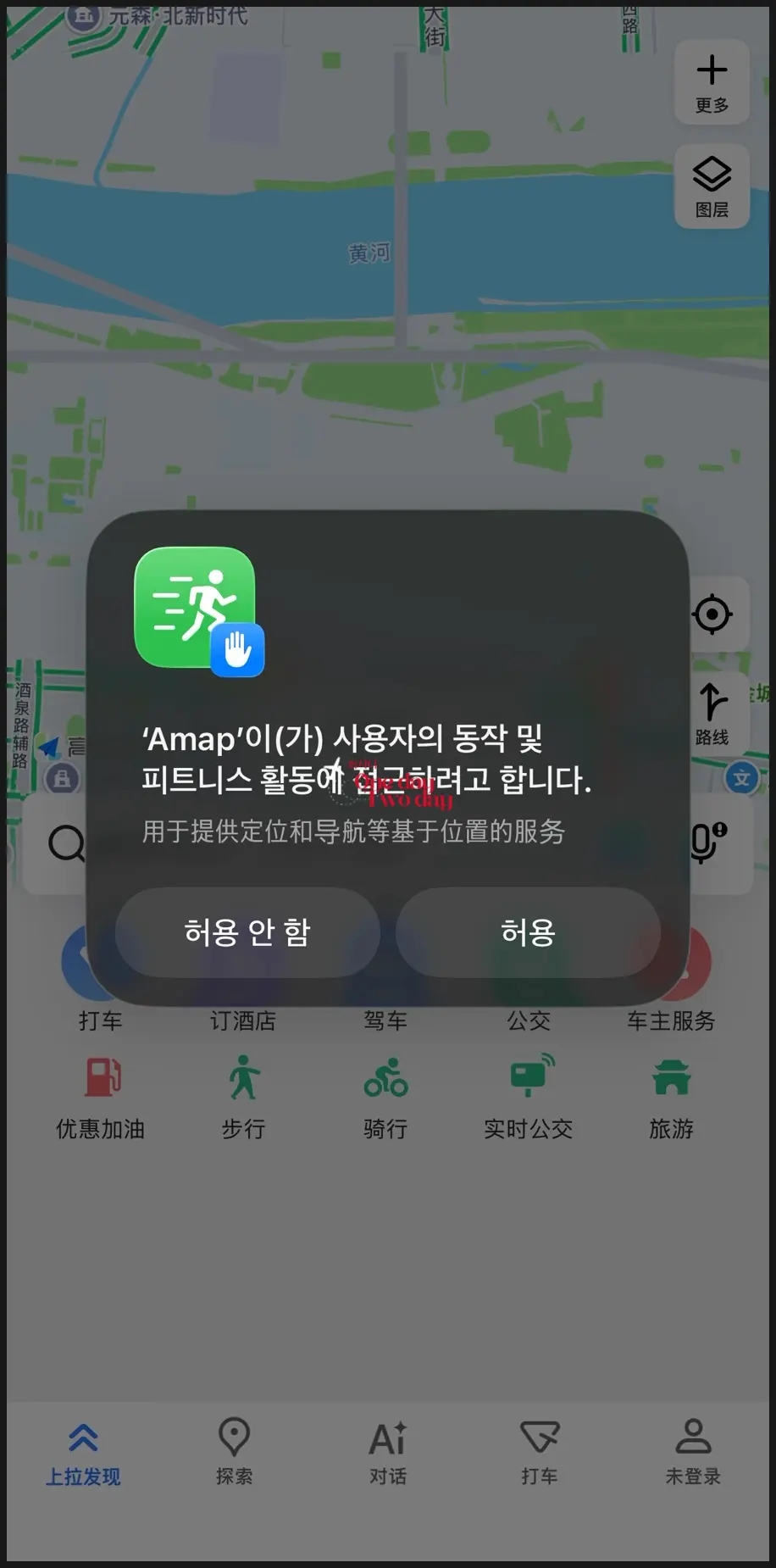
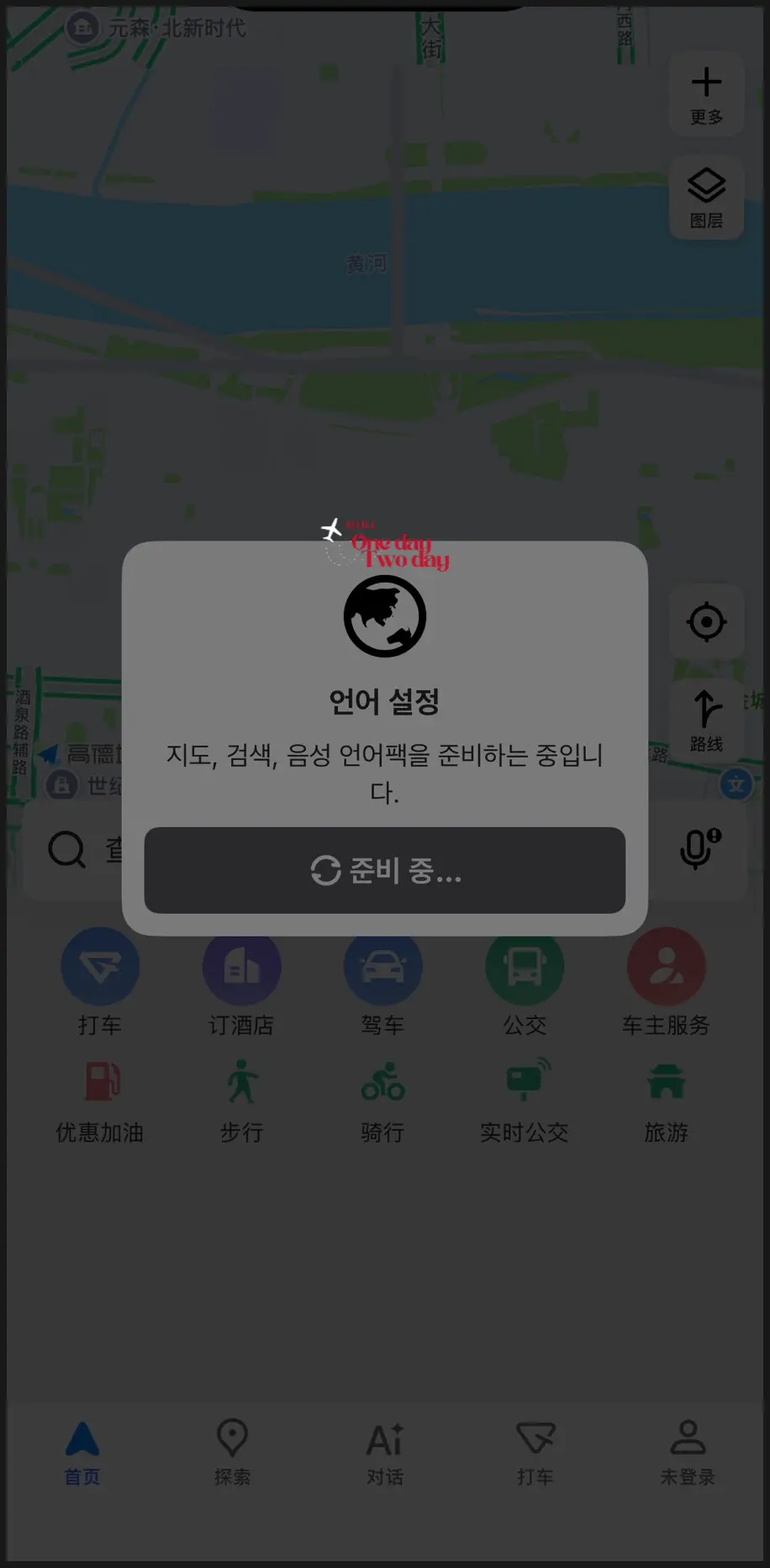
After downloading, you'll see a welcome message,
and you can freely skip the fitness part.
The important thing here is to
click 'Do Not Allow Location Access'!
If you allow location, it will register you in Korea,
and obviously, that's not China, right?
If you've already allowed location access,
change it to 'Do Not Allow' in your settings,
then come back to the app!
+ Once you're in China, you can change it to allow location.
As for the language, honestly, I don't notice a huge difference between Korean and Chinese,
but some say it works better in Chinese, so do what you prefer.
It's not perfect, but the app does have its own translation feature.
2. Gaode Map Registration
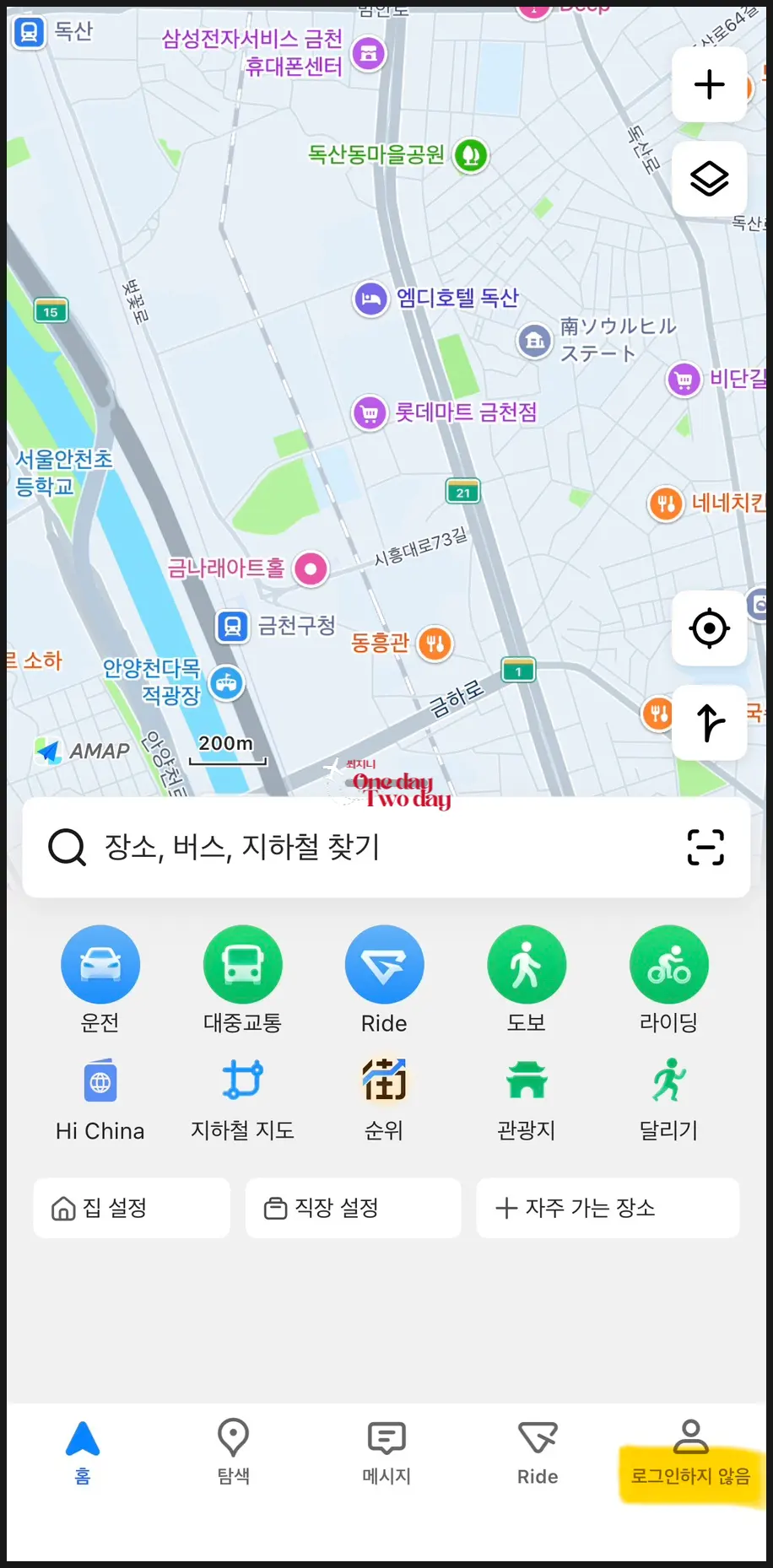
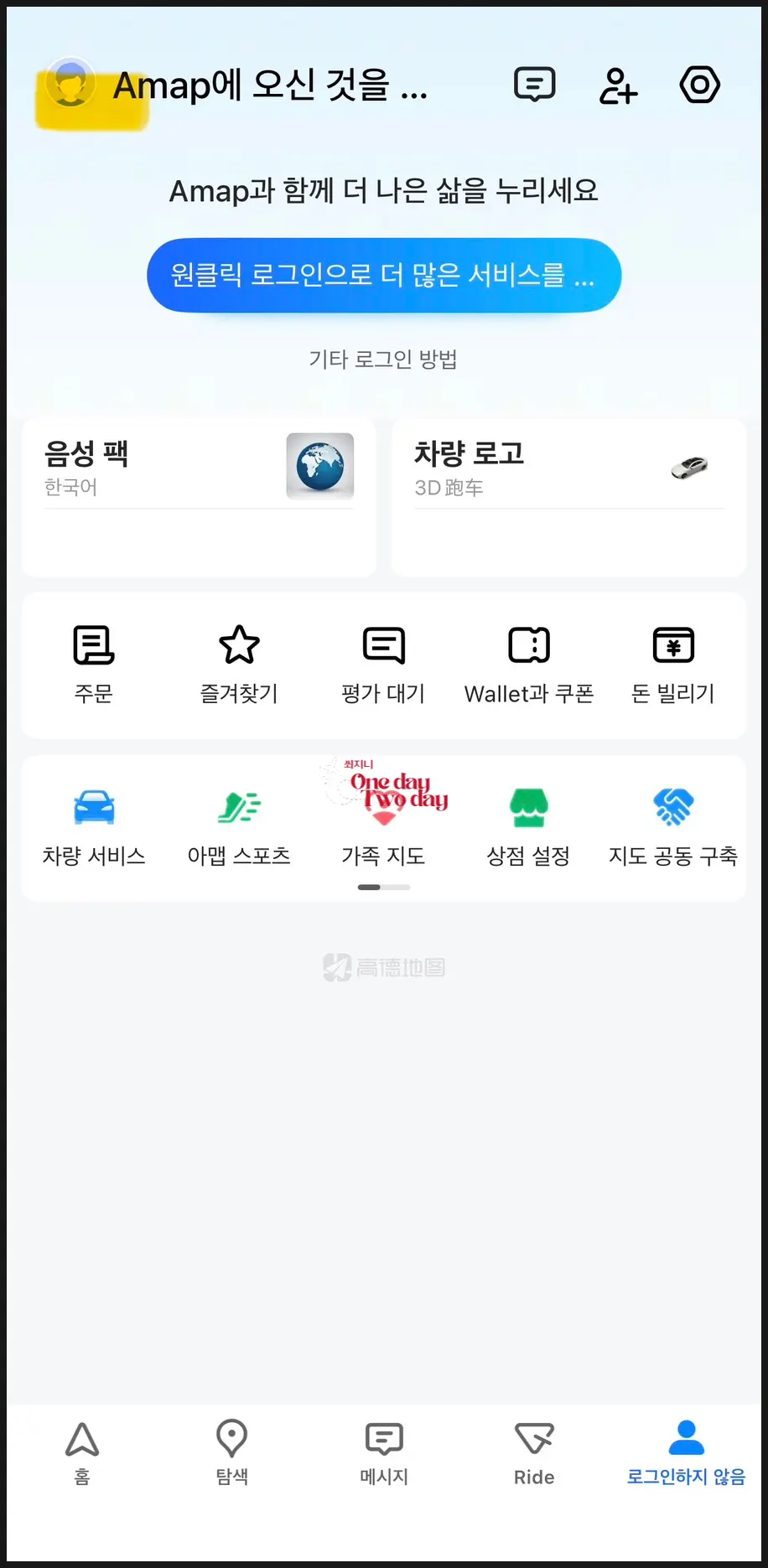
Next, shall we register for an account?
The in-app translation might be a little rough, but I trust you'll be able to follow along with these clear instructions!
Just follow the parts highlighted with a marker!
➡️ Click the person icon in the bottom right corner.
➡️ Then, click the blue button in the middle.
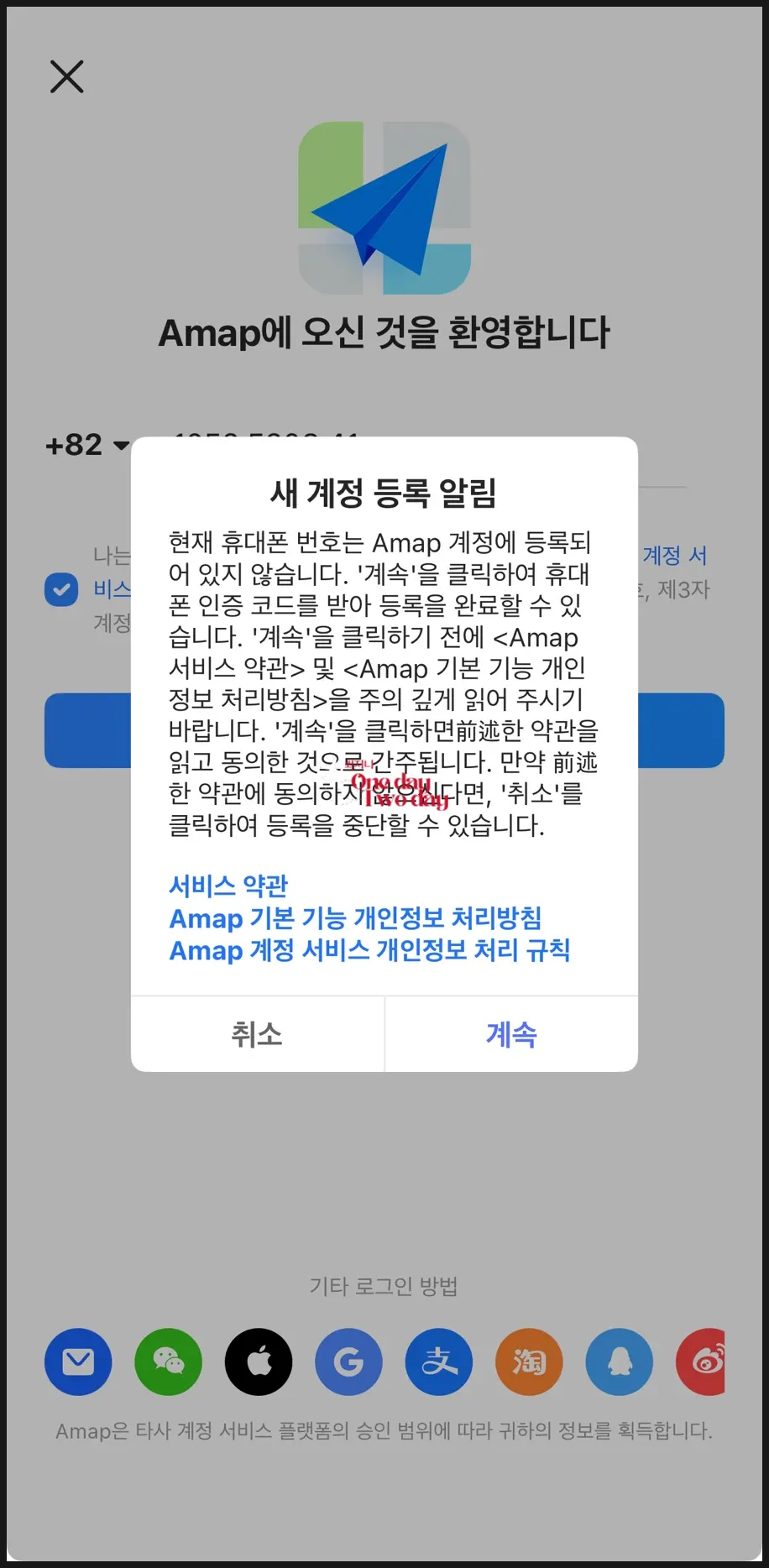
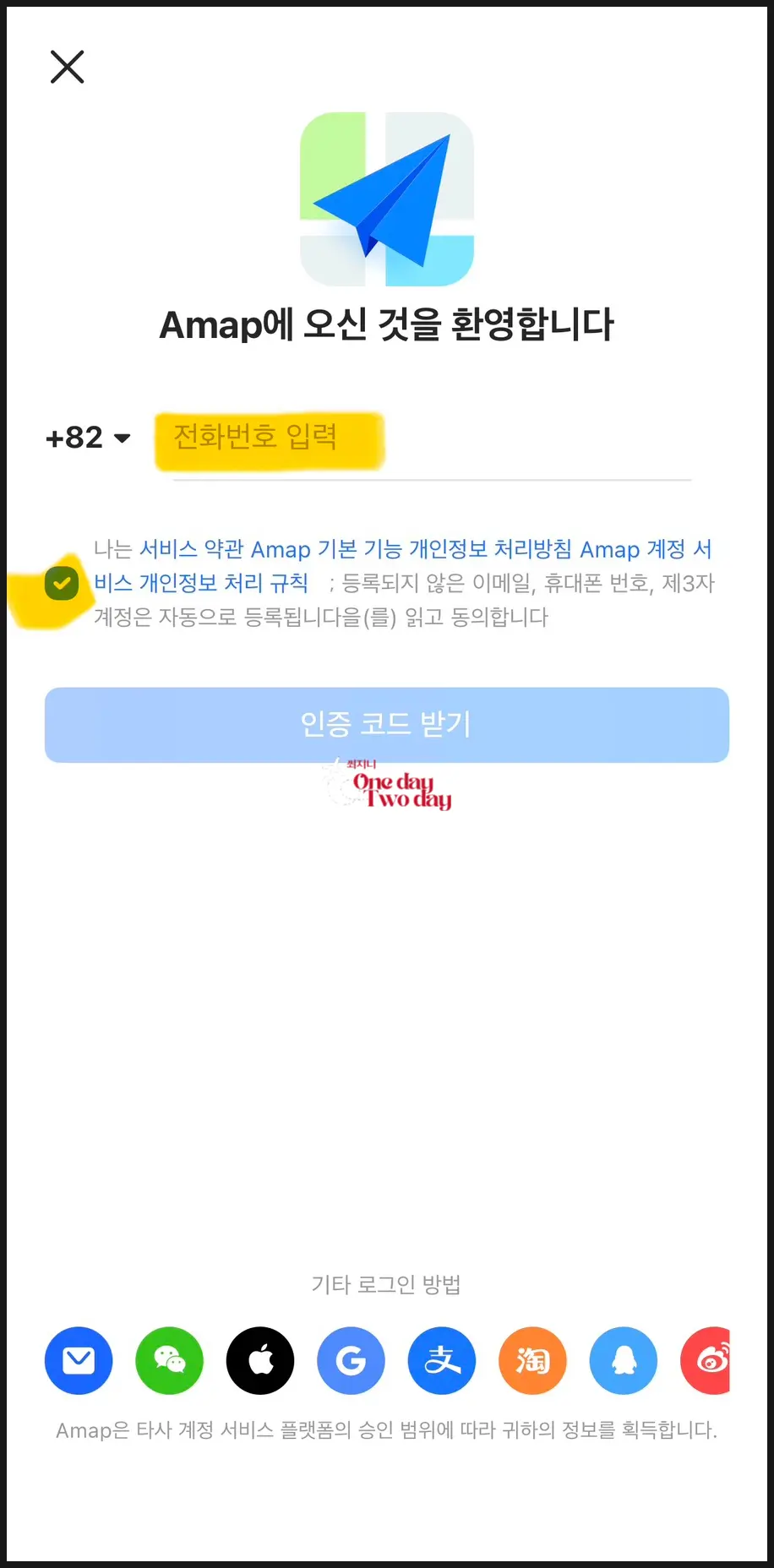
Now you can register your account.
➡️ Press 'Continue to Service Terms'.
There are many other login methods at the very bottom,
but I just conveniently authenticated with my phone.
➡️ For Korea, it's +82, and
for your mobile number, enter from 10 onwards, not including the initial 0.
➡️ After entering your phone number, check the service agreement box.
You will then receive an authentication code.
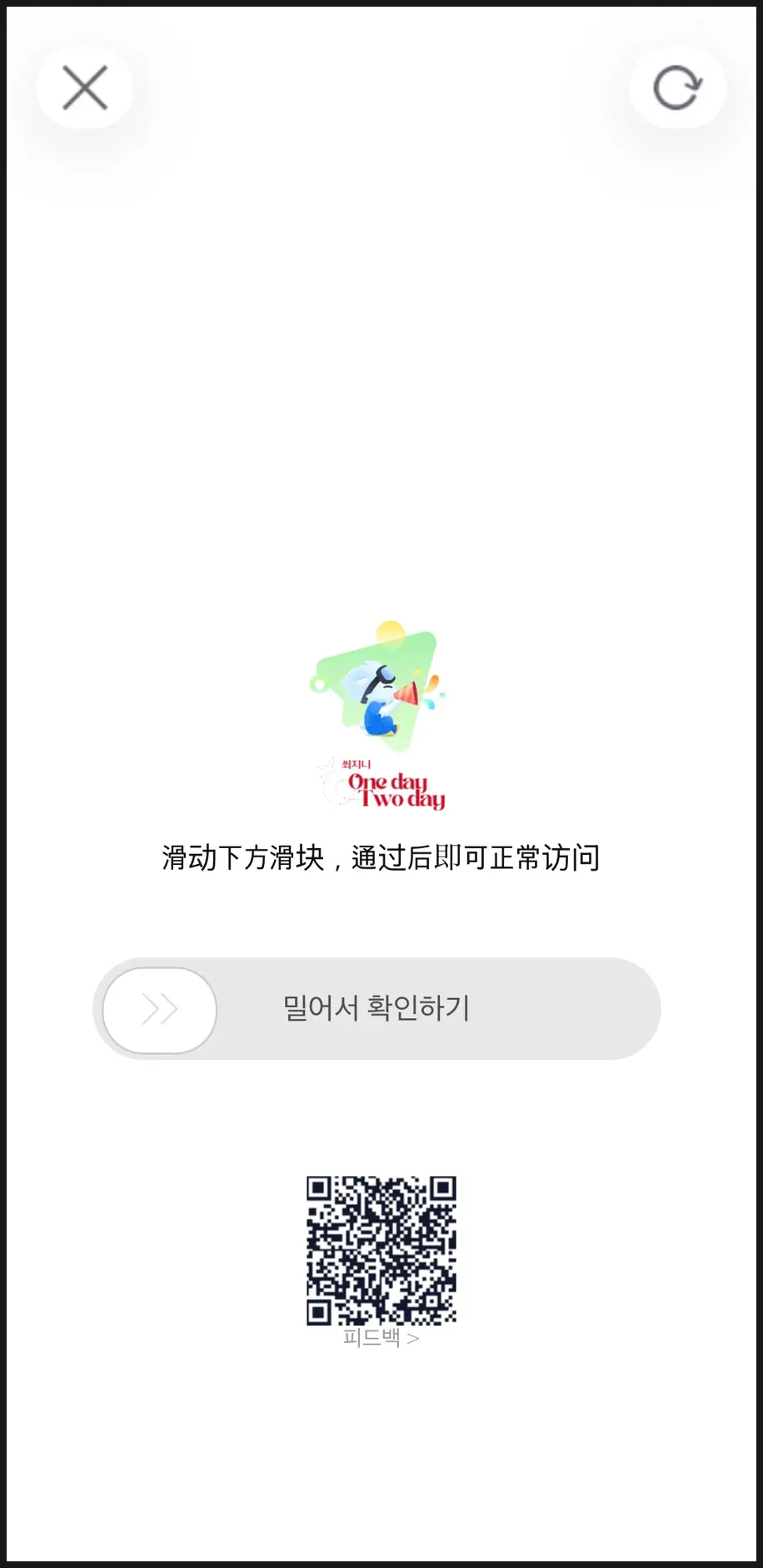
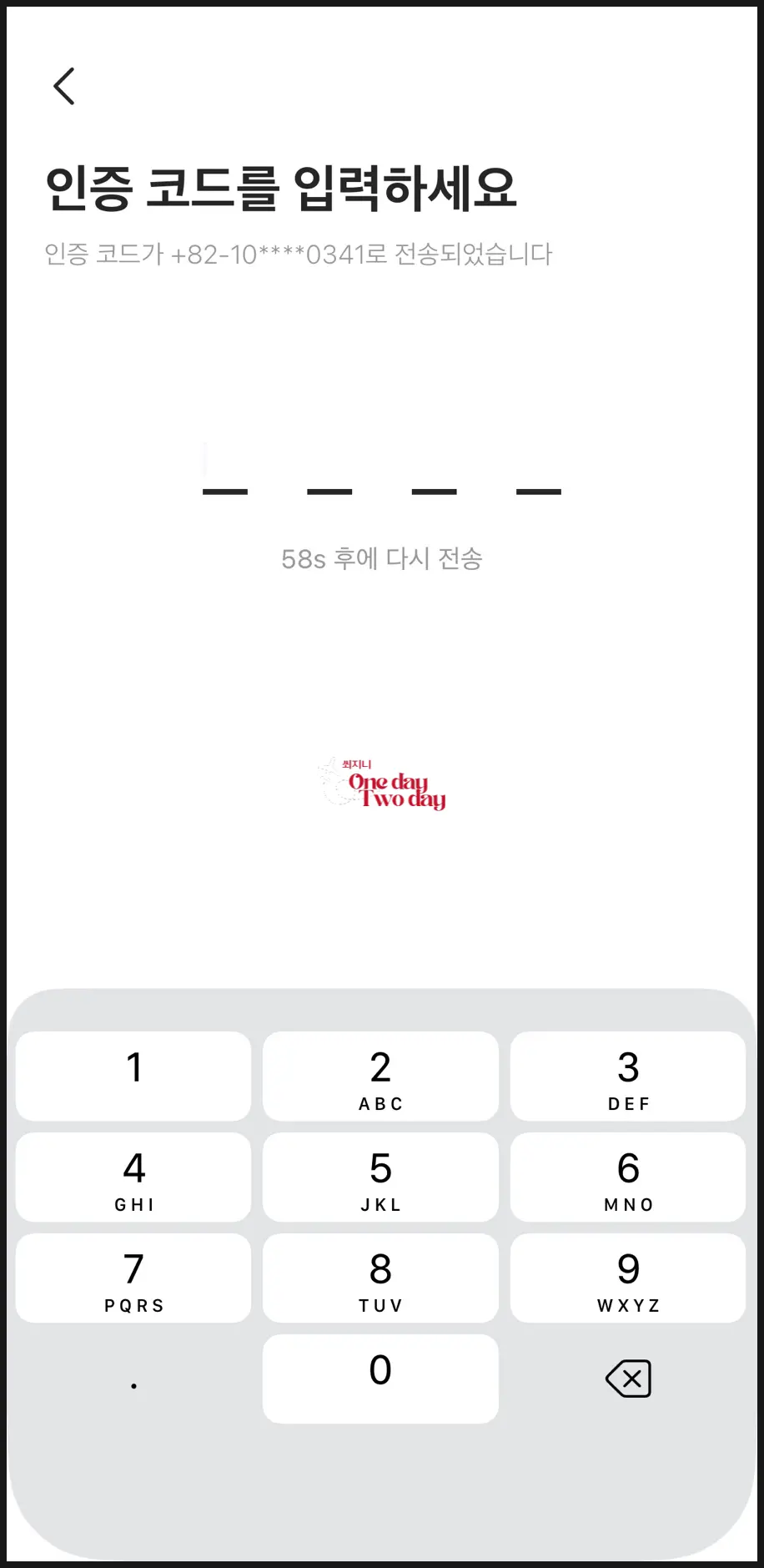
➡️ Swipe to verify and
➡️ Enter the verification code, and you're all set!
3. How to Set the Language in Gaode Map (Korean)
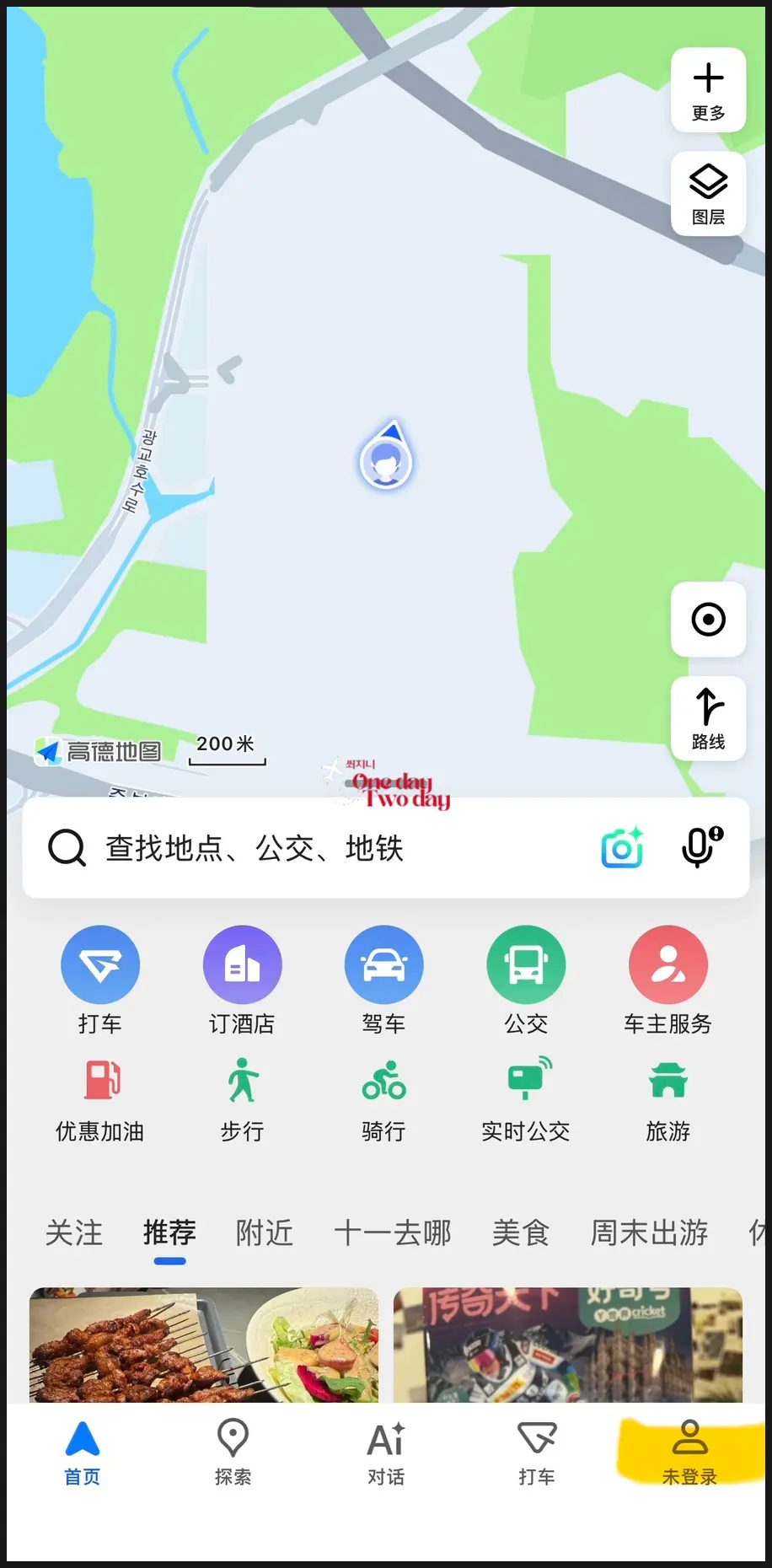
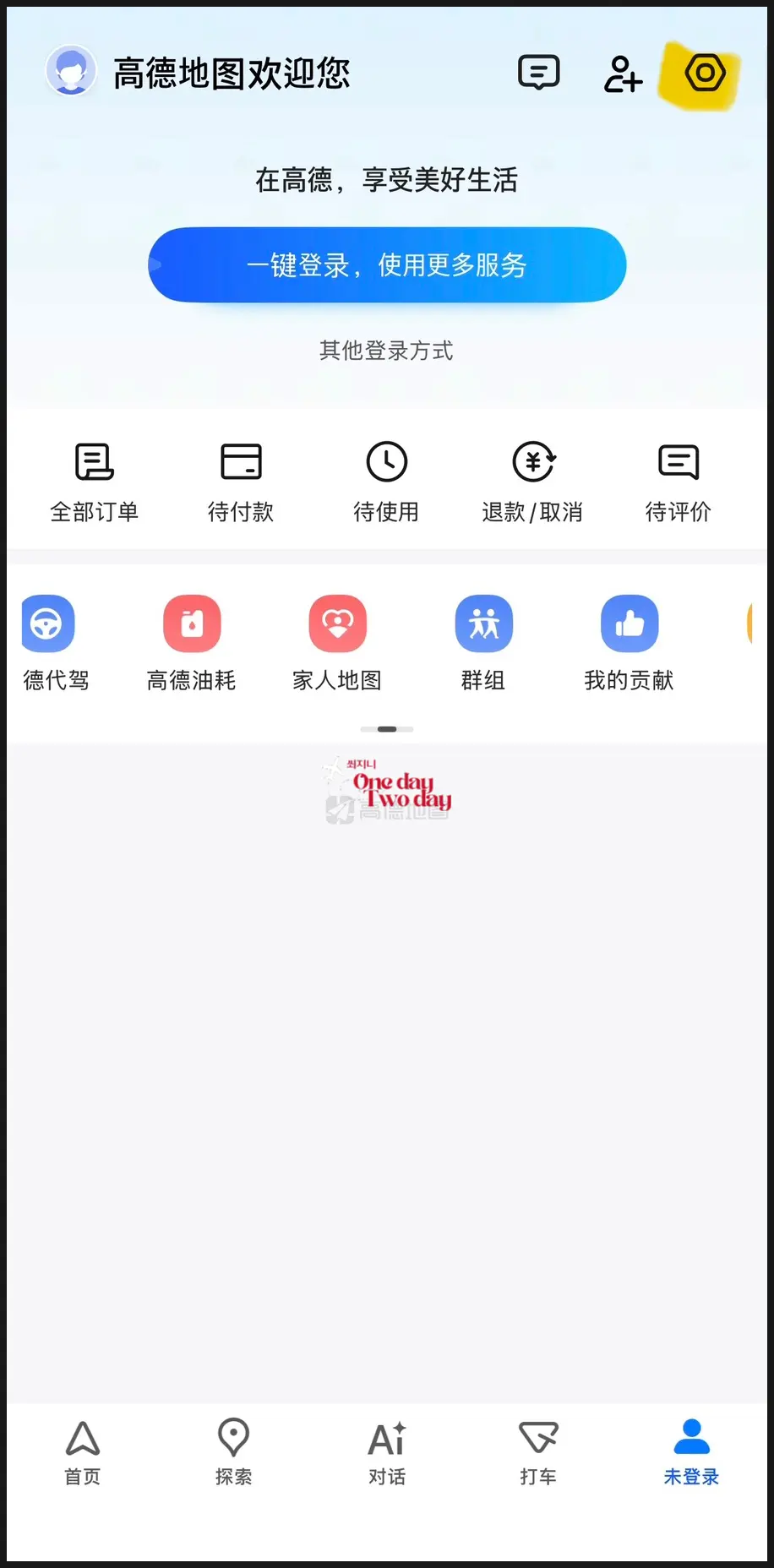
If you want to set the language to Korean,
➡️ Click on the person icon in the bottom right corner
➡️ Click the gear-shaped Settings icon in the top right corner
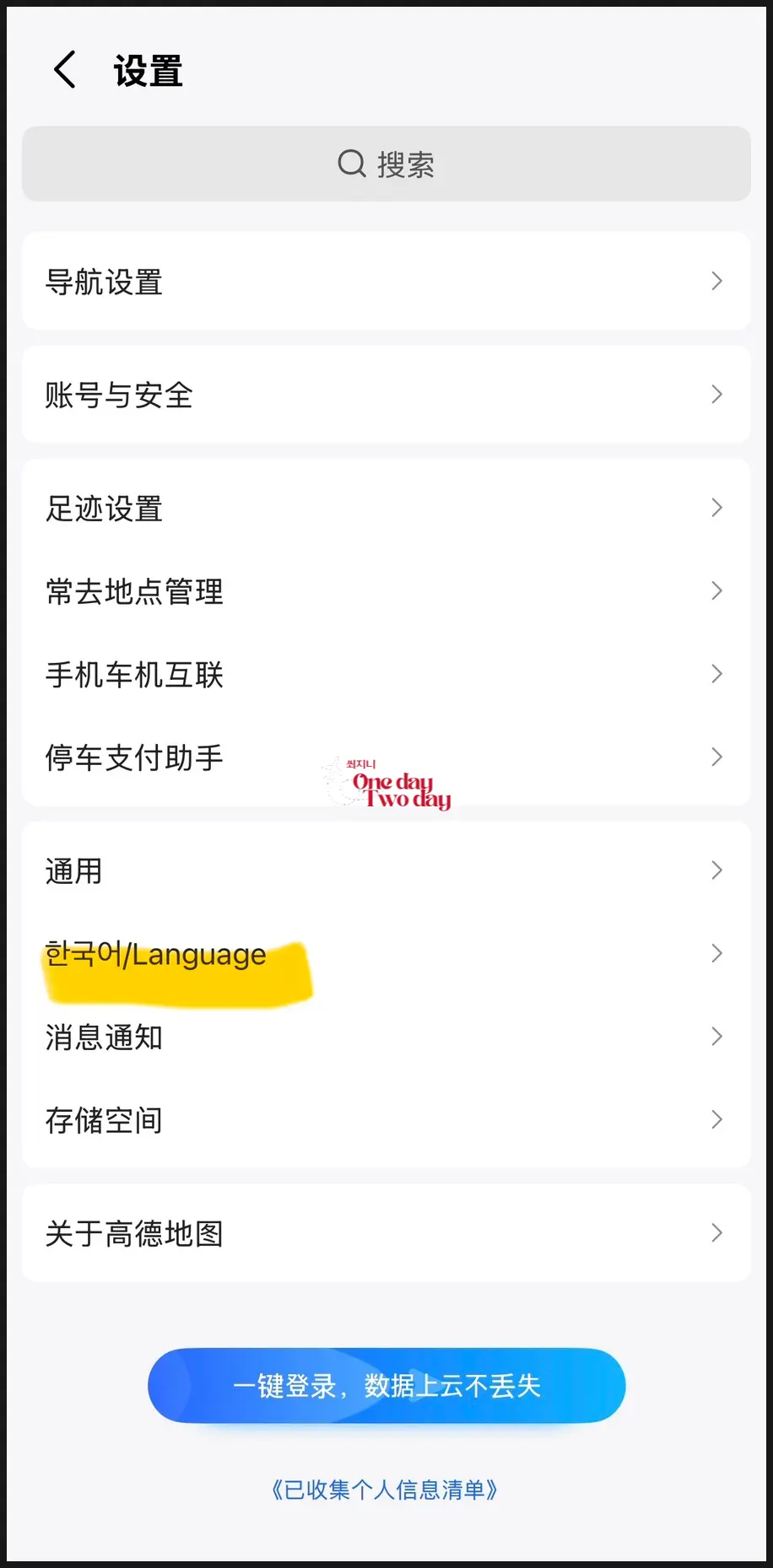
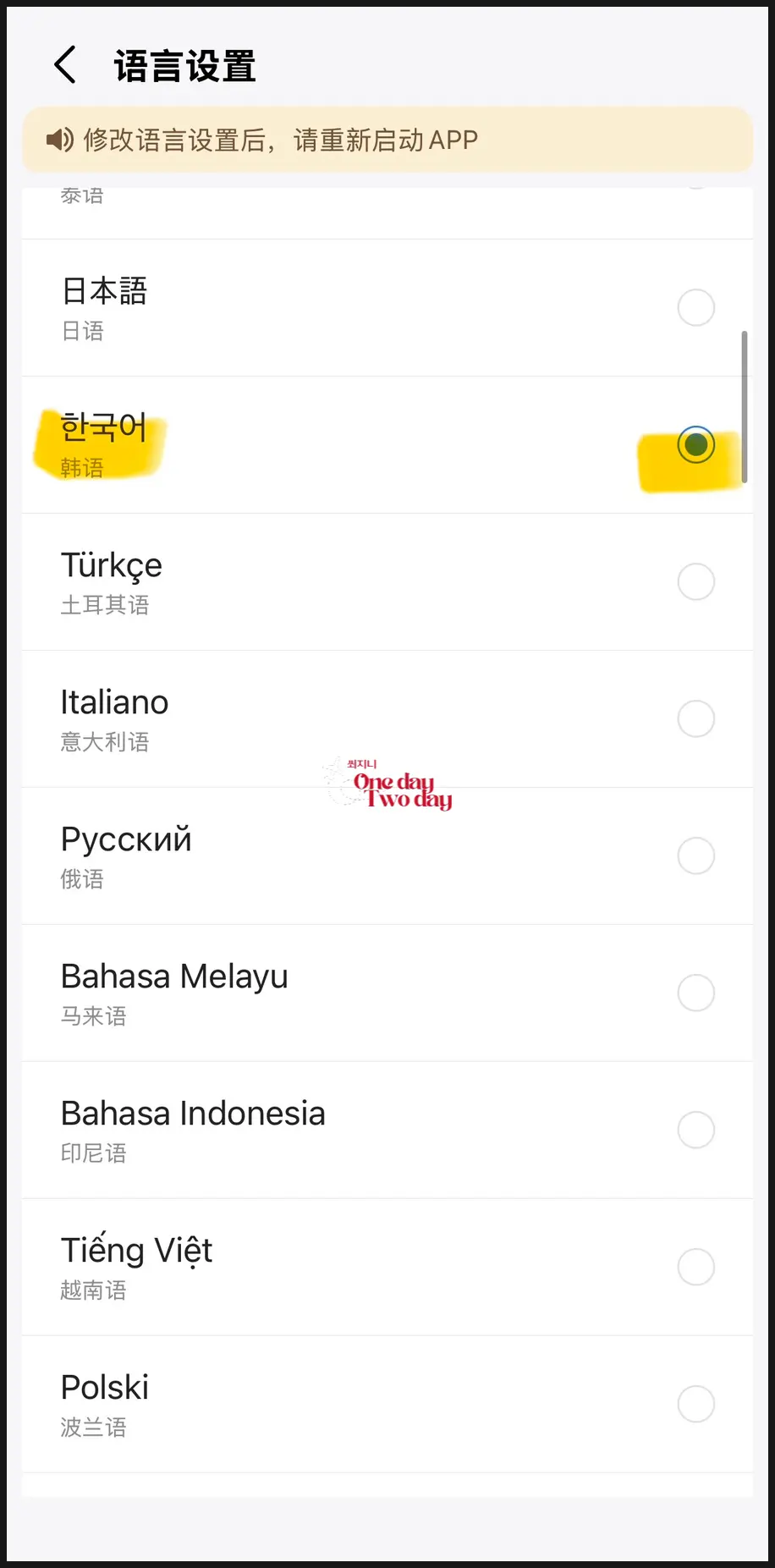
➡️ Click on Korean/Language
Scroll down and select Korean, and you're done!
Even after doing this, it still often appears in Chinese, so you'll have to tap "translate" every time,
and while the translations might not be perfect, it's still quite useful!
4. How to Search and Create Memos in Gaode Map
Alright, even if you copy the Gaode Map names beforehand,
it's not easy to type Chinese characters on a Korean phone ㅠㅠ
Since searching in English on Gaode Map often doesn't yield accurate results,
I'll show you a method to search for your travel destinations using their Gaode Map names
and then save them as memos in Korean!
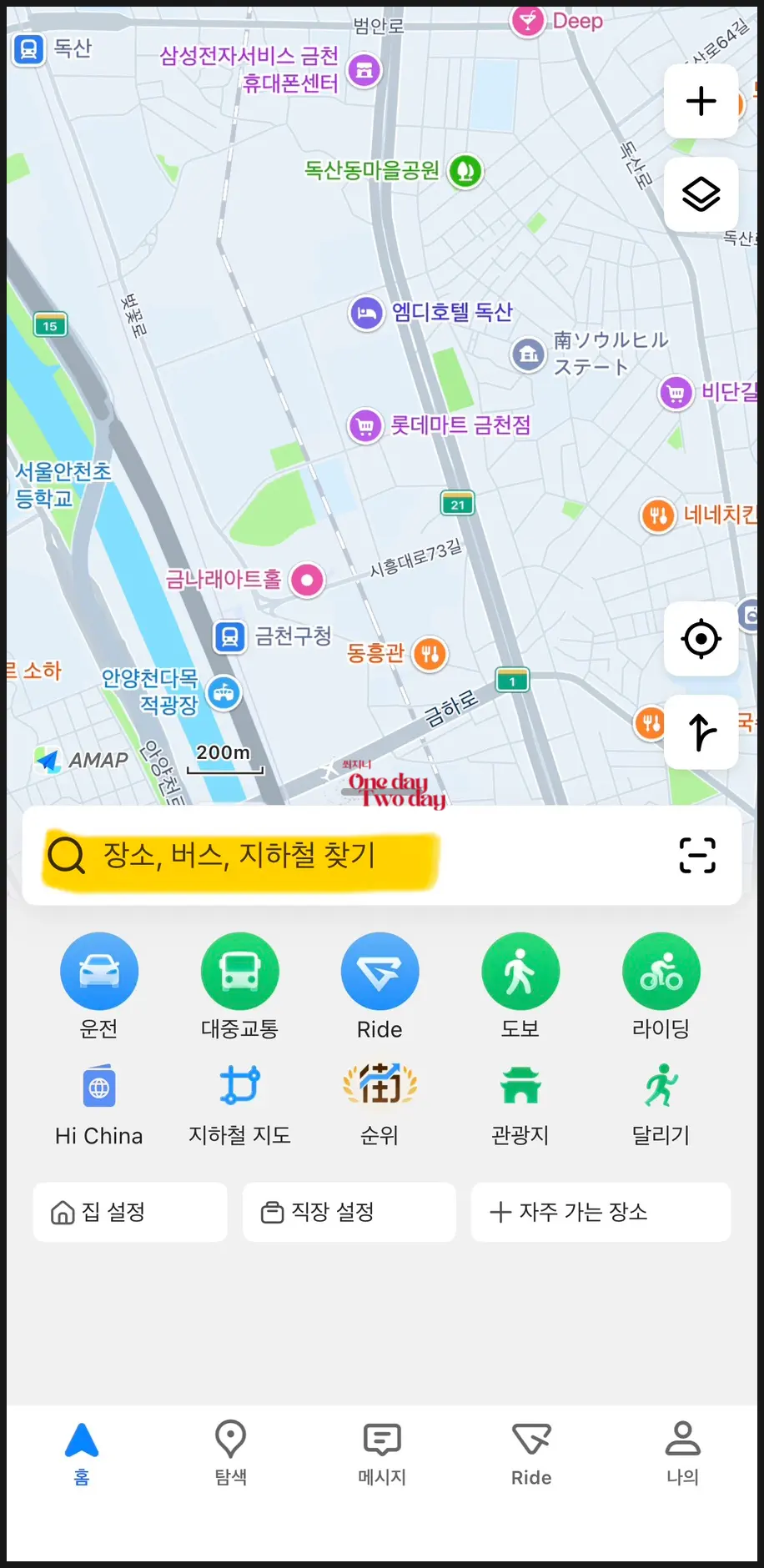
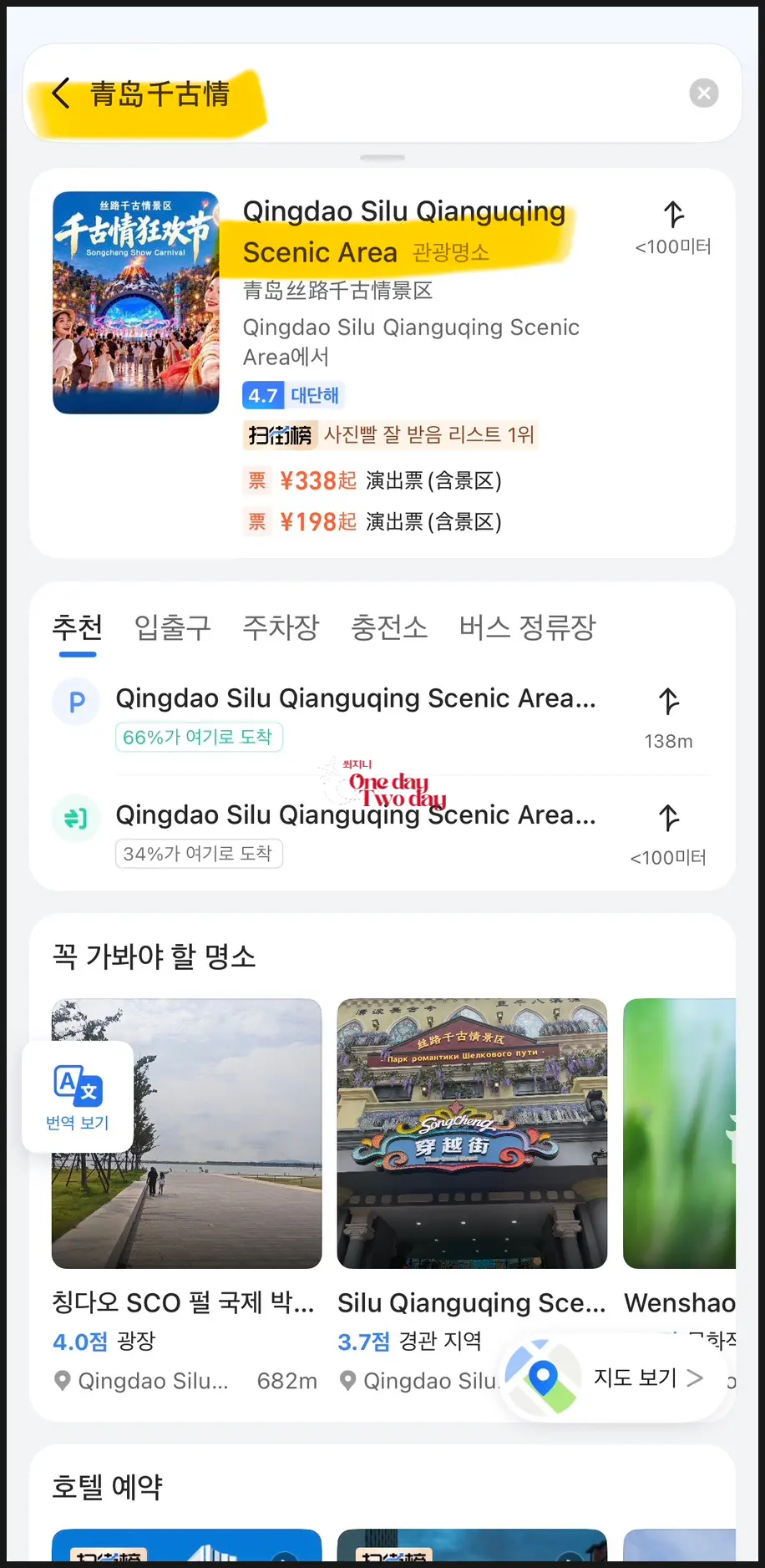
➡️ Head back to the home screen,
and type the place you want to visit into the search bar.
![Qingdao Silk Road Songcheng Show Park Ticket Discounts, Operating Hours, Reviews [2026] | Trip.com](https://rmrjnibxulbdixuqguwc.supabase.co/storage/v1/object/public/post-content/imported-naver/image-1790989778959-1790989778959-05dcc58d.jpg) Qingdao Silk Road Songcheng Show Park Ticket Discounts, Operating Hours, Reviews [2026] | Trip.com
Qingdao Silk Road Songcheng Show Park Ticket Discounts, Operating Hours, Reviews [2026] | Trip.comI searched for 'Qingdao Silk Road' (known in Korean as Cheonggojeong), and I copied the Gaode Map name 青岛丝路 from Trip.com.
Since Trip.com is a China-based company,
it's excellent for copying Gaode Map names!
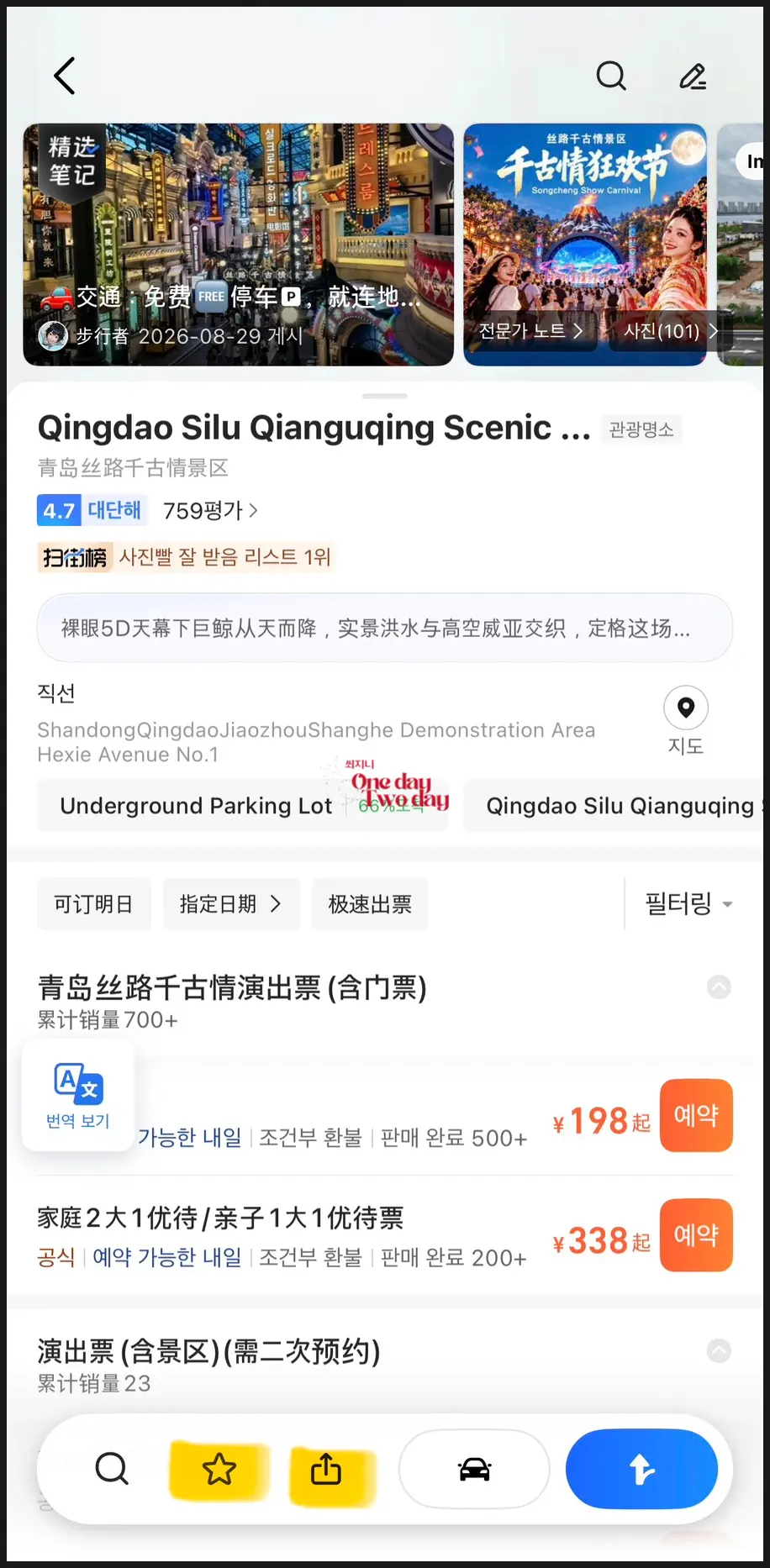
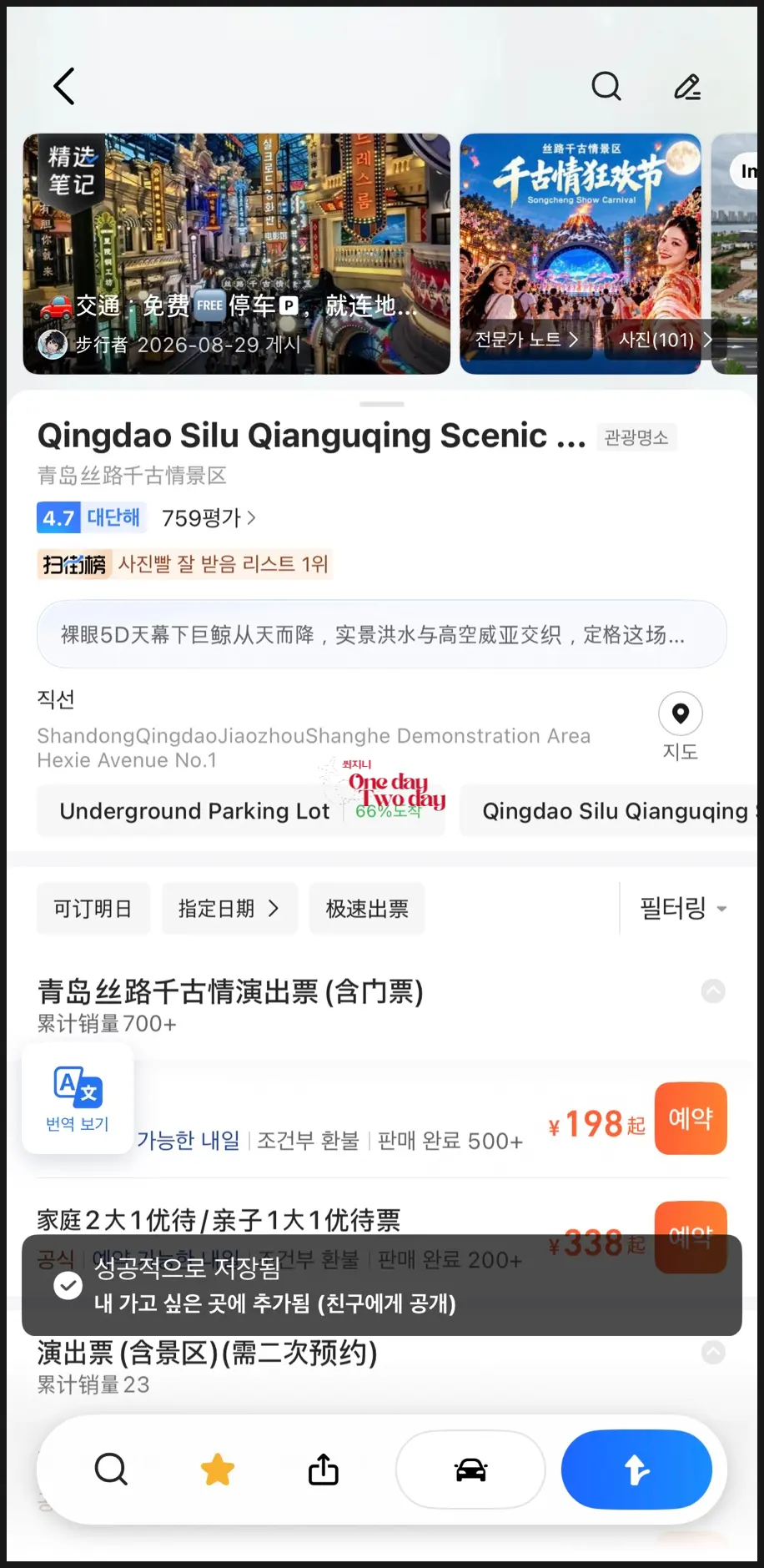
➡️ Search and click on your desired tourist spot.
You'll see a star icon at the bottom.
Next to the star is the share button, so if you're traveling with companions,
use it to share the Gaode Map link with them.
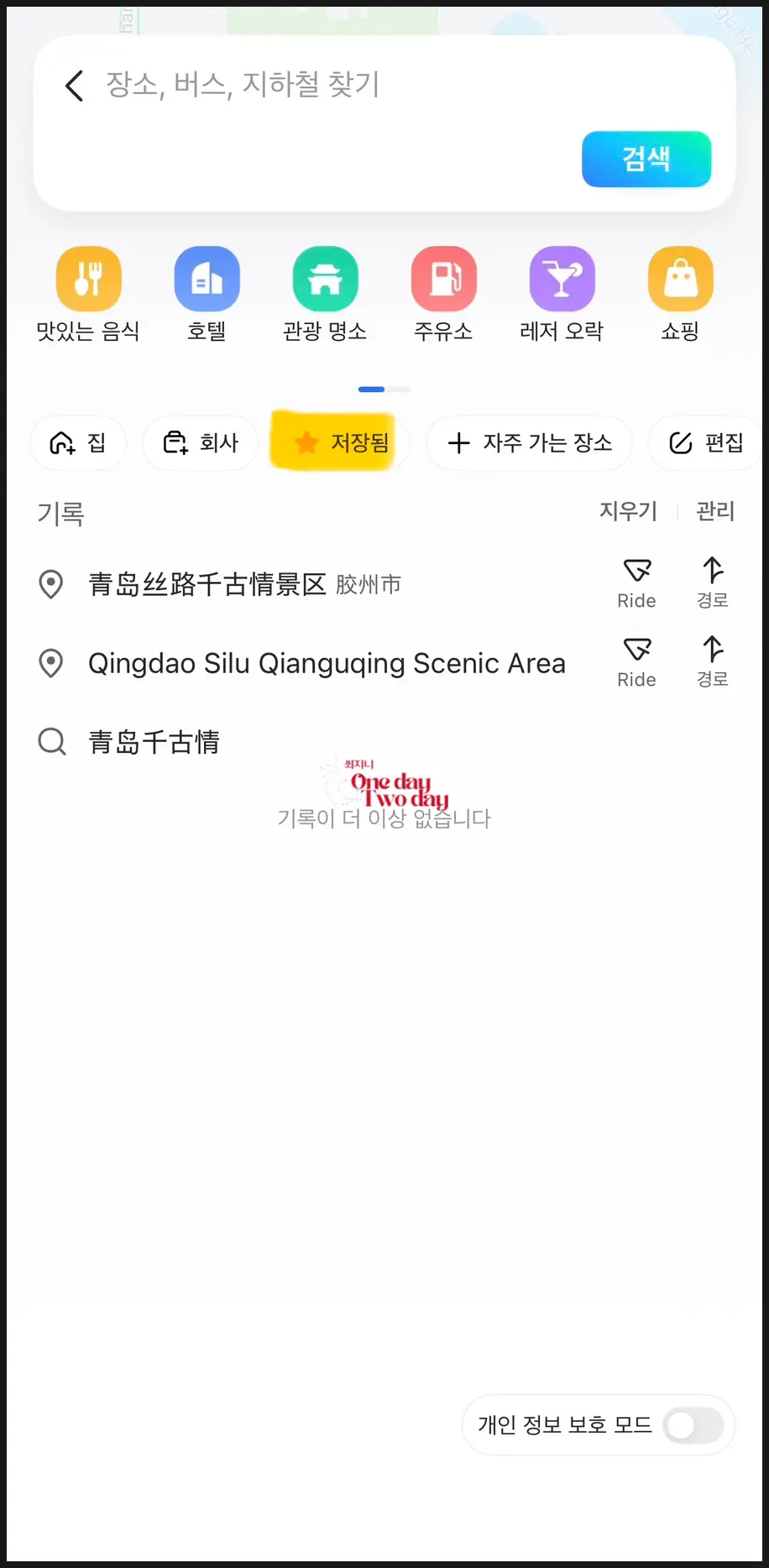
➡️ Head back to the home screen and click the person icon in the bottom right corner.
Just like in the rightmost screenshot,
you can see all your saved locations in one convenient list.
Here's a little bonus tip: in the bottom right of the screenshot,
if you tap the blue arrow,
you can check transportation options,
so be sure to check for subway, taxi, bus routes, and more!
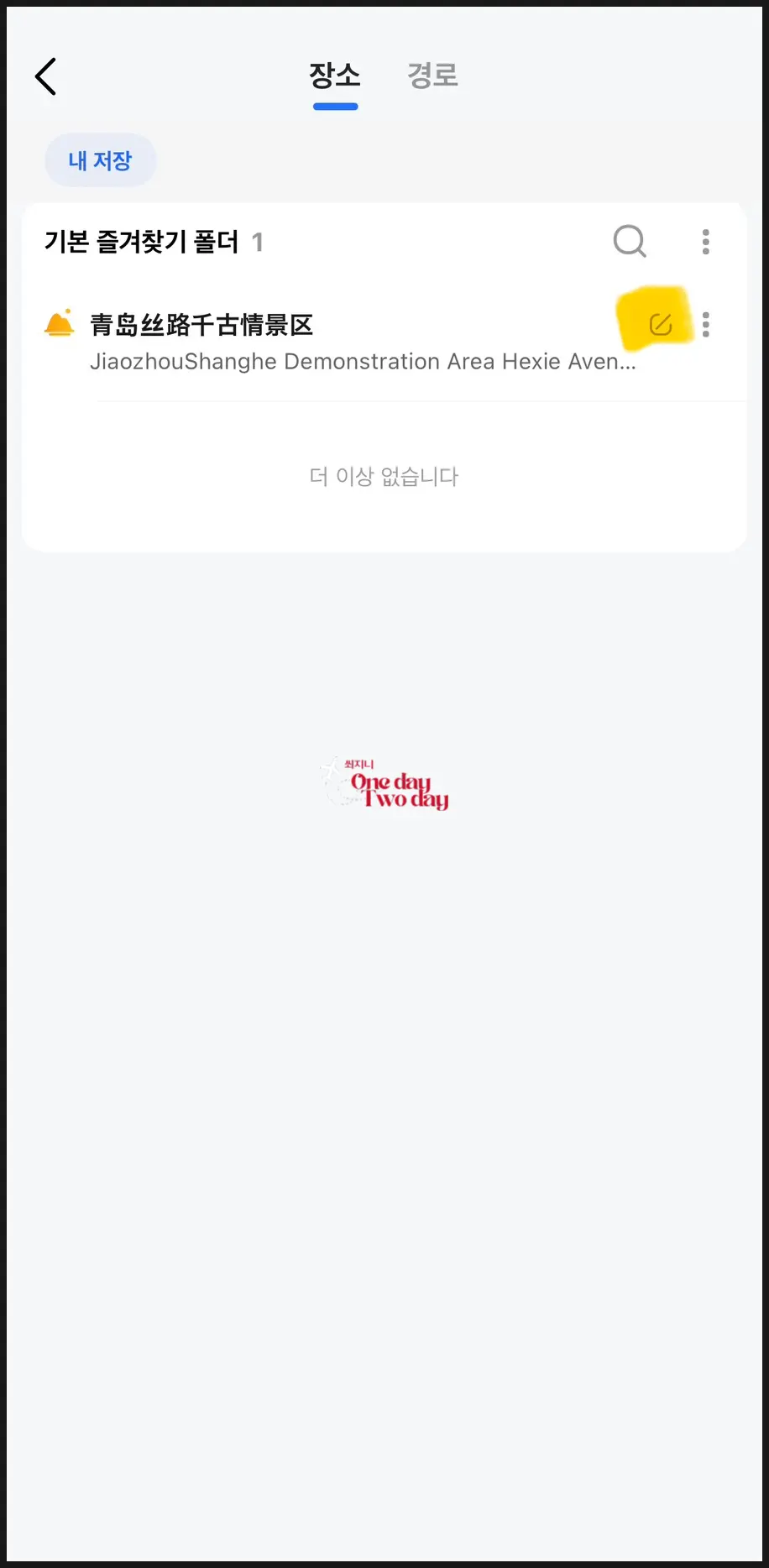
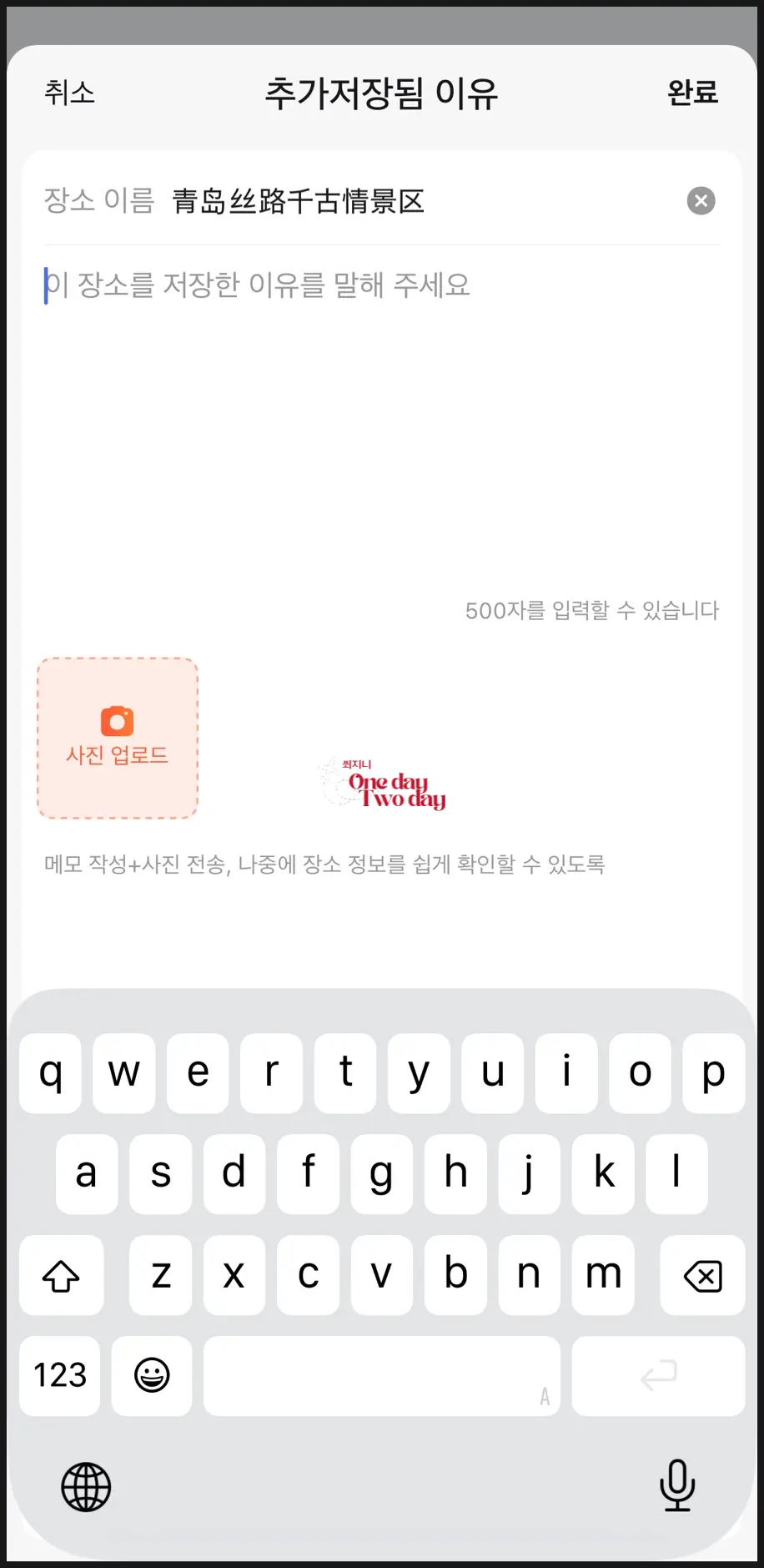
But if you only see those Gaode Map names,
you might wonder, "Where is this? What does it even say?"
Right?
That's why, if you tap the highlighted area in the left screenshot,
you can create a memo, just like in the right screenshot!
Here, you can add memos in Korean for essential information like "Cheonggojeong," "Silk Road," operating hours, and more!
It might feel difficult at first,
but you'll get used to it quickly as you use it!
So, I hope your trip to China
becomes a little more comfortable with Gaode Maps :)
 Low-cost Flight Booking & Airfare Price Comparison | Trip.com
📍 China
China
Frequently Asked Questions
How do I handle location permissions during Gaode Map's initial setup?
When you first set up the Gaode Map app after downloading it, you must click 'Do not allow location access'. If you accidentally allowed location access, go to settings, change it to 'Do not allow', and then return to the app. It's recommended to change it to 'Allow location access' once you arrive in China.
How should I enter a Korean mobile phone number when registering for Gaode Map?
When registering for Gaode Map, after selecting the country code +82, you should enter your Korean mobile phone number starting with 10, not 010. For example, if your number is 010-1234-5678, you would enter 1012345678.
What is the specific method for setting the language to Korean in Gaode Map?
To set the language to Korean in Gaode Map, click the human-shaped icon in the bottom right, then tap the gear-shaped settings icon in the top right. Next, click '한국어/Language' and scroll down to select Korean.
How can I easily search for the Chinese name of a desired travel destination in Gaode Map and add notes in Korean?
If searching for Chinese names is difficult in Gaode Map, copy the Gaode Map name from a China-based company like Trip.com and paste it into the search bar. After saving the searched destination, you can use the memo function in the saved list to write necessary information in Korean, such as Cheonggongjeong, Silk Road, and operating hours.
Share this article
Related Travel Stories
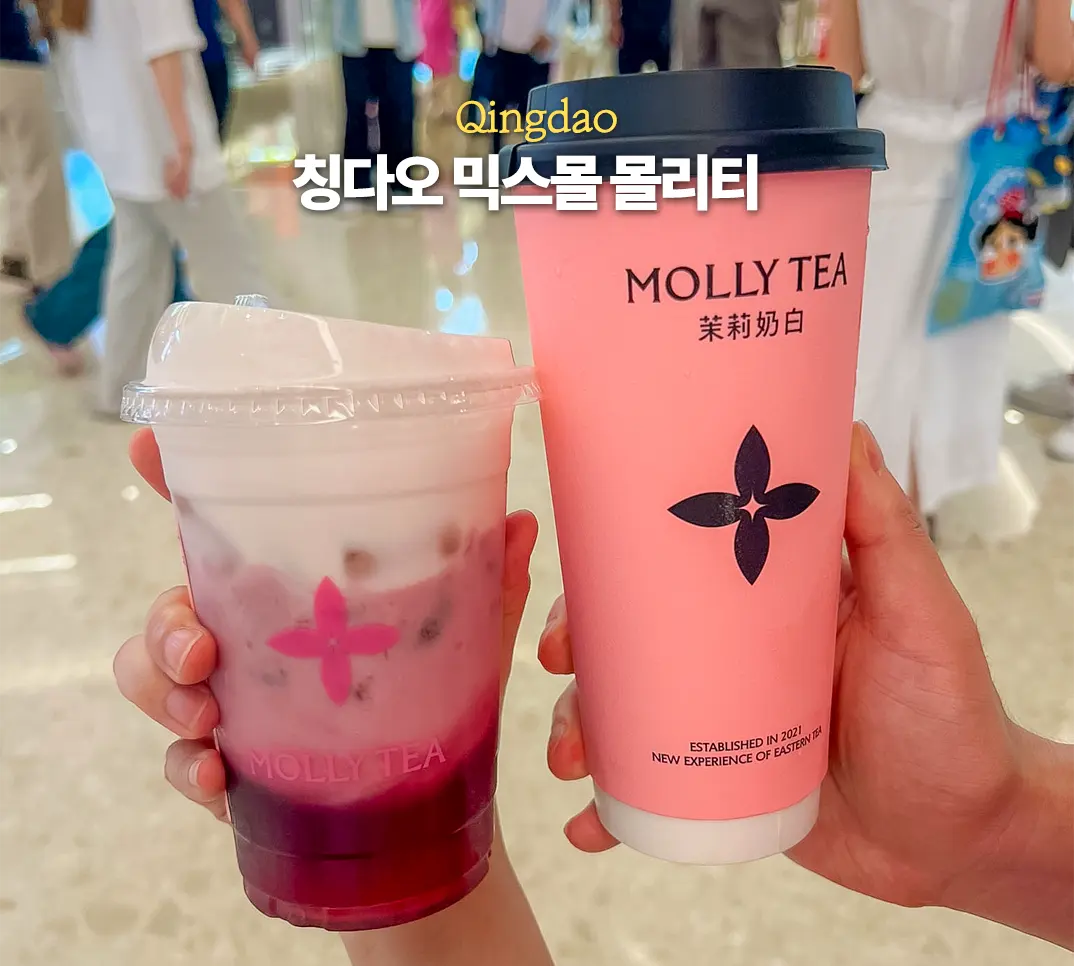
Moli Tea Qingdao MixC Review 2026: Jasmine Milk Tea & Ordering Guide
Discover Moli Tea at Qingdao's MixC Mall, a must-visit for unique jasmine-infused milk teas and refreshing fruit blends. Find location, menu recommendations, and easy QR code ordering.
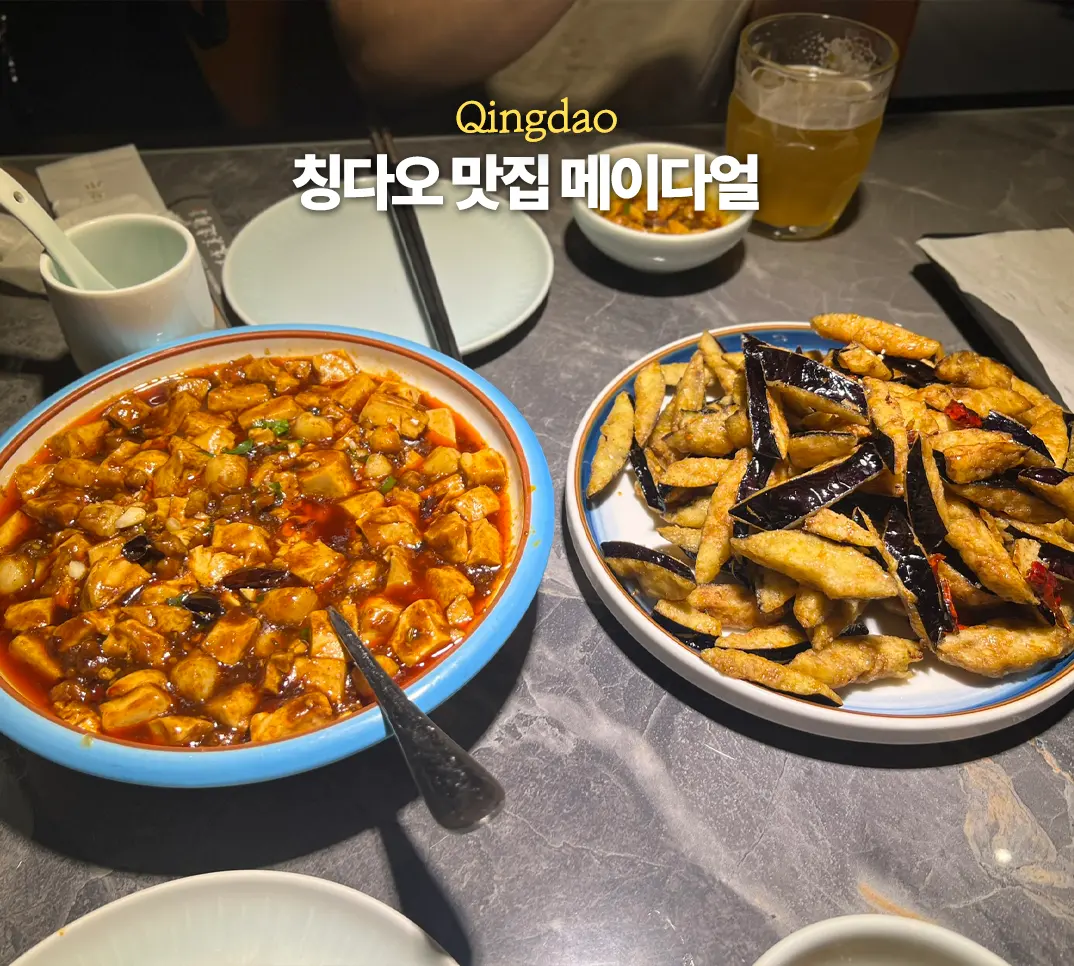
Mei Da Er Qingdao Zhongshan Road Review: Must-Try Fried Eggplant
Discover Mei Da Er, Qingdao's hidden gem on Zhongshan Road. This local favorite offers authentic Chinese cuisine, with its famous fried eggplant being a must-try. Beat the crowds with an early visit!
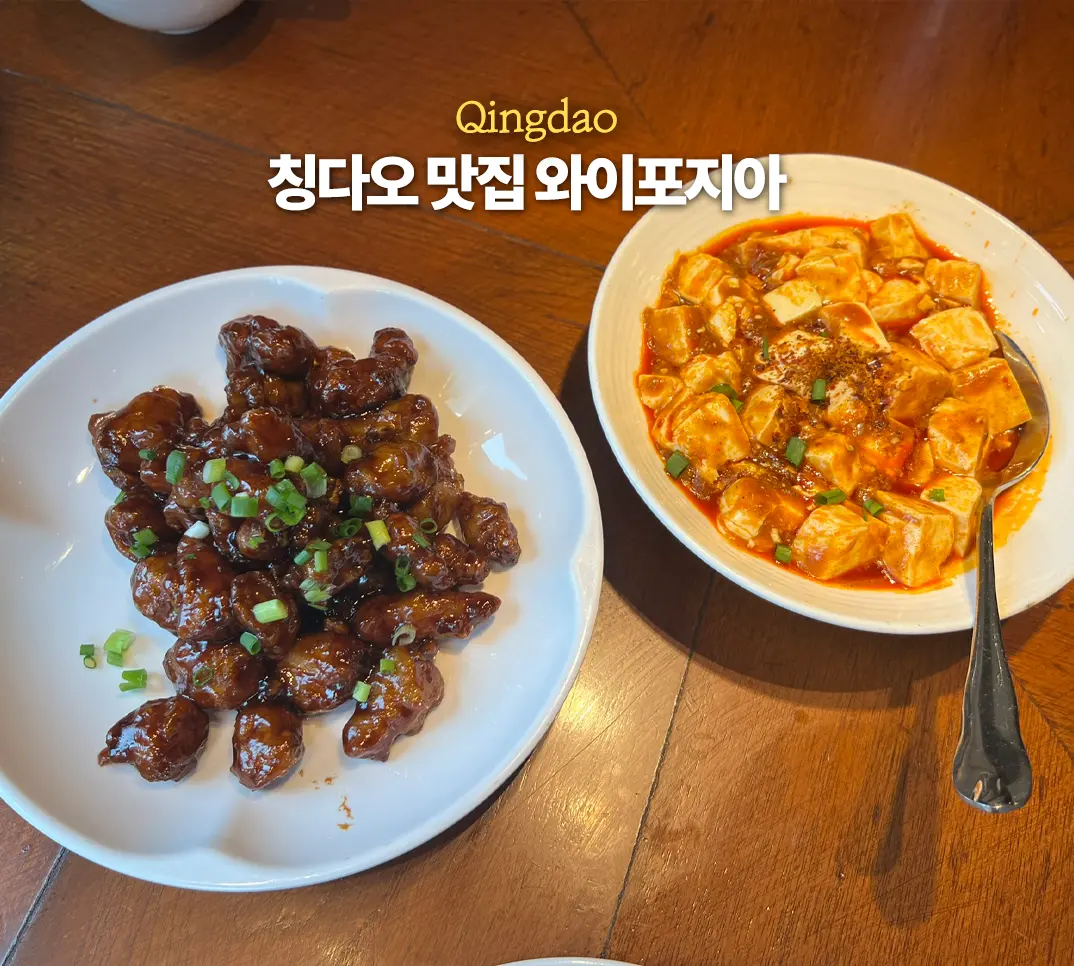
Waipojia Qingdao MixC Mall Review 2026: Menu, Wait Times & Discounts
Explore Waipojia at Qingdao's MixC Mall for authentic, affordable Chinese home-style food. Find must-try dishes, smart waiting tips, and how to snag discounts for your 2026 visit!
Qingdao MixC Luckin Coffee: Best Menu & Ordering Guide
Craving a delicious, affordable coffee while exploring Qingdao? Find out why Luckin Coffee at MixC is a local favorite and get our top menu recommendations, including the famous Fresh Coconut Latte, plus an easy ordering guide.
Luyu Qingdao MixC Mall: Garlic Sea Bass Review 2026
Visiting Qingdao's MixC Mall? Don't miss Luyu, a popular spot known for its incredible Garlic Sea Bass. Get insider tips on menu and avoiding long waits!

Qingdao Guest House: Explore the German Governor's Residence
Dive into Qingdao's past at the magnificent Guest House, once the residence of the German Governor. Uncover its stunning European architecture and fascinating history.