

AMap Shanghai Guide 2026: How to Use Gaode Maps
Master Gaode Map (AMap) for your 2026 Shanghai trip. Learn how to navigate like a local, save your favorite spots, and change language settings easily.

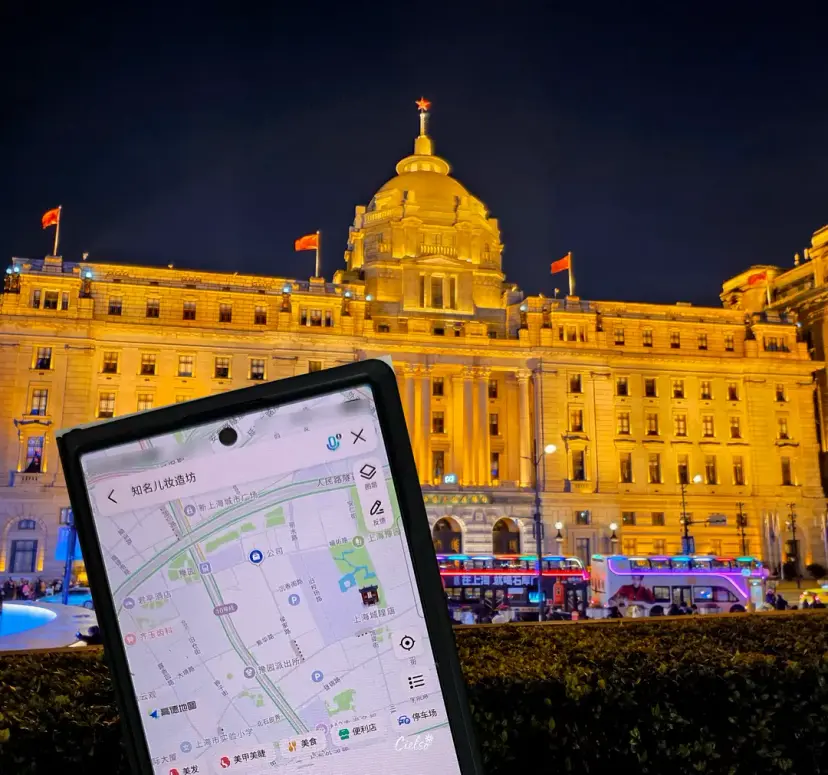
Traveling to Shanghai, China
Essential Travel App Checklist
Gaode Map (AMap)
Hey there! I'm Ciel, your go-to travel guide-!
Today, I'm sharing a complete guide on how to master one of China's absolute must-have travel apps: Gaode Map (AMap).

🇨🇳 Essential App for Your Shanghai Adventure
I highly recommend Gaode Map if you fit any of these:
✔︎ Planning a trip to China (especially Shanghai) in 2026
✔︎ Want 100% accurate, real-time location tracking while exploring
✔︎ Want to bookmark and organize all your bucket-list spots in one place
✔︎ Plan on doing a lot of walking and navigating on foot

🧭 Why Do You Need Gaode Map?
While we all rely on Google Maps during international trips,
it is highly inaccurate and often blocked in China due to the Great Firewall.
Gaode Map, on the other hand, is incredibly precise and up-to-date.
Downloading this app before your flight is a non-negotiable!
Pro tip: You can use the app without signing up for an account.
However, if you don't register, your saved favorite places might occasionally disappear.😂 To avoid losing your curated itinerary, I highly recommend creating a quick account!
How to Download and Set Up
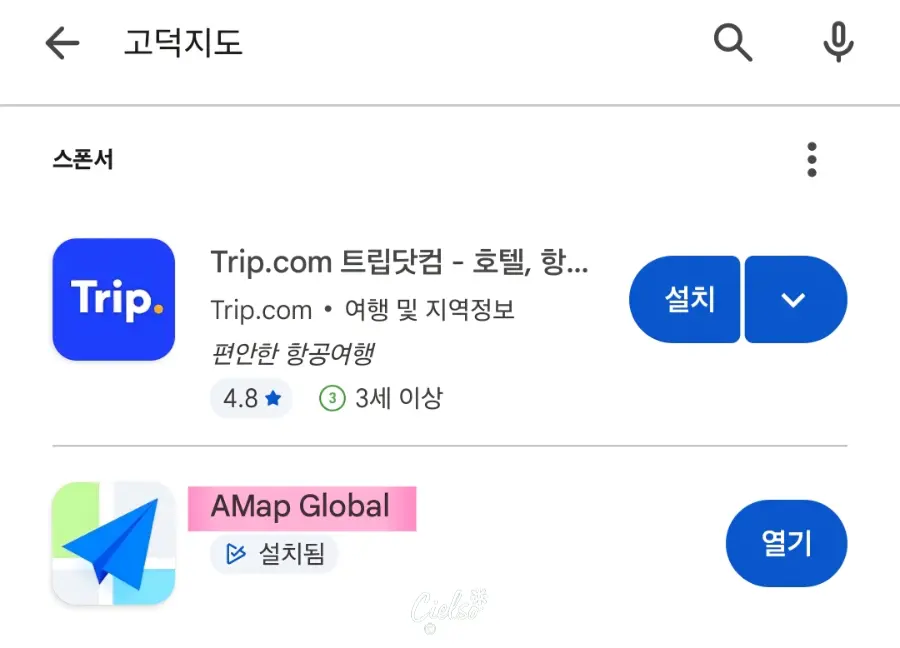
Search for Gaode Map (AMap) in your App Store or Google Play Store.
Once installed, accept the terms and conditions by selecting the Agree (同意) button.
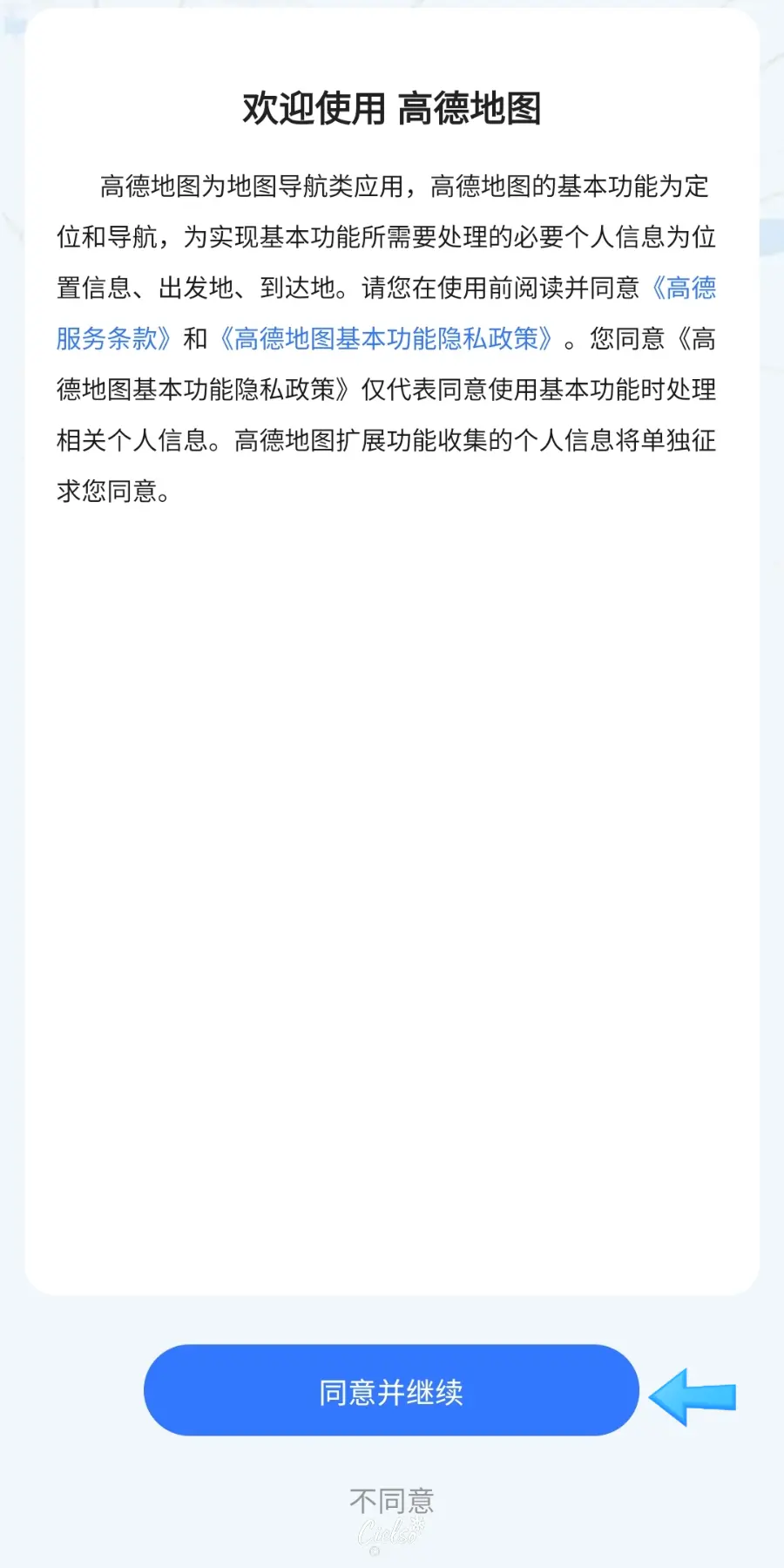
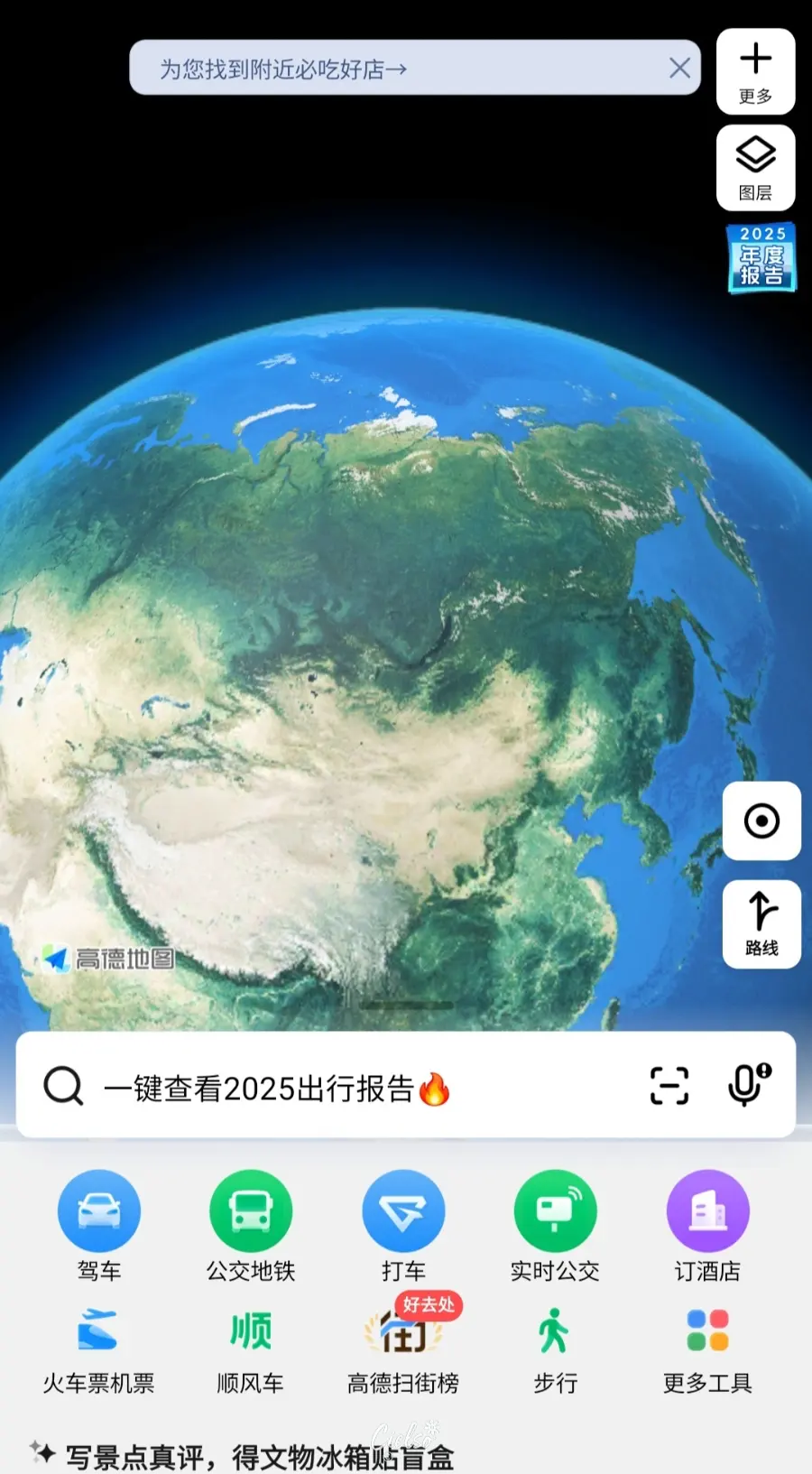
You will initially be greeted by a fully Chinese interface like this.
Changing the Language Settings
‼️Note: If you switch the language to English or other languages, the bookmark/favorites feature might become limited, which can be slightly frustrating.‼️
I ended up navigating using the Chinese/English hybrid interface to keep my saved locations intact.
But for those who prefer navigating in a more familiar language,
here is exactly how you can change your language settings!
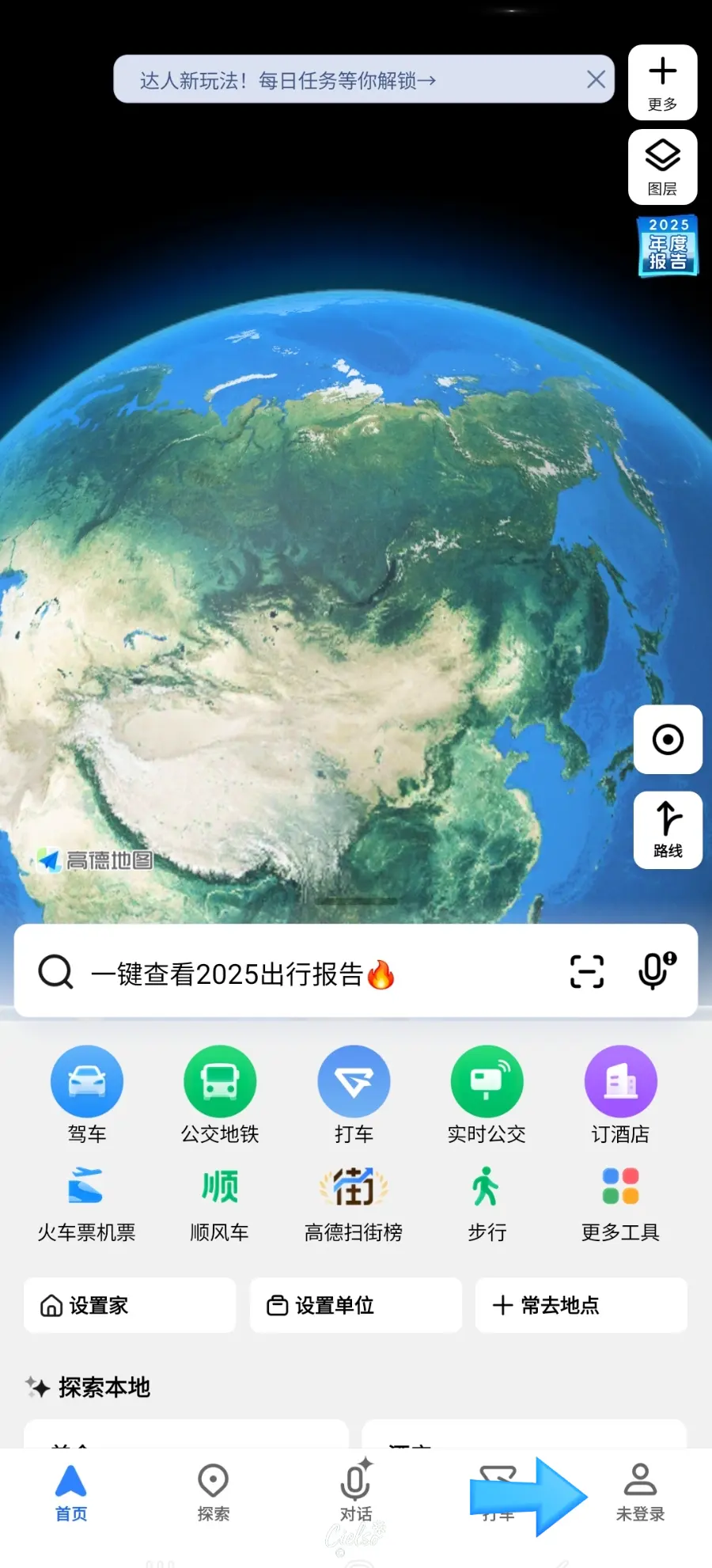
First, tap the profile icon (the little person symbol) shown in the photo.

This screen will pop up.
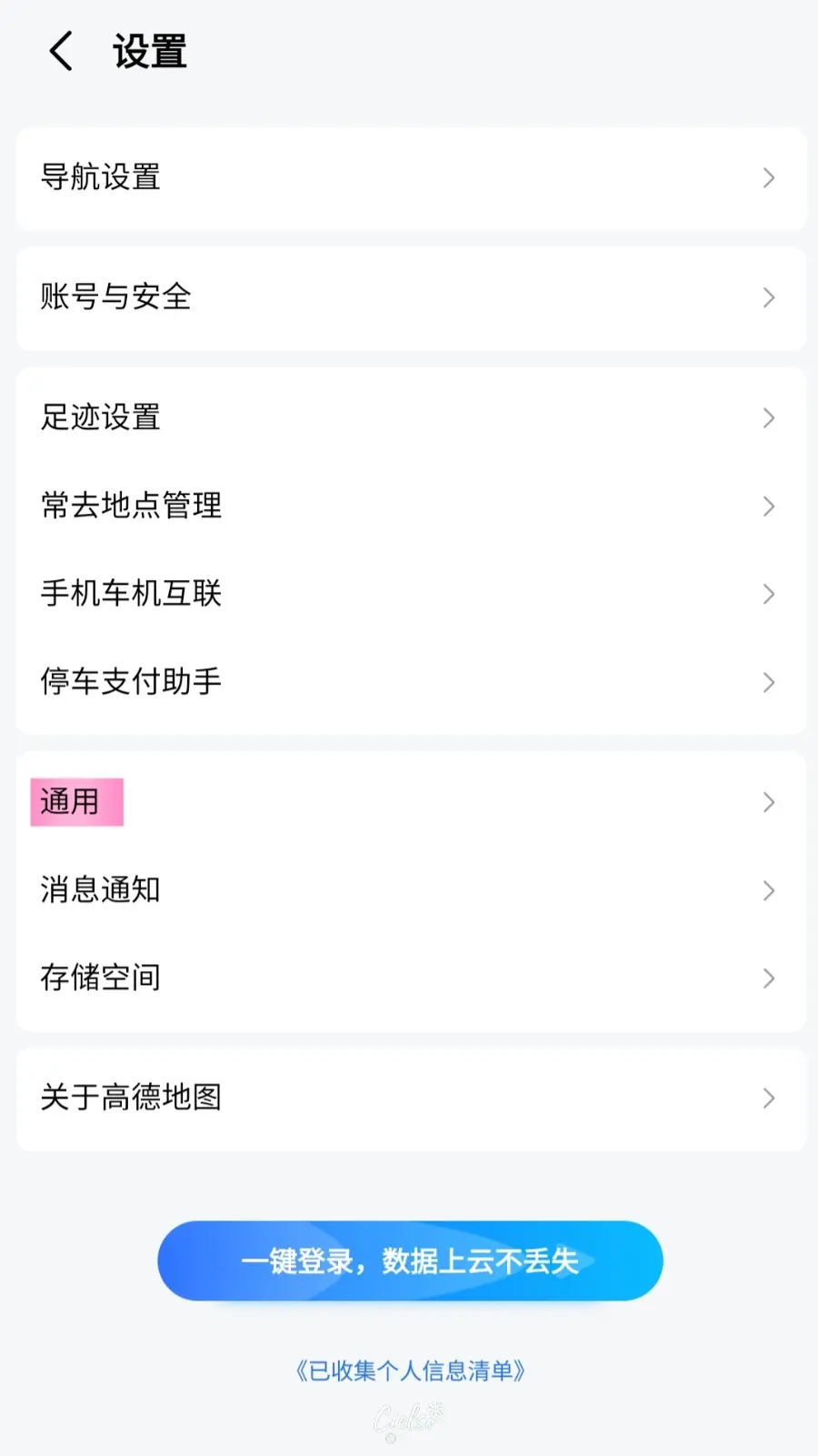
Tap the hexagon gear icon (Settings) in the top right corner (highlighted in the photo),
then select 通用 (General Settings).
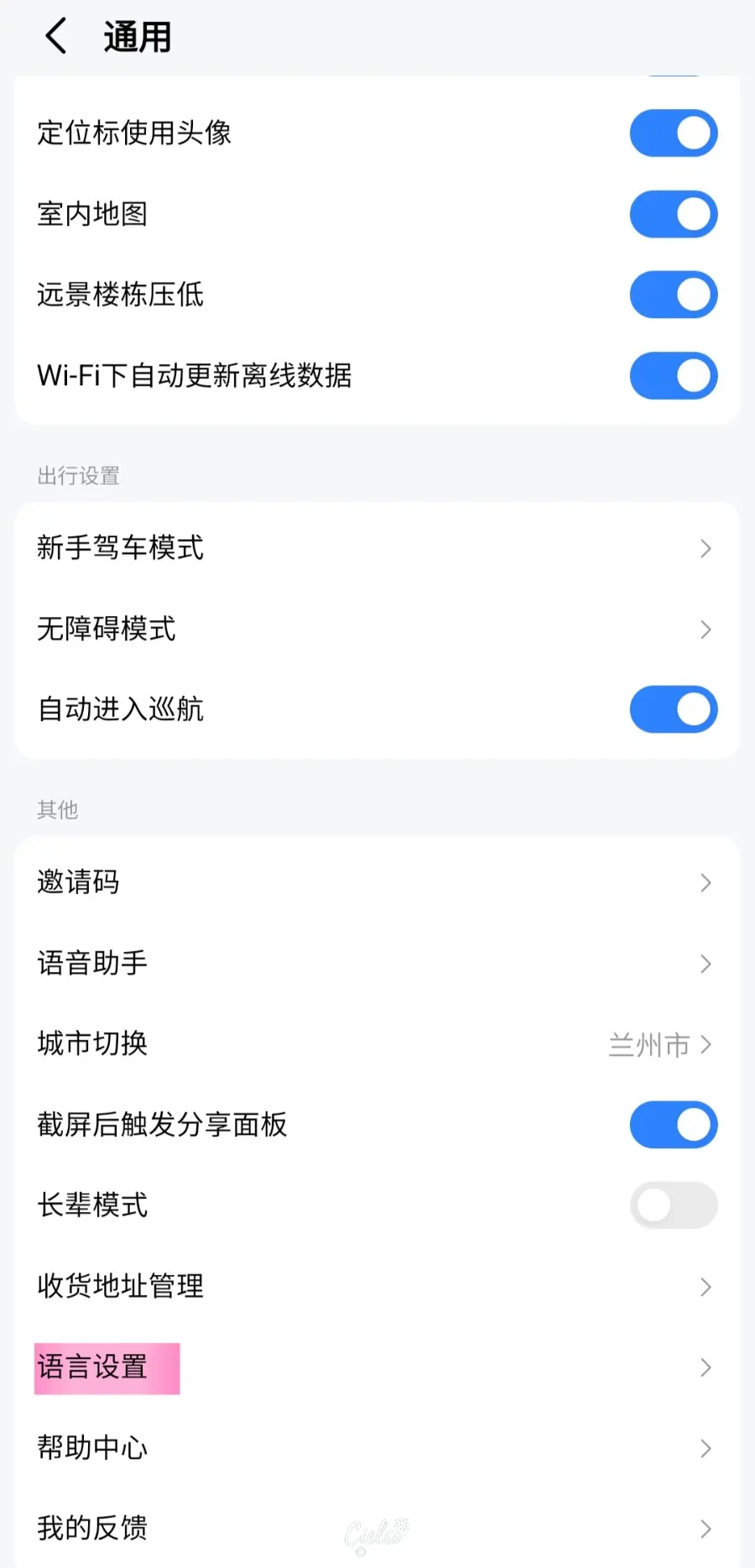
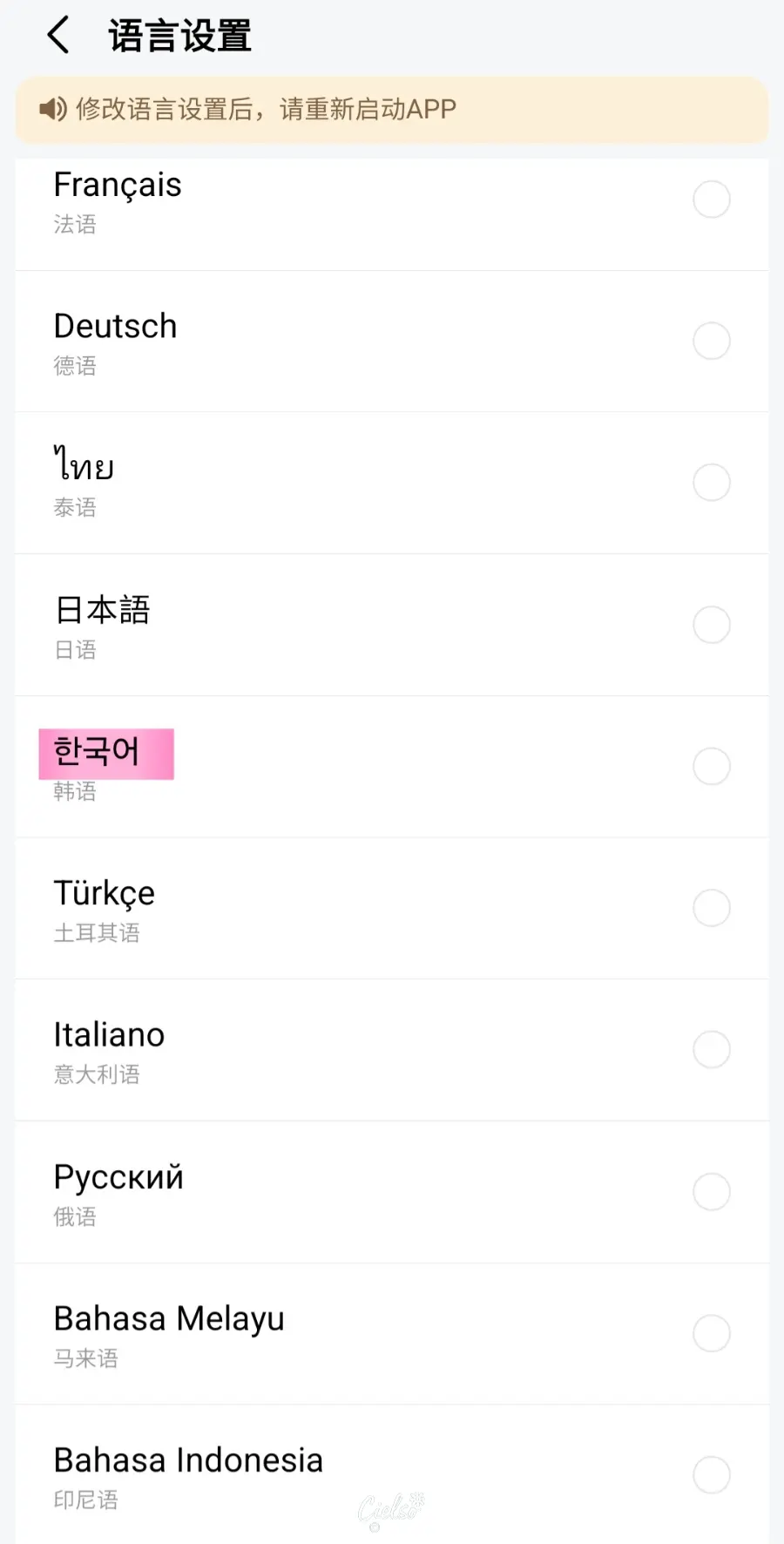
Next, tap the highlighted Language Settings (地图语言) option
to switch the app to your preferred language.
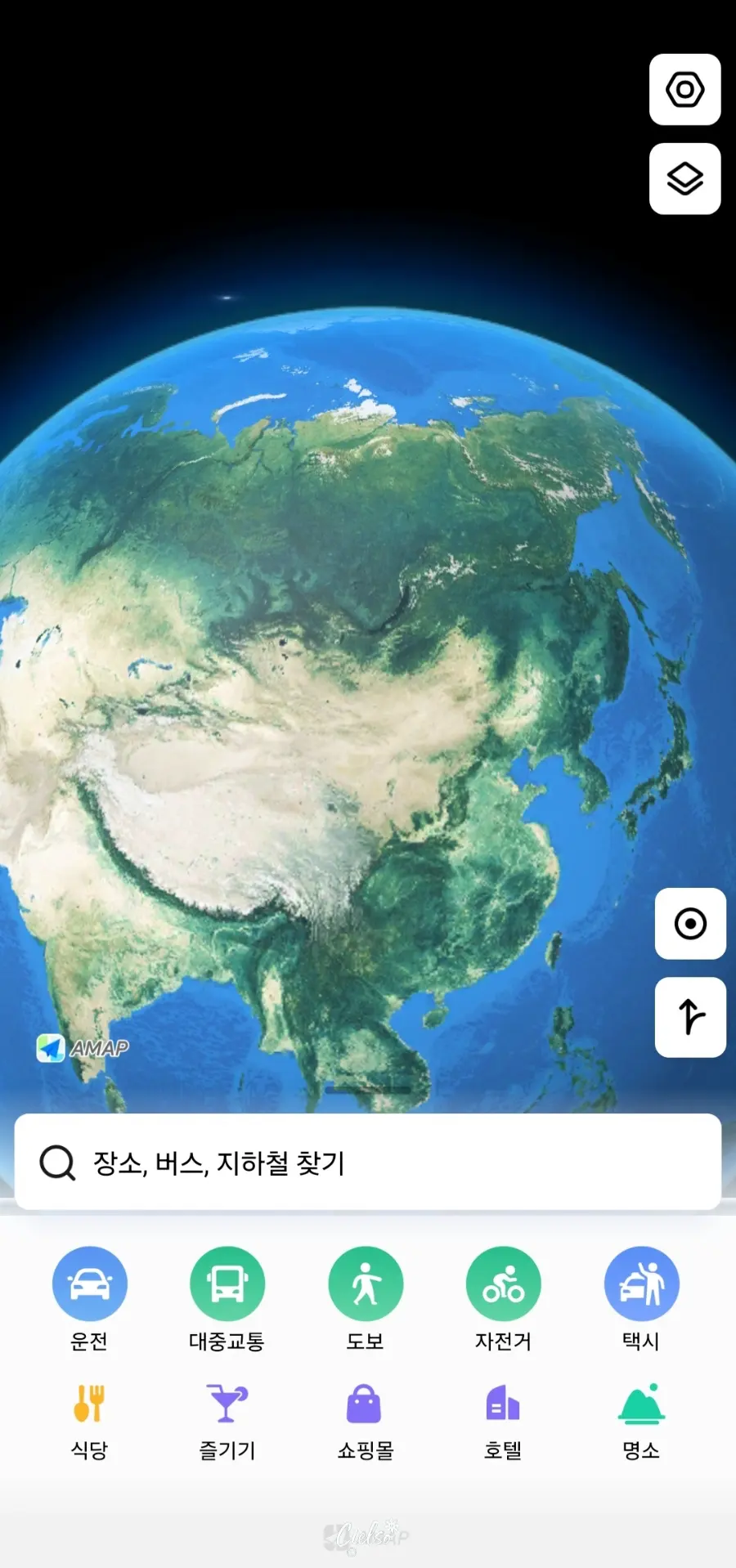
Once changed, the menu becomes much easier to read and navigate!
The only downside is that some bookmarking features might feel a bit limited...
While a familiar language is comforting,
I highly recommend sticking with the Simplified Chinese setting if you want to make full use of the bookmarking features.😂 It makes matching local addresses much easier!
How to Bookmark (Favorite) Places
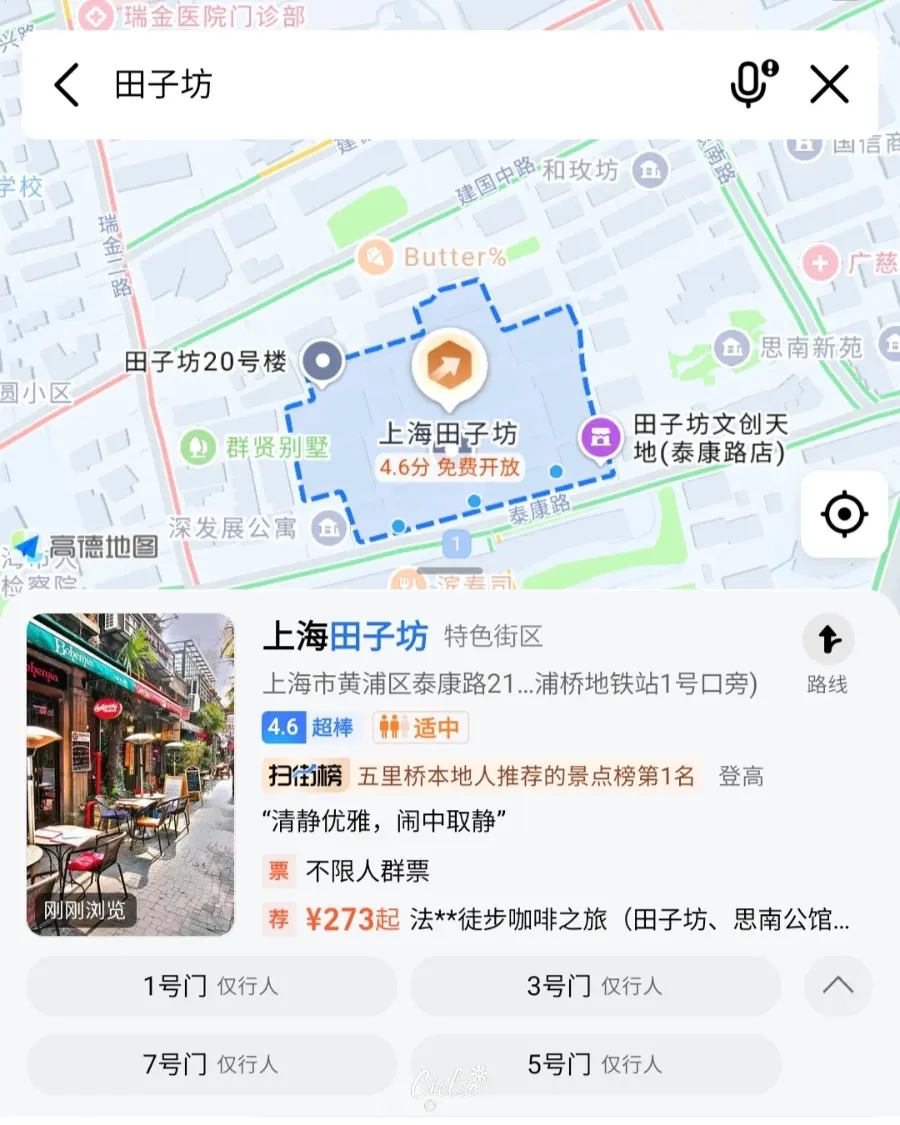

The best feature of Gaode Map is the Favorites (Bookmark) tool.
To save your must-visit spots, simply search for them in English or Chinese,
then tap the Star icon highlighted on the right screen.
How to Get Directions
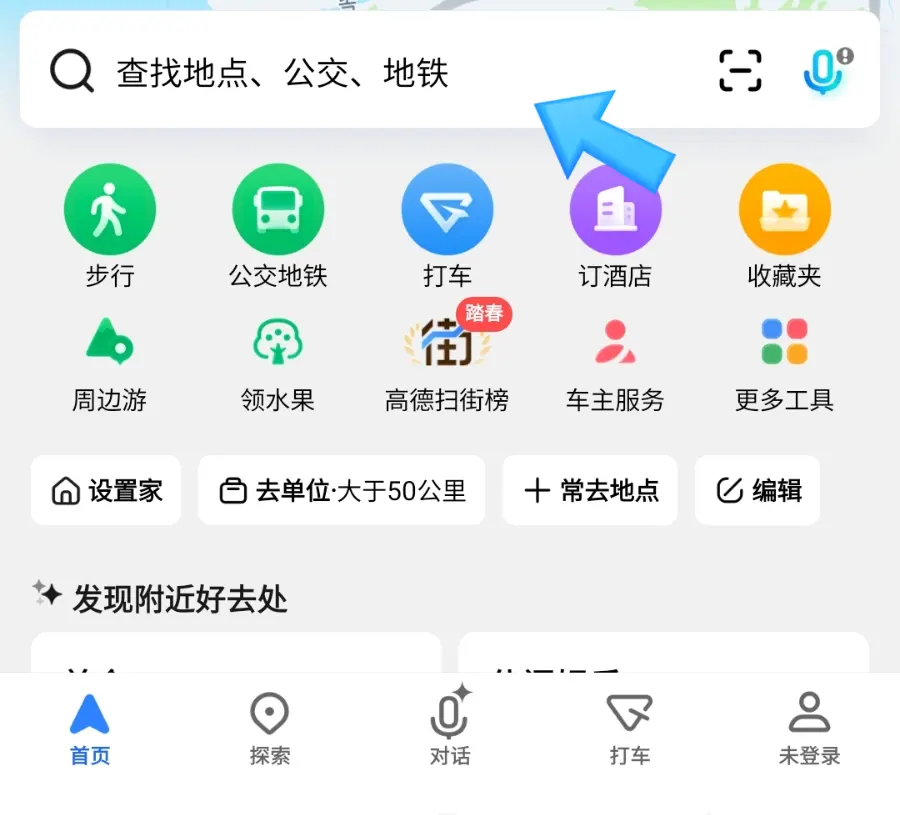
Tap the search bar (indicated by the arrow)
and enter your desired destination.
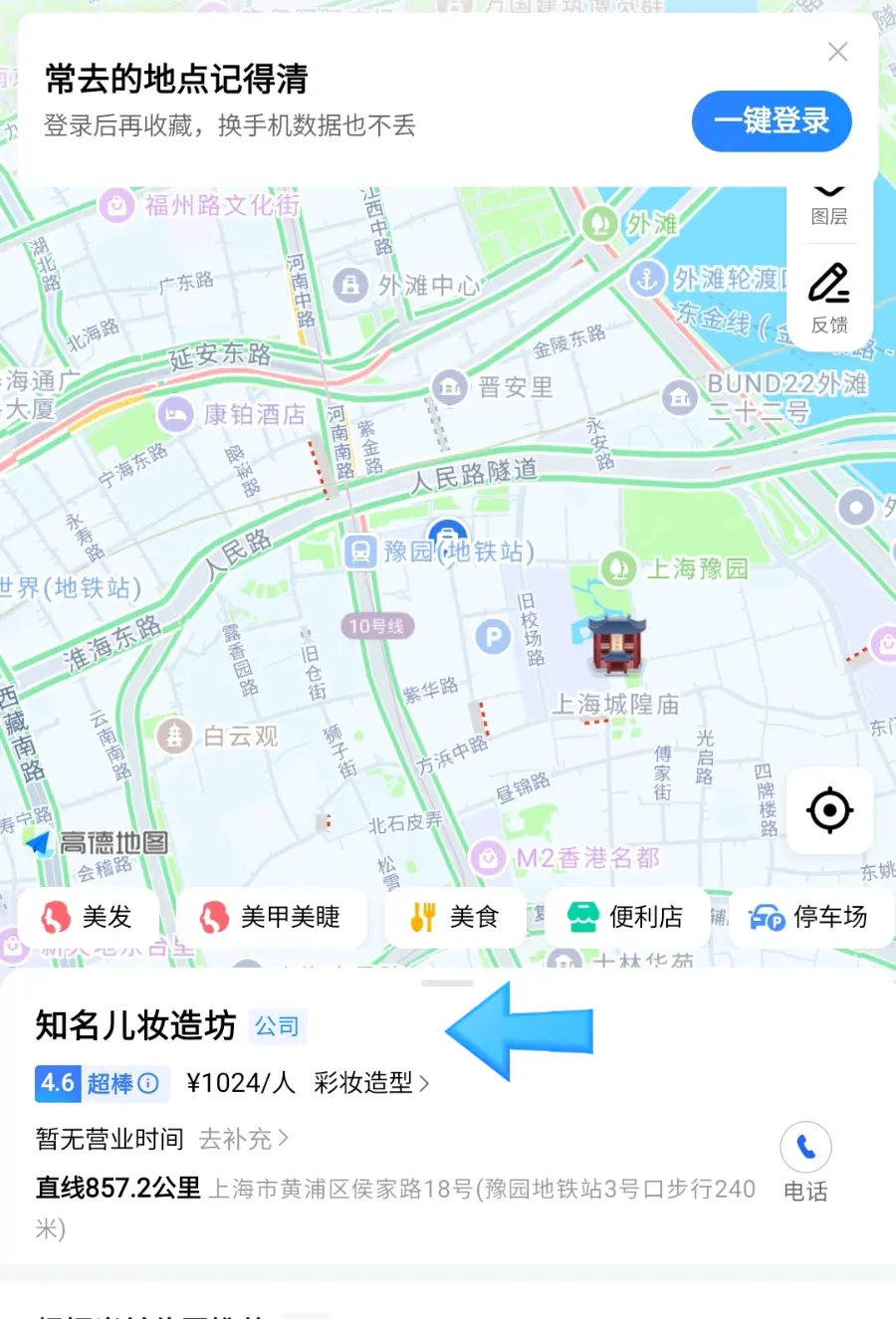
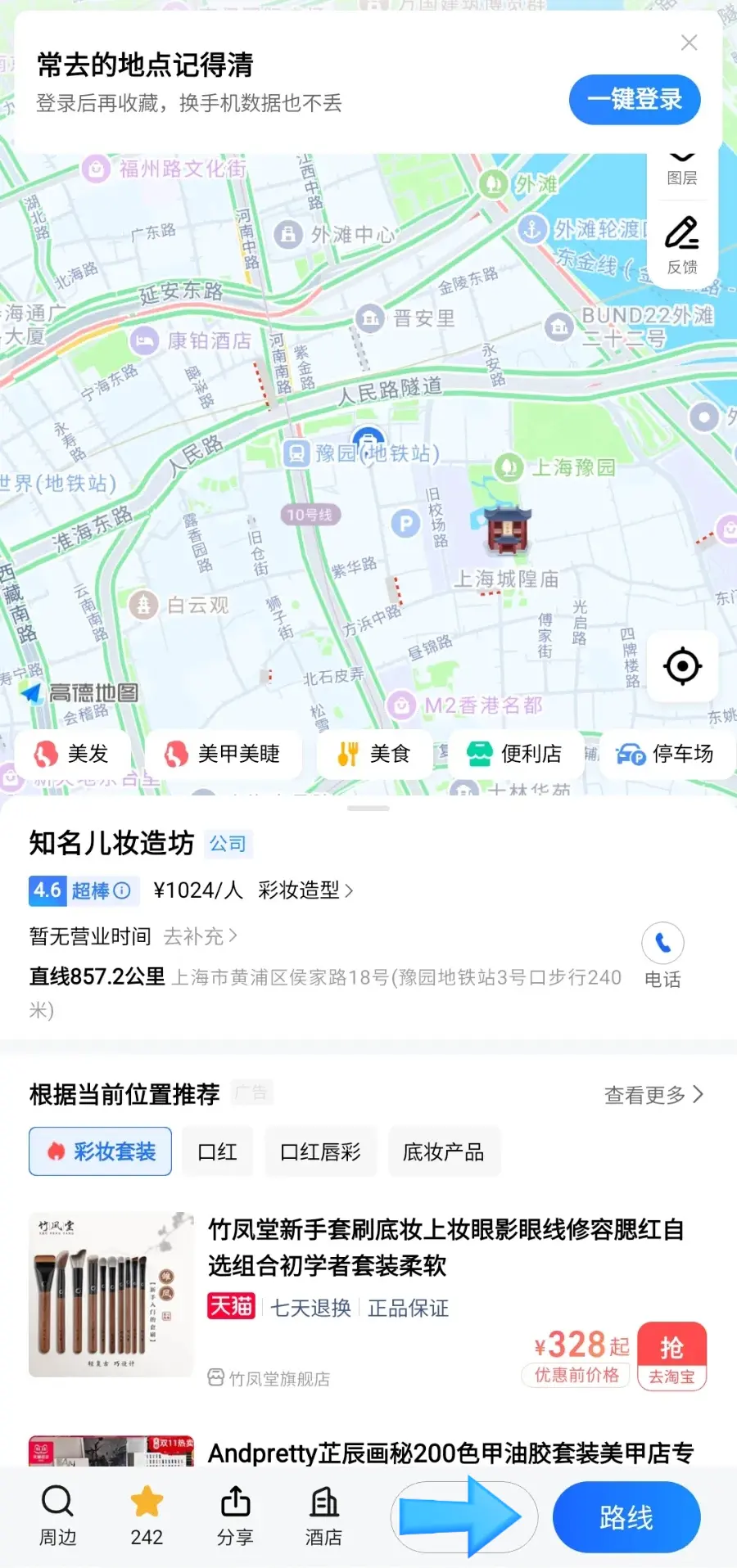
Select your destination from the list,
then tap the blue direction button (indicated by the arrow on the right).
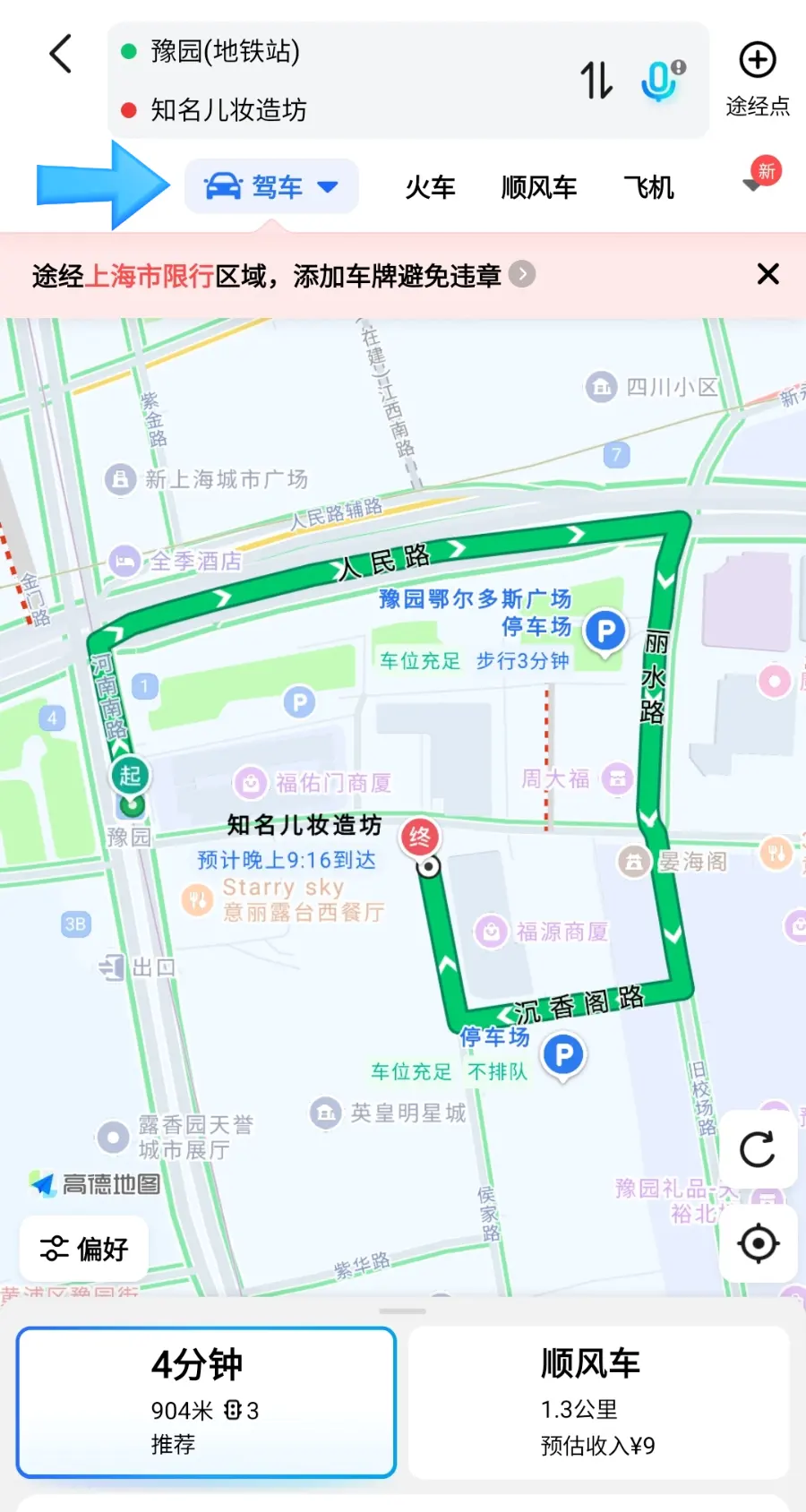
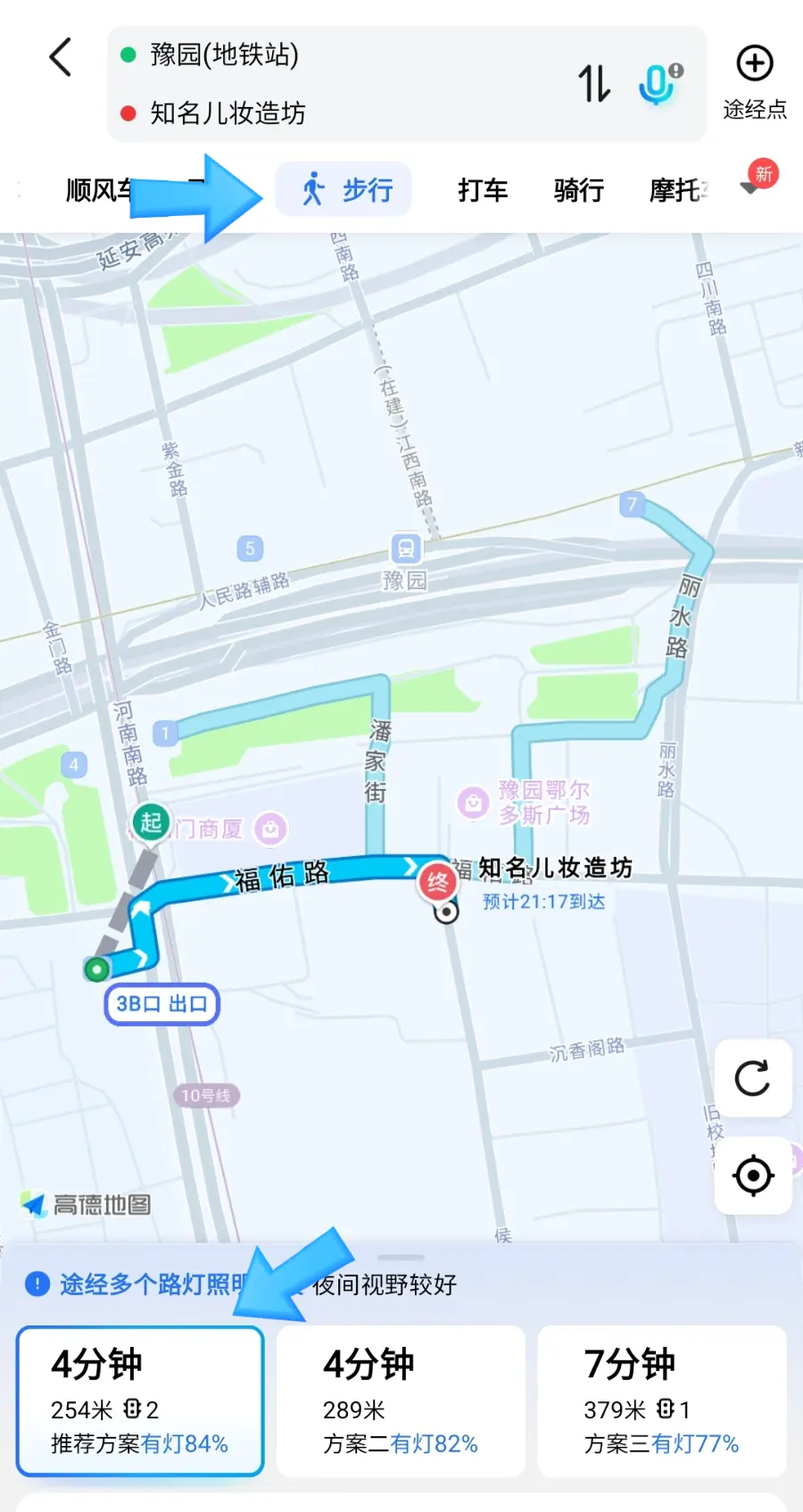
The app will show you the best routes, estimated travel times,
and options for driving, public transit, or walking.
Since it operates almost identically to Google Maps or Apple Maps,
it's extremely intuitive and easy to use once you try it!
✔︎ My Experience with Gaode Map in Shanghai
Once you have your key spots bookmarked,
navigating Shanghai is as easy as using your local map app.
I didn't encounter any major glitches, and it made walking around the city a breeze.
Make sure to download and set up Gaode Map before you land in China!
Alipay and Gaode Map are the ultimate survival duo.✨
▼▼▼▼How to Register and Link Cards on Alipay for China Travel▼▼▼▼
 Essential Shanghai Travel: How to Register & Link Cards on Alipay
▼▼How to Use Didi Taxi via Alipay in Shanghai: Tips & Review▼▼
 How to Use Didi Taxi via Alipay in Shanghai: Tips & Review
Ciel
ⓒ2026.Ciel All rights reserved.
Share this article
Featured in Collections
Discover more travel stories curated around the same theme.

Related Travel Stories

Shanghai Disneyland Ticket Prices 2026: App & Top Rides
Planning a trip to Shanghai Disneyland in 2026? Discover essential tips on tickets, how to use the official app, and which rides are must-dos for an unforgettable experience.

Shanghai Disneyland Rides Review 2026: Best Attractions
Planning a trip to Shanghai Disneyland in 2026? Discover the best rides, from the thrilling TRON Lightcycle Power Run to the Seven Dwarfs Mine Train!

Shanghai Tower Ticket Prices 2026: Observatory Guide
Discover why the Shanghai Tower Observatory offers the absolute best skyline views in 2026. Learn tips on ticket booking, operating hours, and more!

Pudong Airport Lounge No.39 Review: Shanghai Transit Guide
Wondering how to spend your layover in Shanghai? Here is our honest review of Pudong Airport's First Class Lounge No.39, including how to actually find it.

Grand Central Hotel Shanghai Review 2026: 5-Star Value
Discover the Grand Central Hotel Shanghai, a 5-star gem located just one block from East Nanjing Road. Enjoy spacious rooms and luxury amenities for under $120!

Shanghai Ocean Aquarium 2026: Family Fun & Ticket Booking Guide
Planning a family trip to Shanghai in 2026? Explore the Shanghai Ocean Aquarium for an unforgettable experience with kids and learn how to book tickets easily!