

Usimsa eSIM Japan Review 2026: Tsushima Data Speed
Heading to Tsushima Island? Read our honest Usimsa eSIM Japan review for 2026, featuring step-by-step iPhone installation, speed tests, and setup tips.
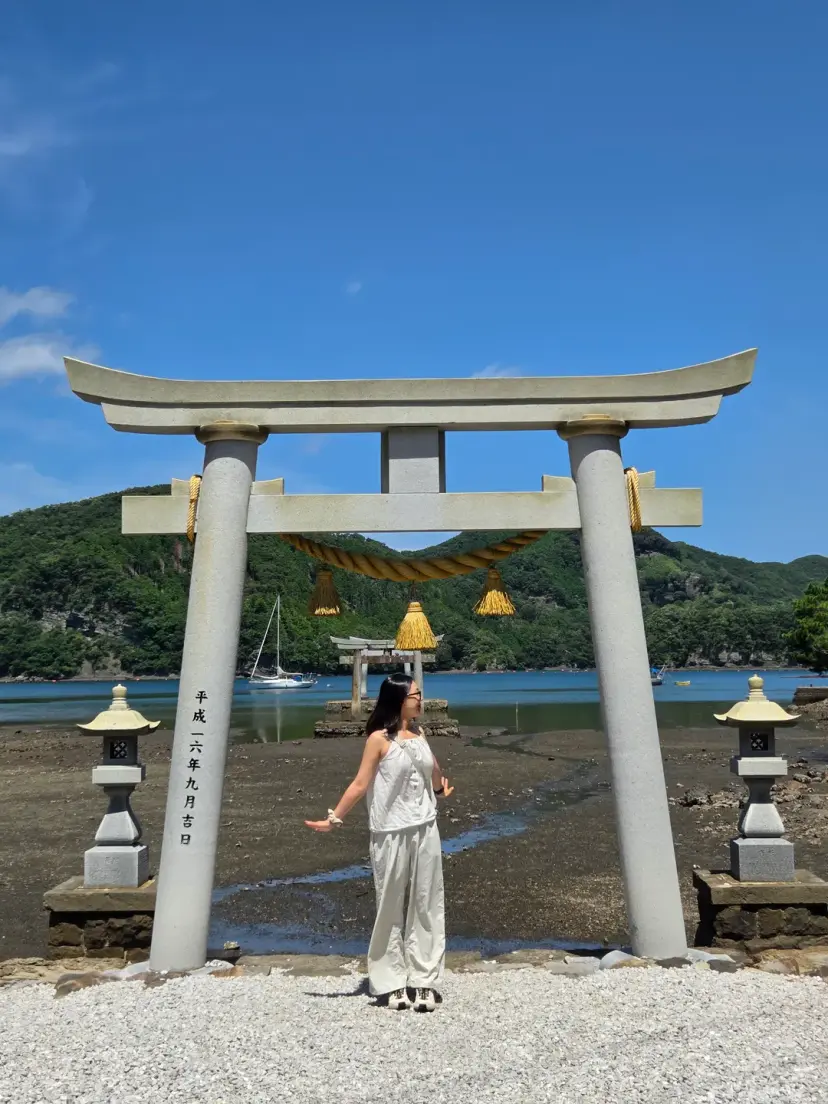
Hey everyone, it's Moarang!
When you're gearing up for an international adventure, what is the absolute first thing you make sure to secure?
For me, it's reliable high-speed internet data.
Traveling without a solid connection is a total nightmare!
On my recent getaway to Tsushima Island, Japan, I decided to test out the Usimsa eSIM. From setup to real-world performance, here is my honest, hands-on review.
Tsushima is incredibly close to Busan, South Korea, making it a quick and popular ferry ride. But even though it feels right next door, you're still crossing international borders, meaning your home data won't work unless you plan ahead. Having your connectivity sorted before you step off the boat is highly recommended! :)
How to Purchase Usimsa eSIM
 Usimsa: The Essential Travel Companion
Simply head over to the Usimsa website linked above and select your destination country.
I selected the Japan plans. They offer a ton of flexible options, making it super easy to match your specific itinerary.
Since I was only going for a quick 2-day, 1-night trip, I opted for the 3GB per day plan.
It turned out to be the perfect amount of data for a short weekend getaway to Tsushima.
Crucial Step: Check Your Device First
eSIMs only work on compatible, carrier-unlocked smartphones.
Before you buy, you absolutely must verify if your phone model supports eSIM technology.
Take a look at the eSIM Compatibility Checklist below!

Most recent iPhone and Samsung Galaxy models will support it without any issues.
If your phone isn't compatible, don't worry! Usimsa also offers traditional physical SIM cards, which you can purchase using the link below.
eSIM Installation Guide (iPhone)
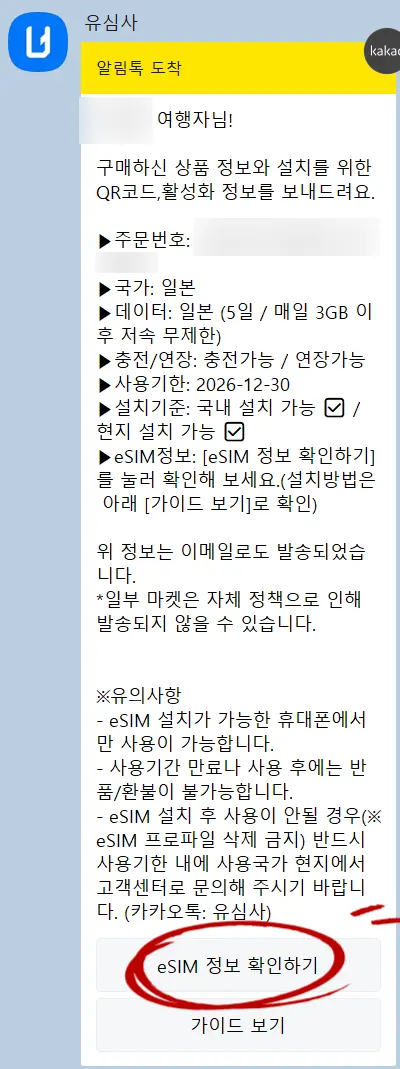
Once purchased, you'll receive a message containing your eSIM details and installation instructions. Click on View eSIM Details.
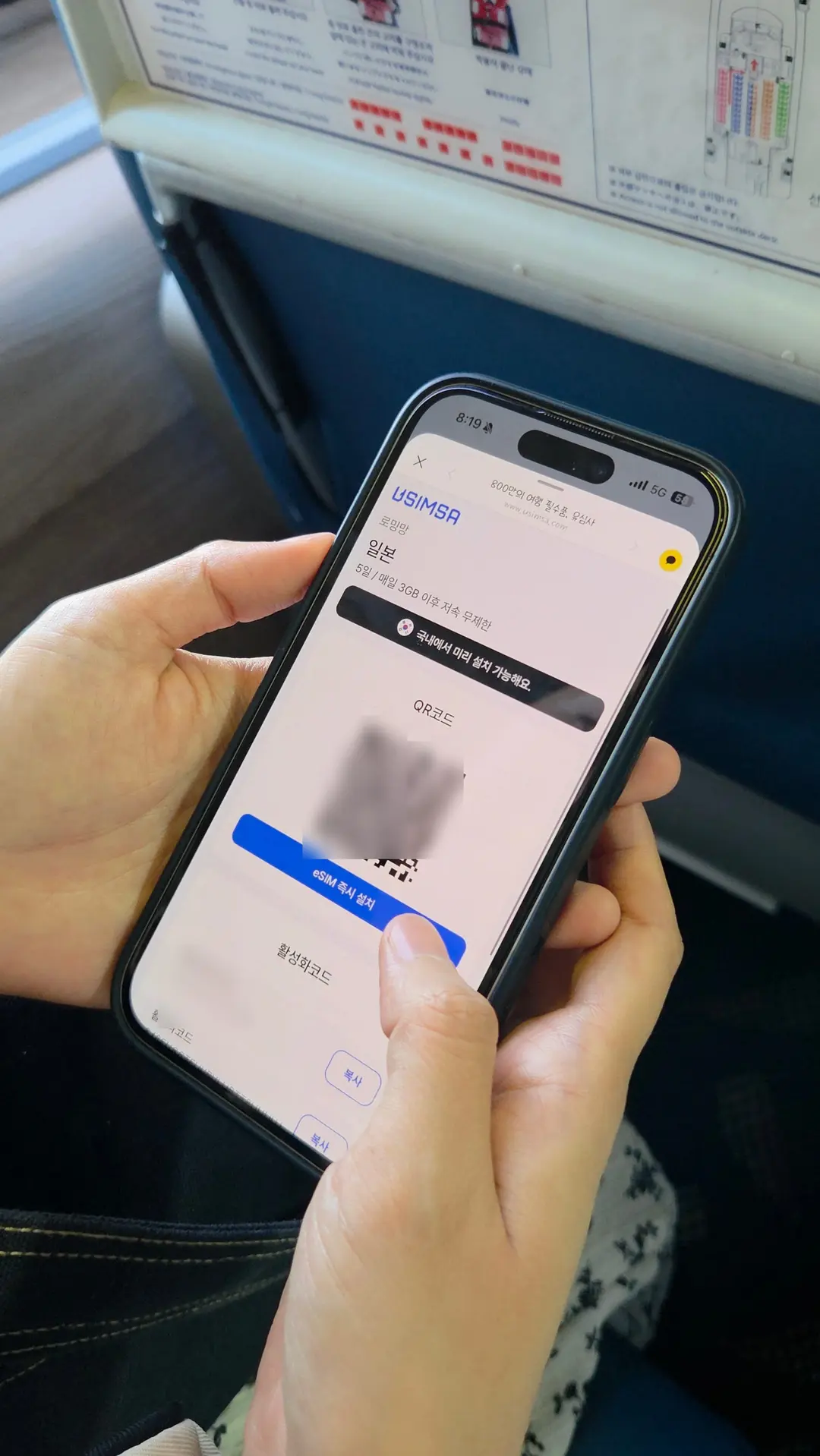
You'll see a QR code. Click Install eSIM Now to start the automated setup.
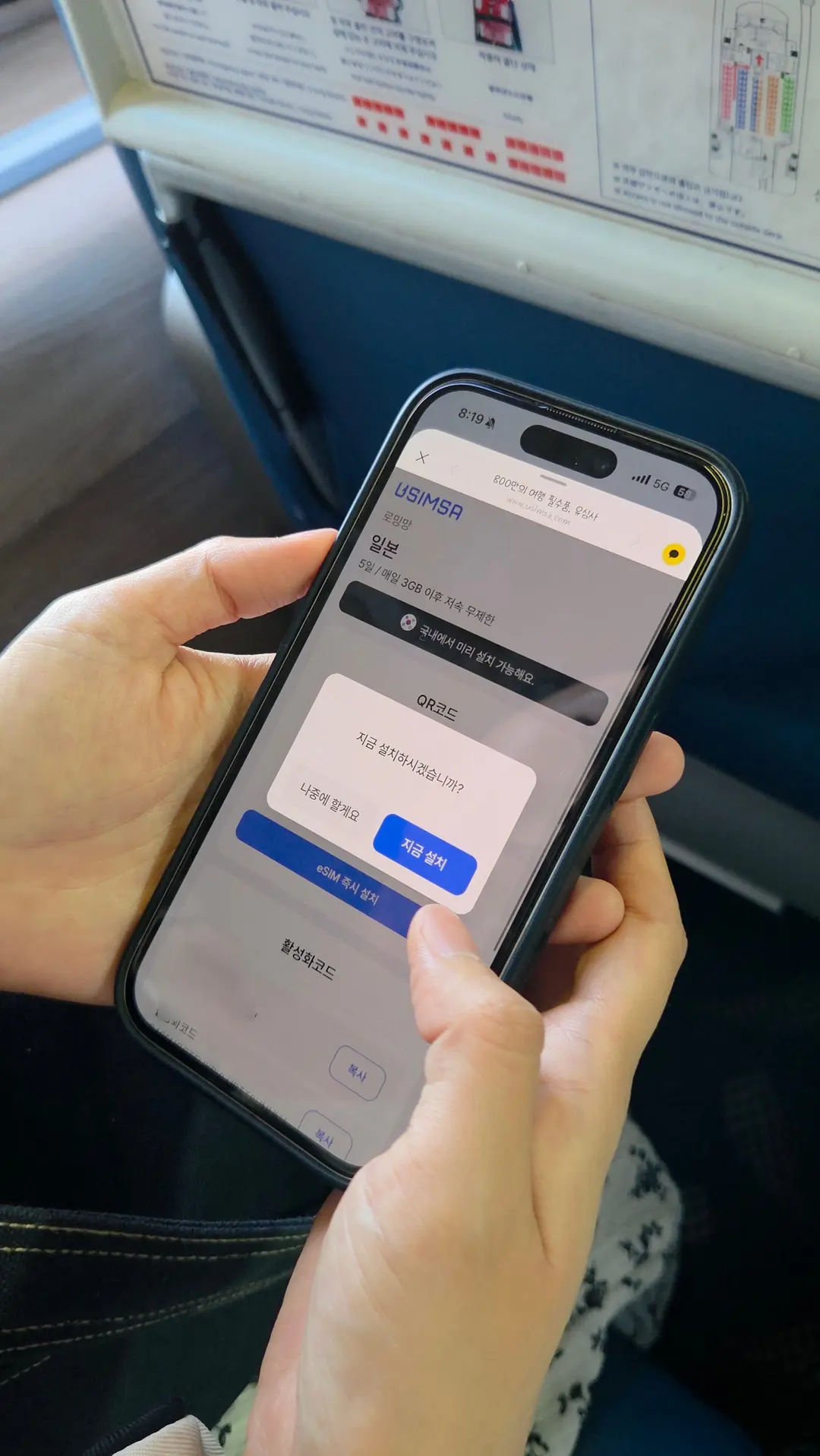
The installation process will begin immediately.
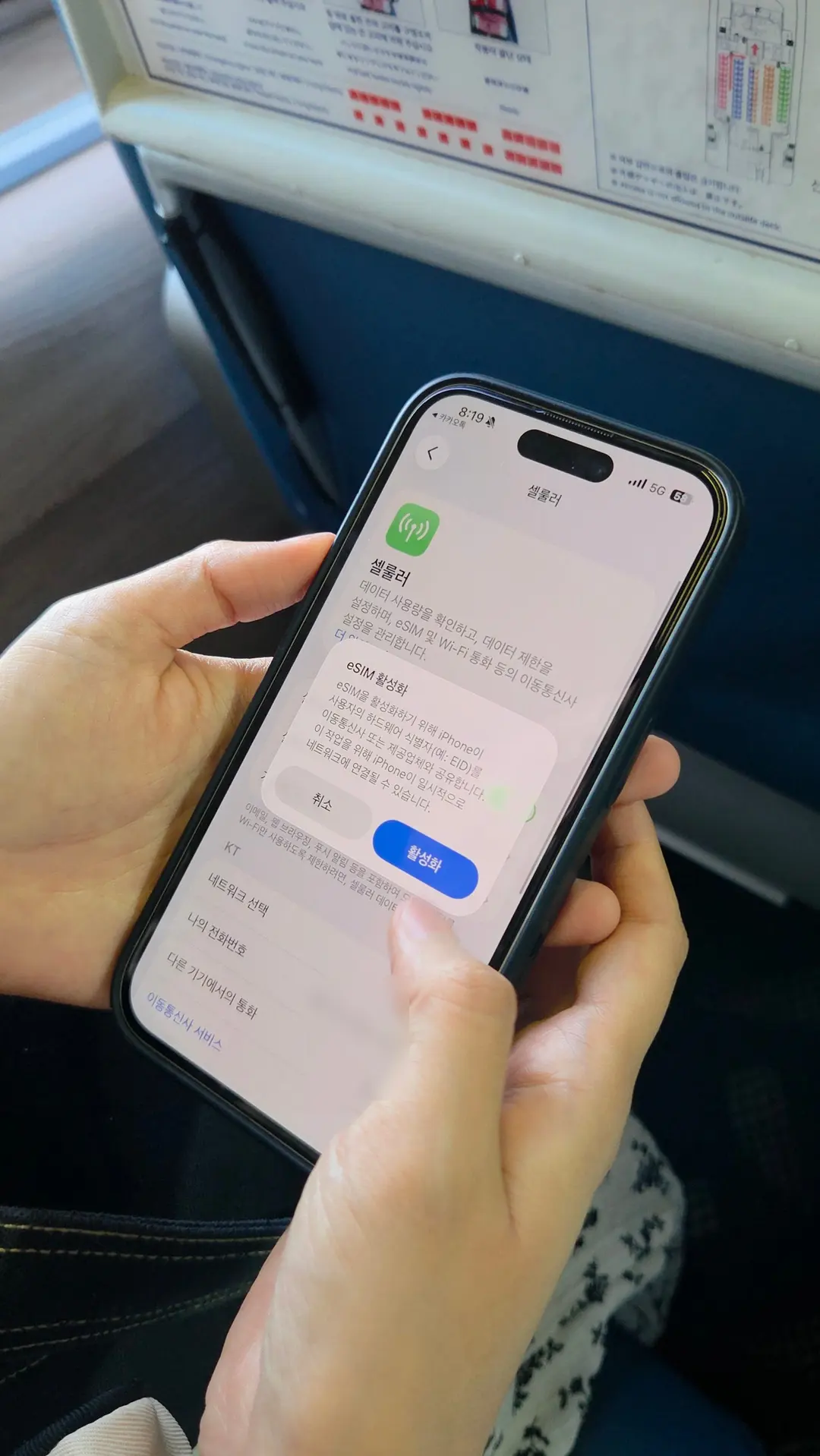
Next, you'll see the activation prompt.
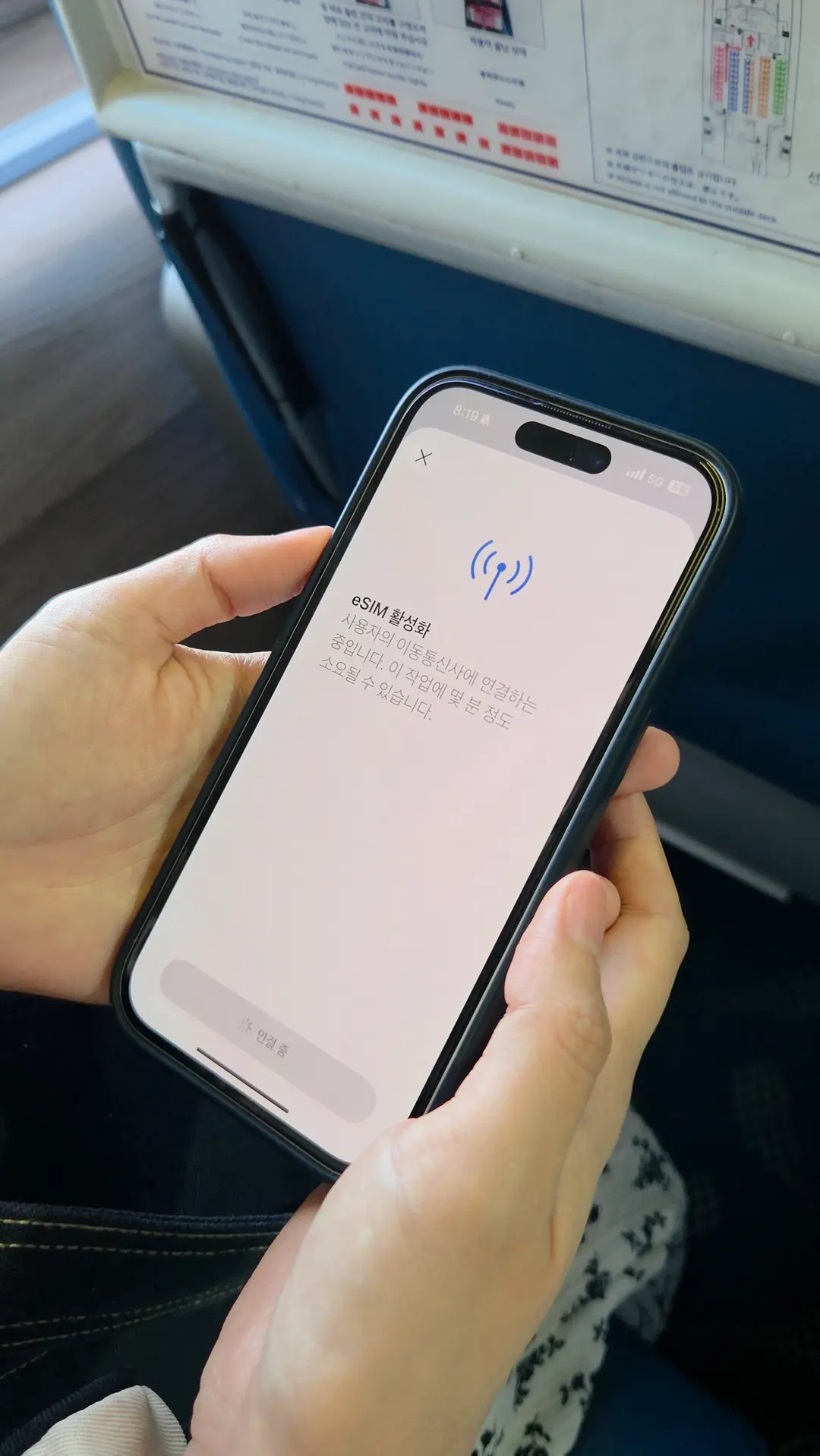
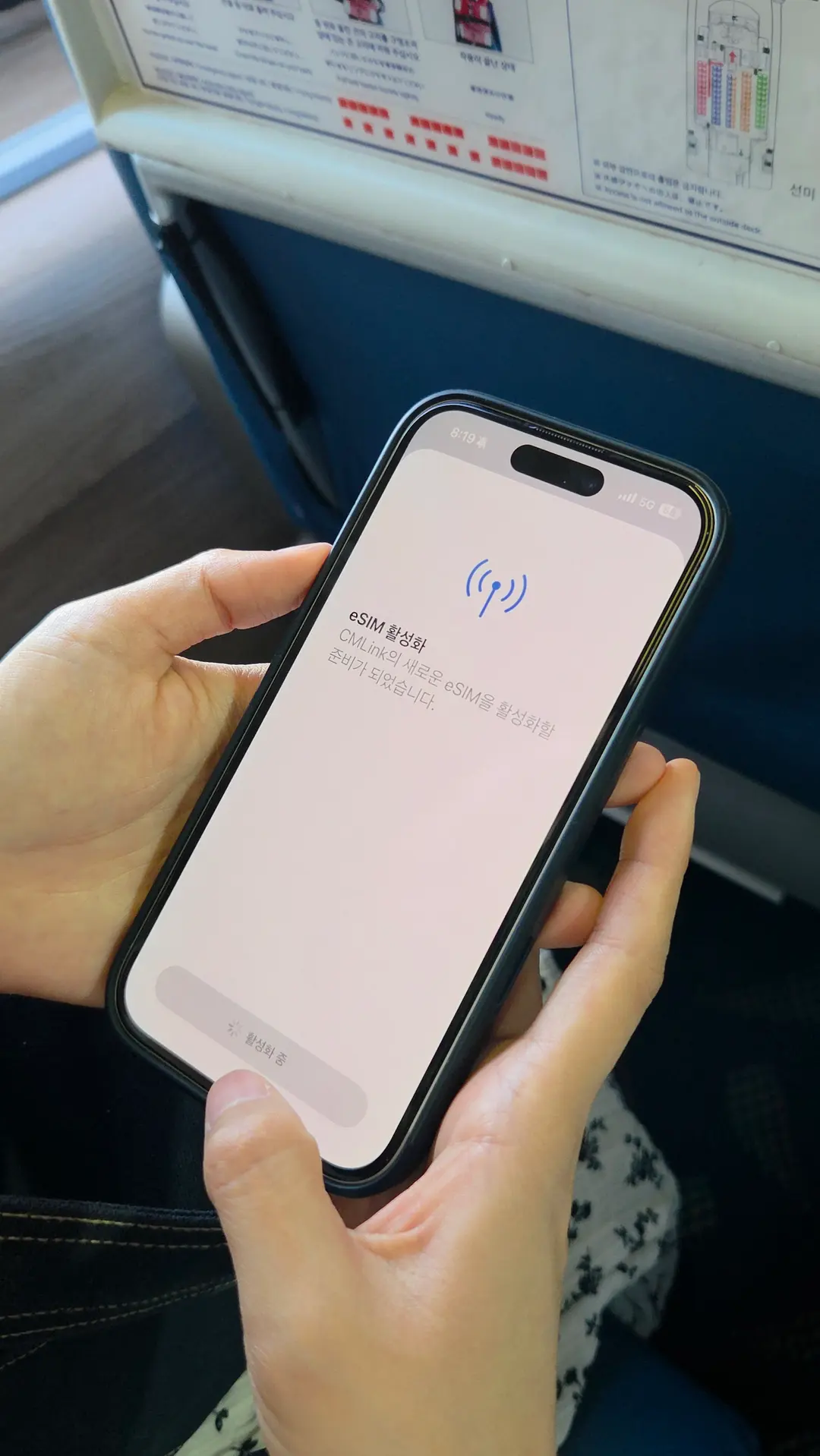
Tap activate, and your phone will handle the rest in the background.
The entire activation process took about 2 to 3 minutes.
I highly recommend setting this up at home or at the ferry terminal before you depart so you're ready to go the moment you land! ^^
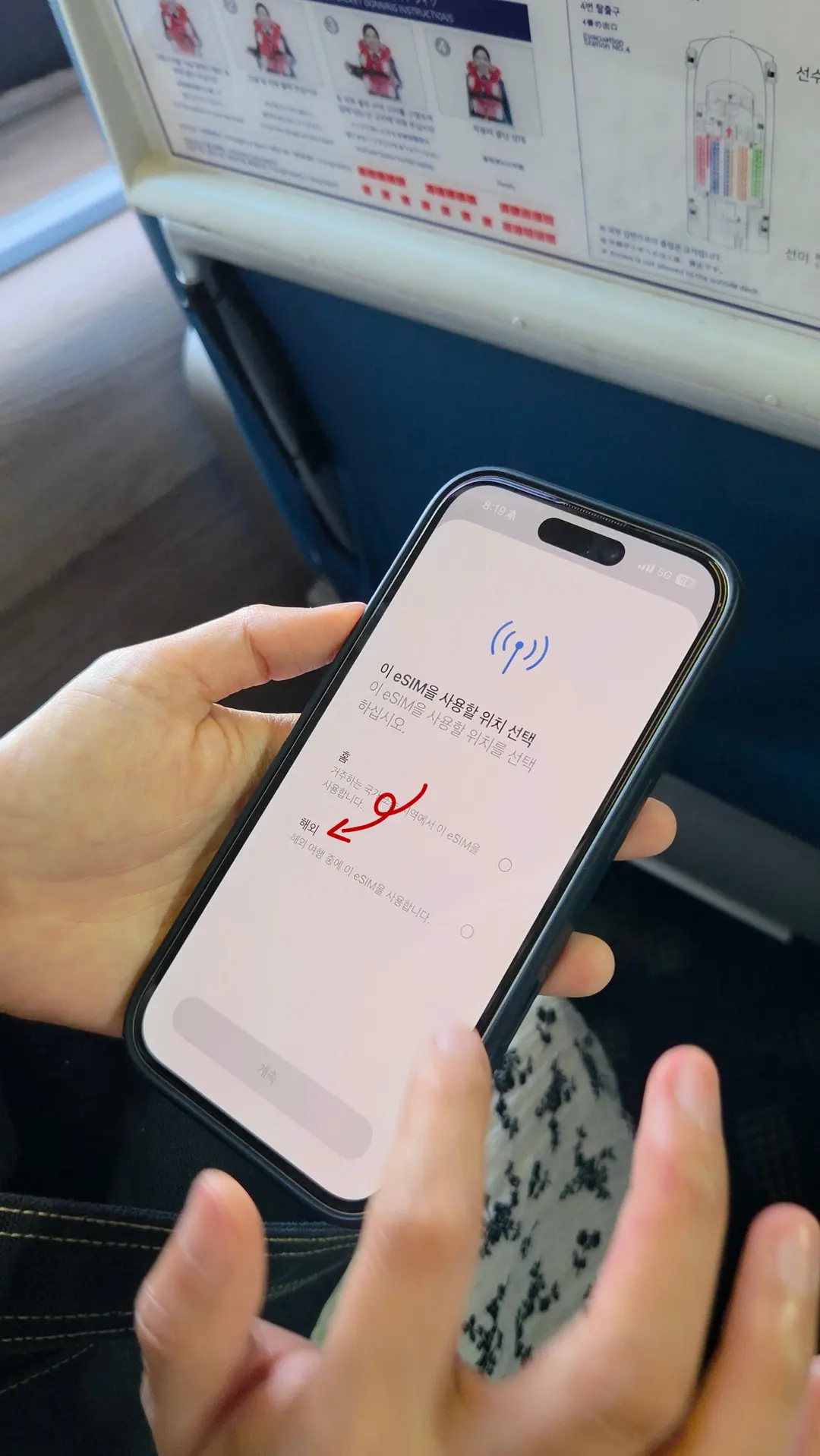
Since this is for travel, I labeled this line as 'Travel'.
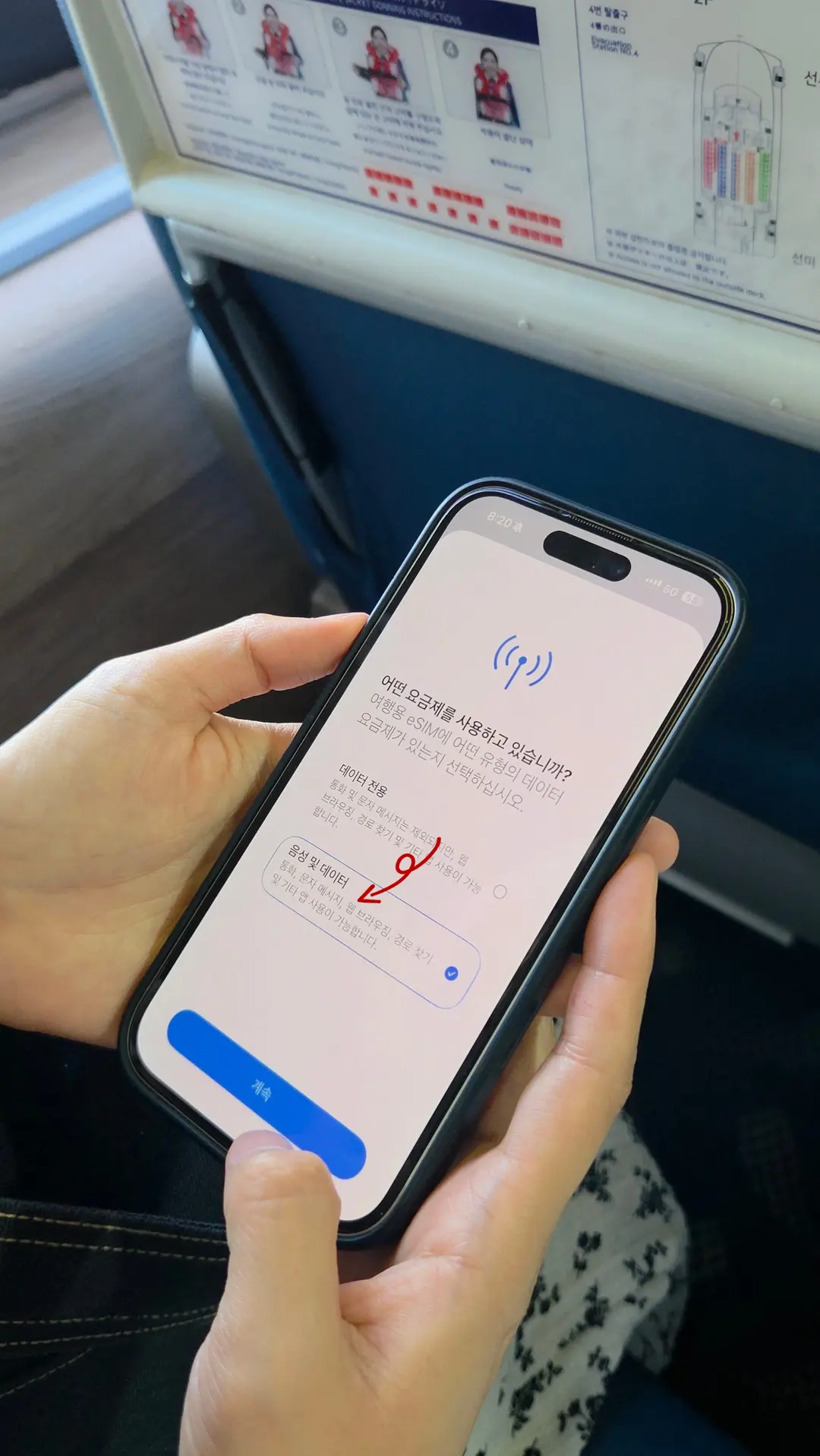
I usually default to selecting 'Voice & Data' during this step.
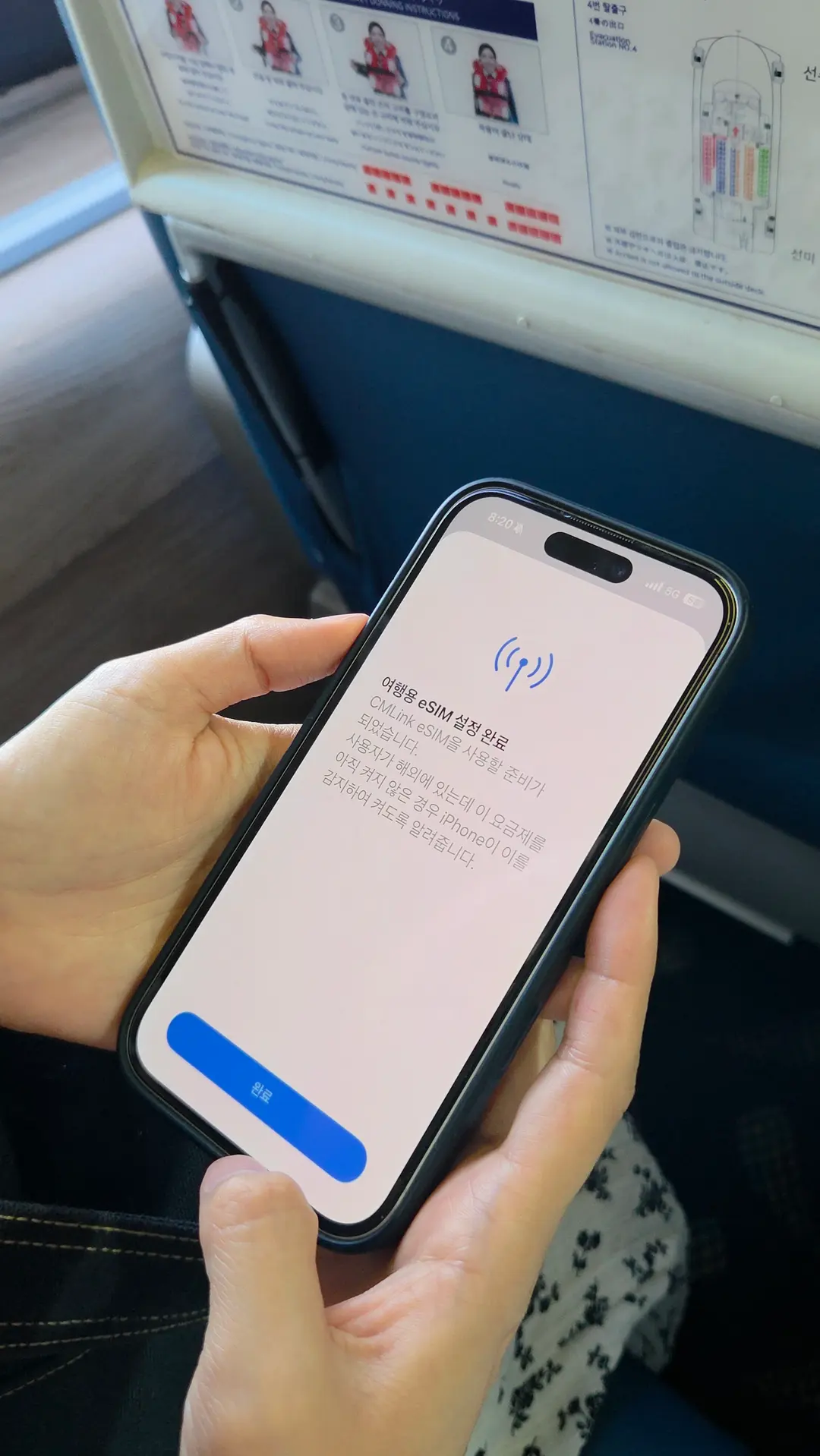
Once complete, head over to Settings -> Cellular. You'll see your new eSIM listed under your SIMs.
Keep this line turned off until you are ready to depart or have arrived at your destination.
Settings Upon Arrival in Tsushima
Once you step foot on Tsushima, you'll need to adjust a couple of settings to start using your data.
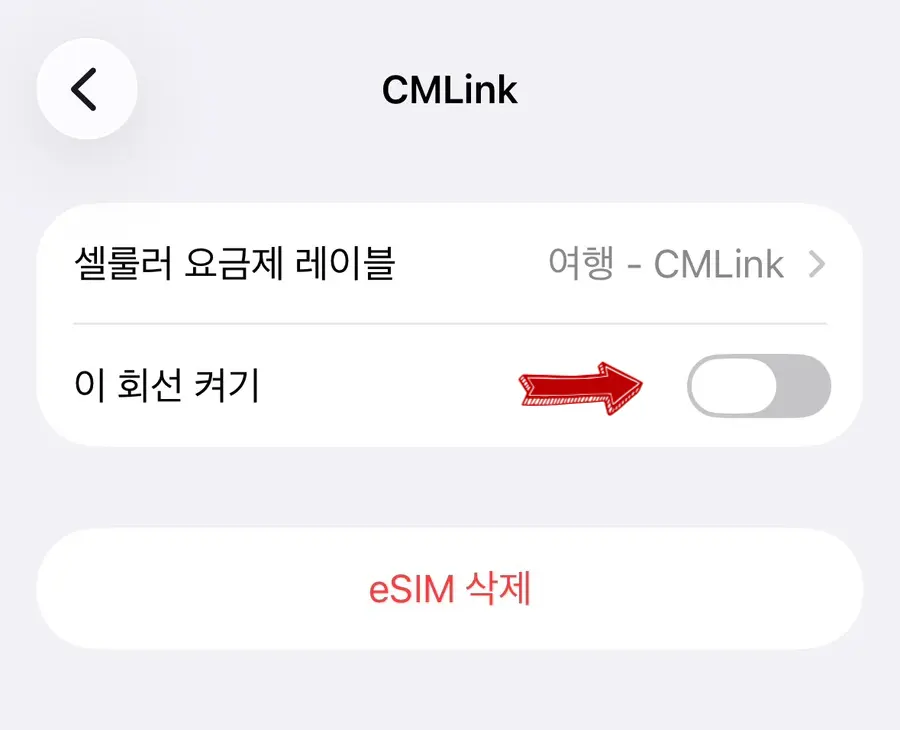
First, turn on the newly installed eSIM line.
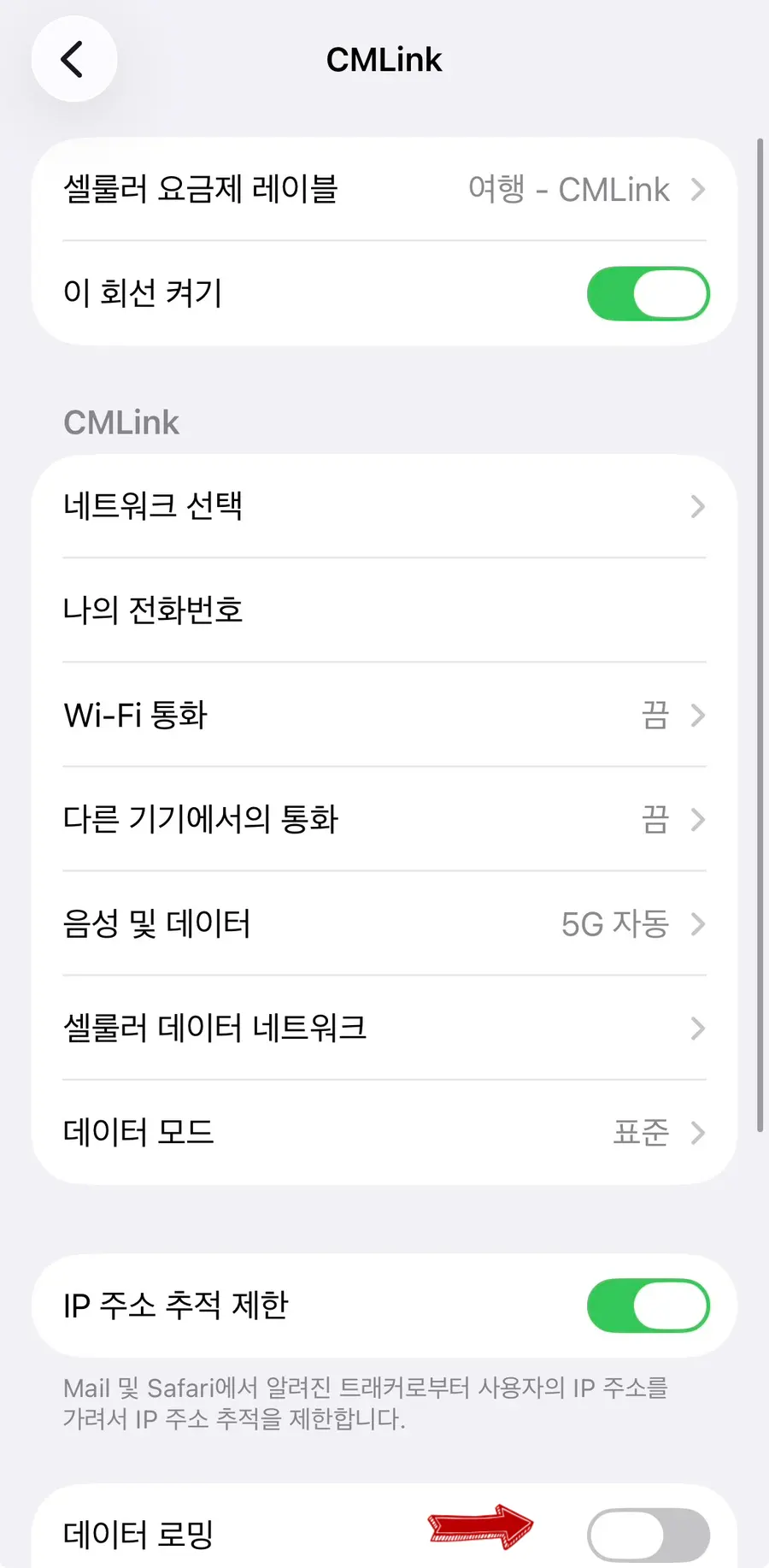
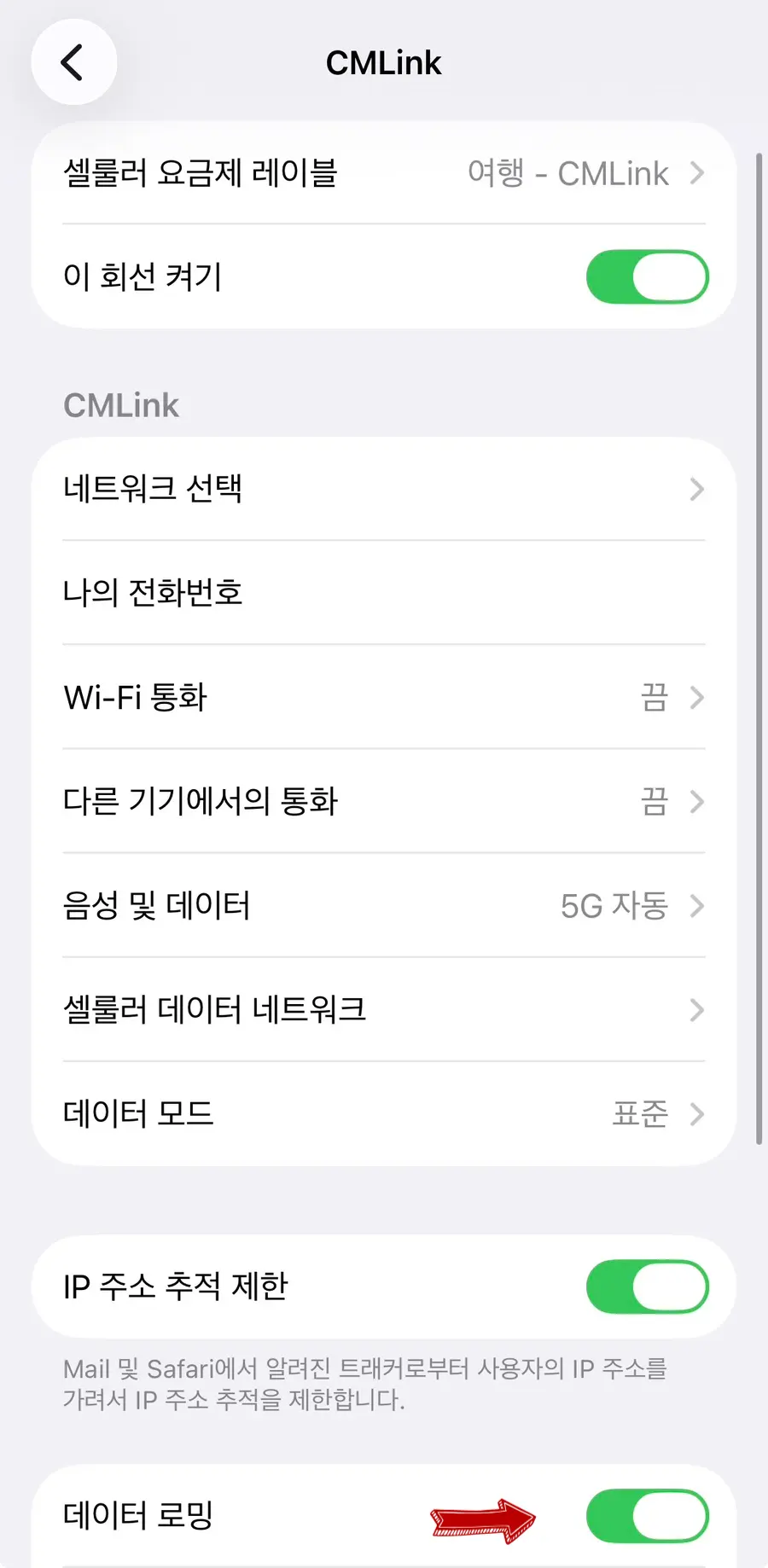
Make sure to switch Data Roaming to ON for your travel eSIM.
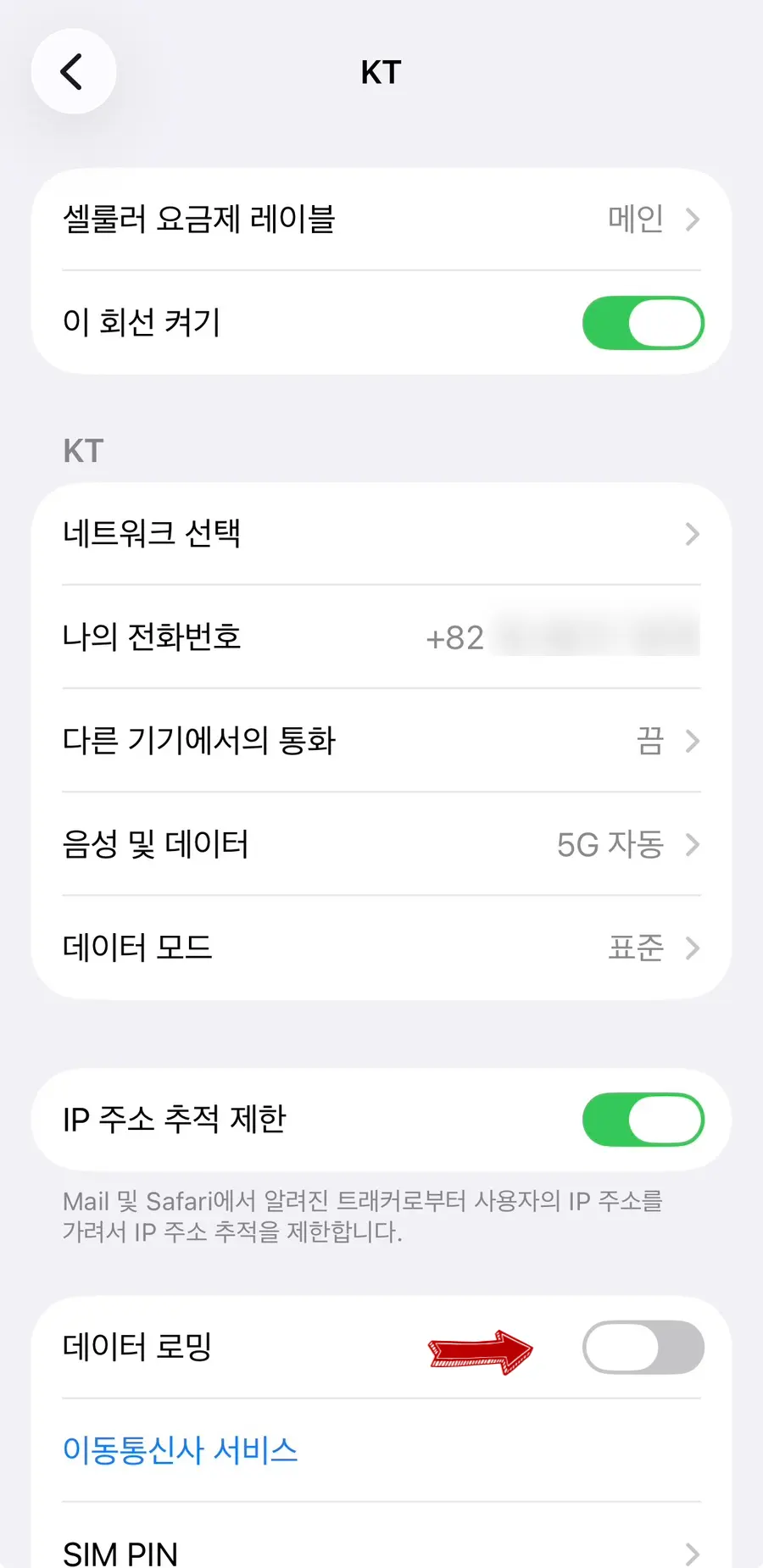
Crucial: Make sure Data Roaming is turned OFF on your Main (home) line to prevent unexpected roaming fees from your home carrier.
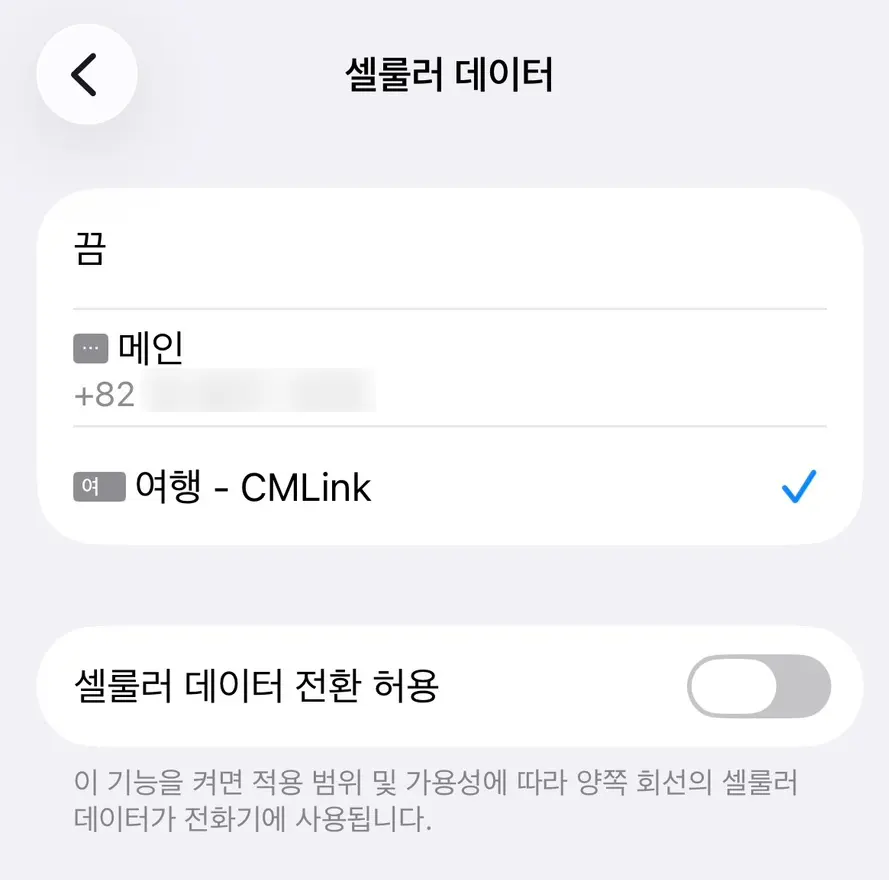
Set your Cellular Data to use your 'Travel' eSIM line, and toggle 'Allow Cellular Data Switching' to OFF.
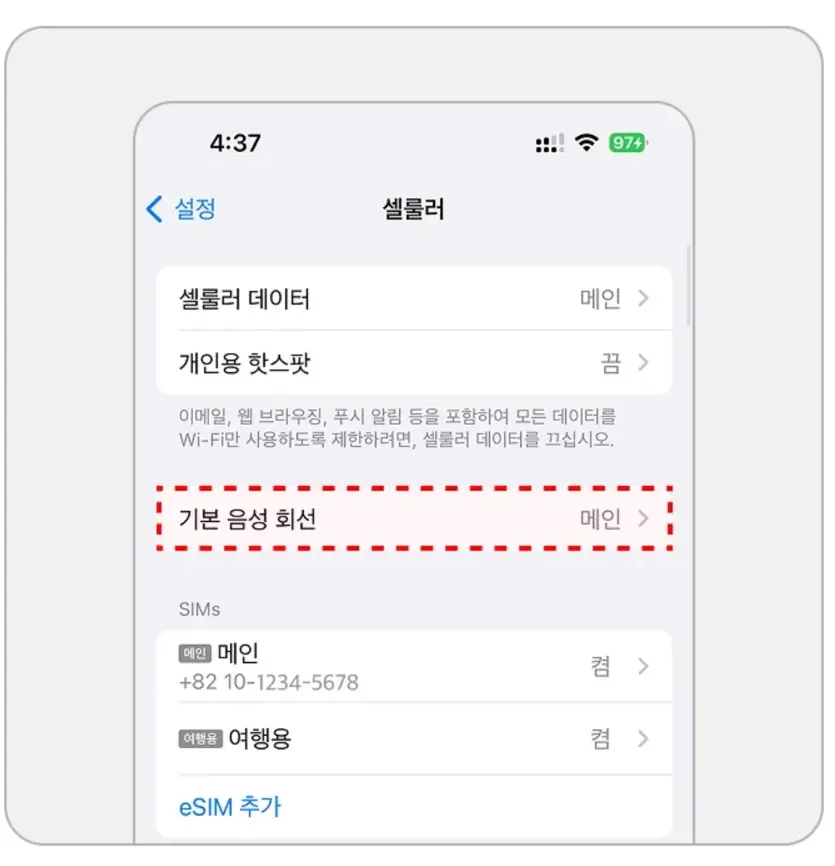
Leave your Default Voice Line set to your 'Main' home line.
Default Voice Line = Phone Calls & SMS
By keeping your Primary line active for voice, you can still receive important verification texts or phone calls on your home number while using the eSIM purely for affordable local data!
Just remember: Data goes to the eSIM, Voice stays on the Main line!
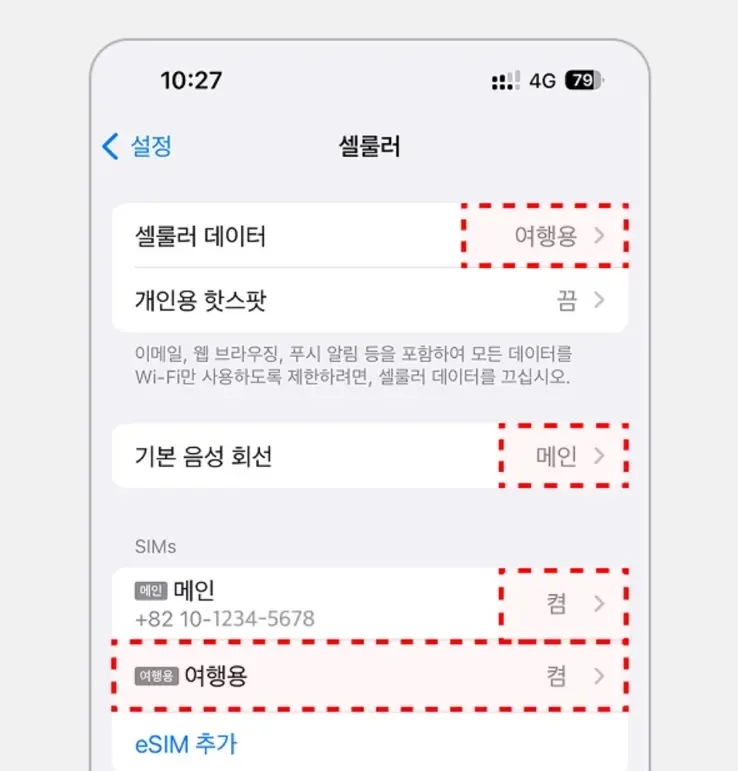
Once your screen looks like this, you are fully connected and ready to explore!
Real-World Performance Review
To be honest, since Tsushima is a rural, mountainous island rather than a bustling Japanese metropolis, I was slightly skeptical about how strong the signal would actually be.
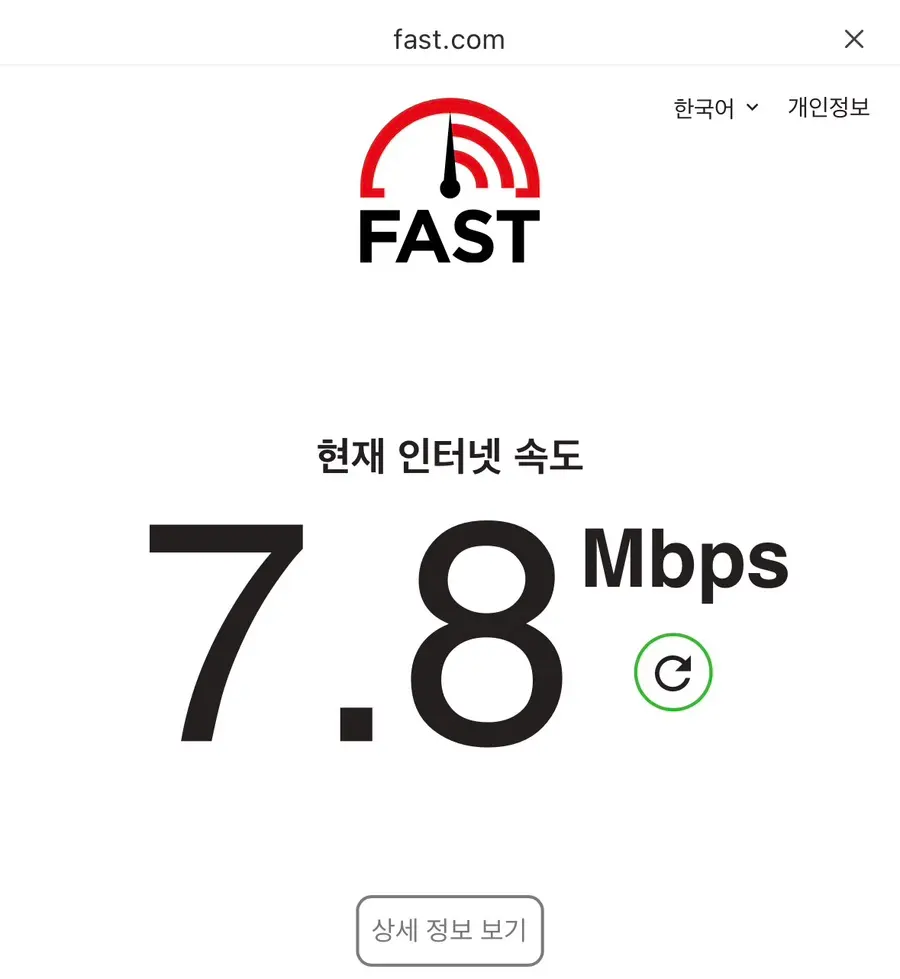
Once I arrived, I ran a quick speed test, and the results were surprisingly impressive!
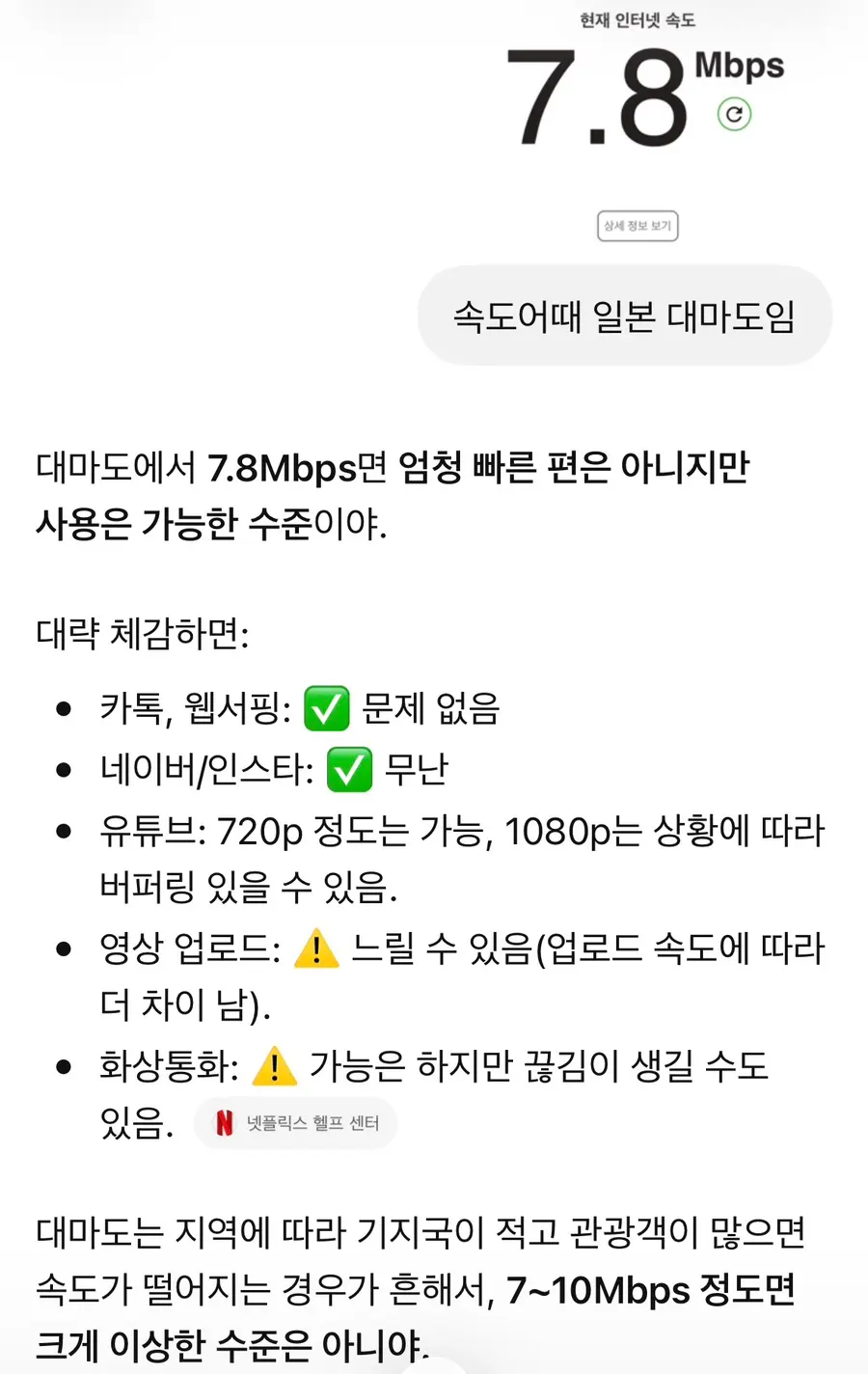
I even ran the numbers by ChatGPT, which noted that while it's not record-breaking, it's more than fast enough for smooth everyday travel usage.
In practice, it felt just as fast as my connection back home.
I did notice a few brief dead zones when traveling through the mountain passes between Hitakatsu and Izuhara, but they were rare and short-lived (which is typical for any rural island geography).
I had zero issues handling mobile banking transfers, checking social media, using messaging apps, and even streaming video completely buffer-free!
Data Usage Alerts
If you start running low on your daily limit, the provider will send you a convenient warning alert via message.
I didn't actually receive one during this trip because I ended up using less than 1.5GB per day!
Turns out 3GB per day was more than generous for my needs. hhh
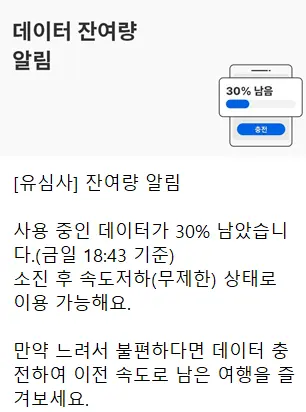
Normally, you'll receive a friendly automated ping like this once you hit 30% of your remaining daily allowance!
The Verdict: Is It Worth It?
For short trips to Japan's hidden gems like Tsushima, prepping an eSIM beforehand is a complete game-changer.
✔️ No physical SIM swapping—just scan a QR code and go
✔️ Install before you depart, connect the second you land
✔️ Keep your home number active for important texts and 2FA
✔️ 100% digital, zero risk of losing your original physical SIM
If you're planning an upcoming escape to Tsushima, I highly recommend grabbing a Usimsa eSIM for a stress-free connection! :)
Frequently Asked Questions
What USIMSA eSIM plan did you use for a 2-day, 1-night trip to Tsushima?
For the 2-day, 1-night itinerary, I used the Japan plan that provides 3GB of data per day. In reality, I used less than 1.5GB per day during my Tsushima trip, which was plenty for a short schedule.
Does the eSIM data work well when traveling from Hitakatsu to Izuhara in Tsushima?
The overall speed is smooth enough to use banking apps or watch videos without buffering in Tsushima. However, due to the rural nature of the area, you might experience occasional data drops on the way from Hitakatsu to Izuhara.
How do I install the USIMSA eSIM and set up data roaming in Tsushima?
It is recommended to install the eSIM in advance in Korea before departure by scanning the QR code received via KakaoTalk, which takes about 2-3 minutes. After arriving in Tsushima, you should turn on data roaming for the eSIM line and turn off data roaming for your main line.
Can I receive calls or texts to my Korean number while using eSIM data in Tsushima?
To receive calls to your Korean number, you must keep the default voice line set to 'Primary' in your smartphone settings. By setting only the cellular data to the travel eSIM, you can receive calls and texts while keeping your existing Korean SIM active.
Share this article
Featured in Collections
Discover more travel stories curated around the same theme.

Related Travel Stories

Panstar Tsushima Link Ferry Day Trip Review 2026: Busan to Hitakatsu
Discover if a day trip to Tsushima Island is truly possible! Join us as we share our 2026 experience on the Panstar Tsushima Link ferry from Busan for an action-packed Japanese adventure.
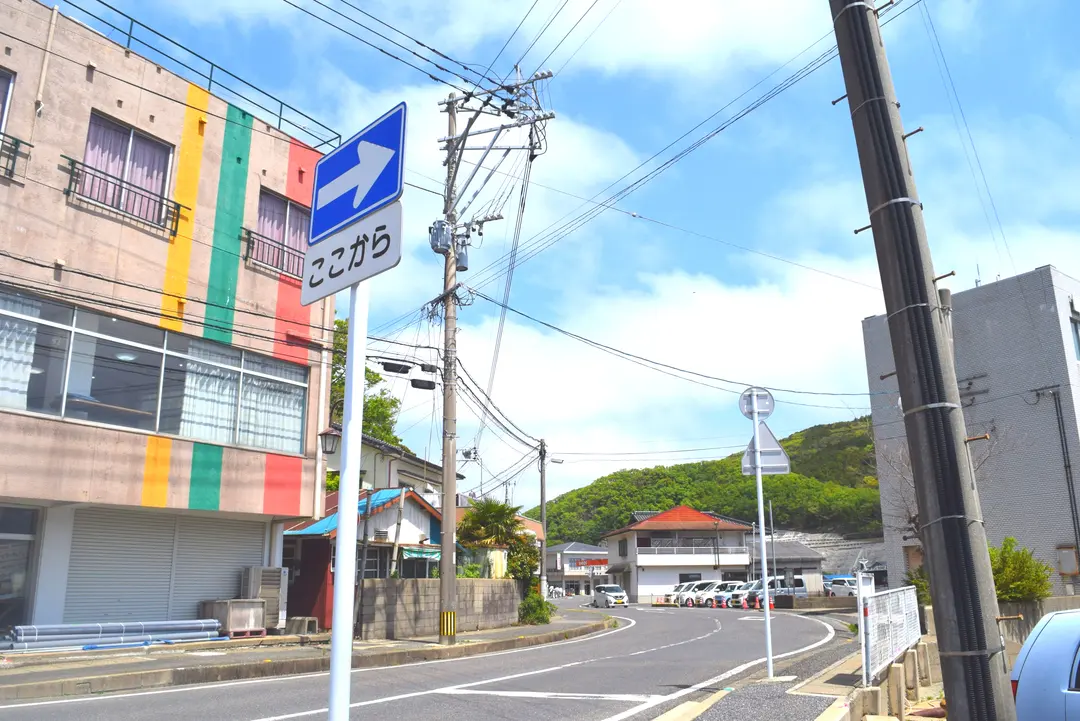
Tsushima Island Hotels 2026: Hitakatsu or Izuhara?
Choosing the right hotel in Tsushima is key to your adventure! Our 2026 guide breaks down Hitakatsu and Izuhara accommodations, helping you pick the ideal base for exploring this Japanese gem.
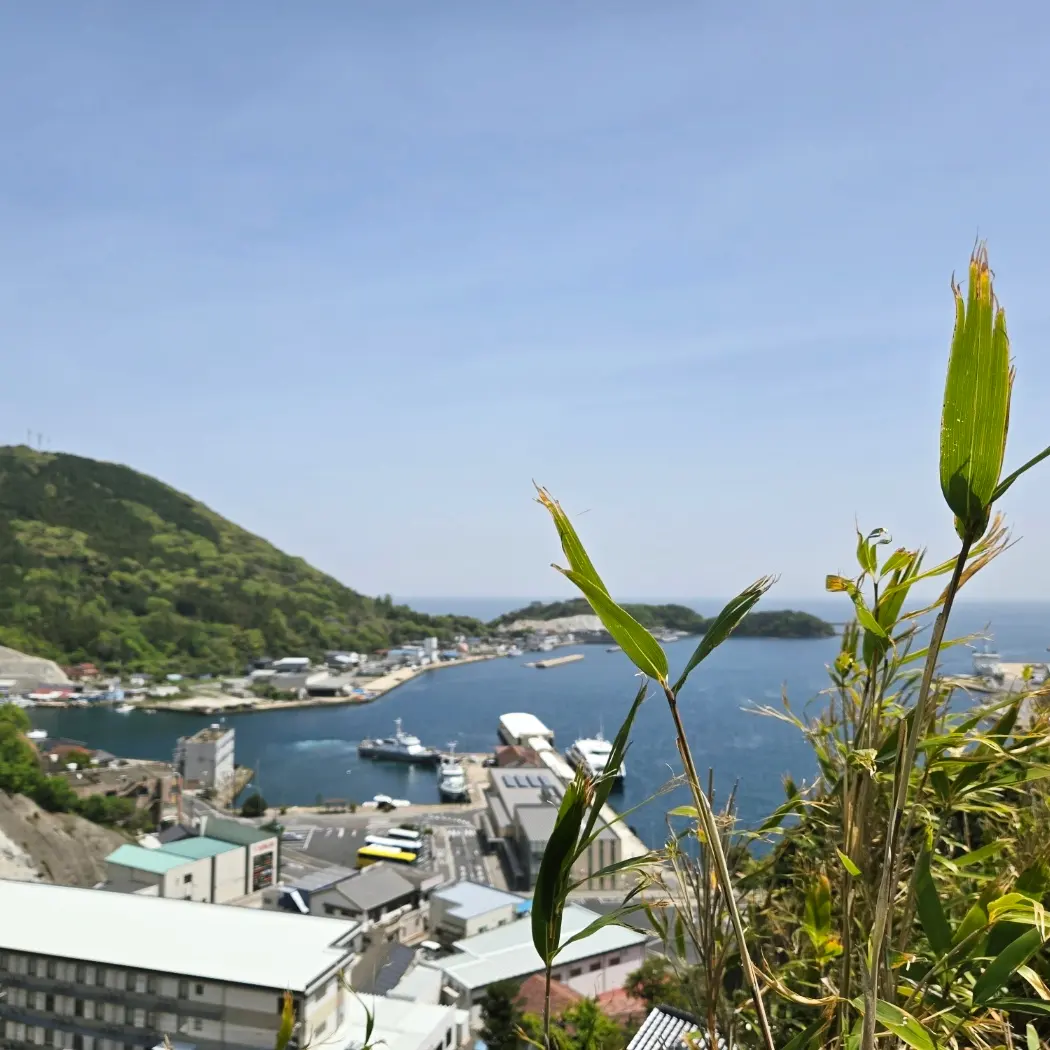
Tsushima Island Itinerary 2026: Day Trip to Hitakatsu or Overnight in Izuhara?
Planning a trip to Tsushima Island in 2026? Discover if a day trip is enough for Hitakatsu or if you need an overnight stay in Izuhara. Get essential tips on transportation, attractions, and updated departure taxes.
Tsushima Island eSIM: Avoid Data Mishaps & Get 20% Off!
Make your 2026 Tsushima Island trip seamless! Wi-Fi rentals are history. An eSIM is essential for data, navigation, and communication. Stay connected and get 20% off!
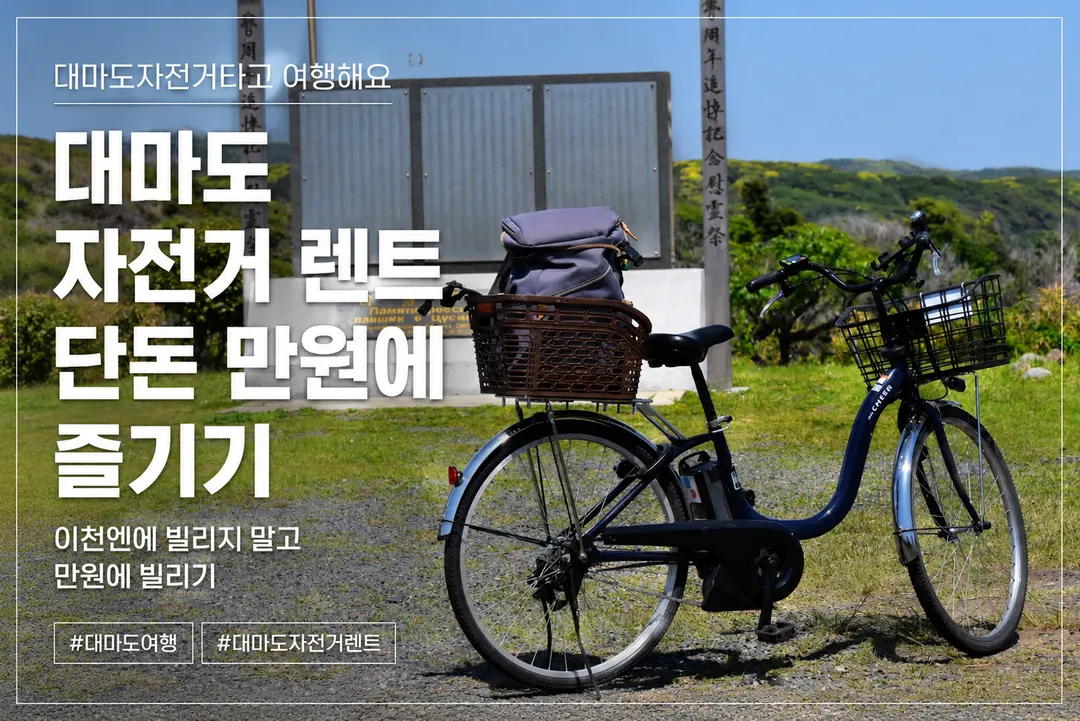
Hitakatsu Bike Rental 2026: ~$7 & Free Luggage Storage
Planning a day trip to Tsushima's Hitakatsu port in 2026? Discover why renting an electric bike for just ~$7, with free luggage storage, is essential for exploring its charming sights.

Izuhara, Tsushima Hotels 2026: Top Budget-Friendly Stays
Planning a trip to Izuhara, Tsushima? Finding the right hotel can be tricky. We've handpicked the best budget-friendly accommodations for independent travelers in 2026.