

Essential Travel Apps for Spain & Beyond (2026)
Discover essential travel apps for your next adventure! From booking restaurants to navigating cities, these tools will enhance your trip.
Quick answer
- Use TheFork for restaurant reservations and discounts.
- NuMetro offers offline subway maps with Korean language support.
- Flush helps you locate public restrooms worldwide.
- Free Now is a reliable taxi-hailing service in many European cities.
- Download offline maps and languages in Google Maps and Translate apps.
Hello, fellow explorers!
I'm Ogoorong, your go-to travel blogger.
Before you pack your bags, make sure your phone is ready!
I've rounded up 7 essential apps that can help you with everything from booking restaurants and navigating public transport to finding restrooms and hailing cabs.
My recent trip to Barcelona, Spain, really showed me the power of having the right travel apps.
So, here are 7 apps I found incredibly useful, along with some handy tips.
*Please note: This guide is based on iPhone usage.
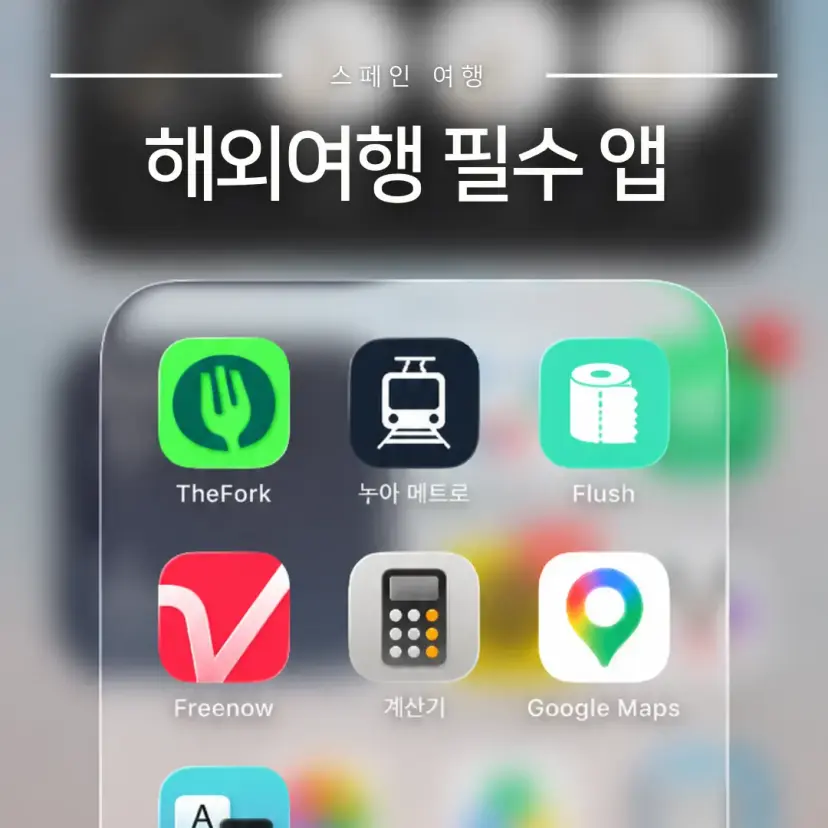
Top 7 Must-Have Travel Apps
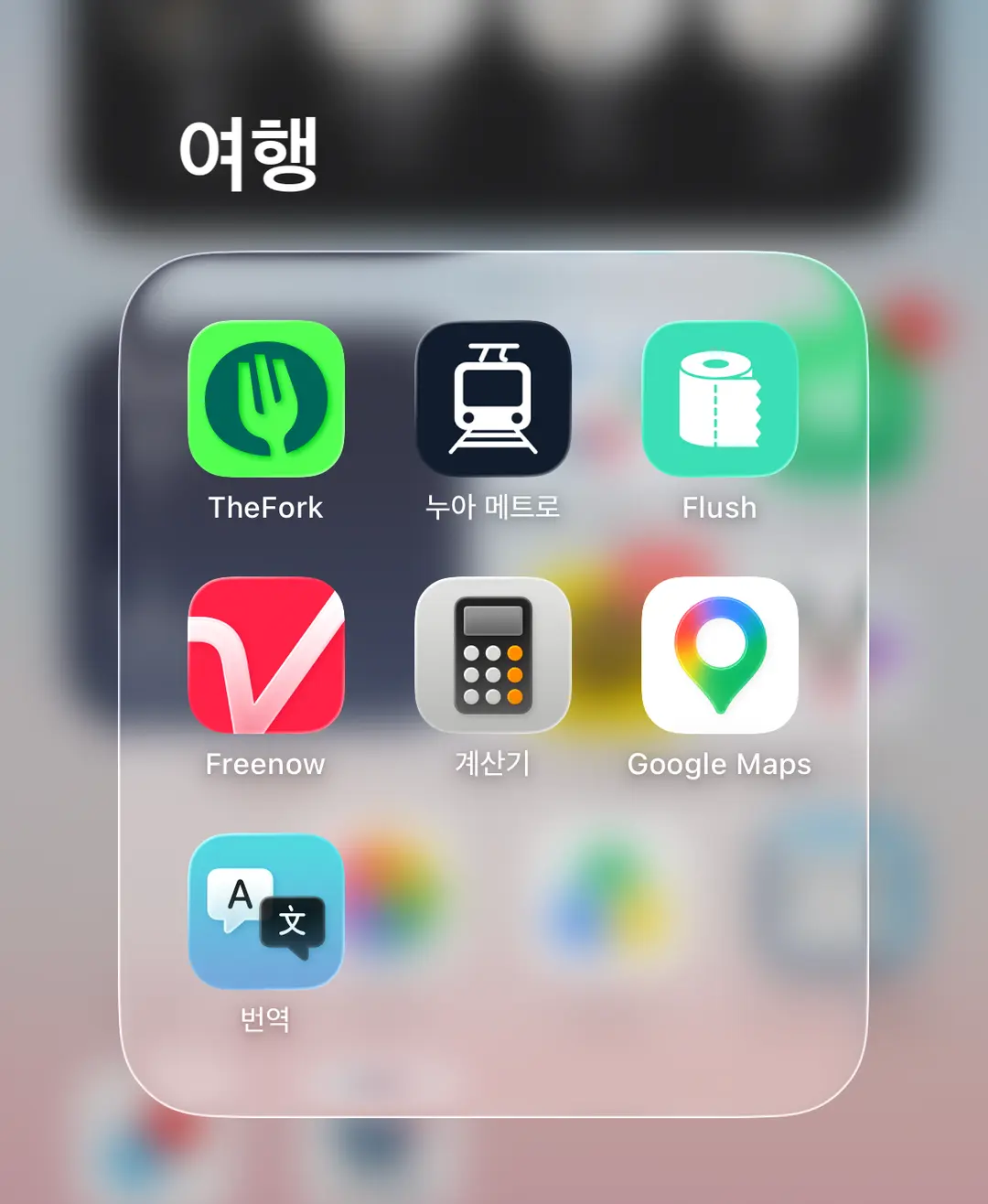
These 7 apps are my top picks, based on my own travel experiences.
| Category | App & Usefulness |
| TheFork | Restaurant reservations (often with discounts) |
| NuMetro (Metro Map) | Subway maps with Korean language support (+ fares, travel times) |
| Flush | Find nearby public restrooms |
| Free Now | Taxi hailing service |
| Google Maps | Save locations, navigation |
| Calculator (Built-in) | Currency conversion |
| Translate (Built-in) | Offline translation capabilities |
These apps are generally useful for trips to Japan, Vietnam, Spain, and many other countries. However, if you're traveling to mainland China, be aware that government policies restrict access to Google services.
For a trip to China, you'll need to prepare these alternatives:
✔️ (Maps) Apple Maps or a local mapping app
✔️ (Payments) Alipay, WeChat Pay apps
✔️ (Taxis) A local taxi-hailing app
02. Deep Dive into Each Travel App
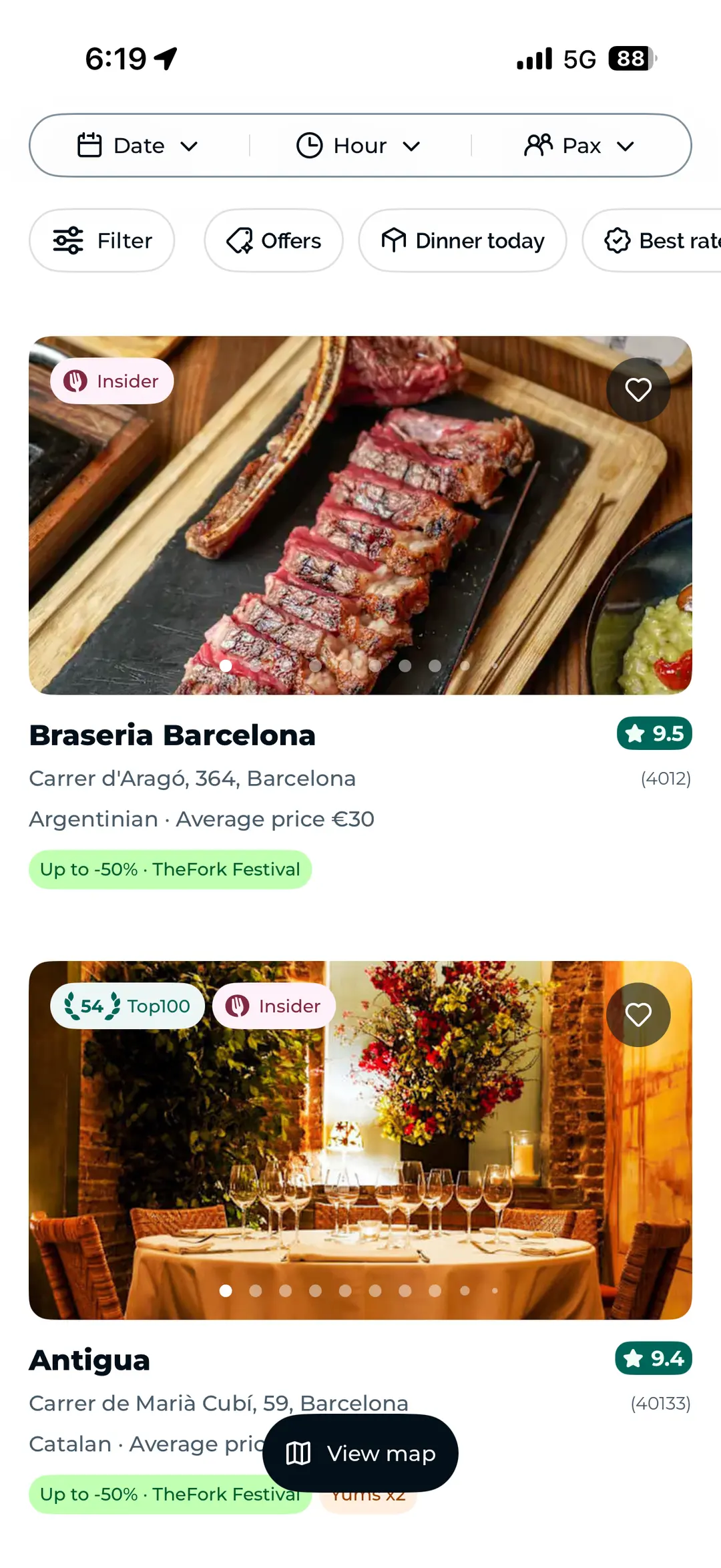
🍽 1) TheFork: Your Go-To for Restaurant Reservations
While you can book restaurants through Google, TheFork often offers significant discounts at many establishments. It's a fantastic way to save money!
You might find the same restaurant priced normally on Google, but with a special offer through TheFork. Always compare prices before booking.
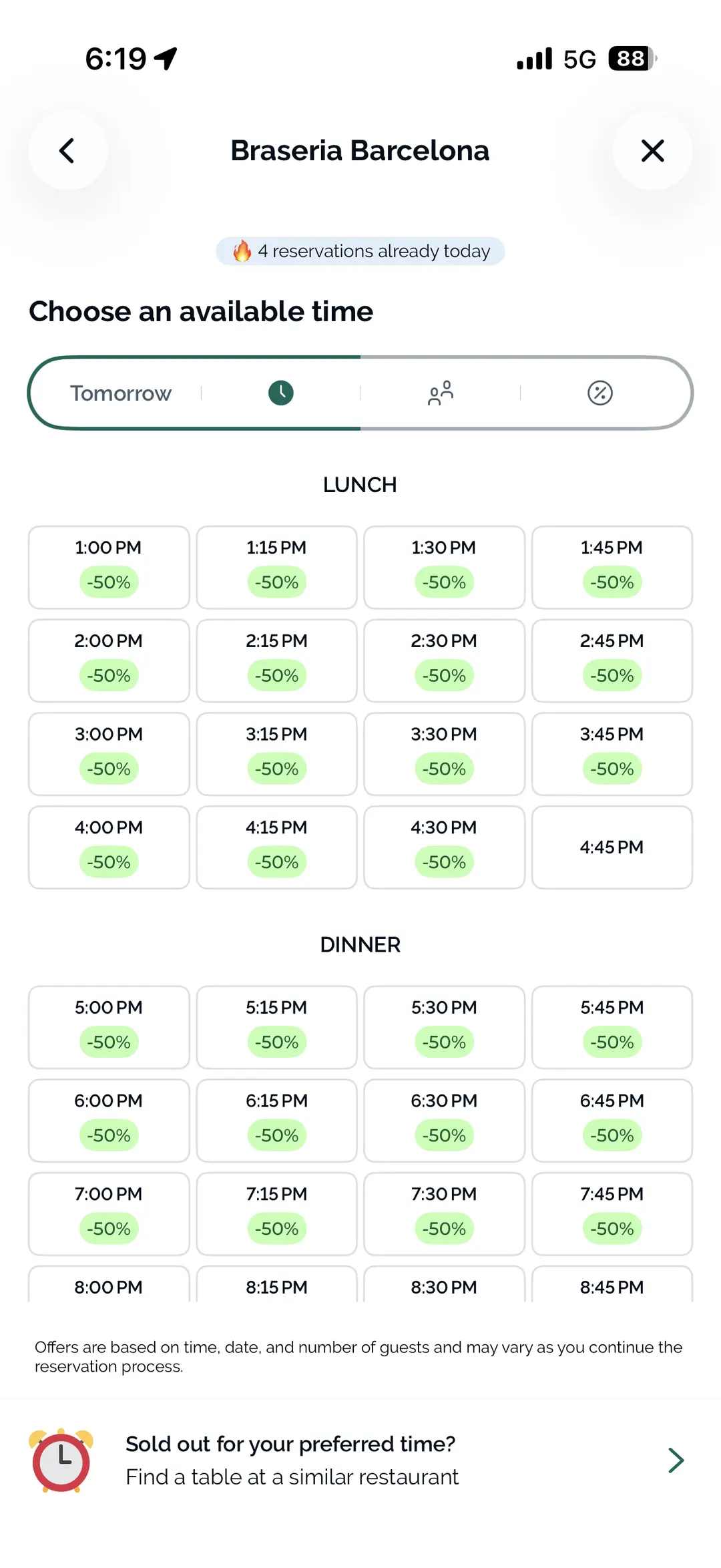
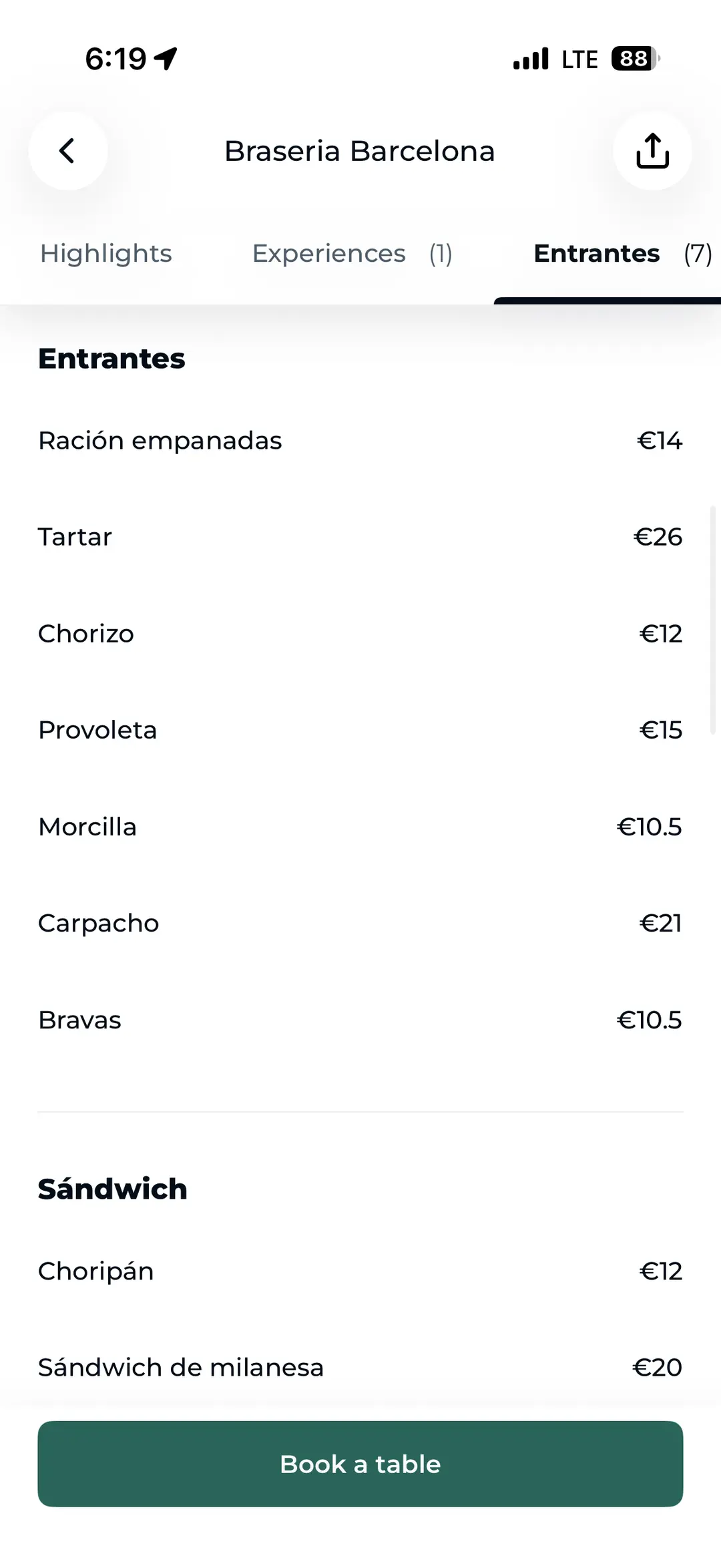
TheFork also presents menu prices in a clear and intuitive way, making it easier to decide what to order in advance.
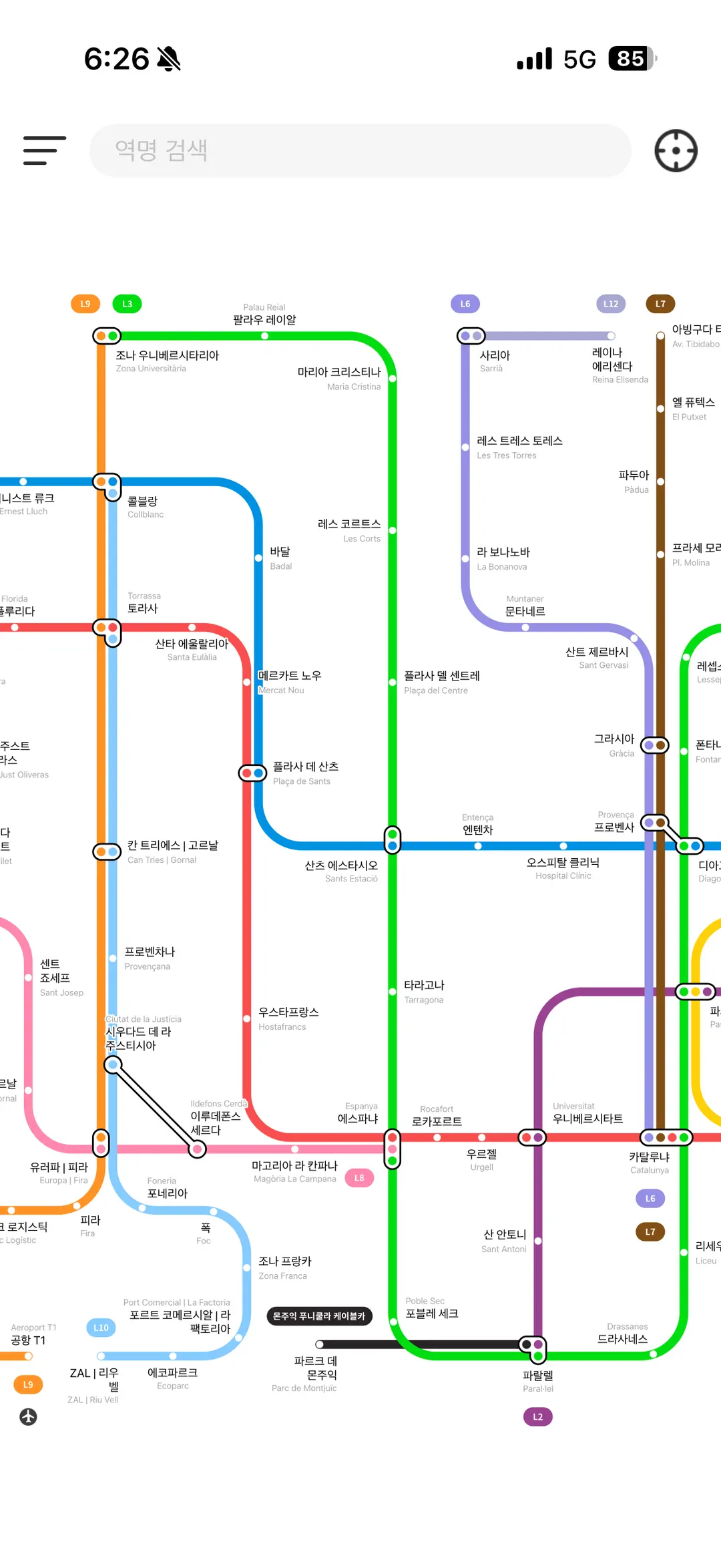
🚇 2) NuMetro: Your Korean-Language Subway Navigator
NuMetro provides subway maps for major cities worldwide, with Korean language support.
It covers 24 cities, including Tokyo, Osaka, cities in China, Spain, and the UK, offering route maps, estimated travel times, and fares.
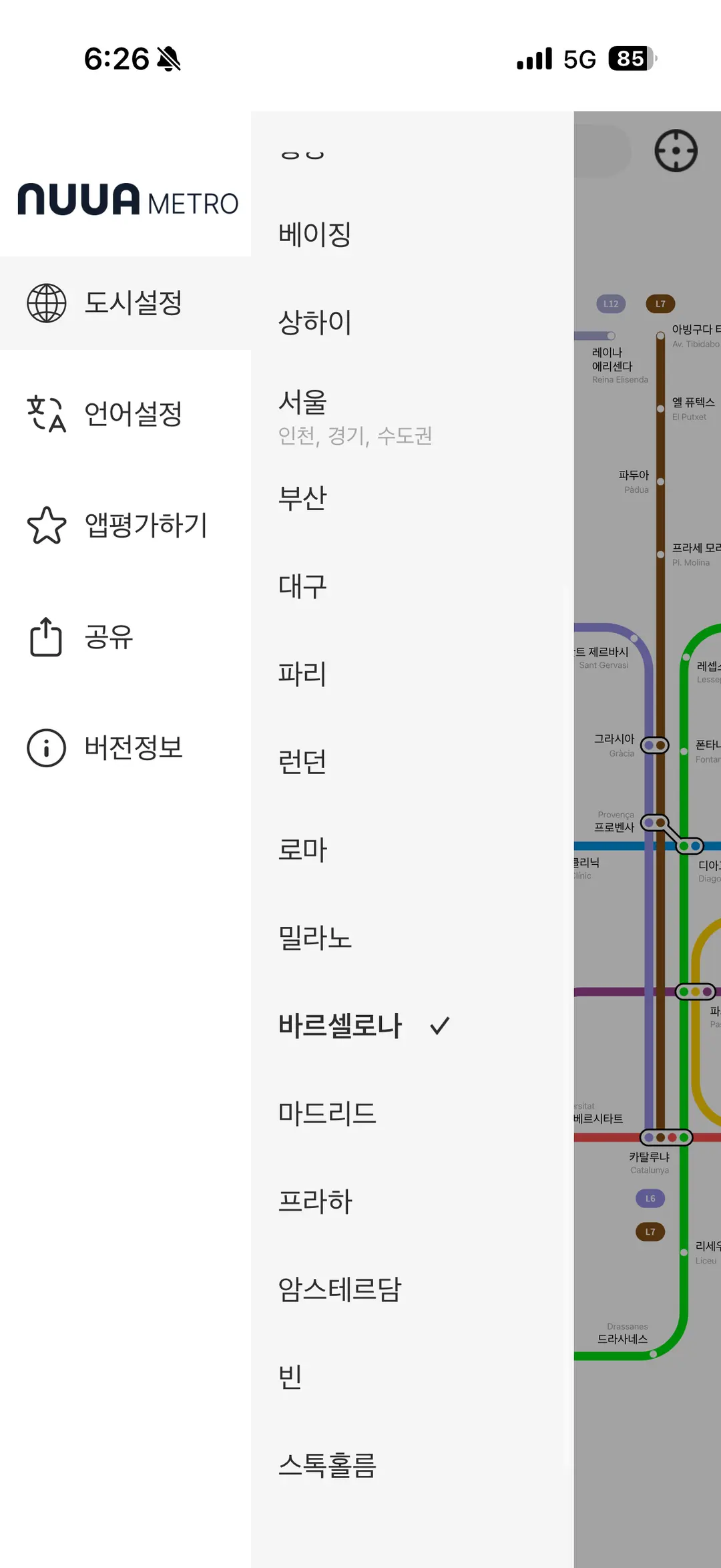
Station names are displayed in both Korean and the local language, which was a lifesaver for me. The interface is also remarkably clean and user-friendly.
Best of all, NuMetro works offline, so you don't need an internet connection!
It's especially useful for navigating the complex subway systems in Tokyo and Osaka. Definitely a must-have for your Japan trip!
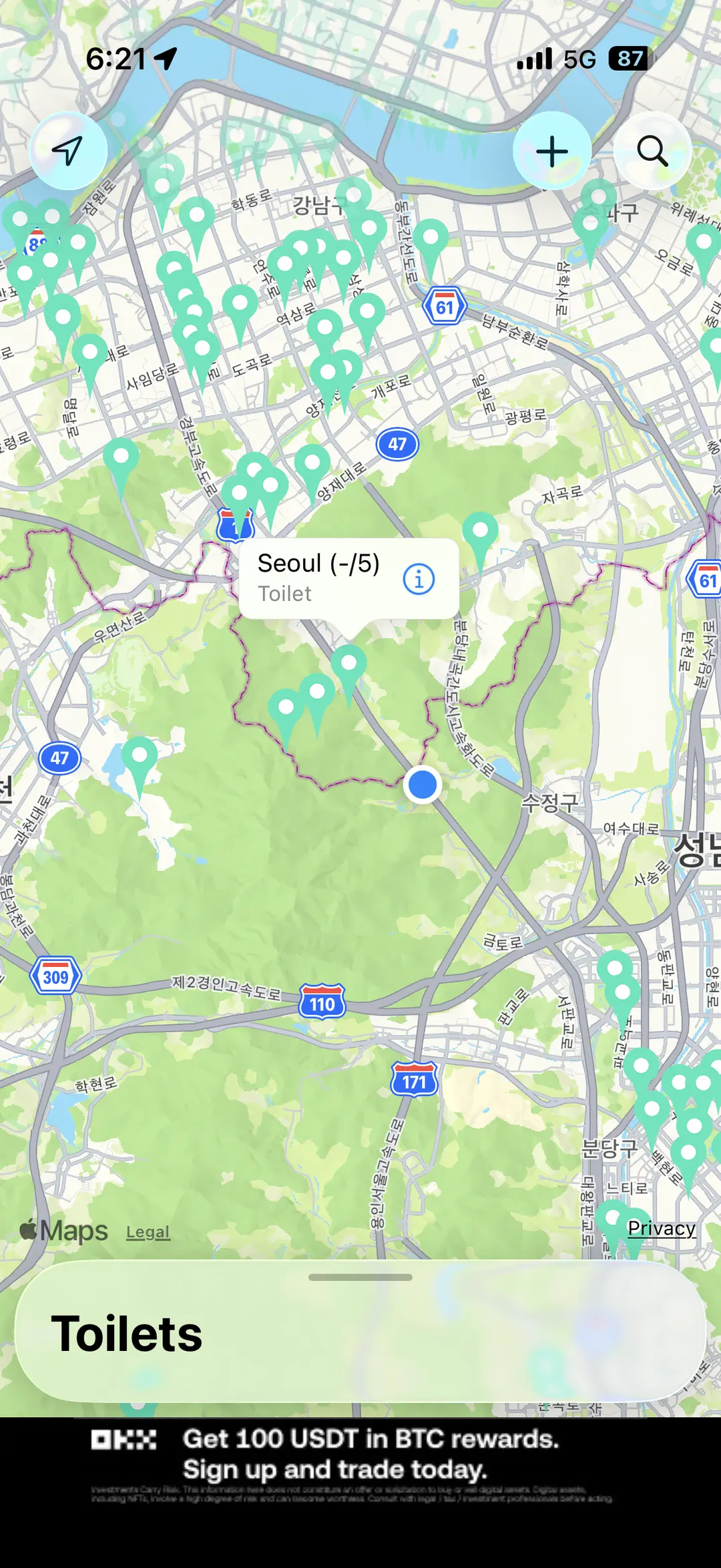
🚻 3) Flush: Never Get Caught Needing a Restroom Again
Flush helps you locate public restrooms on a map, which is incredibly handy when you're exploring a new city.
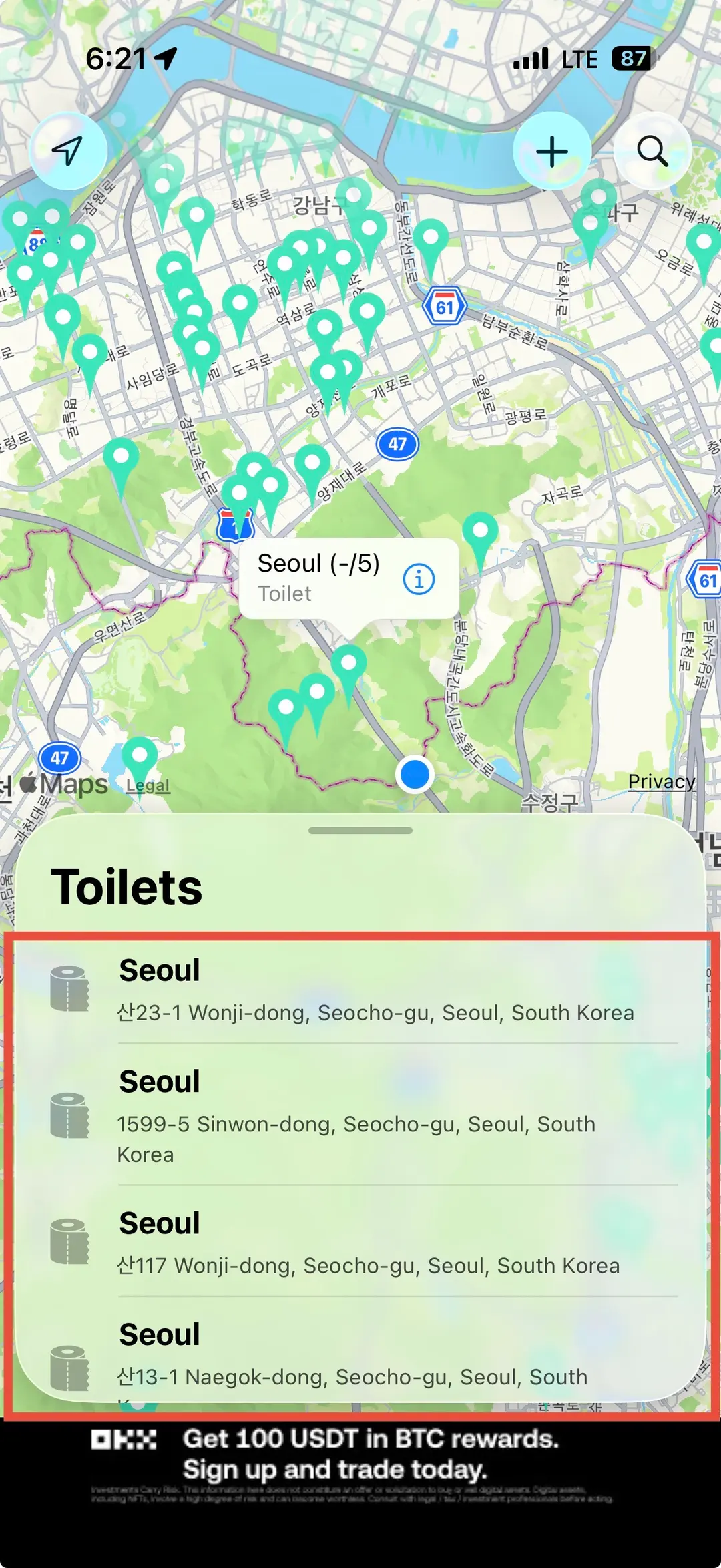
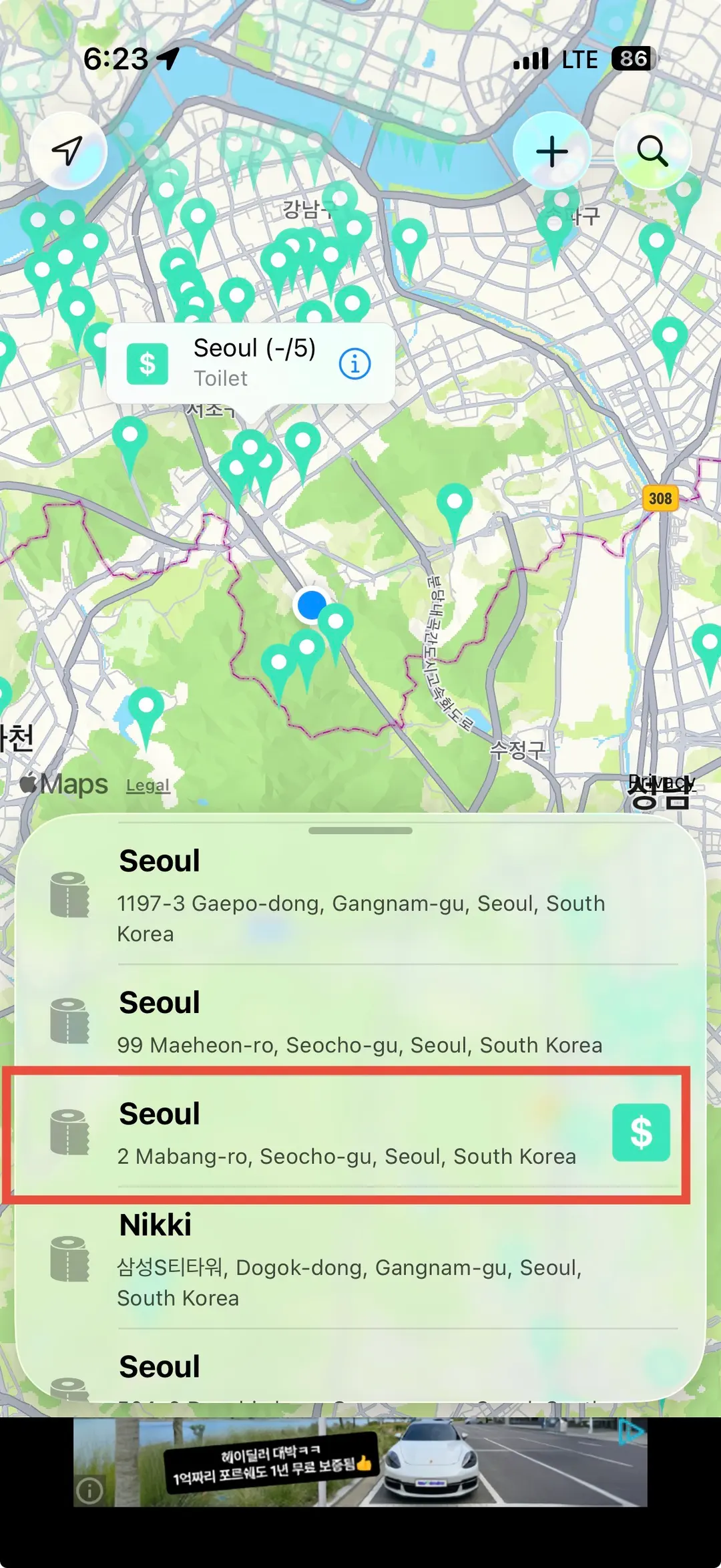
You can instantly find restrooms near your current location or search for facilities in a specific area.
Flush even provides details on whether a restroom is free or requires a key, and it integrates with your phone's map app for directions.
🚕 4) Free Now: Your Ride-Hailing Solution
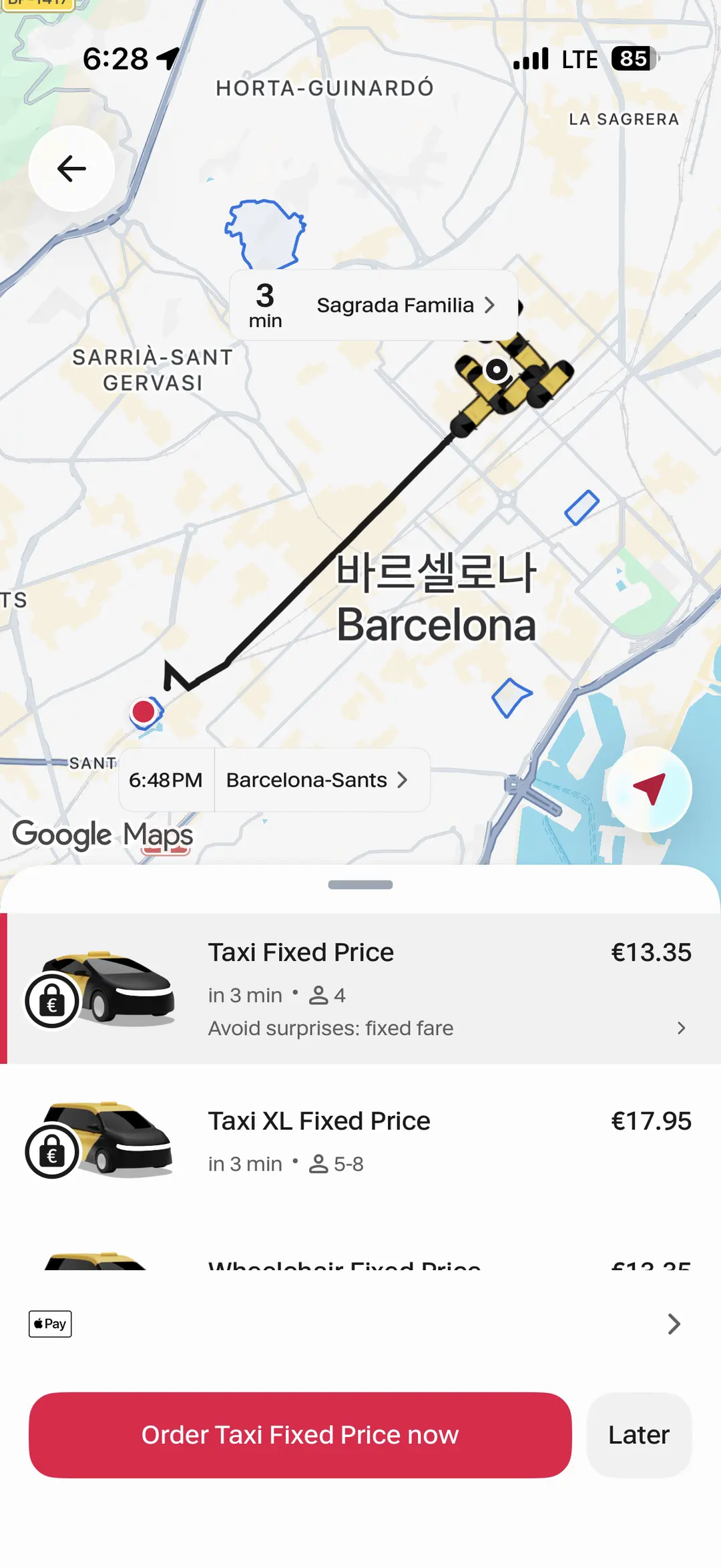
Free Now was my go-to taxi app during my trip to Barcelona.
You can easily hail a cab by entering your pickup and drop-off locations, and choose between pre-paid or post-paid payment options. It's similar to Uber or Lyft in many Western countries.
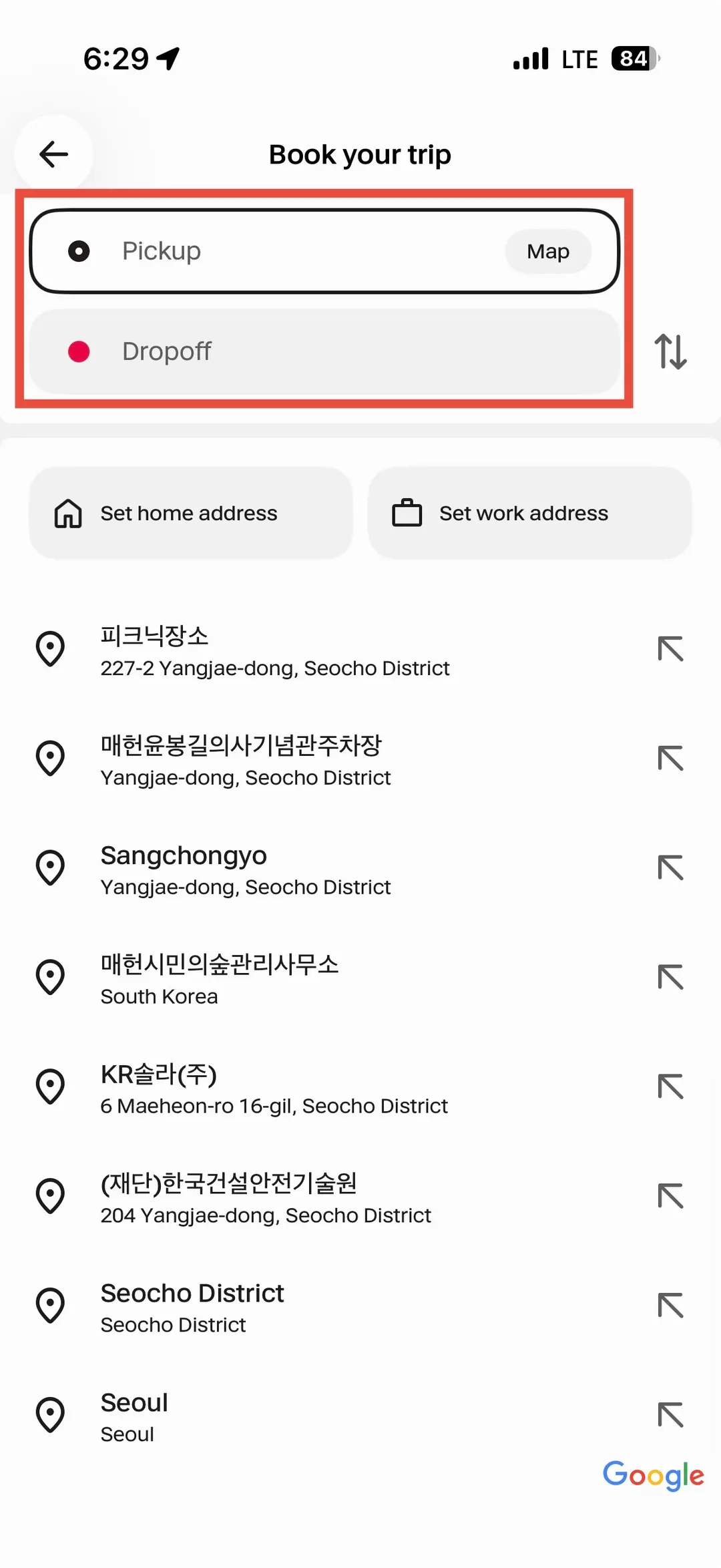
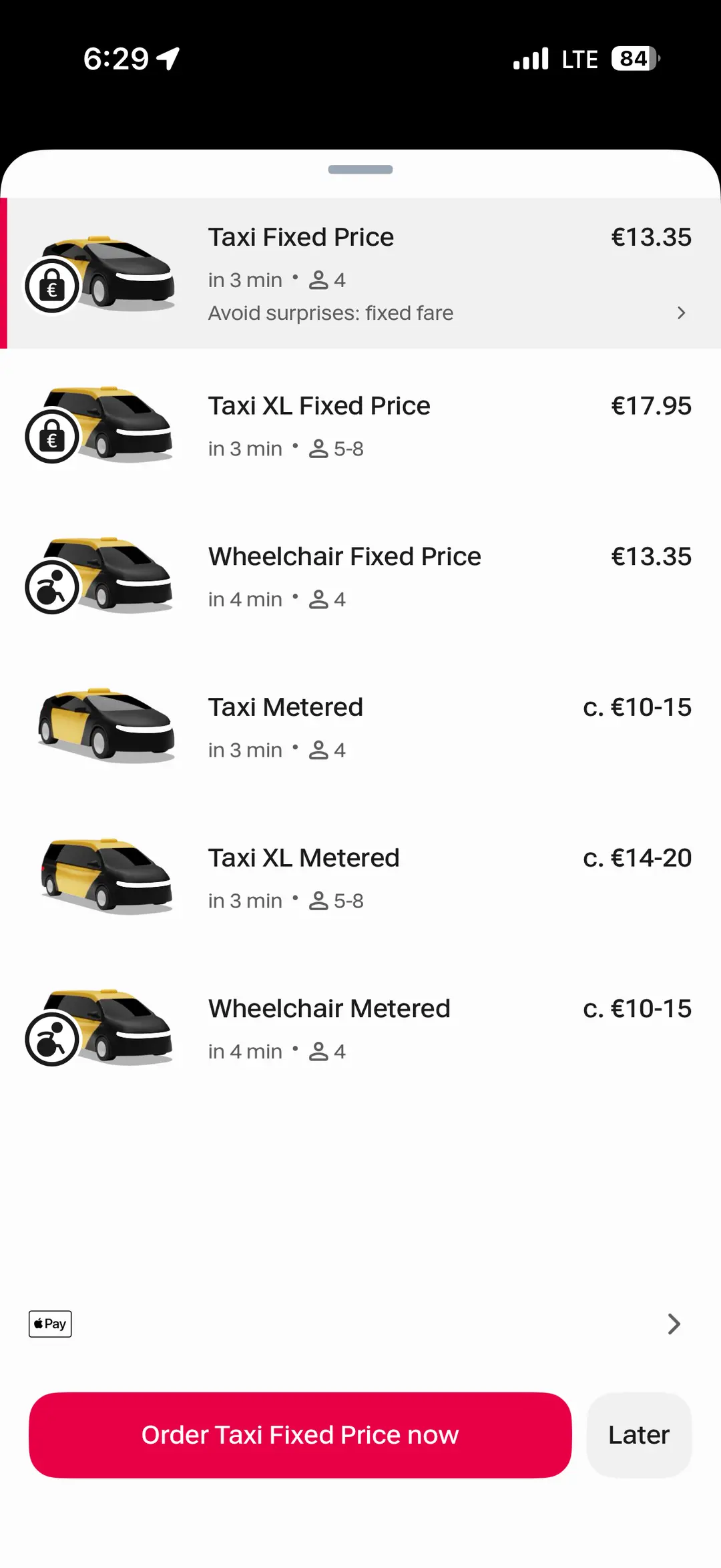
Taxi apps can vary by country, so it's a good idea to download the relevant app for your destination before you leave.
Using official local taxi apps offers a sense of security and ensures fair pricing, which is invaluable for travelers.
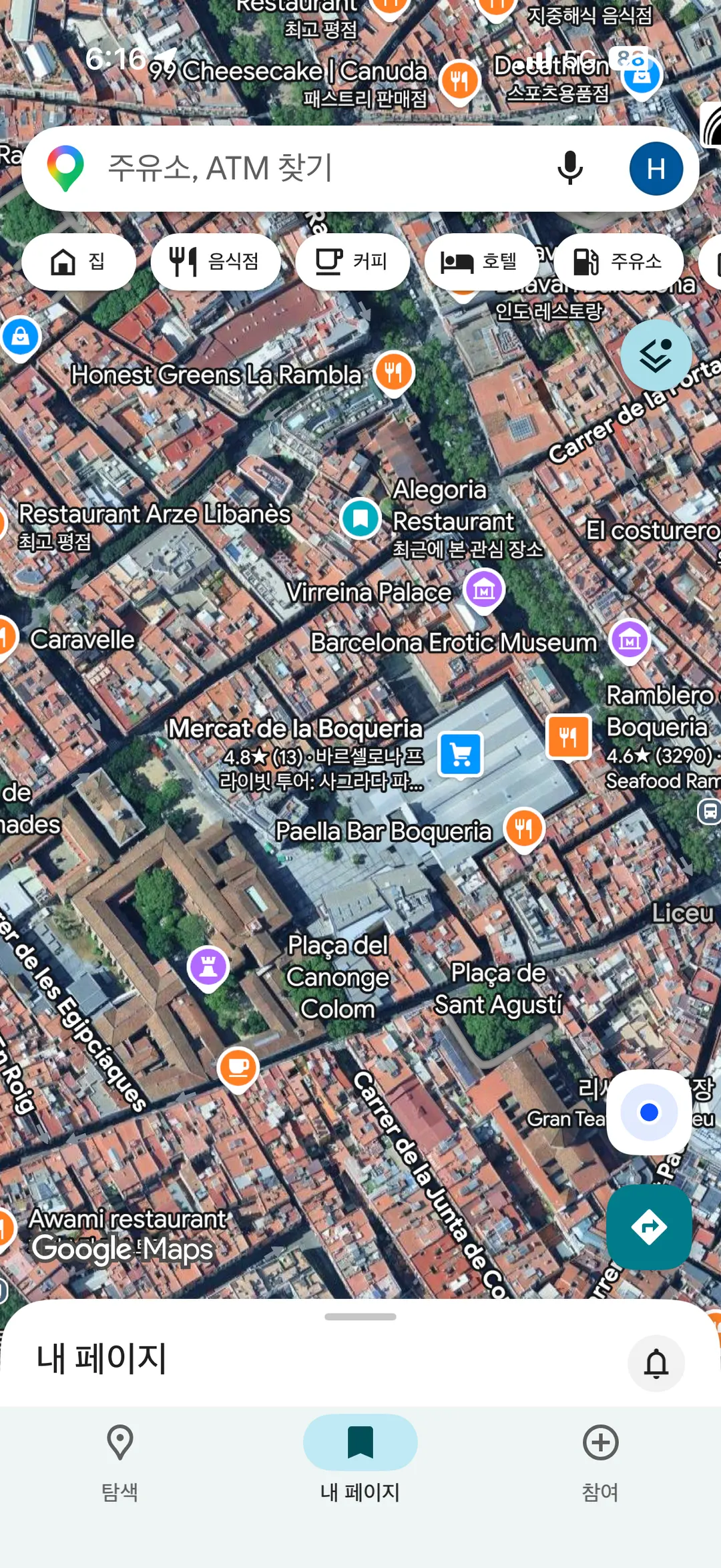
🗺 5) Google Maps: The Ultimate Travel Companion
This is a universally recognized essential for any traveler. Saving your points of interest on Google Maps makes navigating much easier.
Did you know Google Maps also works offline? Simply go to your profile settings, select 'Offline maps,' and download the map for the area you'll be visiting.
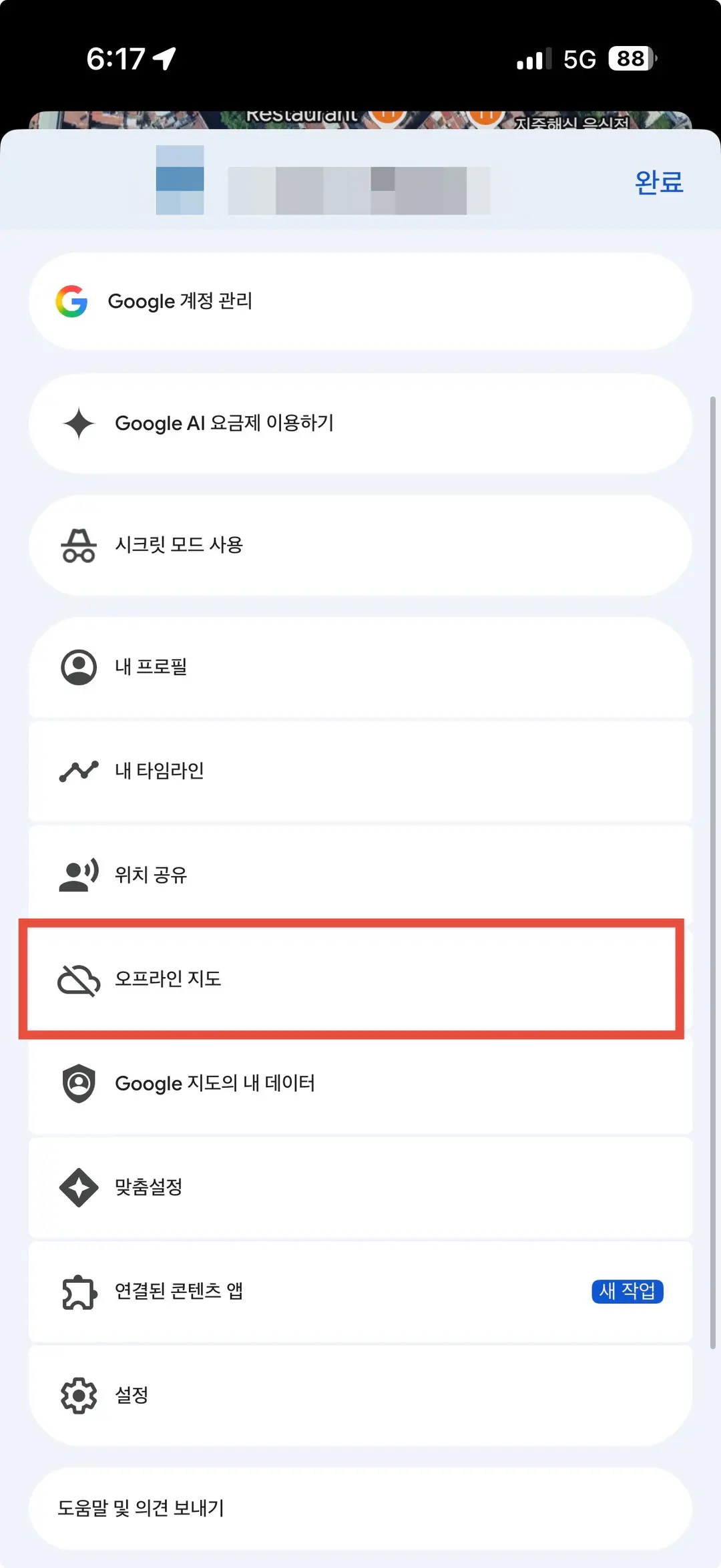
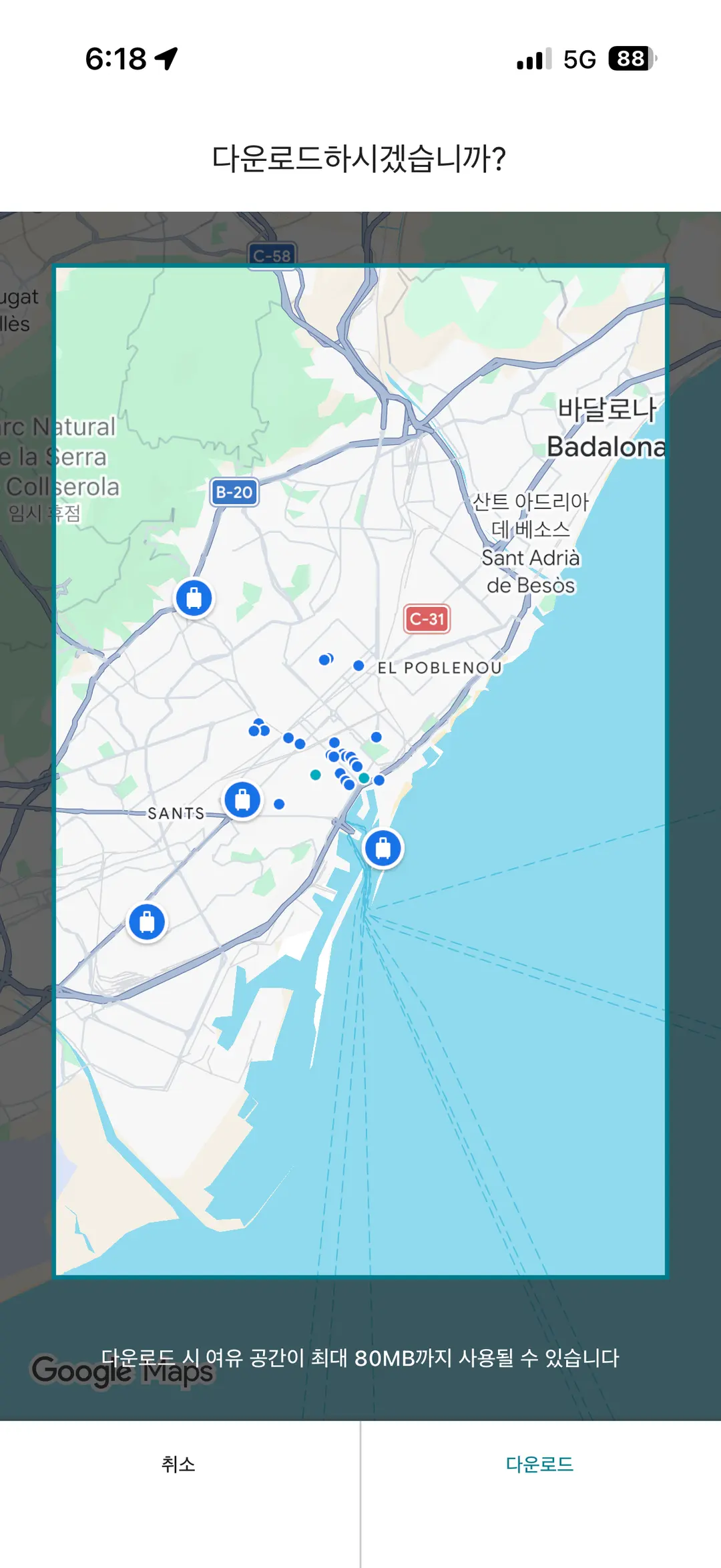
This allows you to access maps without an internet connection.
However, as mentioned, Google Maps has restrictions in China. Consider Apple Maps or another local alternative for your China trip.
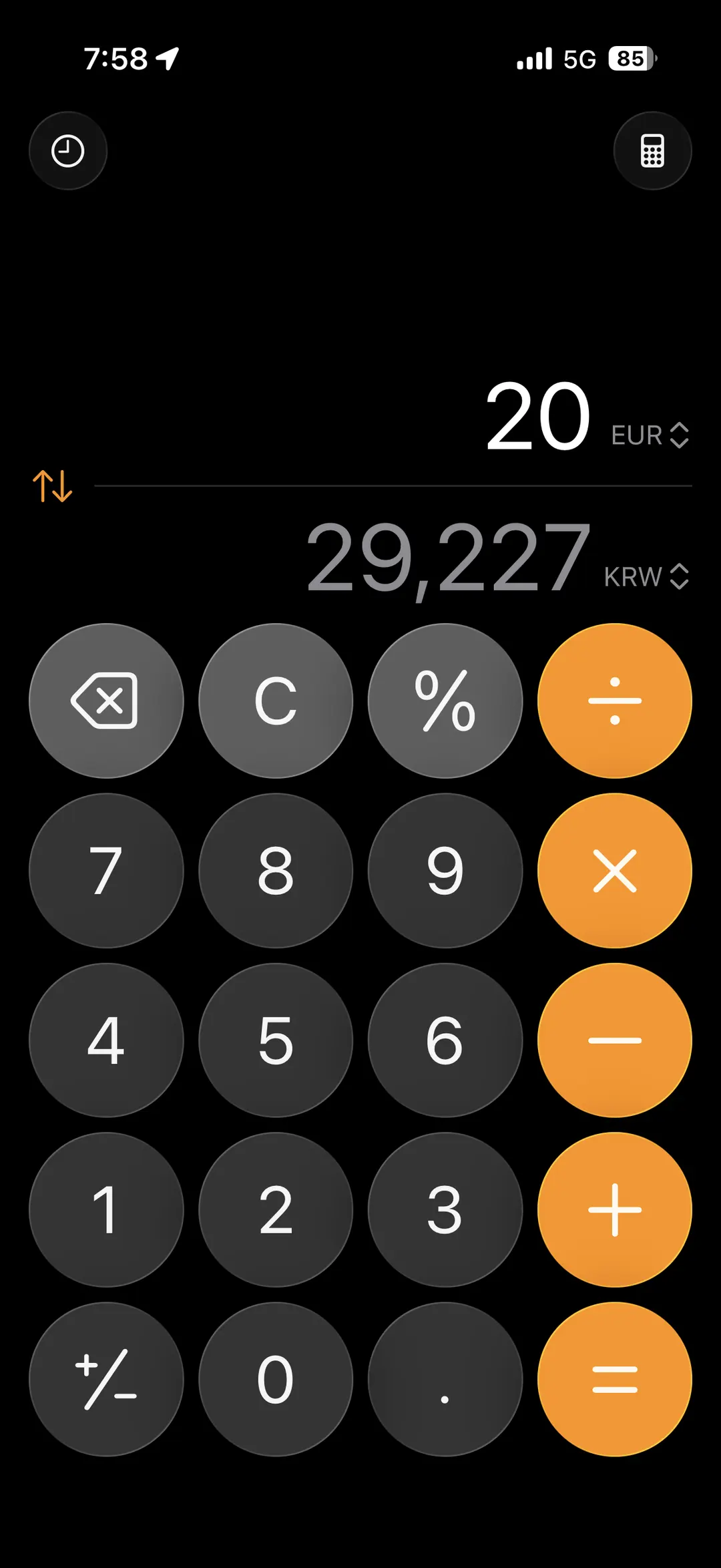
🧮 6) iPhone's Built-in Calculator: Instant Currency Conversion
The default calculator app on your iPhone is surprisingly useful for travel. It offers real-time currency conversion!
Access the 'Convert' feature from the menu in the top right corner. Select your destination's currency, and you can easily switch between currencies, including USD, EUR, JPY, and more.
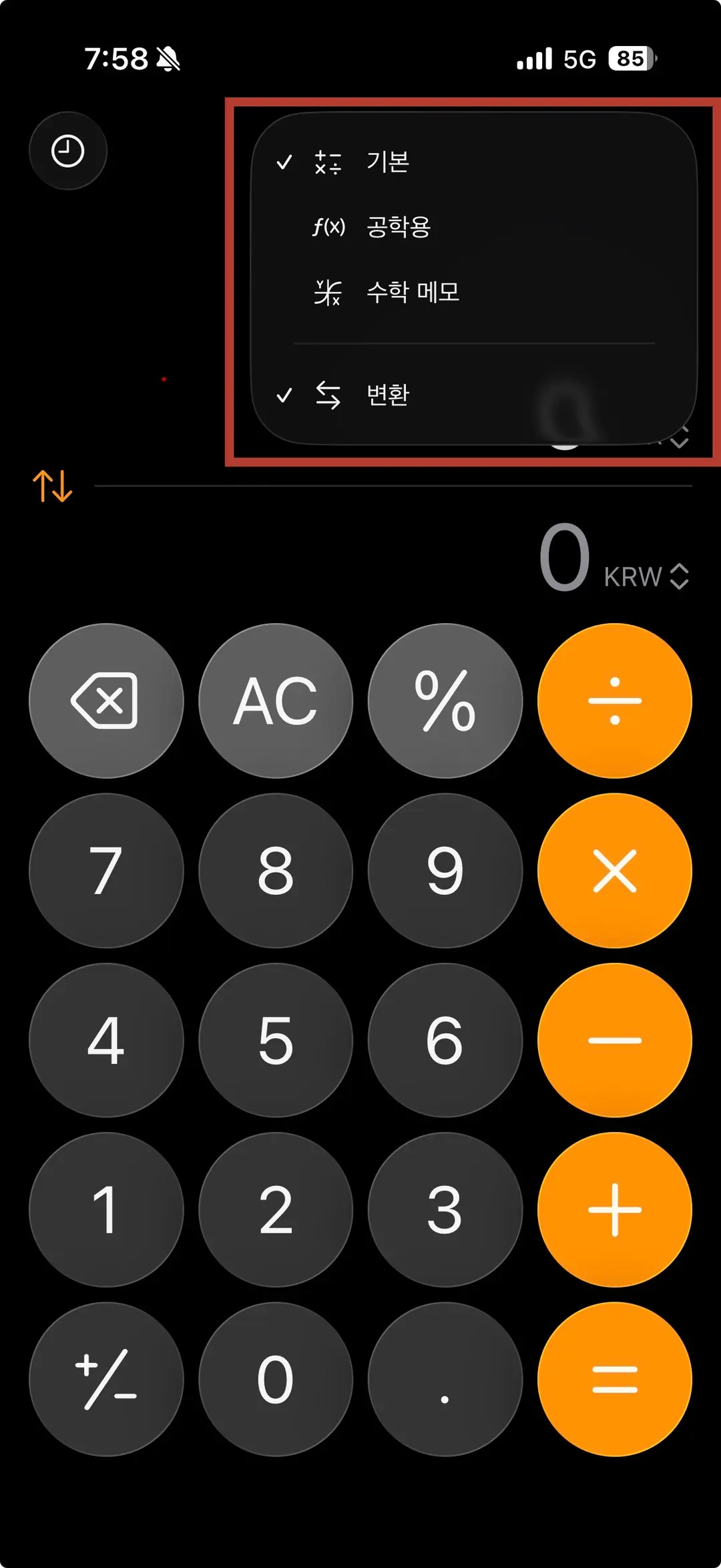
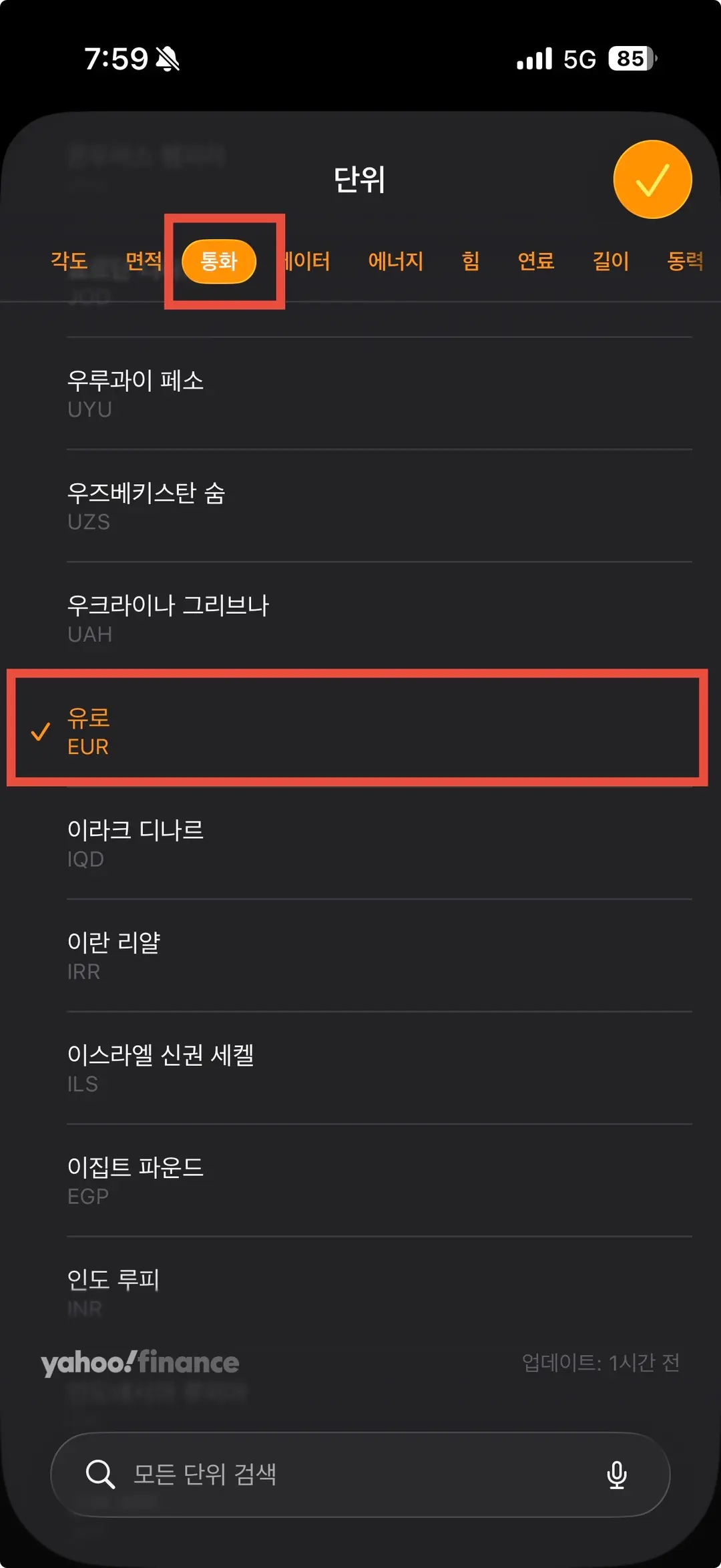
It supports various currencies and allows for two-way conversion with your home currency. The rates are updated via Yahoo Finance, and it even handles other unit conversions like angles and areas.
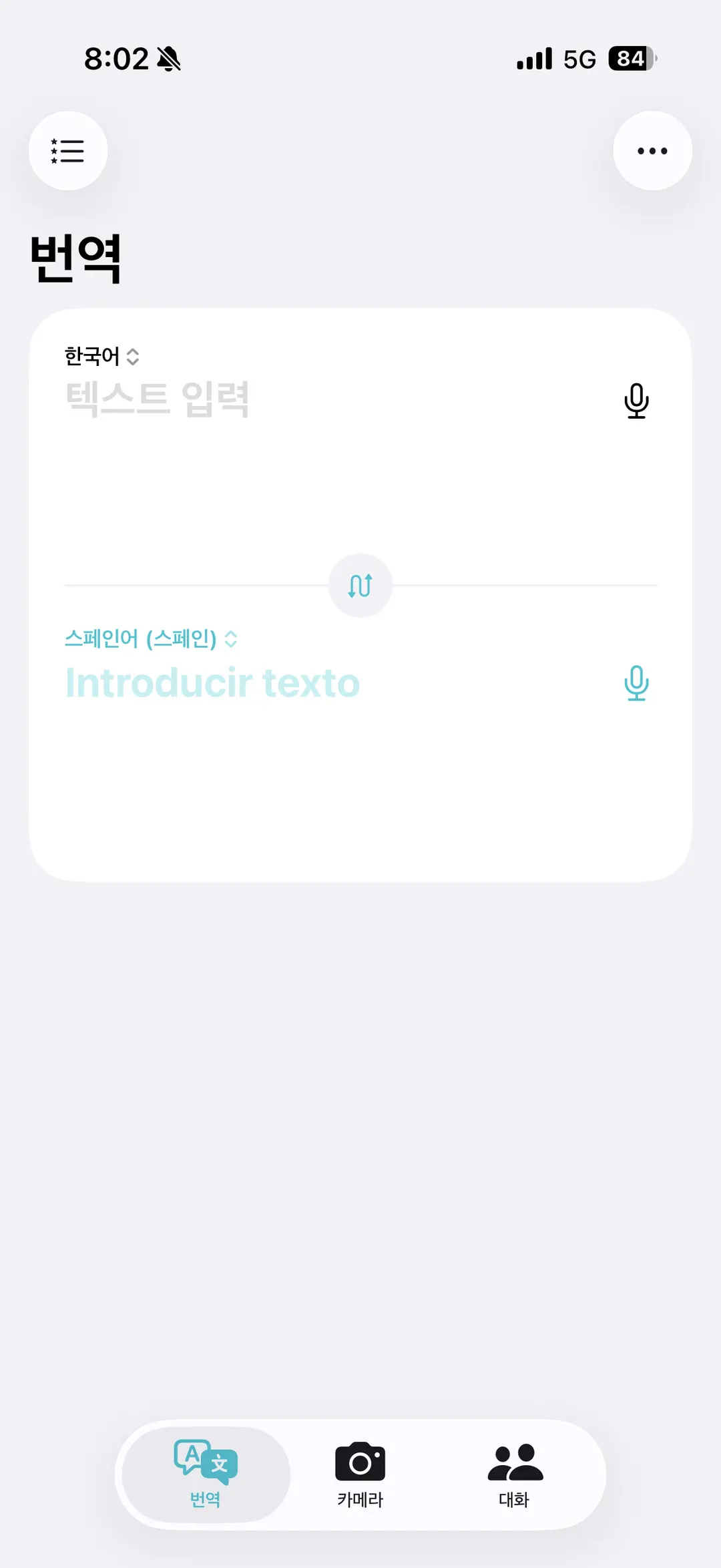
🌐 7) iPhone's Built-in Translate App: Offline Communication
The built-in Translate app on iPhones also offers an offline mode.
Tap the language menu in the top right corner and download the languages for your destination. They'll appear in the 'Offline languages' section.
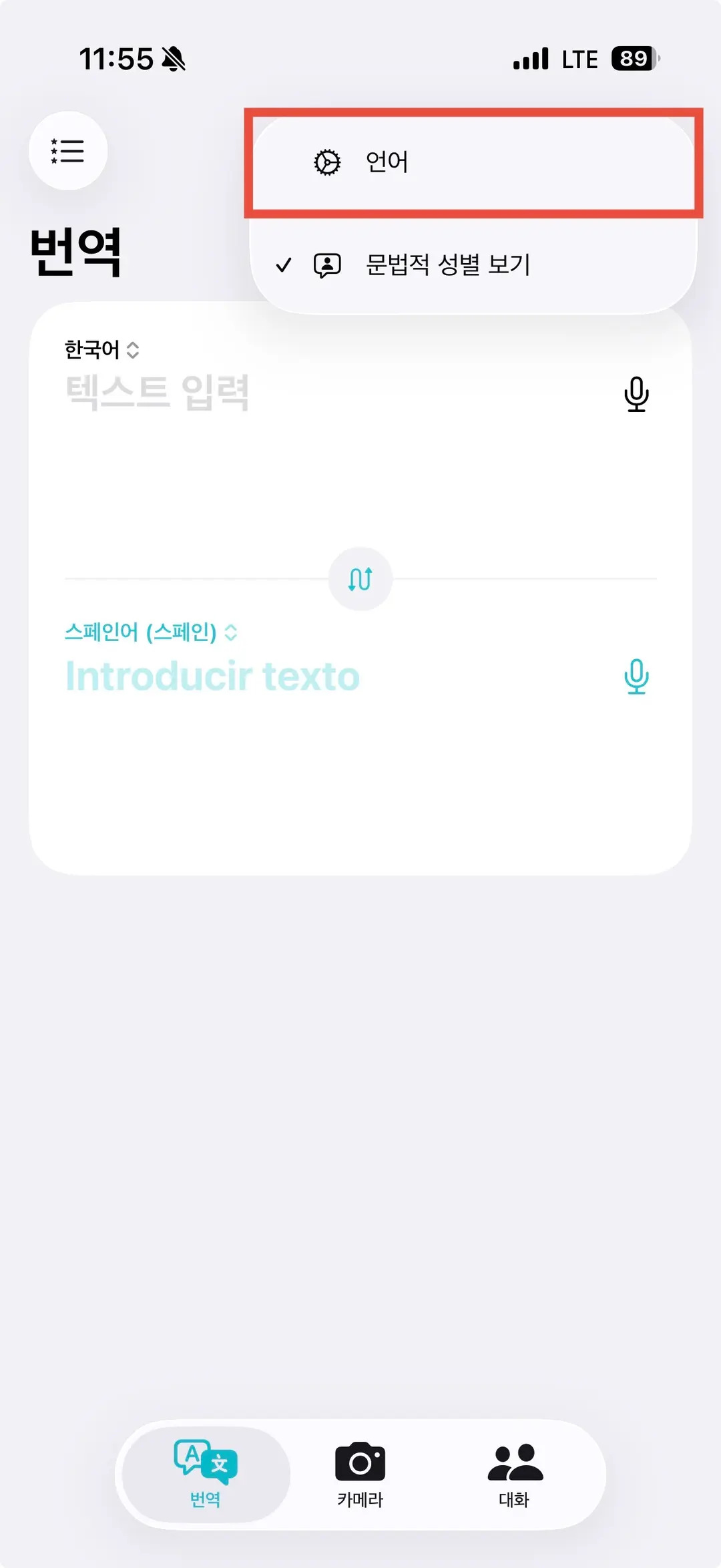
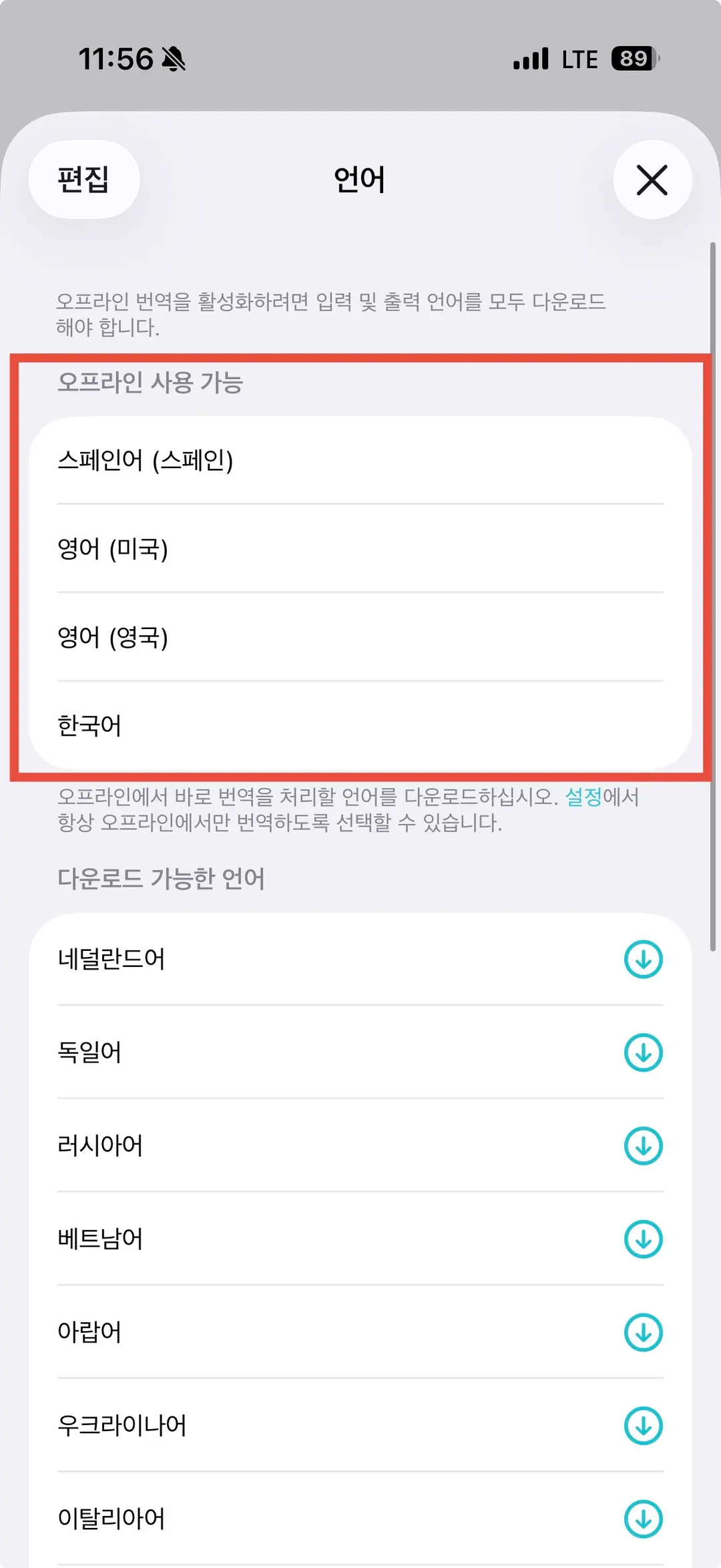
This feature supports most languages for popular travel destinations and works for text input, voice translation, and even camera translation – all offline.
It's a lifesaver when you're low on data or in areas with poor internet connectivity.
03. Stay Connected: Don't Forget Your eSIM!
Many of the apps mentioned, like Free Now, TheFork, and Google Maps for navigation, require an internet connection to function fully.
For seamless connectivity, I highly recommend using an eSIM. It's a cost-effective and convenient alternative to traditional roaming.
✔️ Instant activation upon arrival
✔️ No need to swap SIM cards
✔️ Easy installation via QR code
✔️ Significantly cheaper than roaming
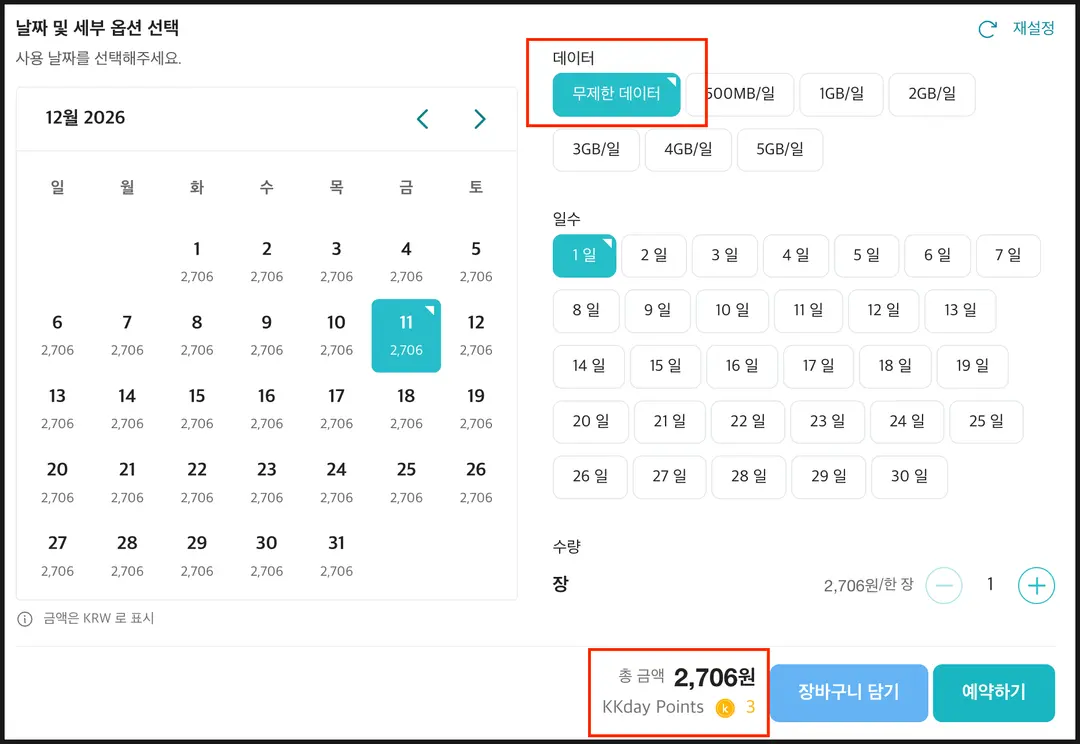
For example, in Japan, you can get unlimited daily data for as little as ~$2 USD.
With a current 50% discount event on eSIMs, it's the perfect time to consider it for your next trip. Check the link below for the best prices.
👇 Book Unlimited Japan eSIM for ~$2 👇
 Japan eSIM Unlimited Data (Rakuten/KDDI/Docomo)
Having the right apps can make your trip half the battle won. Make sure to download and set them up before you fly!
📌 Quick Recap:
✅ Recommended apps: restaurant booking with discounts, Korean subway maps, restroom finder, taxi hail, and offline maps/currency/translation tools.
✅ For China: Google services are restricted, so use alternative apps.
✅ Stay connected affordably with eSIM, currently 50% off.
👇 Book Unlimited Japan eSIM at the Best Price 👇
Frequently Asked Questions
When traveling in China, which map apps should I use instead of Google Maps?
Access to Google services is restricted in mainland China due to government policies. Therefore, it is advisable to prepare Apple Maps or local map applications separately when traveling in China.
Can the NUA Metro app be used offline? How many cities does this app support?
Yes, the NUA Metro app can be used offline, allowing you to check subway maps without data or Wi-Fi. This app supports subway maps for 24 major cities worldwide, including Tokyo and Osaka in Japan, China, Spain, the UK, and France.
What are the advantages of booking a restaurant through The Fork app compared to Google Reservations?
A significant advantage of booking through The Fork app is that many restaurants offer discounts. Even for the same restaurant, booking via Google might be at the regular price, whereas booking through The Fork allows you to take advantage of special discount events.
What payment methods can I choose when using the Freenow taxi-hailing app in Barcelona, Spain?
When hailing a taxi using the Freenow app in Barcelona, Spain, you can choose between prepaid and postpaid payment methods. This app operates on a similar concept to Kakao Taxi in Korea, where you input your origin and destination to call a taxi.
What steps should I follow to convert exchange rates using the iPhone's default calculator app, and what currencies does it support?
To convert exchange rates using the iPhone calculator app, click on the 'Convert' function in the top right menu, then select the currency corresponding to your travel destination in the 'Units' section. It supports various currencies such as Euros, Japanese Yen, and US Dollars, allowing two-way calculations with Korean Won, and the exchange rates follow Yahoo Finance.
Share this article
Related Travel Stories

Deokgu's Guesthouse Barcelona: Exclusive 2026 Discount on Rooms
Discover Deokgu's Guesthouse in Barcelona with an exclusive 2026 discount! Enjoy comfy dorms or private rooms in a legal, centrally located guesthouse. Perfect for authentic Spanish adventures.

Granja La Pallaresa Barcelona: Authentic Churros Since '47
Step into history at Granja La Pallaresa, Barcelona's beloved churrería. Indulge in authentic churros and rich chocolate, a local breakfast tradition since 1947.

Vueling Flight VY6103 Review: Rome to Barcelona in 2026
Wondering about Vueling for your Rome to Barcelona trip? I'm sharing my experience on flight VY6103, including booking tips, airport navigation, and baggage advice for 2026. Get ready for Spain!

ZT The Golden Barcelona Hotel Review 2026: Authentic Stay
Discover ZT The Golden Barcelona Hotel, a 4-star gem for an authentic and affordable stay in 2026. Enjoy local vibes and easy access to attractions.

Enrique Tomas Barcelona Airport Review 2026: Spanish Jamón Bites
Don't fly hungry! Find out where to grab an authentic Spanish jamón bocadillo at Barcelona's El Prat Airport. Enrique Tomas in Terminal 1 is your go-to for a delicious pre-flight bite.

Gaudi Half-Day Tour Barcelona: Indigo Travel Review 2026
Explore Barcelona's iconic Gaudi architecture with Indigo Travel's highly-rated half-day tour. Get exclusive early access to Casa Batlló and enjoy seamless transport to Park Güell.