

Japan Tax Refund 2026: Visit Japan Web & Airport Procedures
Navigating Japan's updated tax refund process? This 2026 guide covers everything from Visit Japan Web registration to airport procedures, ensuring a smooth departure.

Quick answer
- Purchase over 5,000 yen (before tax) at eligible stores for a tax refund.
- Present your passport or Visit Japan tax-free QR code at checkout to apply.
- Visit Japan Web tax refund procedures are available at 7 major airports.
- If 'Not Completed' appears, proceed to customs inspection with your items.
- Refund methods and timing vary by store or refund service provider.
You've probably heard that Japan's tax refund process is changing, with new rules taking effect this November 2026.
It's easy to get confused about how to register for these new tax exemptions, especially with the introduction of Visit Japan Web. Don't worry, we've got you covered!
From the Visit Japan Web registration process to frequently asked questions, we'll break it all down step-by-step!
📌Post Outline📌 |
1. Japan Tax-Free Conditions & Payment Methods |
2. Preparing for Tax-Free via Visit Japan Web |
3. Airport Procedures with Visit Japan Web |
4. Using On-Site Terminals with Your Passport |
5. How and Where Do You Receive Your Refund? |
6. Frequently Asked Questions |
1. Tax-Free Conditions & Payment Methods
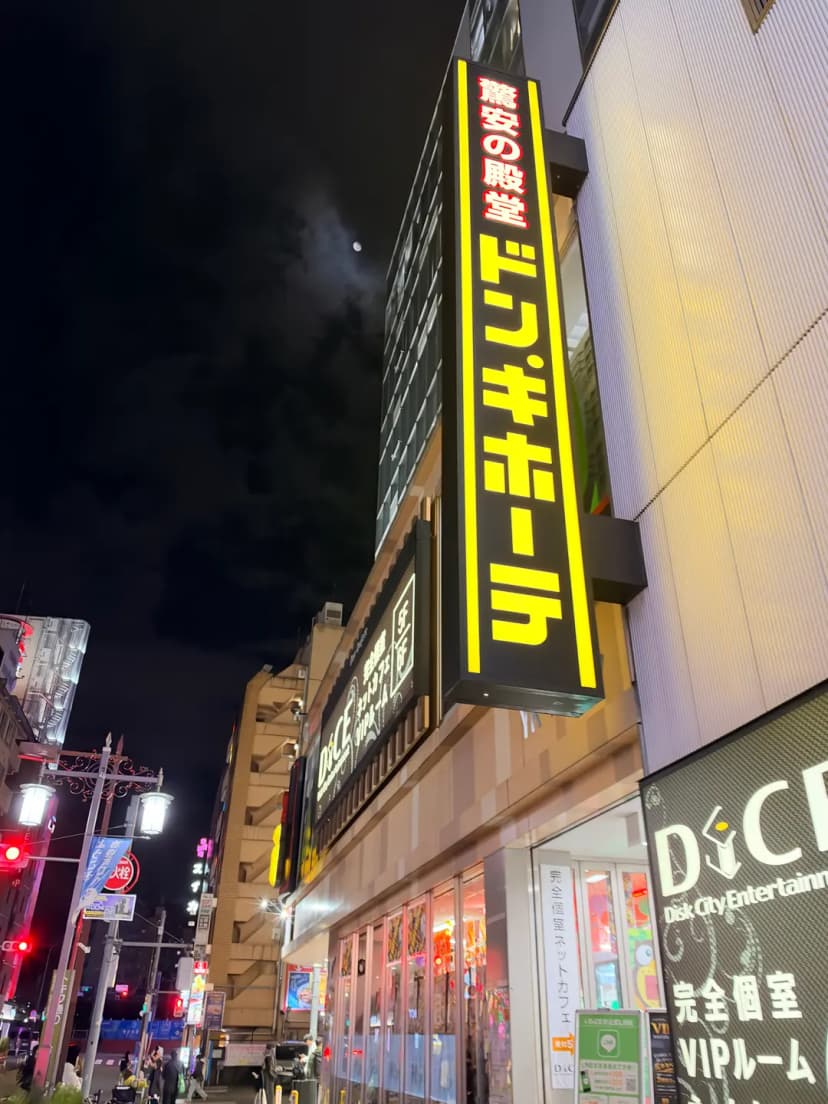
First, to qualify for a tax refund, you must purchase over 5,000 yen (before tax) at a tax-free eligible store on the same day.
At checkout, simply tell the staff 'Tax Free' and present your passport or the Visit Japan tax-free QR code. We'll explain how to register for the tax-free QR on Visit Japan Web further down.
After registering your tax-free purchase, you'll then pay the amount including tax (it's normal for the receipt to show the tax).
❗While items like cosmetics or food no longer need to be sealed separately as before, be warned: if you use or consume even a portion of a tax-free item while in Japan, you may forfeit the refund for all other items purchased on the same receipt.❗ |
Preparing for Tax-Free via Visit Japan Web
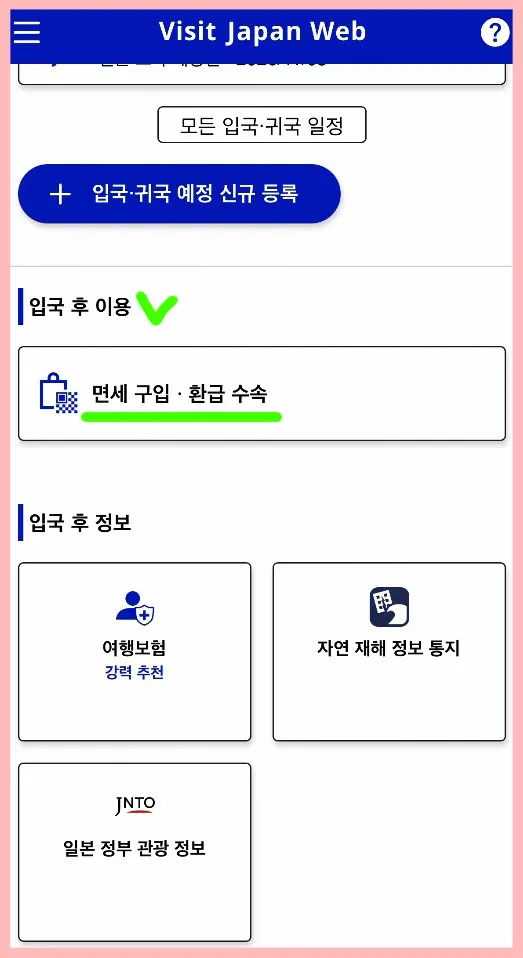
If you anticipate long queues at the airport's tax-free terminals, you can complete the tax-free procedure using Visit Japan Web at seven major airports.
To get your tax refund via Visit Japan Web, first log in to Visit Japan Web, then navigate to 'After Entry' → 'Tax-Free Purchase, Refund Procedure'.
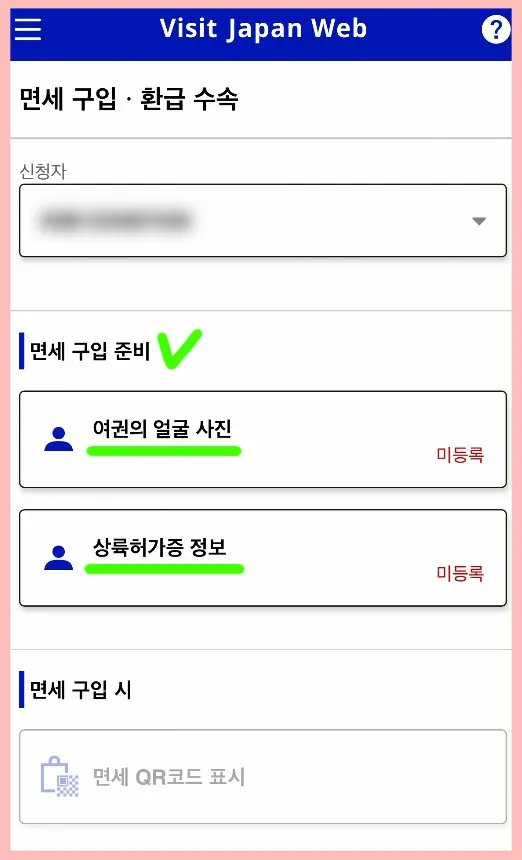
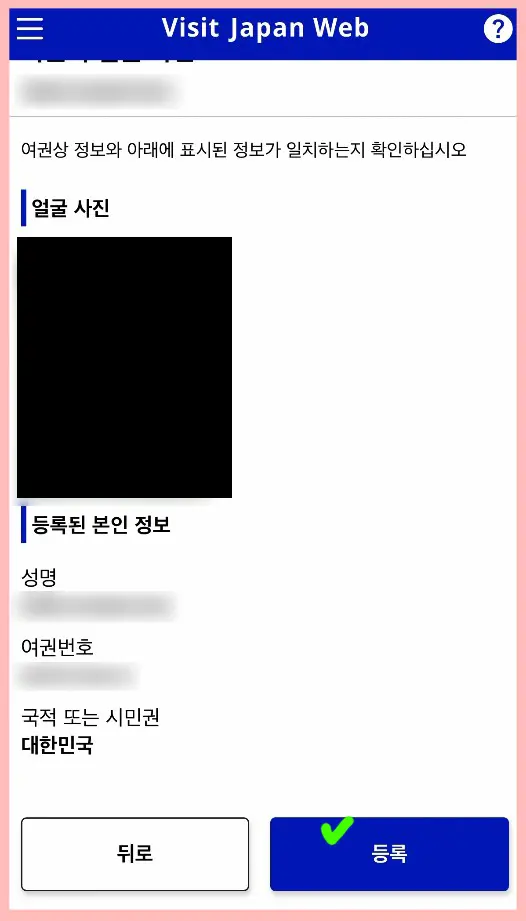
Take a photo of your passport's face page to register it, then confirm the details and complete registration. Next, you'll register your landing permit information.
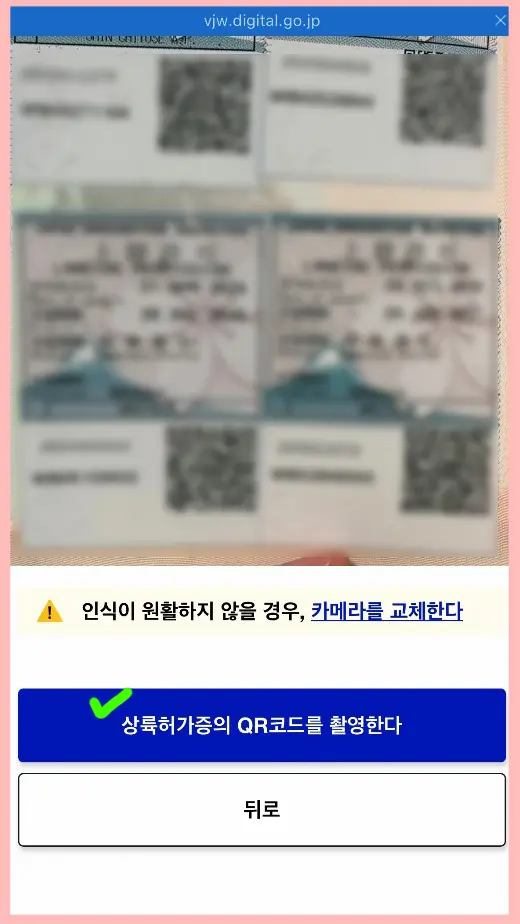
After entering Japan, scan the QR code attached to your passport.
This QR code can also be shown at tax-free stores instead of your physical passport.
Airport Procedures with Visit Japan Web
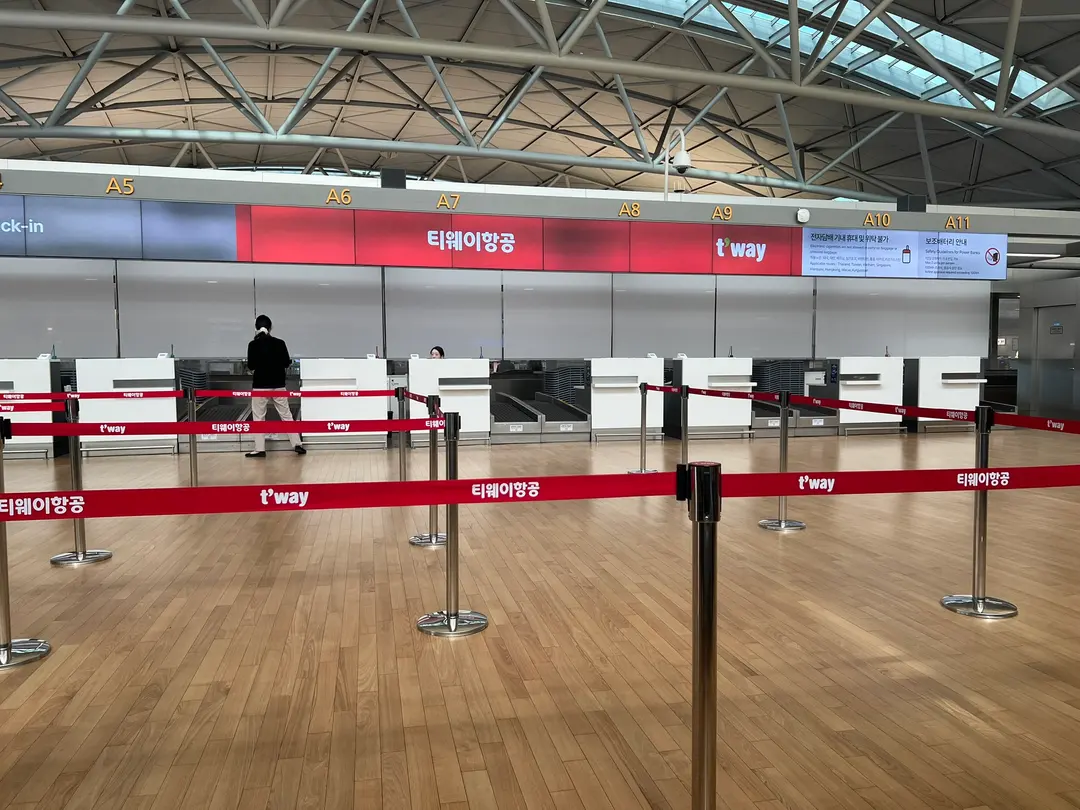
On your departure day, make sure to handle your tax-free procedure before checking your luggage. If selected for inspection, you'll need to open your suitcase and show the purchased items.
The process varies slightly depending on your departure airport. At Narita, Haneda, Kansai, Chubu, New Chitose, Fukuoka, and Naha—a total of seven airports—you can complete the tax-free procedure using both Visit Japan Web and the on-site tax-free terminals.
At other airports or ports, you must use the on-site tax-free terminal to scan your passport.
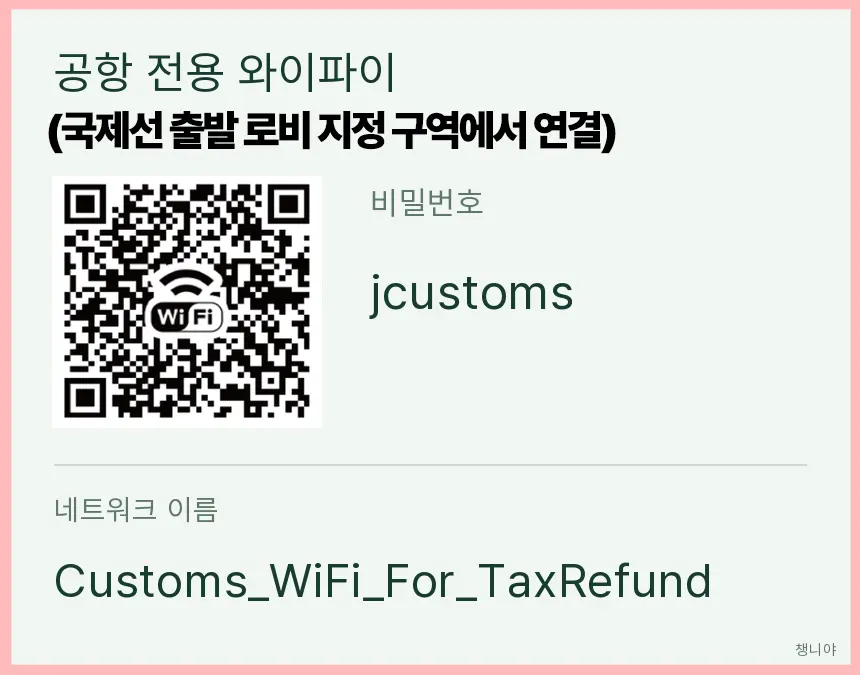
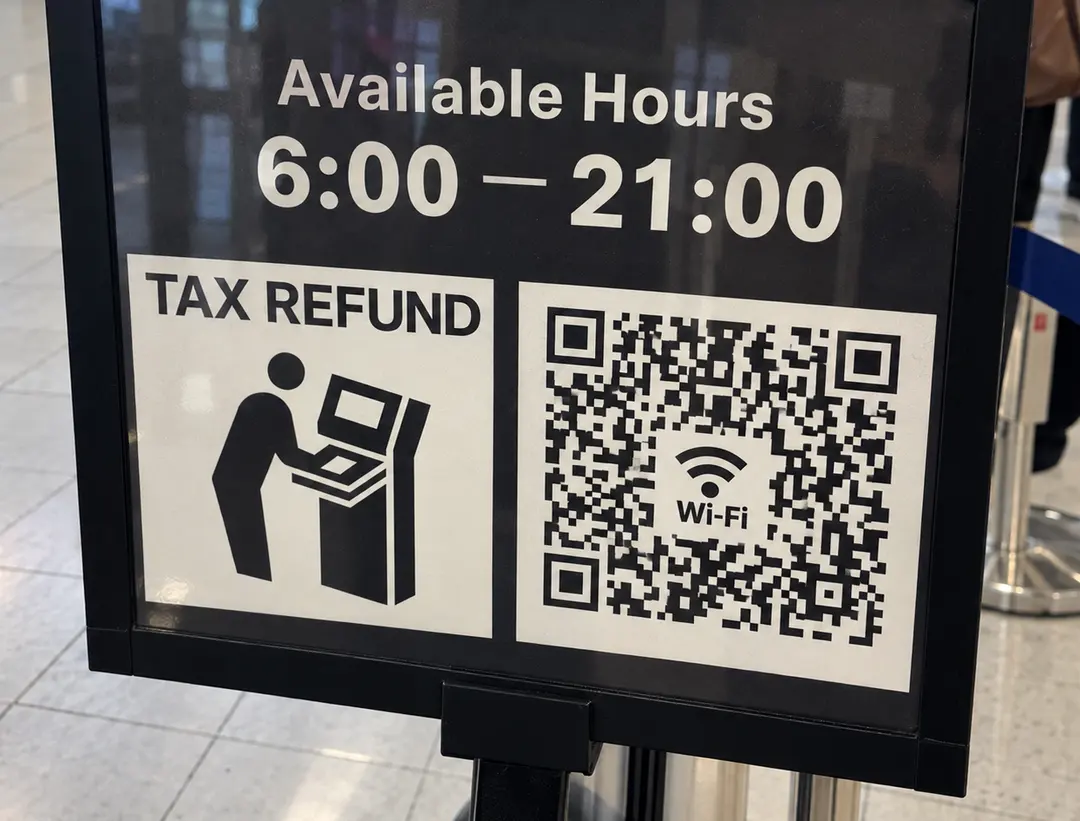
To use Visit Japan Web for procedures at the seven airports listed above, you need to connect to the dedicated tax-free processing Wi-Fi in the designated area of the international departure lobby.
This is a different network from the general airport Wi-Fi, so look for Customs_WiFi_For_TaxRefund. You cannot do this from your hotel or on the train to the airport.
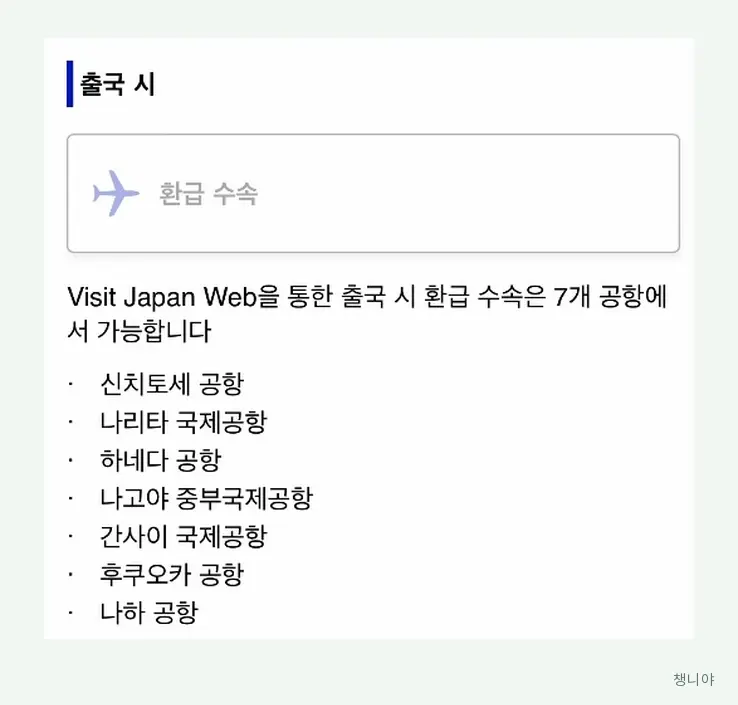
After connecting to the Wi-Fi, log in to Visit Japan Web and select 'Tax Refund Procedure'.
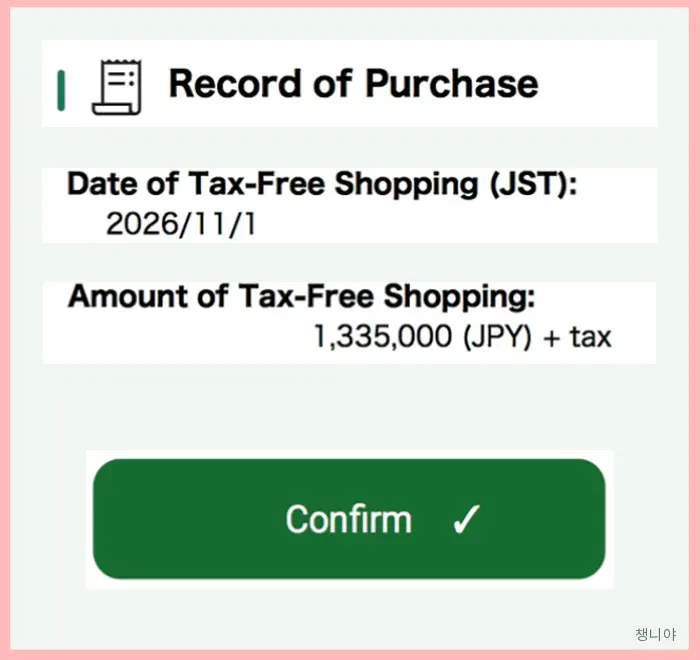
Check your tax-free purchase records registered at the store, then press 'Confirm' and verify the result.
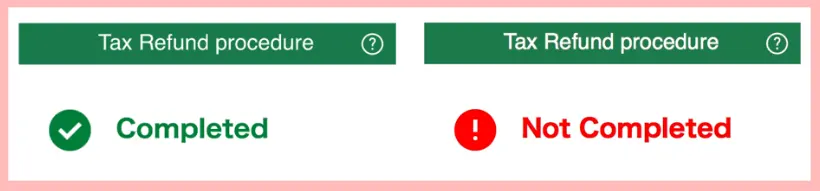
If it shows 'Completed,' your customs export verification is done. You don't need to scan your passport at a terminal; you can proceed to check your luggage.
If it shows 'Not Completed,' this doesn't mean your refund is rejected, but that your items still require verification. Do not check your luggage yet. Instead, take your passport and tax-free items to the designated customs inspection area.
Using On-Site Terminals with Your Passport
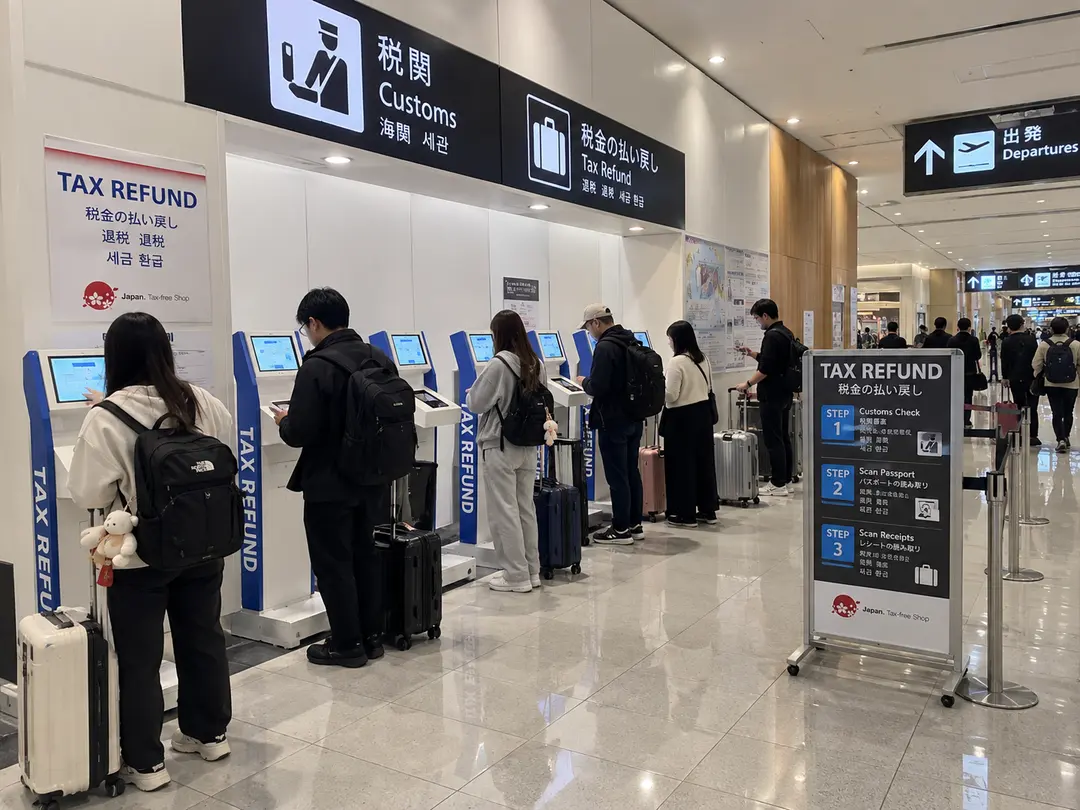
If you're at an airport that doesn't support Visit Japan Web procedures, or if you simply find the Visit Japan Web process cumbersome, you can use the on-site tax-free terminals instead.
Scan the passport you used for your tax-free purchases, and your registered buying history from the stores will be linked.
If it says no inspection is required, the procedure is complete. If it indicates an inspection is needed, take your items to a customs officer.
In this case, you do not need to register with Visit Japan Web separately.
📌See Tax-Free Terminal and Customs Inspection Locations by Airport/Port
How and Where Do You Receive Your Refund?
Don't be surprised if your refund doesn't appear immediately after you get 'Completed' at the airport.
The airport isn't actually where the money is returned; it's handled by the store where you made the purchase or their designated refund service provider. Therefore, it's a good idea to confirm at the checkout counter how and when your refund will be processed, rather than just registering and leaving.
The refund method (e.g., cash) and timing vary by store or refund provider.
Frequently Asked Questions
📌 If I buy over 5,000 yen at Don Quijote, is it automatically tax-free?
No, you must tell the cashier 'Tax Free' and present your passport or Visit Japan tax-free QR code.
📌 Is using the Visit Japan tax-free QR code mandatory?
No, you can still register for tax-free purchases using just your passport.
📌 Can I create the tax-free QR code before entering Japan?
No, you must register your landing permit information after entering Japan.
📌 Do I have to use Visit Japan Web at the 7 major airports?
No, at Narita, Haneda, Kansai, Chubu, New Chitose, Fukuoka, and Naha airports, you can choose between Visit Japan Web procedures or using the on-site tax-free terminals.
📌 What if I'm at an airport or port not among the 7 listed?
Visit Japan Web online procedures are not available. You must scan your passport at the tax-free terminal at that airport or port.
📌 If I use an on-site terminal, do I still need to register Visit Japan tax-free information?
No, Visit Japan Web registration is not mandatory for the on-site terminal method. Simply scan the passport you used for your tax-free purchases at the terminal.
📌 What if 'Not Completed' appears?
You'll need to proceed to the customs inspection area and present your actual tax-free items.
📌 Can I complete the refund procedure at my hotel in advance?
No, online departure confirmation must be done in the designated dedicated Wi-Fi zone at a supported airport.
📌 Do I absolutely need to keep my receipts?
While electronic purchase records are the standard, it's recommended to keep your physical receipts for easier verification in case of any issues.
📌 When and how will I receive my refund?
The refund method and timing vary depending on the store or the refund service provider.
Frequently Asked Questions
How much do I need to purchase at the same store in Japan to qualify for tax-free shopping?
To receive tax-free benefits, you must purchase 5,000 JPY or more (before tax) at the same store on the same day. When checking out, inform the staff you wish to shop 'Tax-Free' and present your passport or the Visit Japan Web tax-free QR code.
Can I use cosmetics or food items purchased tax-free in Japan while still in the country?
Cosmetics, food, and other items purchased tax-free in Japan must not be used or consumed, even partially, while still in the country. If you use them, please be aware that you may not be able to receive a refund for other items purchased on the same receipt.
Which Wi-Fi network should I connect to when completing tax-free procedures using Visit Japan Web at the 7 airports, including Narita and Haneda?
At Narita, Haneda, Kansai, Chubu, New Chitose, Fukuoka, and Naha airports, you must connect to the dedicated Wi-Fi network 'Customs_WiFi_For_TaxRefund' in the designated areas of the international departure lobby. This Wi-Fi cannot be connected to in advance from hotels or on trains heading to the airport.
What should I do if I get a 'Not Completed' result during Visit Japan Web tax-free procedures?
Even if 'Not Completed' appears, it does not mean your refund has been denied. Do not check your luggage; instead, take your passport and tax-free items to the designated customs inspection area for item verification.
Share this article
Related Travel Stories
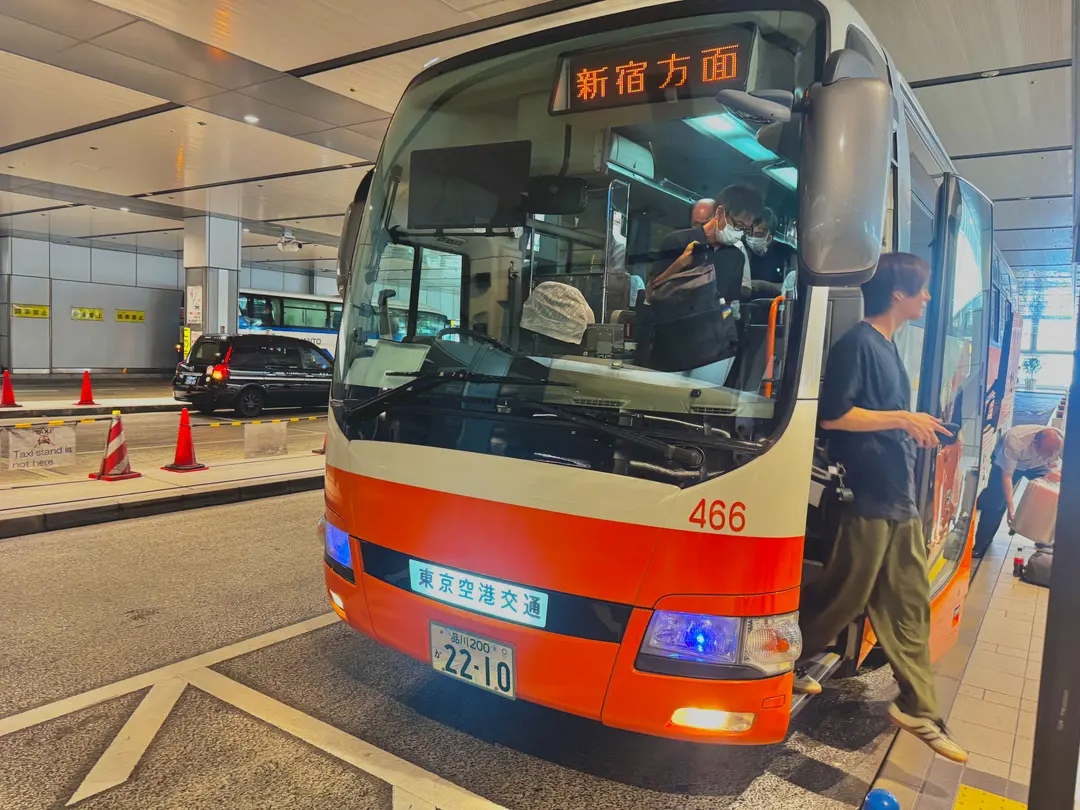
Haneda Limousine Bus to Shinjuku: 2026 Review
Looking for the easiest way to get from Haneda Airport to Shinjuku? Read our 2026 Haneda Limousine Bus review for booking tips, prices, and boarding guides.
Mt. Fuji Day Tour from Tokyo: Best 2026 Itinerary & Review
Planning a trip to Mount Fuji? This Tokyo day tour review covers the best photo spots, itinerary, and budget tips for an unforgettable 2026 adventure.
Tokyo Metro Pass 2026: Booking & Subway Usage Guide
Maximize your Tokyo adventure in 2026! Learn how to book, exchange, and use the Tokyo Metro Pass to save money and time on unlimited subway rides across the city.

Remm Roppongi Tokyo Review 2026: Affordable Tower Views
Experience the magic of Tokyo with breathtaking Tokyo Tower views from your room at Remm Roppongi. Our honest review reveals why this hotel is a top pick for value.

Harry Potter Studio Tokyo Tickets 2026: Best Deals
Step into the Wizarding World! Here is your complete 2026 guide to booking Harry Potter Studio Tokyo tickets, comparing prices, and maximizing your tour.

Harry Potter Tokyo Tickets 2026: Best Discount Hacks
Planning a trip to the Warner Bros. Studio Tour Tokyo? Learn how to book cheap Harry Potter Tokyo tickets, compare deals, and claim exclusive promo codes!