

Hakata to Yufuin Train Booking Guide 2026: Tips & Reservations
Dreaming of Yufuin's scenic beauty? Learn how to effortlessly book your train from Hakata. This guide covers essential steps for securing your JR Kyushu tickets and ensuring a memorable trip.
Fukuoka Hakata to Yufuin
Train Booking Guide
To search for train routes, ticket prices, schedules,
and all other details, check out the link below!
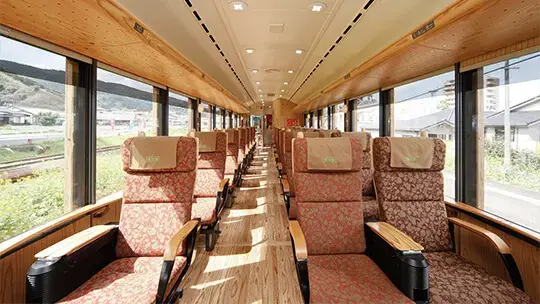 JR KYUSHU RAILWAY COMPANY
The train schedule search guide is available as a PDF,
and since the website supports multiple languages (including English),
it was super easy to find all the info I needed!
Before booking your tickets, you need to prep a few things
(membership registration is required!)
1. Create an Account
2. Register Your Credit Card
Ticket sales open right at 10:00 AM on the release day.
If you try to sign up and register your card then,
you'll lose precious seconds and miss out on the best seats!
So, I highly recommend setting everything up beforehand.
Sign up and book your Yufuin train tickets via the link below!
Online Reservation (jrkyushu.co.jp)
How to Register for Yufuin Train Bookings
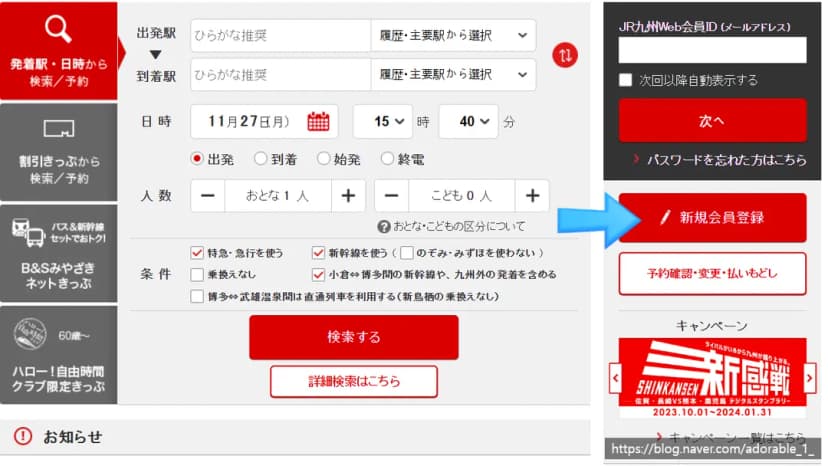
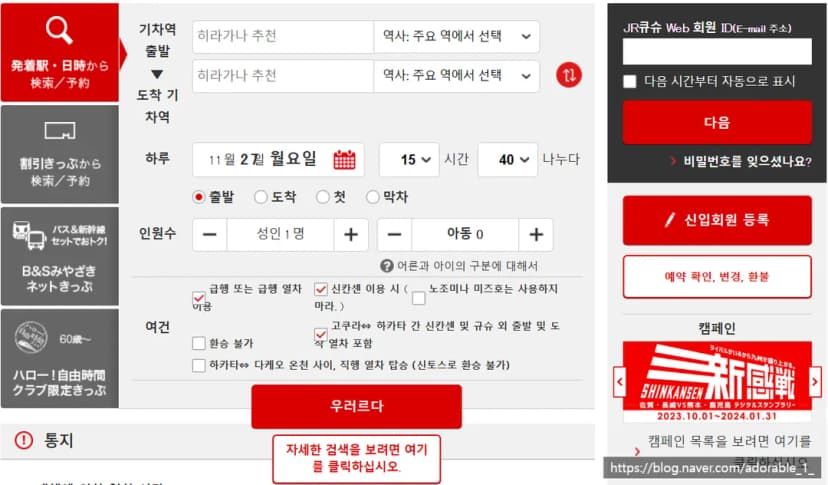
This is the homepage screen.
Even if you don't know a word of Japanese, don't worry—Google Translate is our best friend!
However, because automatic translation can cause system errors on this website,
it's best to keep the page in its original Japanese and navigate manually.
(Just refer to my translated screenshots on the right!)
Click the red "New Member Registration" (新規会員登録) button on the middle-right of the screen.
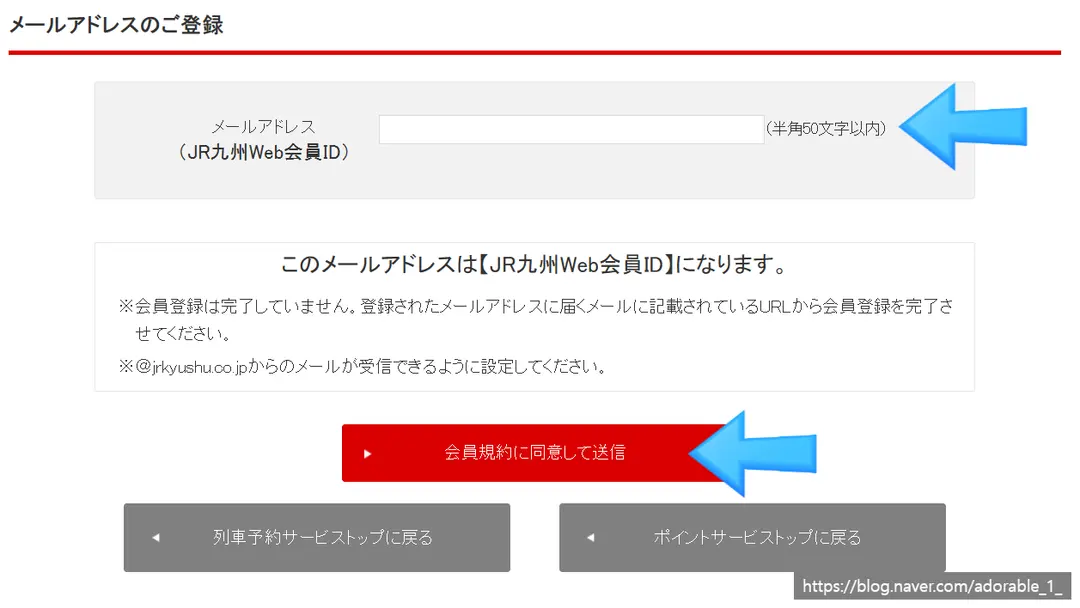
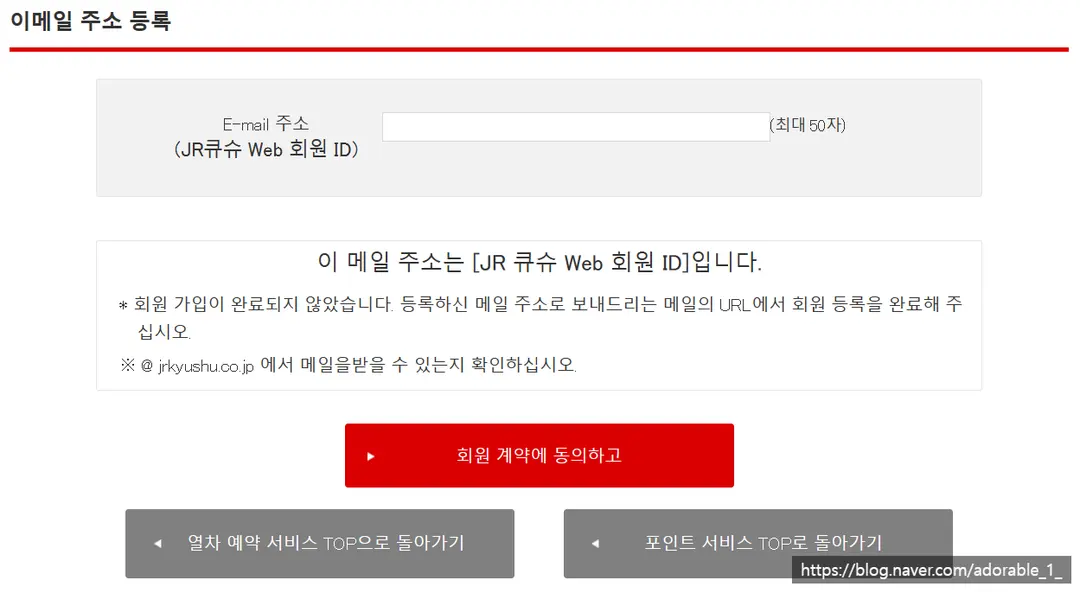
Enter your email address and click the agreement button.
Then, click the verification URL sent to your inbox to continue registration.
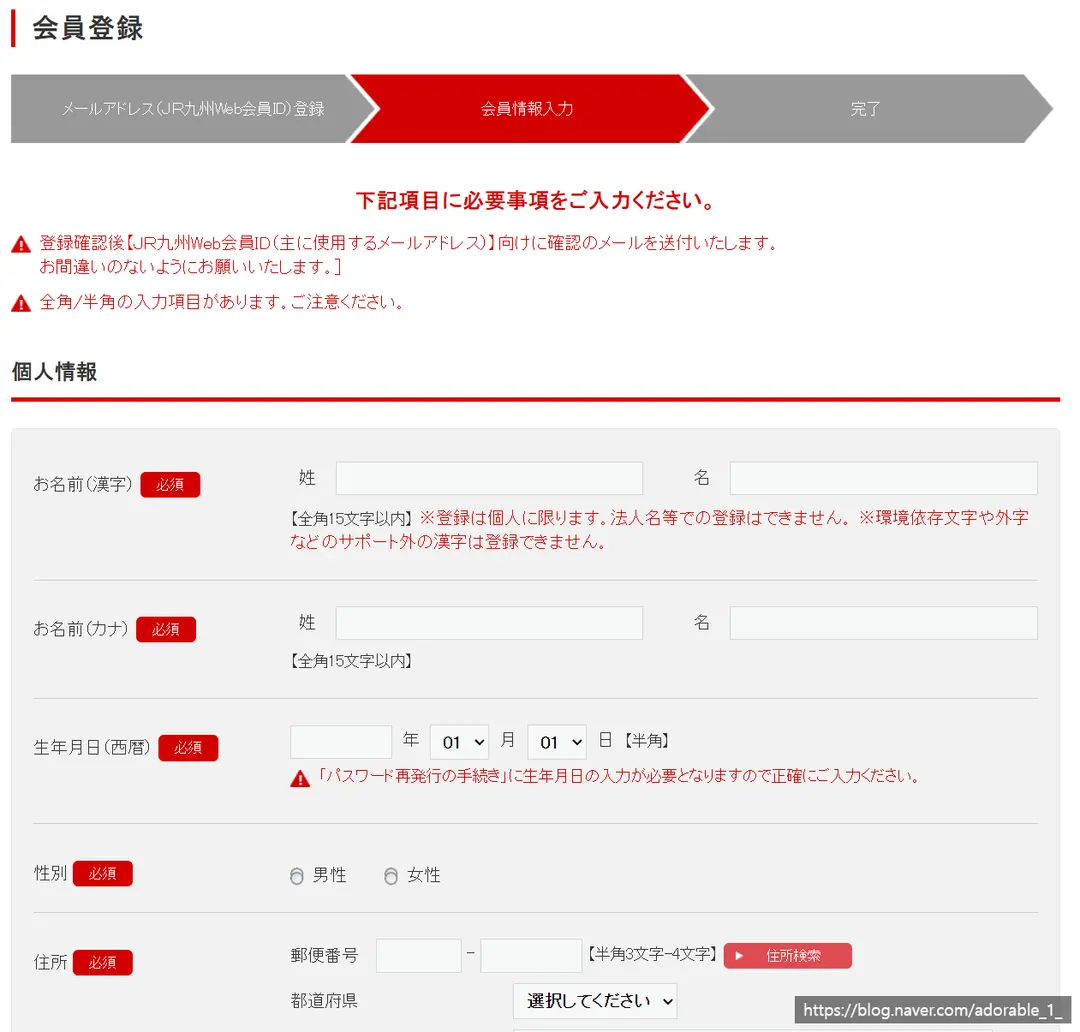
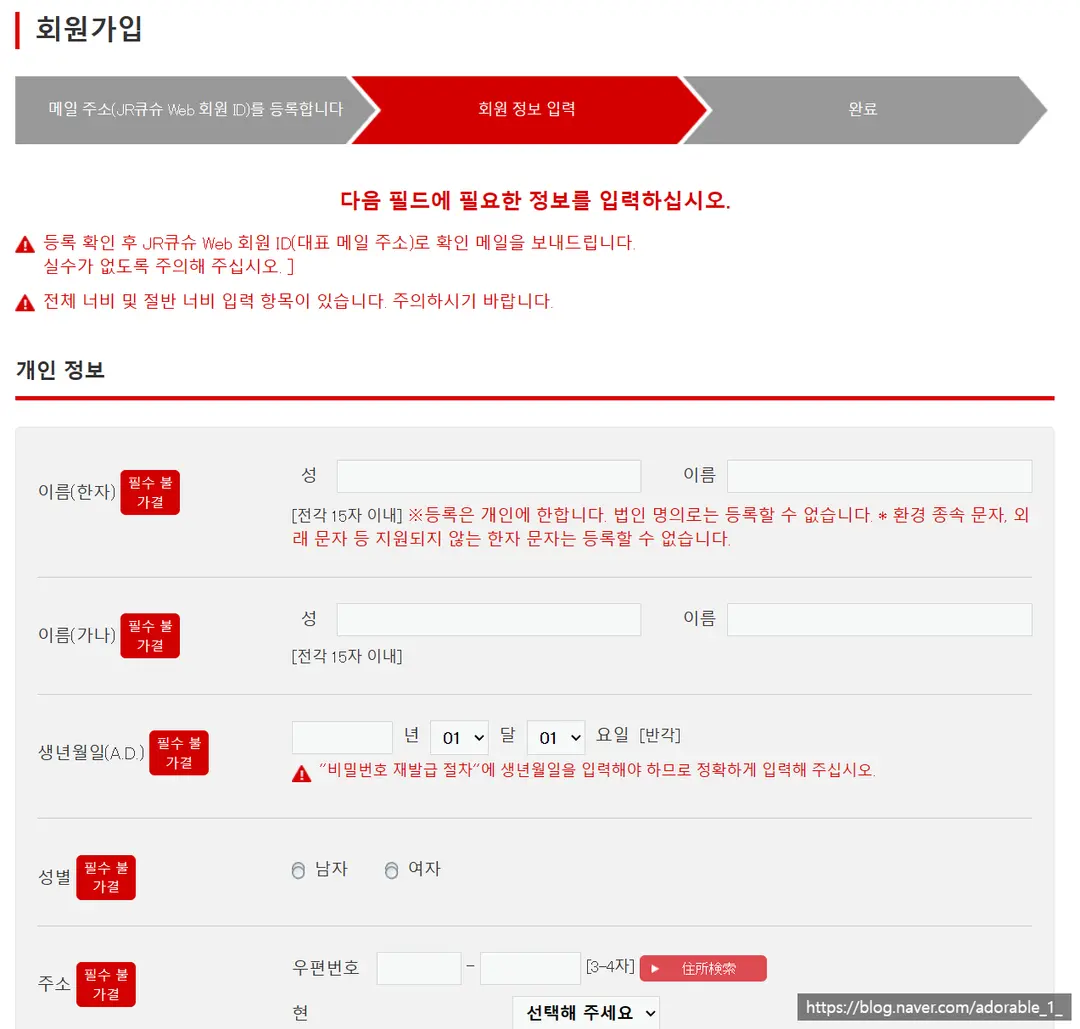
During sign-up, you'll need to enter your name in both Kanji and Katakana.
If you don't have a traditional Kanji/Chinese name,
you can use an online translator to find matching Kanji characters or convert your name.
(Note: Some characters might trigger registration errors, so try basic characters if it fails!)
For Katakana, if you don't know Japanese, you can easily use a conversion tool.
Check out the link below to convert your name!
Name to Katakana Converter (ltool.net)
 Name to Katakana Converter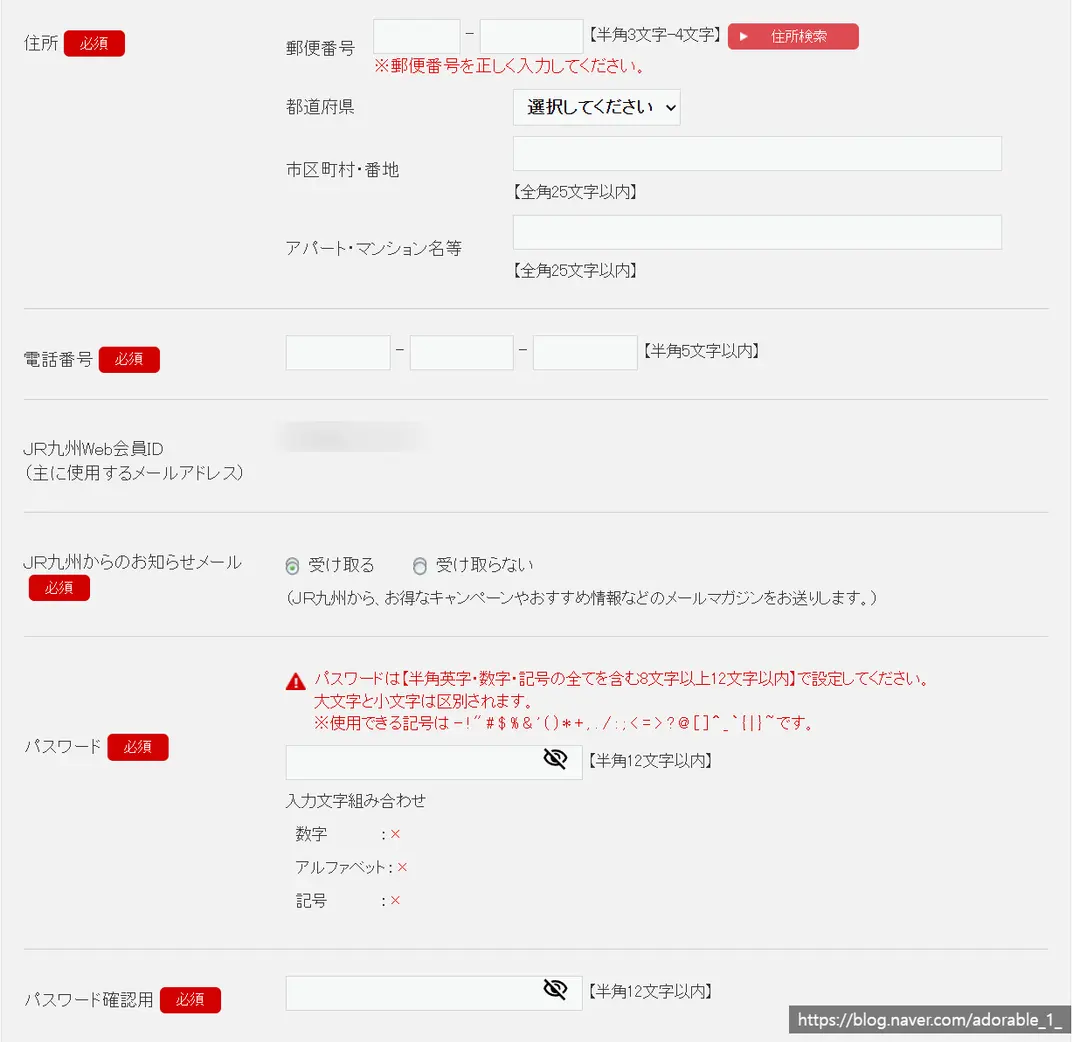
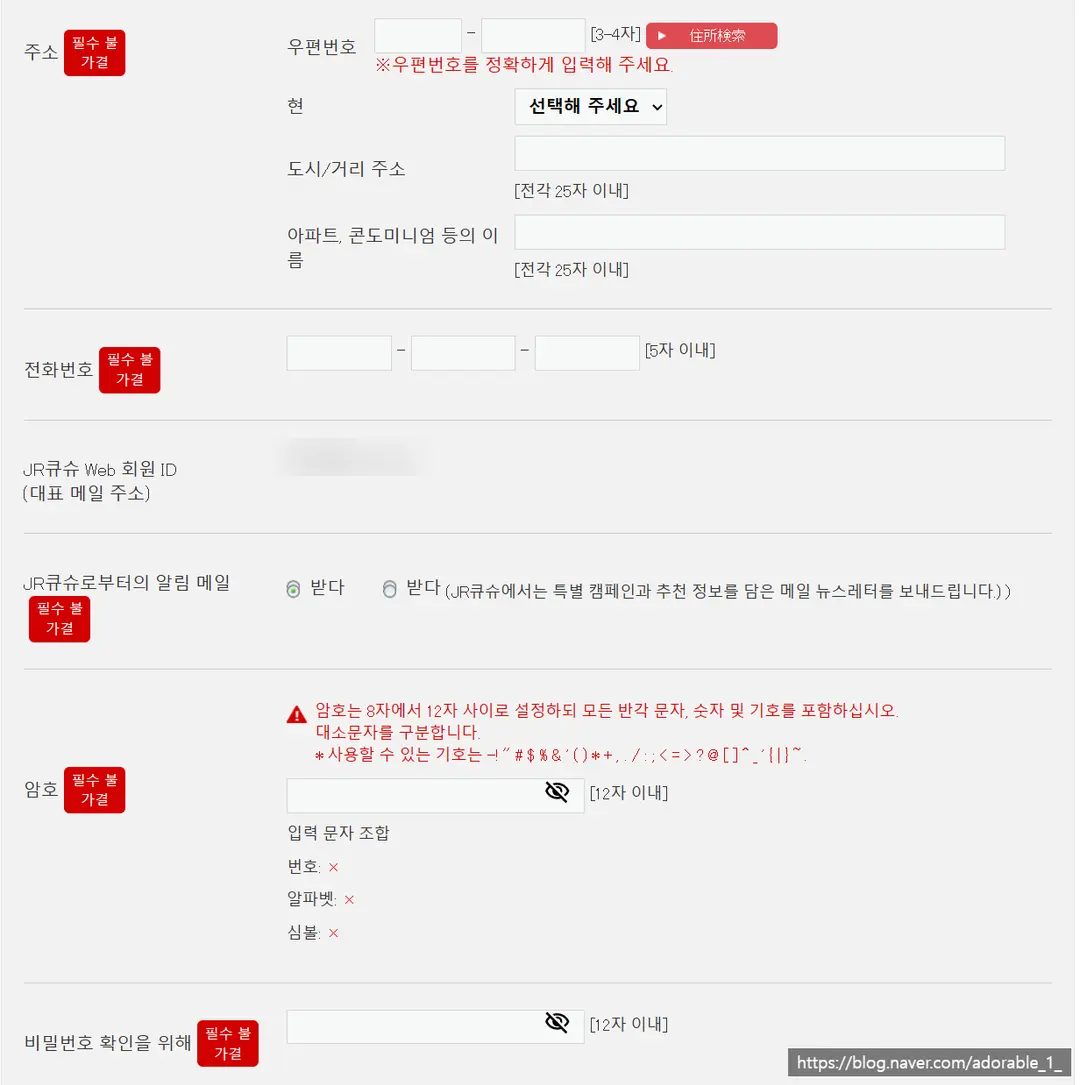
Next up is the address field.
You can simply enter the address of your booked hotel or accommodation in Japan.
Once you enter the postal code, the main address will auto-fill.
(You'll just need to type in the detailed address/room number manually!)
If you encounter a postal code error, try entering the address in the local language (Japanese).
You can usually find this on your accommodation booking site.
(I found the Japanese address on TripAdvisor!)
Next up, enter your phone number.
Choose whether to receive notification emails
(Left: Yes, Right: No)
Enter your password, and you're good to go!
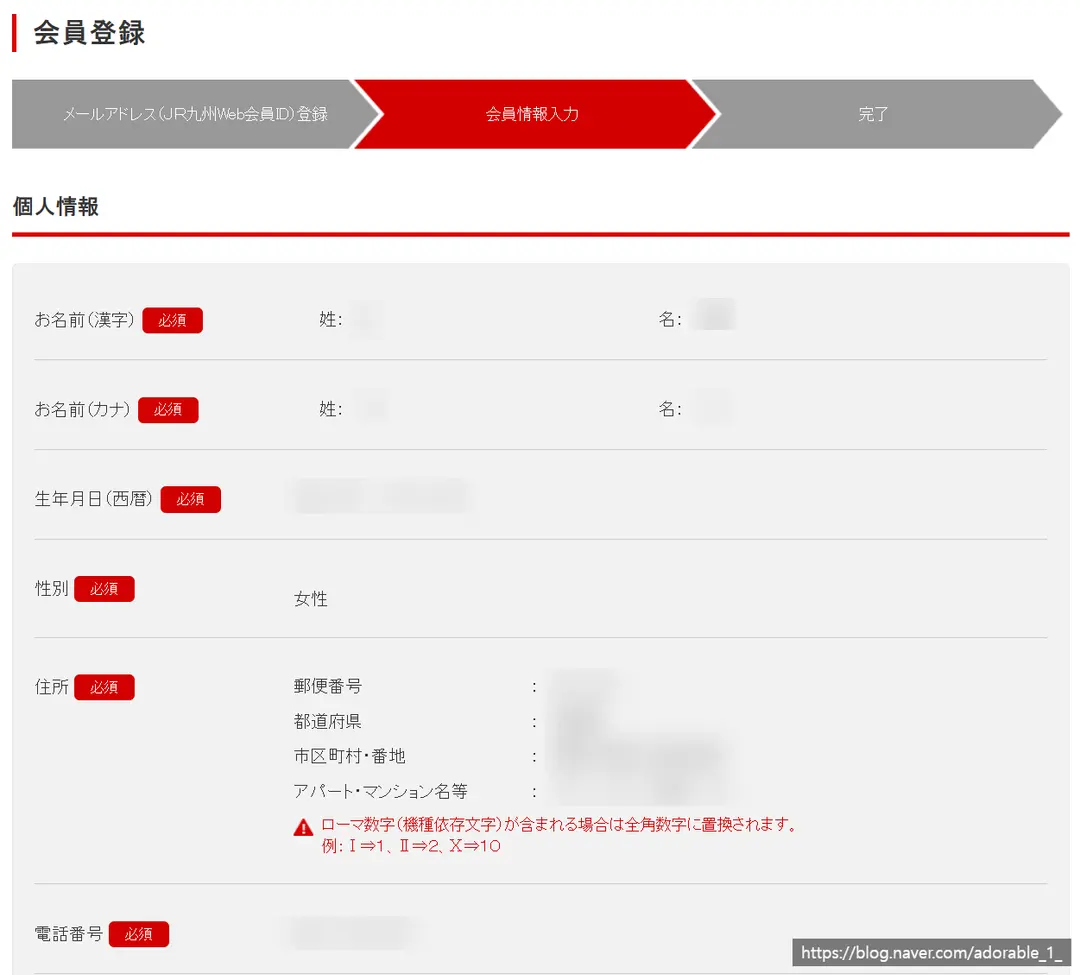
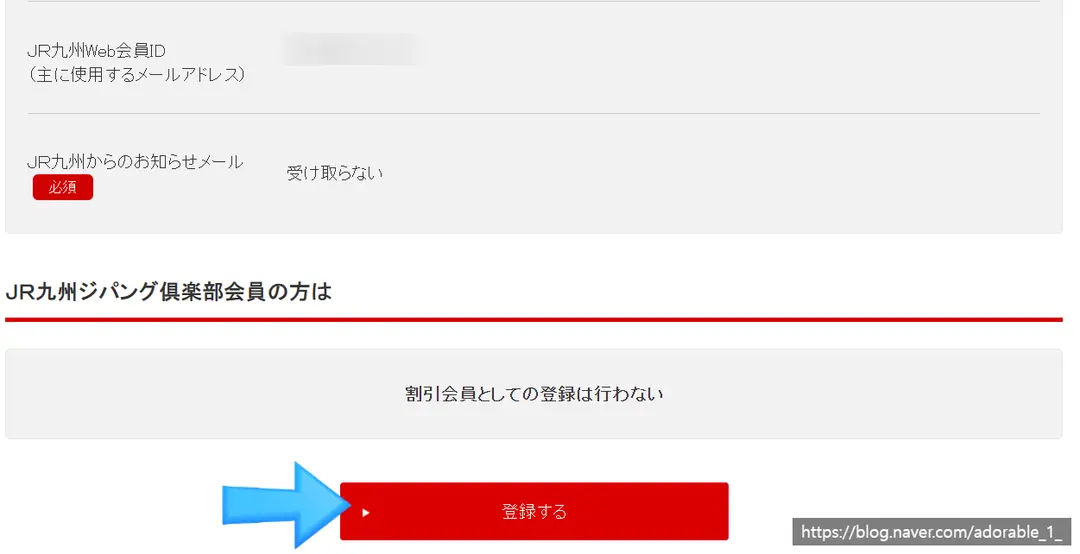
Finally, a confirmation window will pop up to review your personal details.
Double-check everything and click the red button at the bottom.
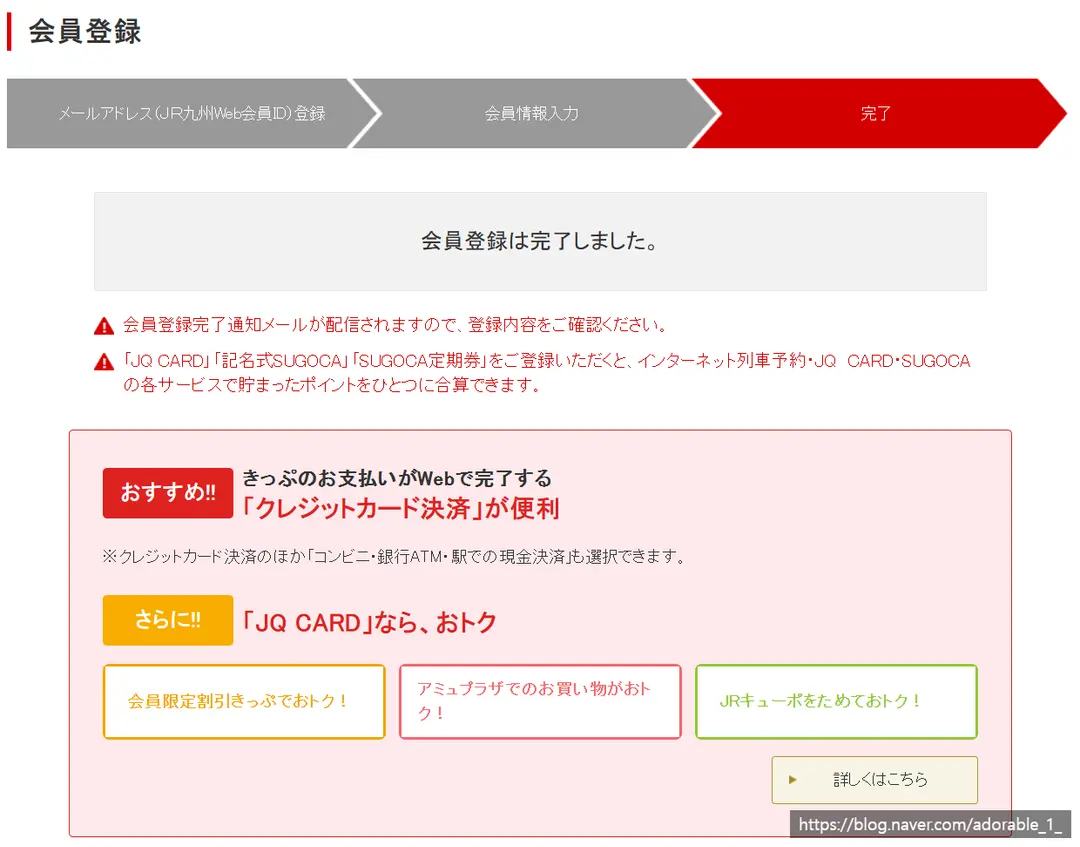
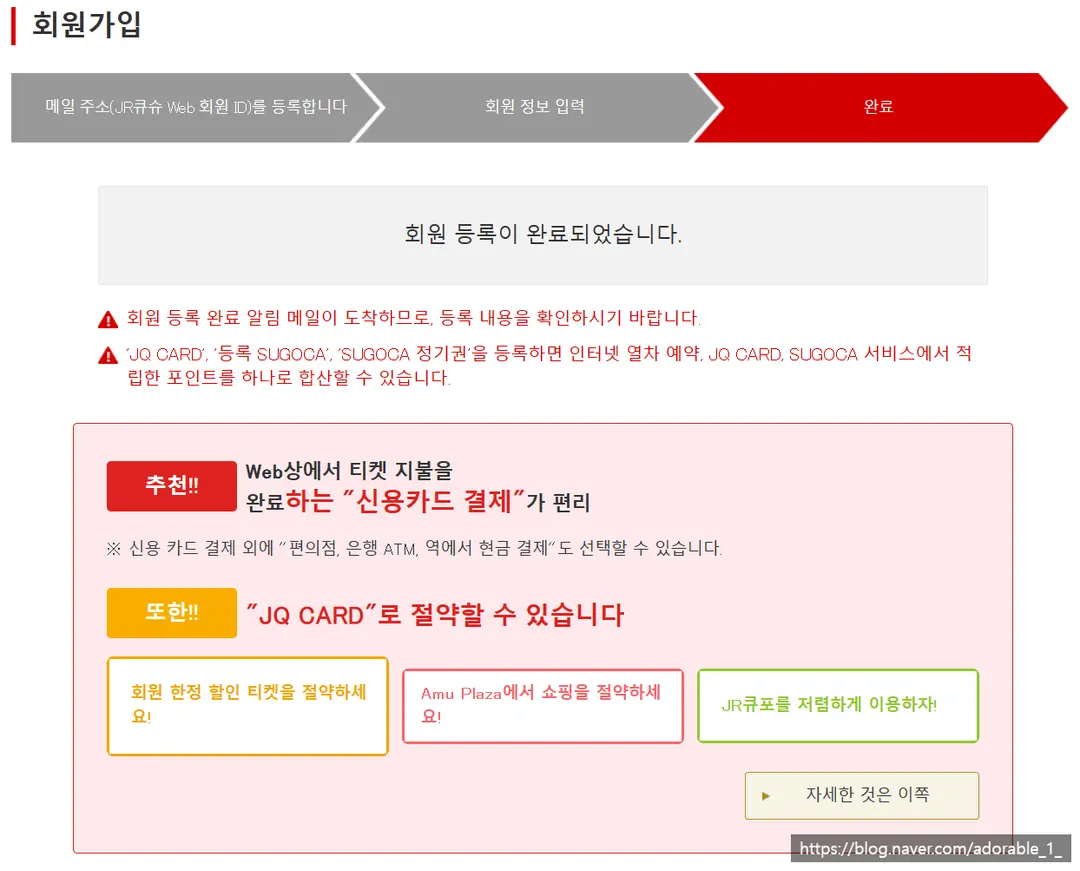
Sign-up complete! 🎉
A confirmation email will be sent to your registered address, so don't forget to check it.
How to Register Your Credit Card for the Yufuin Train
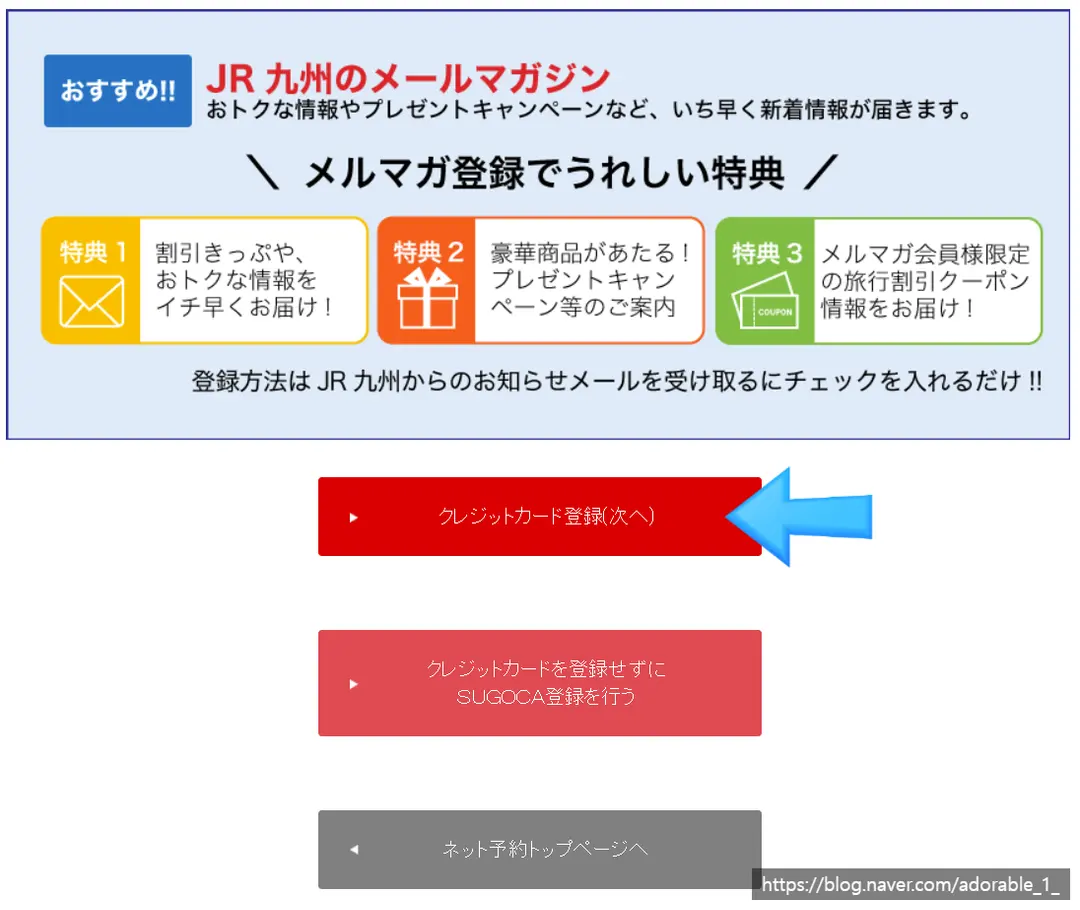
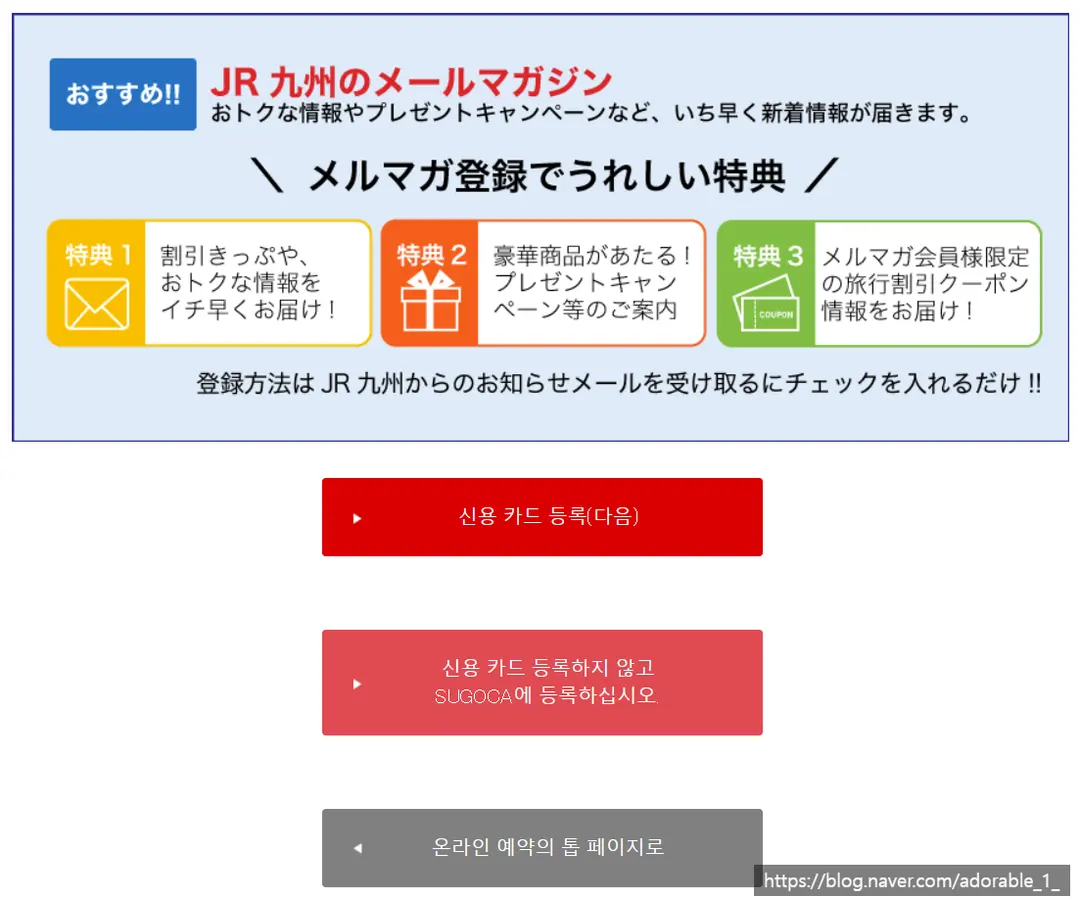
At the bottom of the registration completion page,
you'll see buttons to either register your credit card or go to the homepage.
If you plan to pay by card, click 'Register Credit Card'.
(You need to pay at the time of booking your train tickets!)
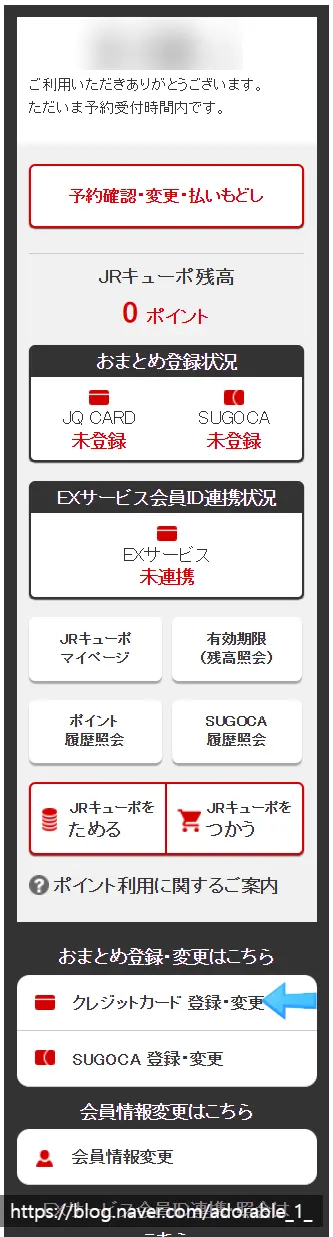
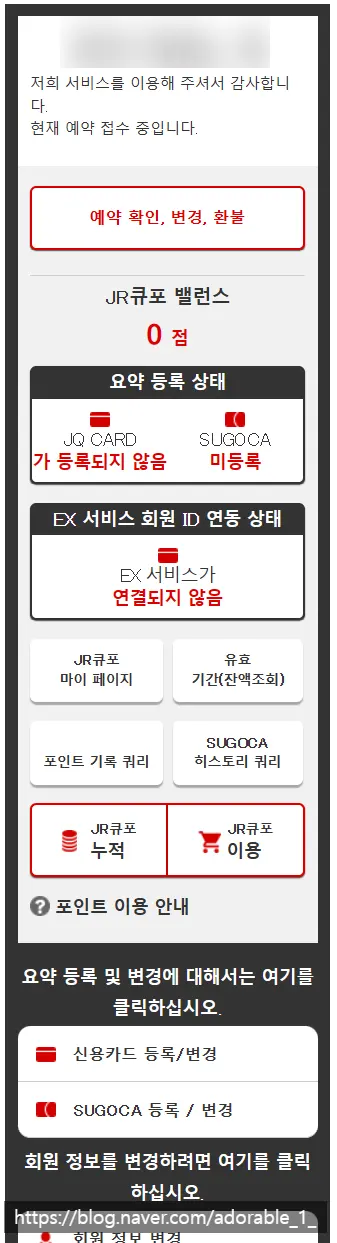
Alternatively, on the right side of the main booking page,
scroll down to find Register/Change Credit Card.
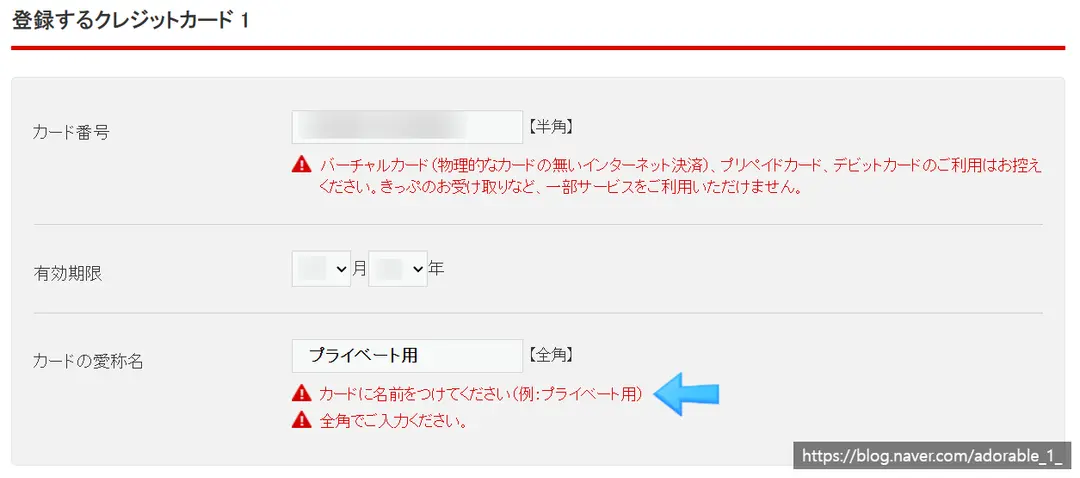
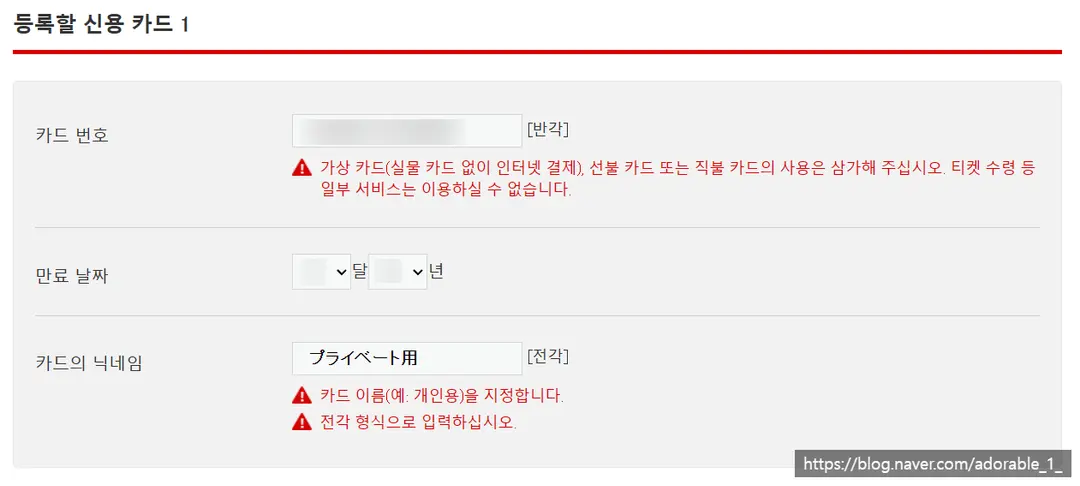
Enter your card number, expiration date, and a card nickname.
(For the card nickname, I just copied and pasted from the example below!)
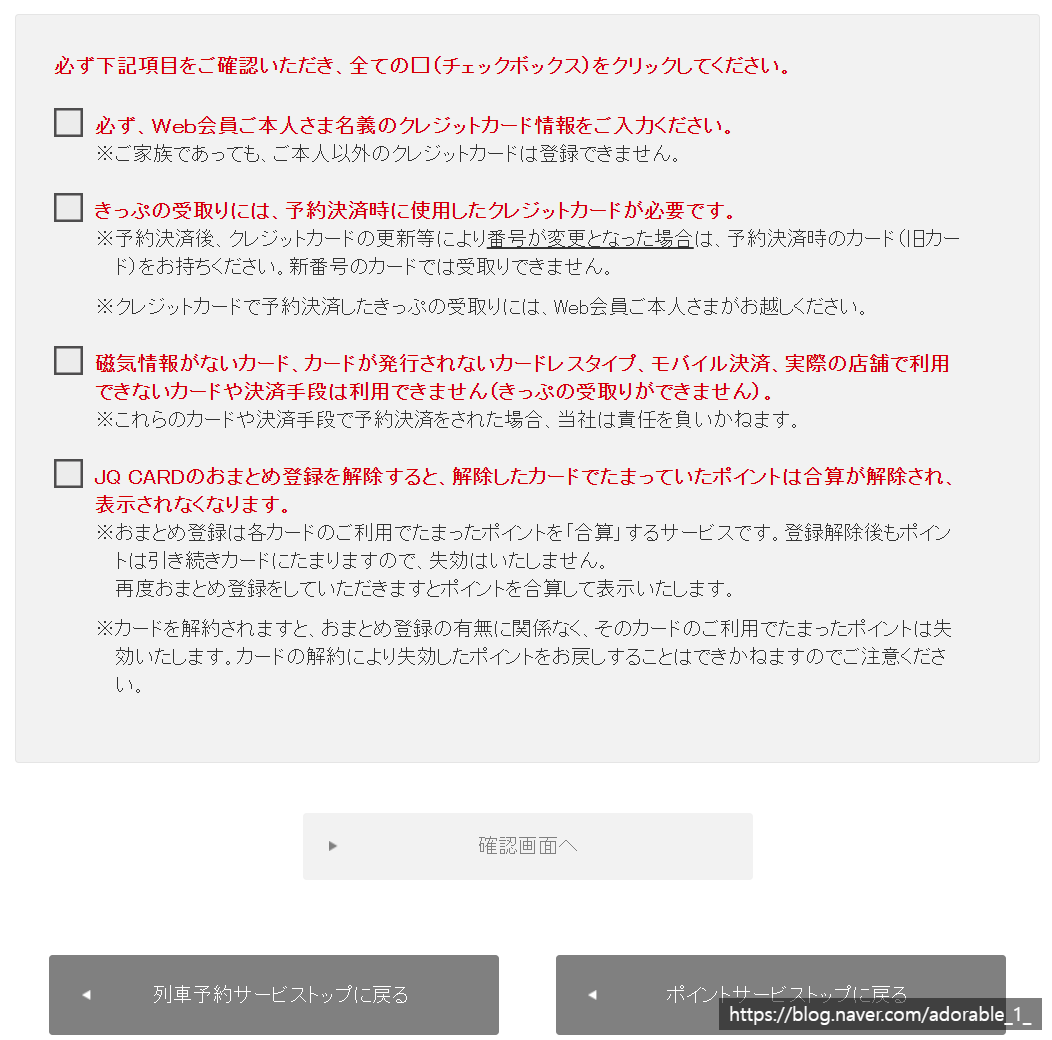
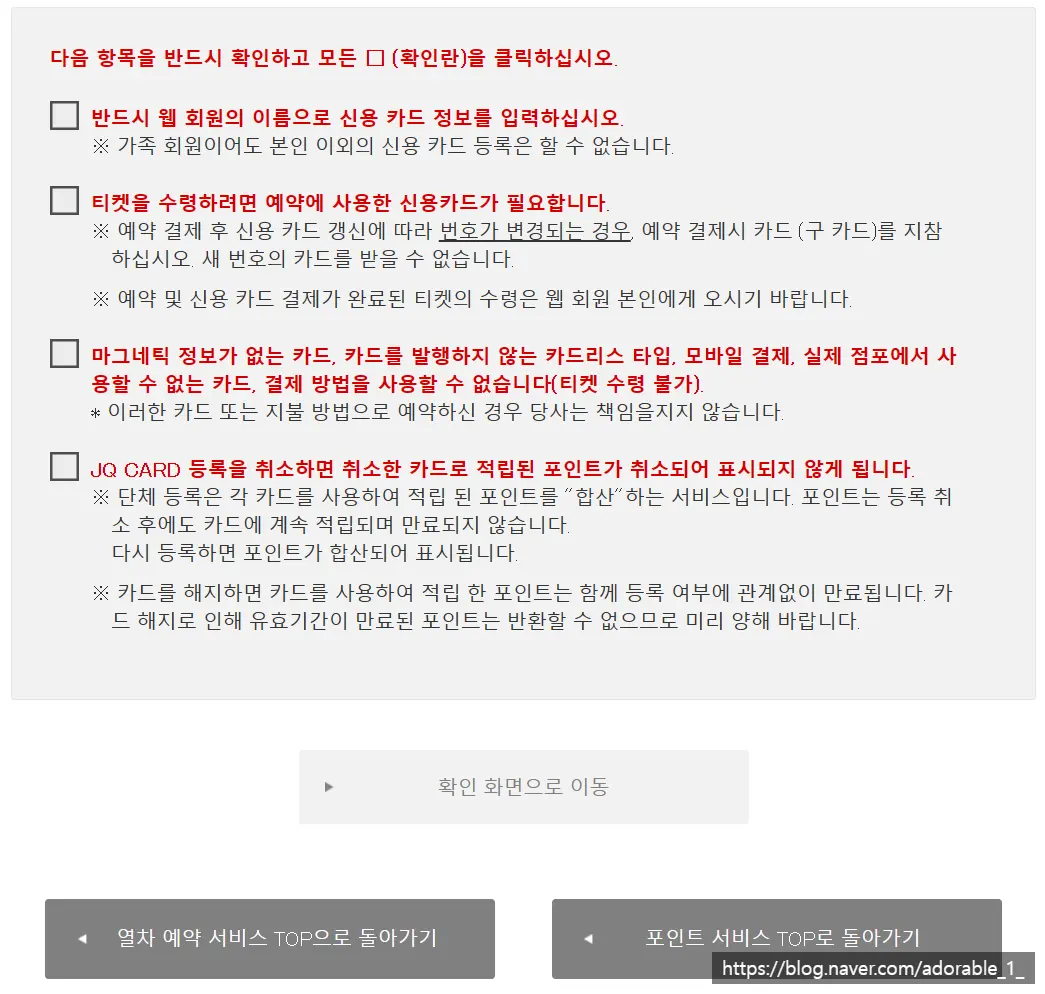
Review the terms and conditions,
check all the boxes, and click the center button.
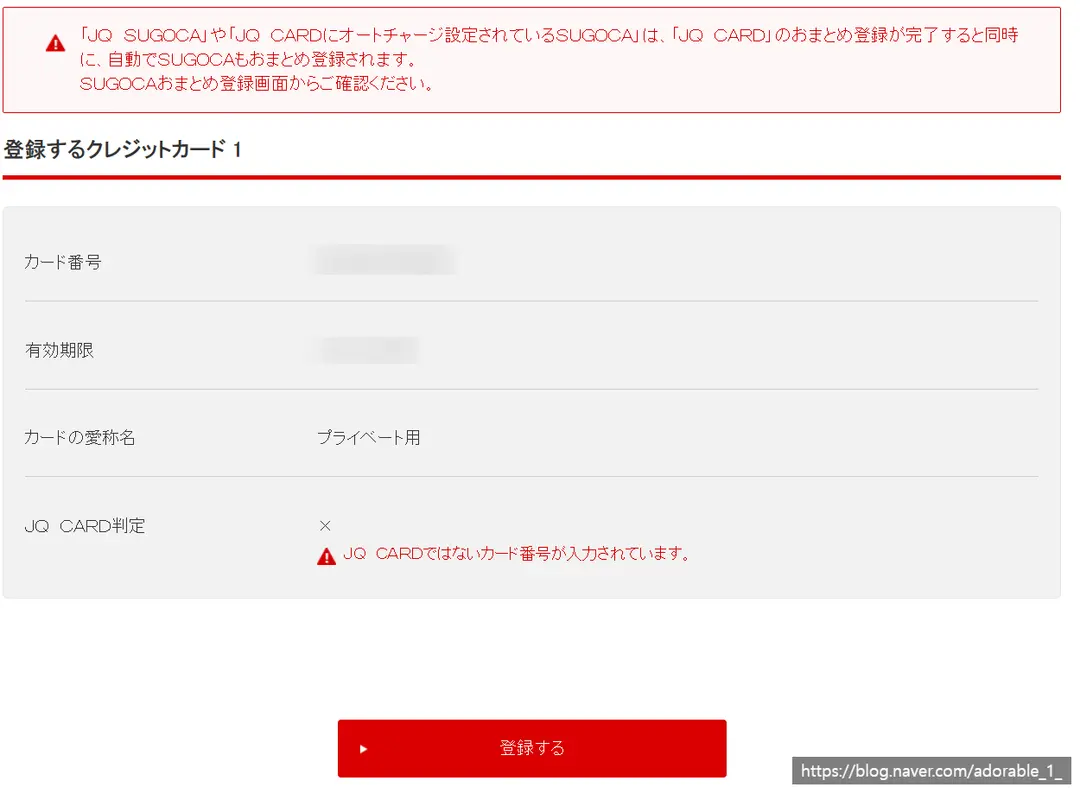
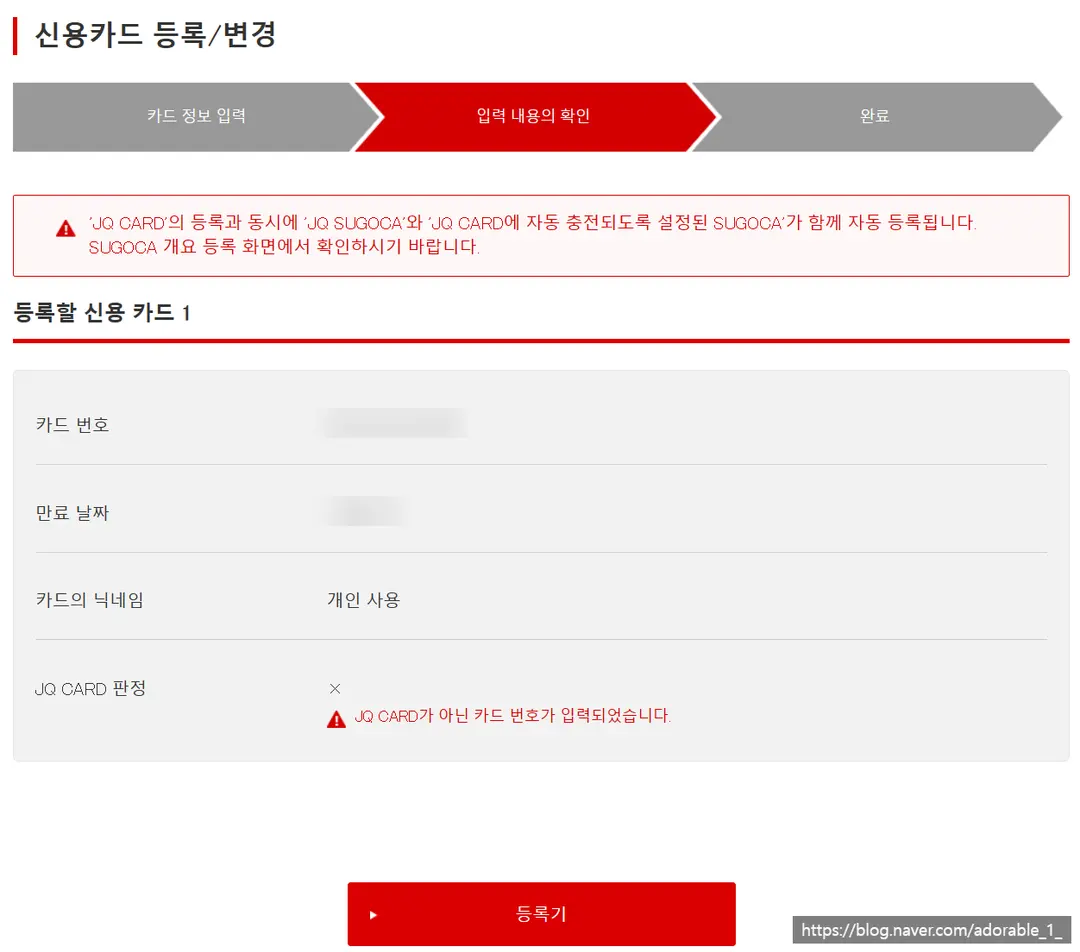
Verify your card details and click the 'Register' button.
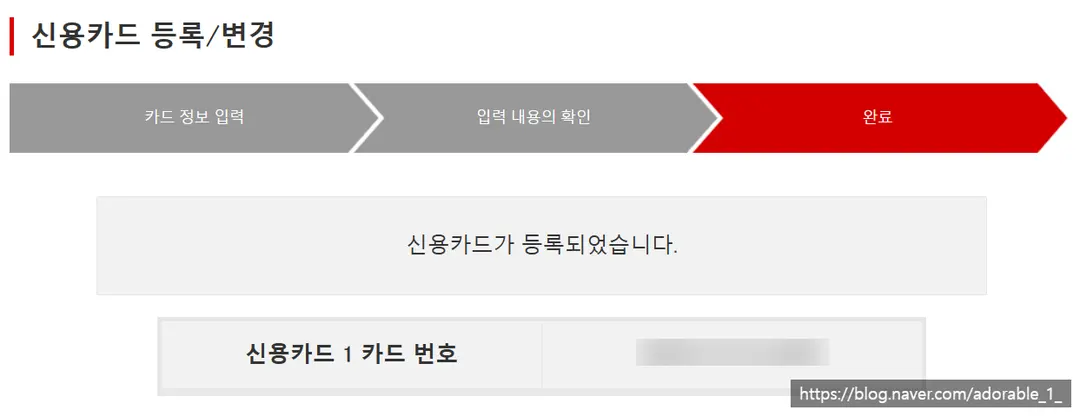
And that's it! Your card is registered! 🙌
Now that we've signed up and linked a card, let's book those tickets!
How to Book Your Yufuin Train Tickets
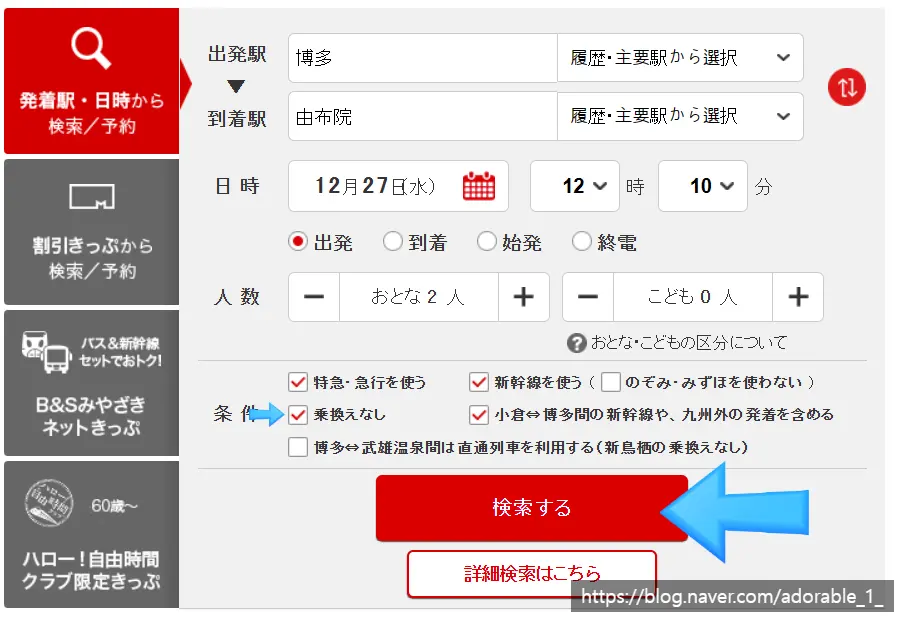
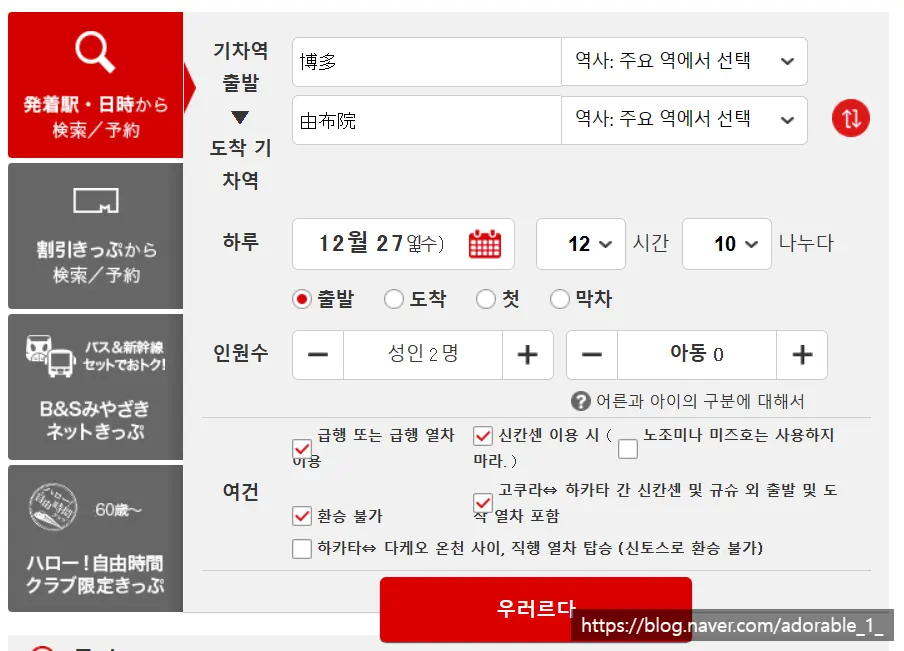
On the homepage main screen,
select Hakata Station → Yufuin Station.
(Tip: If you use auto-translate and then click, it might error out.)
(If you're going from Hakata to Yufuin, make sure to check the Japanese characters shown in the screenshot!)
Select your date and time.
Choose the number of passengers.
Make sure to check the box for No Transfers (Direct Only).
(It makes it much easier to only view direct trains!)
Then, click the red box.
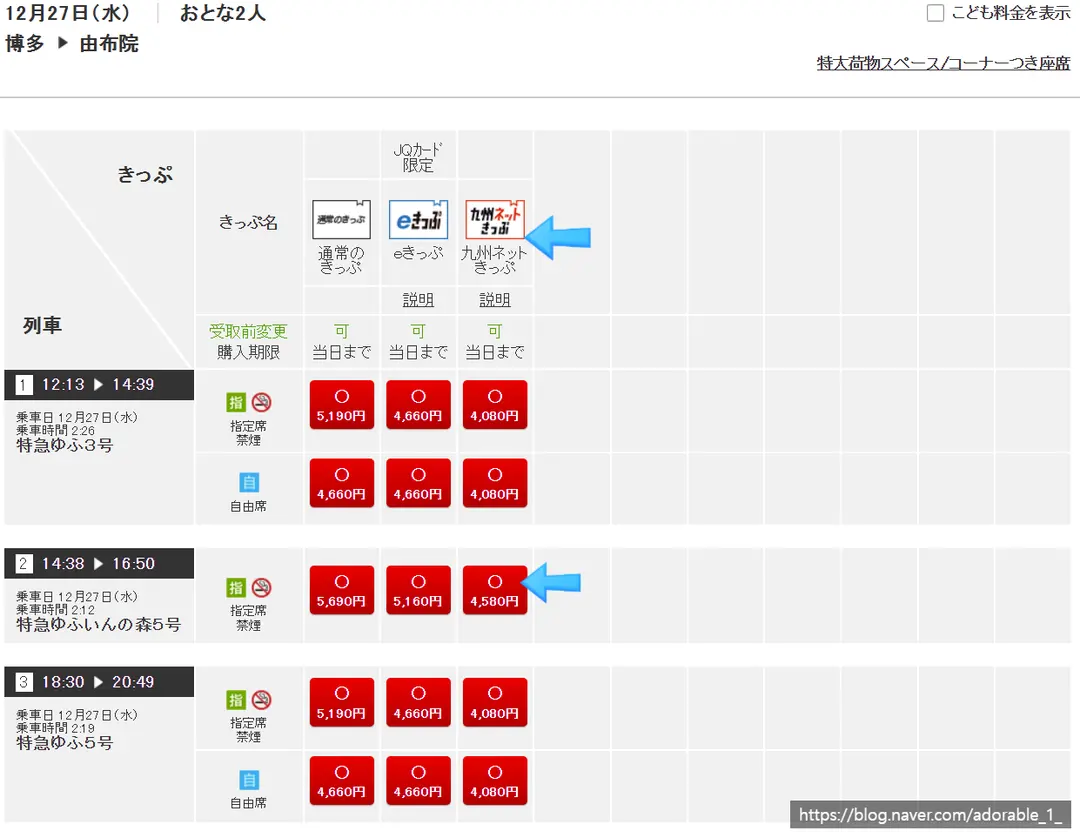
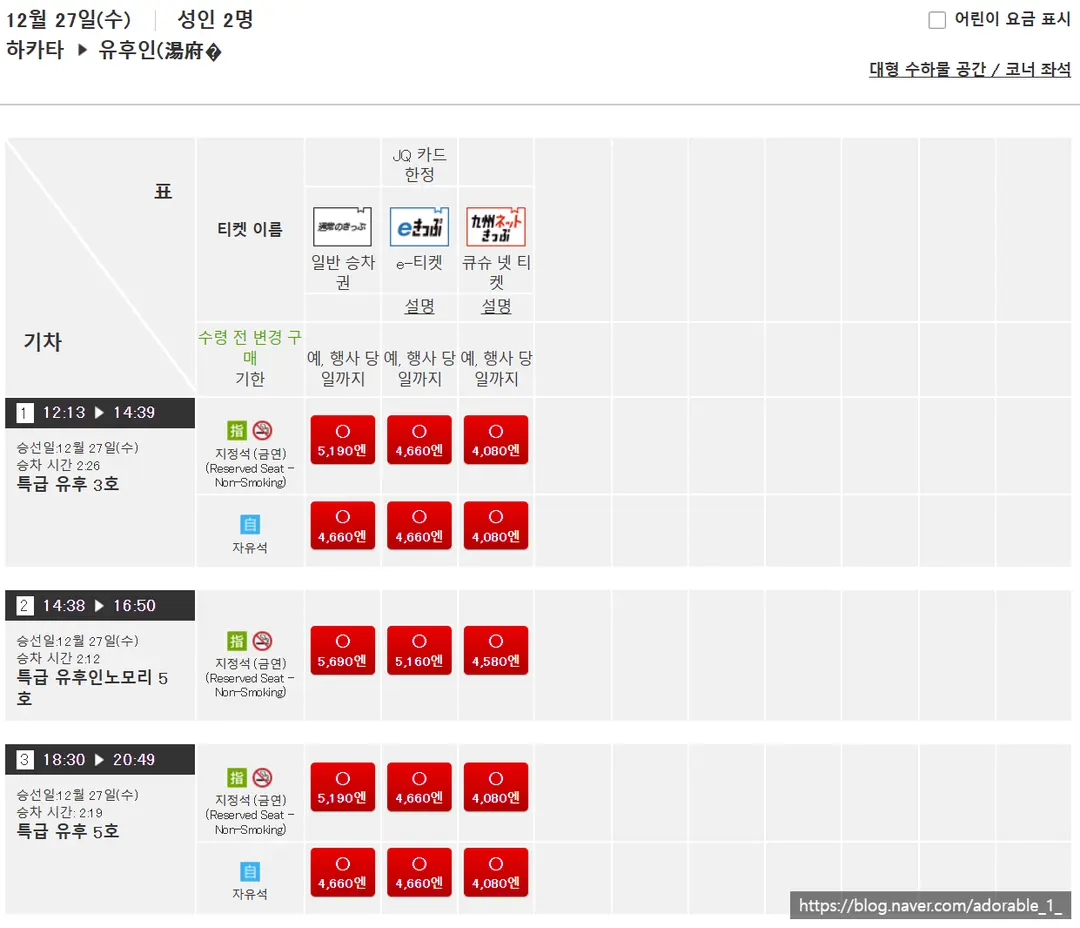
Regular tickets can be pricey, so
choose the red ticket option, which translates to 'Kyushu Net Kippu' (Kyushu Net Ticket).
Rather than the standard Limited Express Yufu,
be sure to select the train that shows up as the Limited Express Yufuin no Mori!
(Look for the one with the longer Japanese name!)
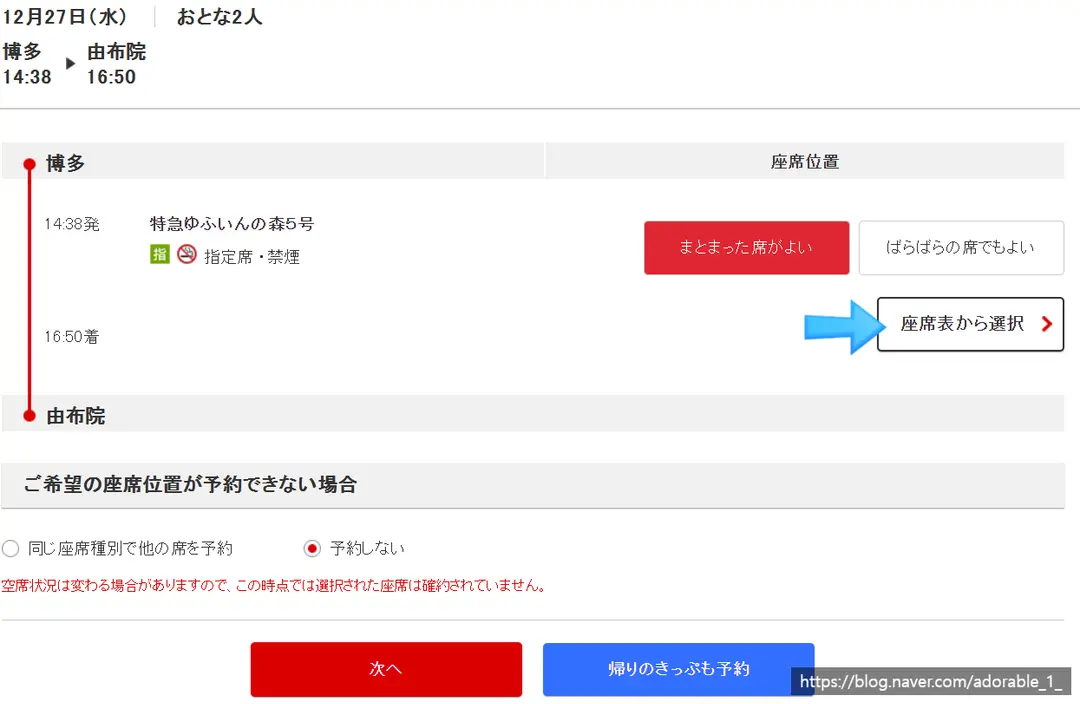
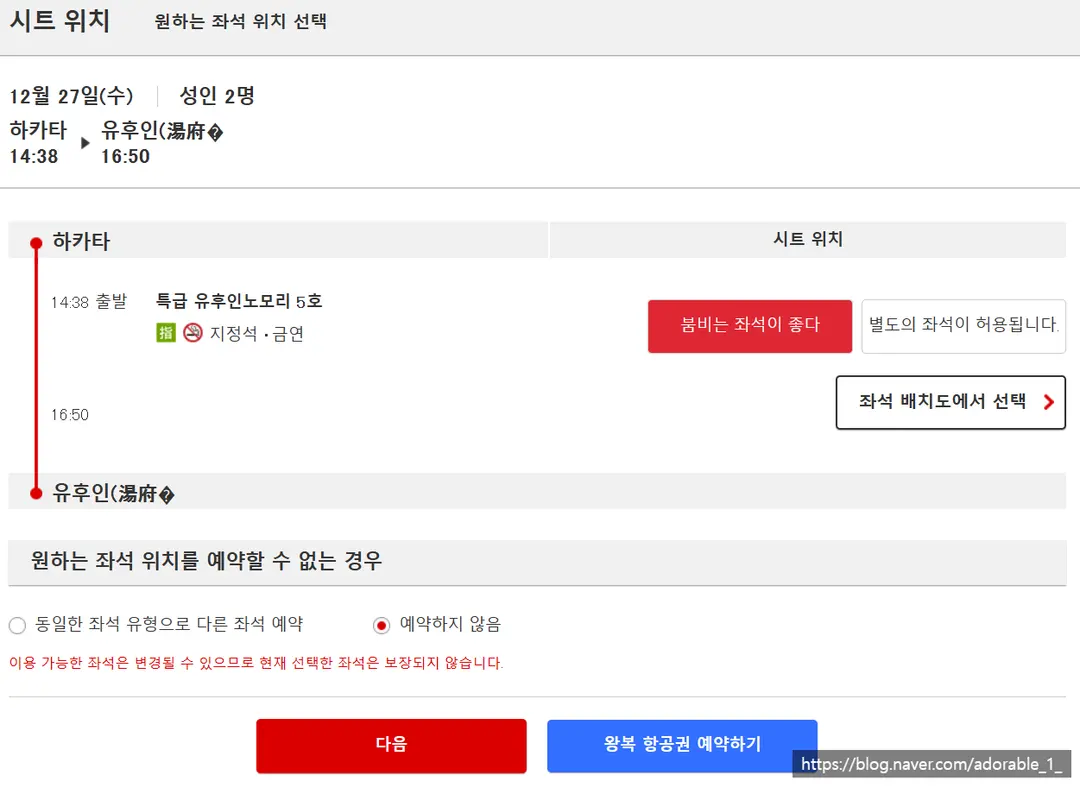
A seat selection window will pop up.
Click Select from Seat Map.
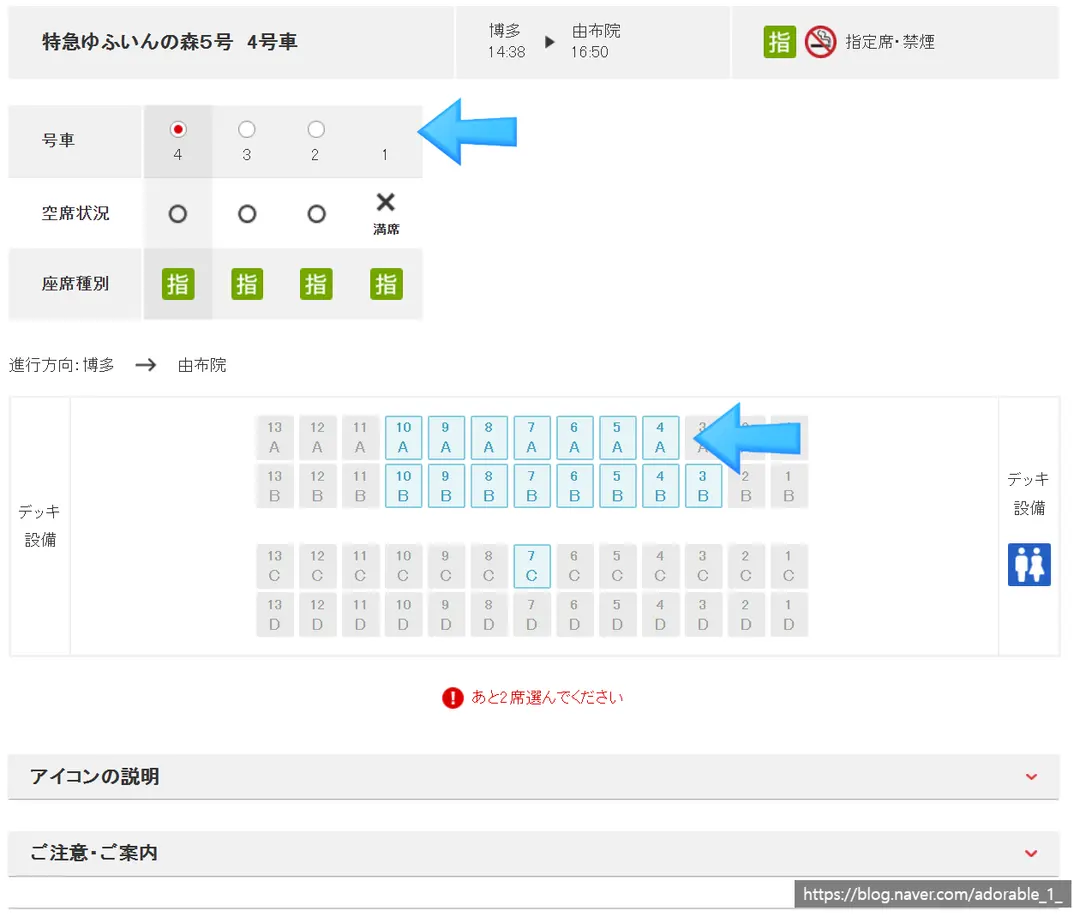
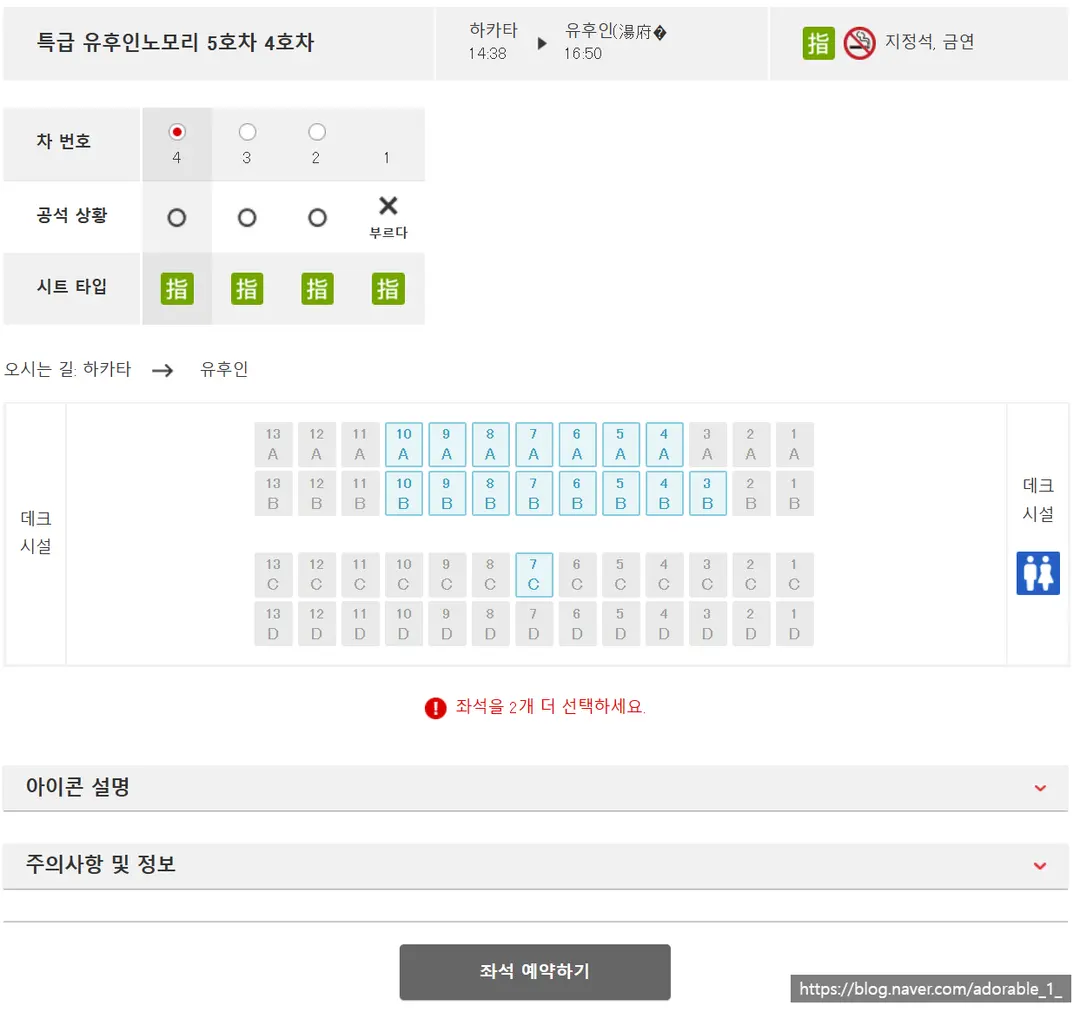
First, you need to choose your train car.
Car 1, where the driver's cabin is located, is incredibly popular,
so I highly recommend booking right when the reservation window opens!
In this mock booking screen,
there are no seats left in Car 1, so only Cars 2, 3, and 4 are available for selection.
On the seat map below, only the blue areas can be selected.
Generally, on the train to Yufuin,
Rows C and D are the most popular!
(They offer the best views of all the scenic highlights along the way!)
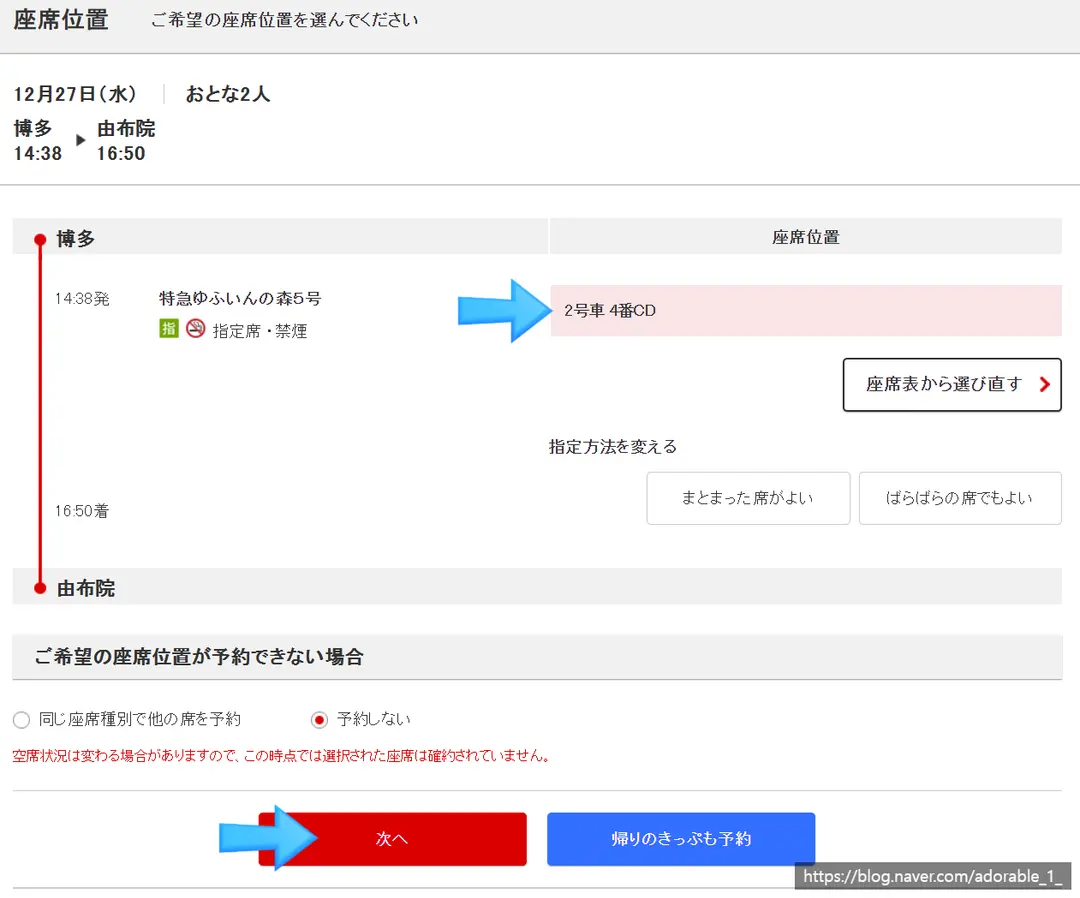
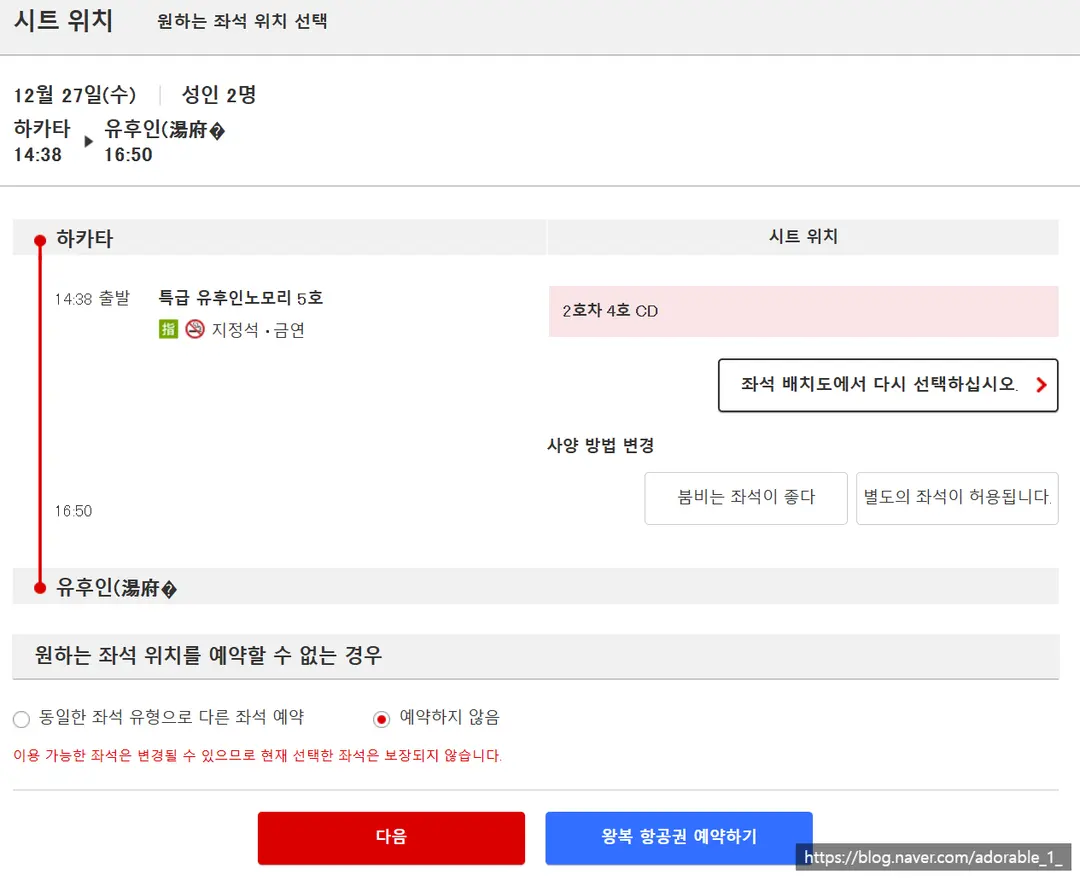
Once you choose your seats, your designated seat numbers
will appear in a pink box on the next screen.
If your preferred seats aren't available,
you must choose whether to book other available seats or cancel the reservation.
(Since seats are booked on a first-come, first-served basis,
if your selection fails, seats will be assigned randomly.)
Click the red box for a one-way trip,
and the blue box for a round trip.
Choose whichever option fits your travel plans!
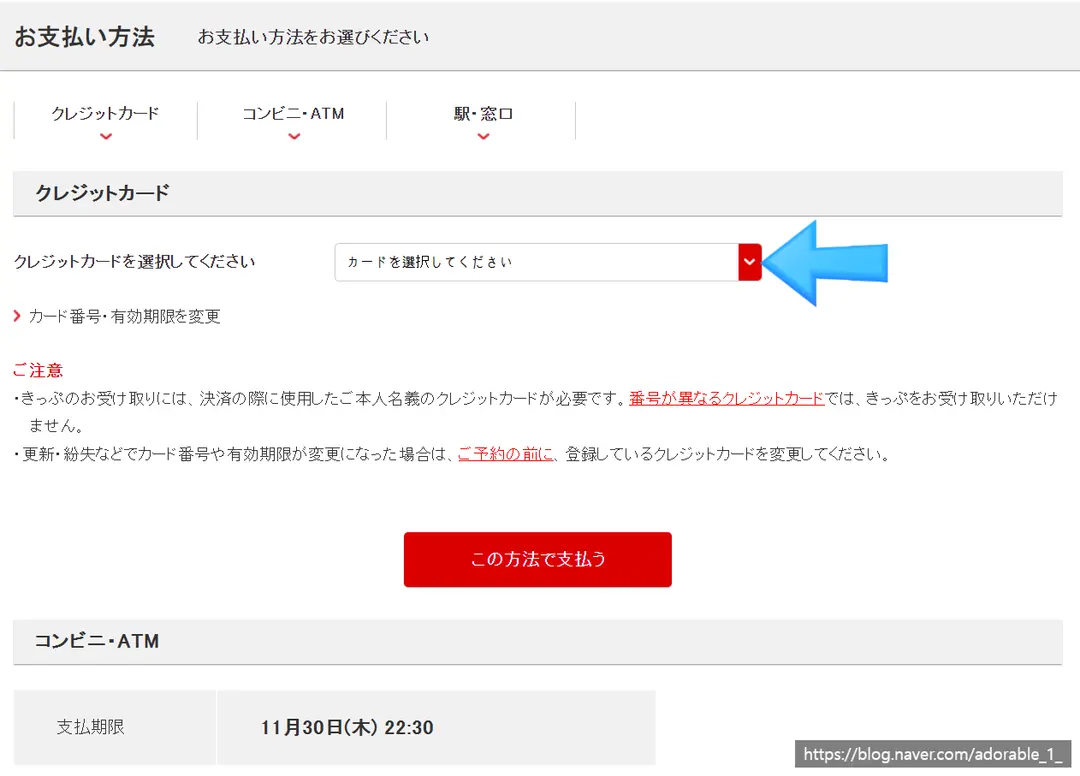
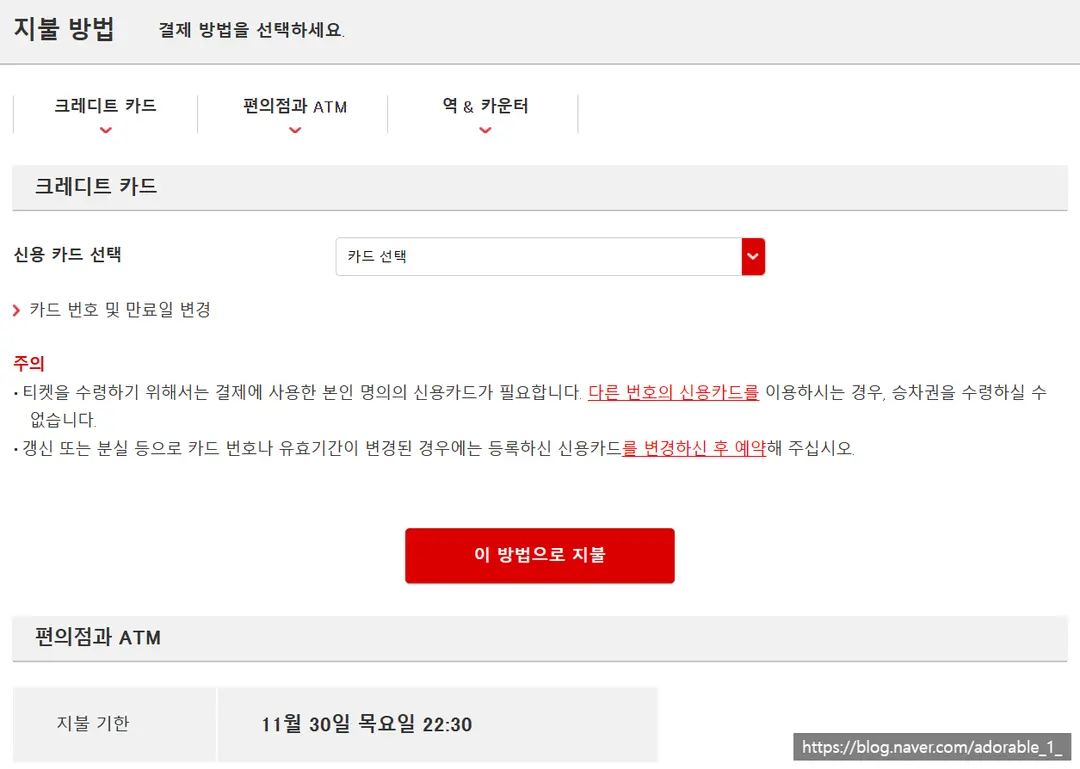
Select your payment method.
Select your registered credit card,
and click the red box to complete the payment!
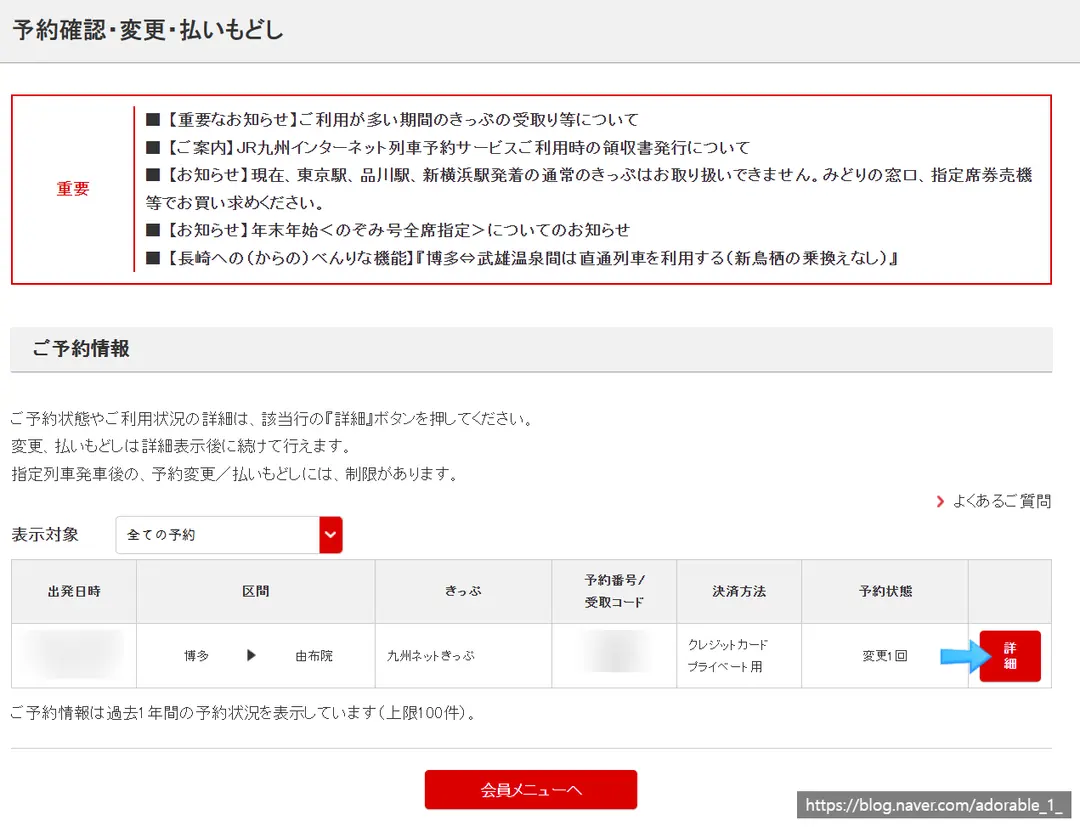
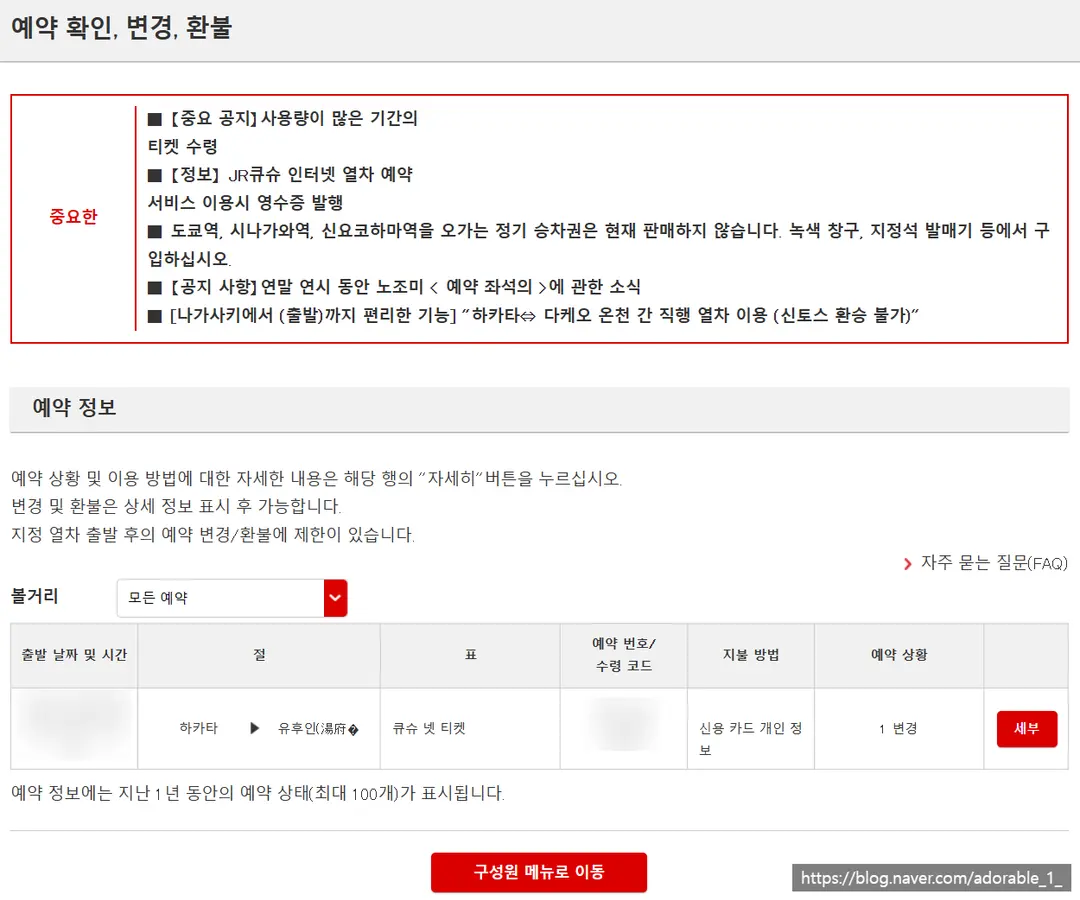
To check if your booking went through successfully after payment,
go to the black tab on the right side of the website
and click on "Confirm Reservation"!
Clicking Details will show you all the specific information.
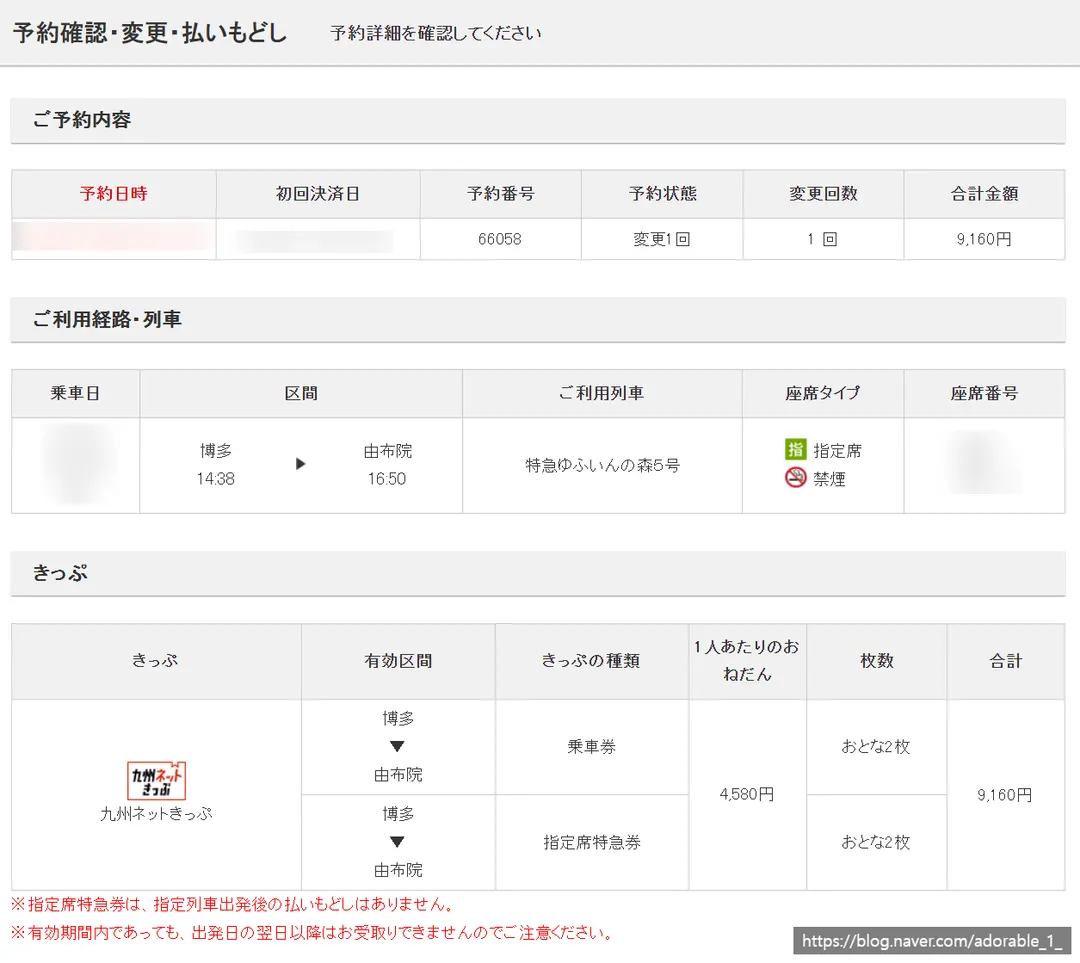
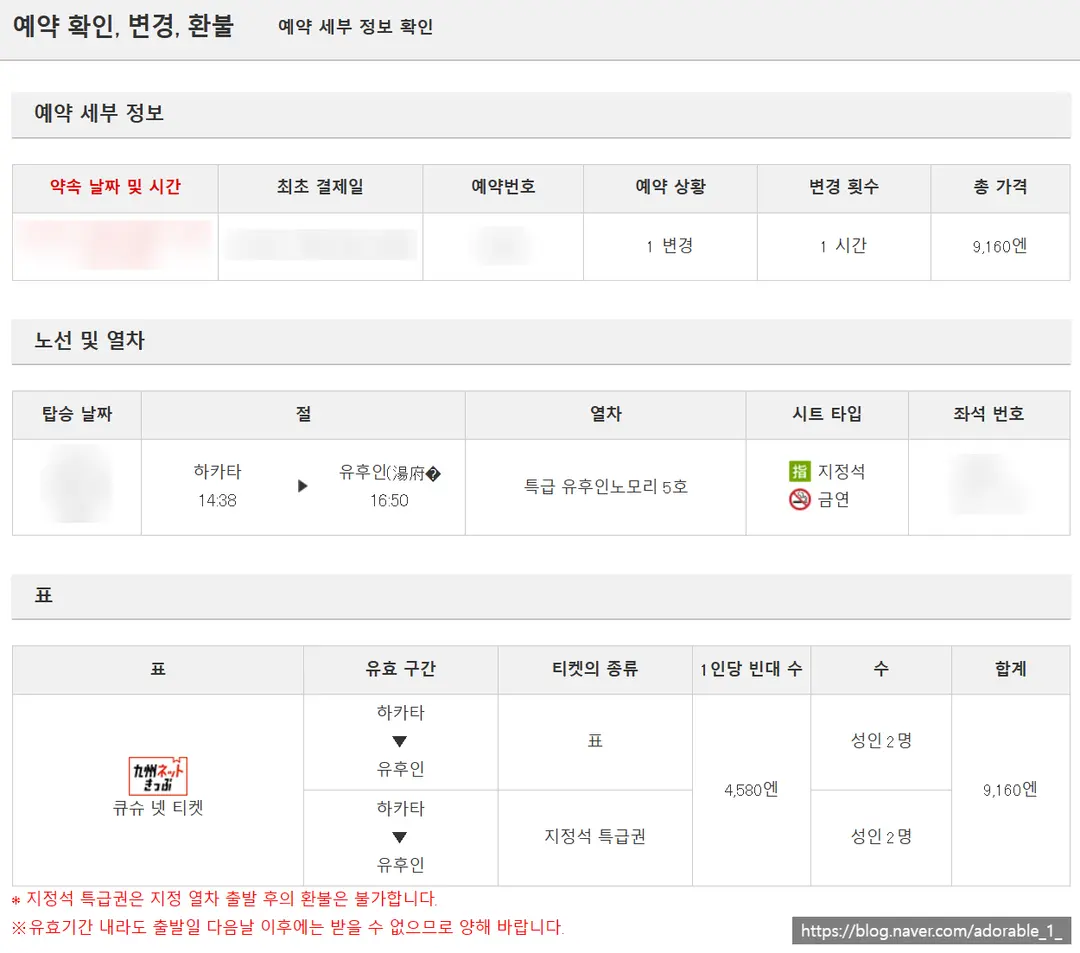
You can verify your booking time, travel date, time, and seat numbers,
as well as the exact ticket type you paid for!
At 4,580 JPY (~$29) per adult,
the total for two people comes out to 9,160 JPY (~$59).
I accidentally got the date wrong at first and had to change my reservation,
which immediately canceled the old payment and processed the new one.
(That's why it shows my reservation change count as '1'.)
(I was so nervous since I heard there might be a cancellation fee, but luckily everything worked out fine!)
And that's the end of my long journey of booking the Yufuin no Mori train! Happy travels!
Share this article
Related Travel Stories
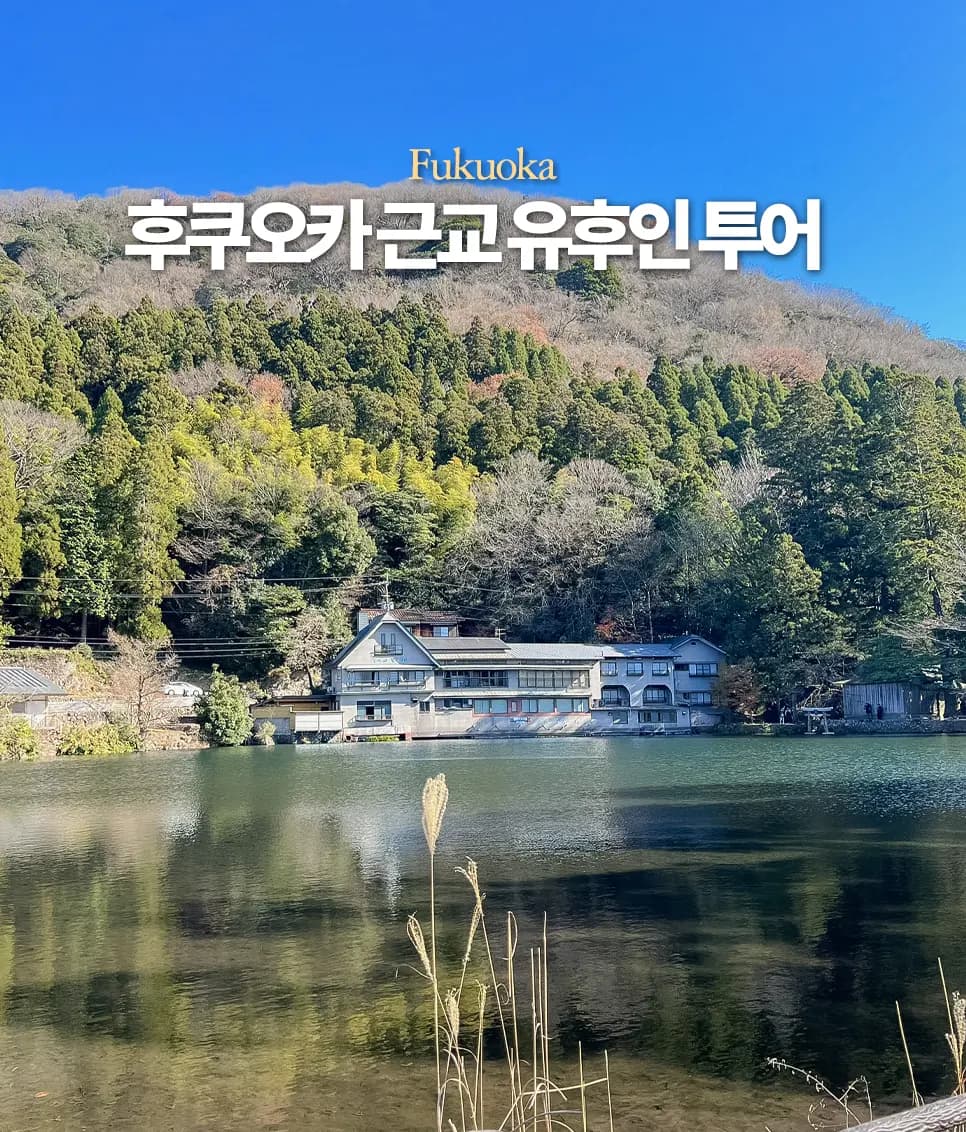
Fukuoka to Yufuin Bus Tour: Day Trip Options & Comparison 2026
Planning a day trip from Fukuoka to Yufuin? Discover the best bus tour options, compare prices, and get insider tips for an unforgettable 2026 adventure.
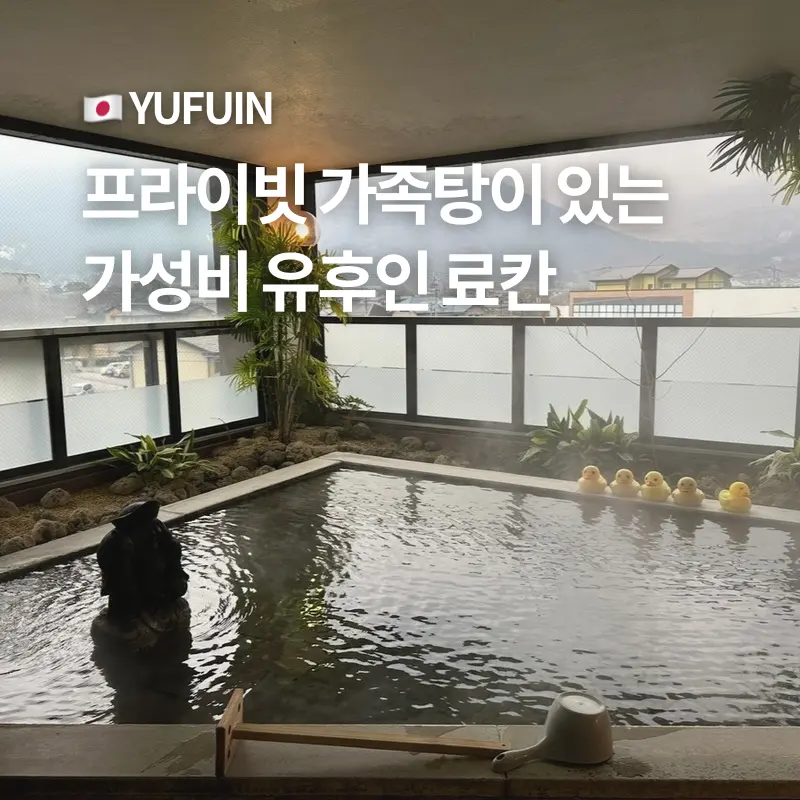
Yufuin Akari no Yado Ryokan: Affordable Family Onsen Stays
Planning a Yufuin getaway? Discover Akari no Yado, a budget-friendly ryokan offering private family onsen baths. Get tips for booking your perfect, affordable escape!

Fukuoka Yufuin Bus Tours 2026: Rakutour vs Indigo Travel
Deciding between Rakutour and Indigo Travel for your Yufuin bus tour from Fukuoka? I'll compare their itineraries and share my top recommendation for an unforgettable day trip in October 2026.

Yufuin Family Ryokan Guide 2026: Top Stays for Large Groups
Planning a multi-generational trip to Yufuin? Discover the best ryokans for large families in 2026, offering comfort and privacy without breaking the bank. Find your ideal stay!

Souan Cosmos Yufuin Ryokan Review 2026: Kaiseki & Private Onsen
Experience true Japanese hospitality at Souan Cosmos Ryokan in Yufuin. Dive into our 2026 review of their exquisite kaiseki and rejuvenating private onsen baths.

Fukuoka Yufuin Bus Tour 2026: Discover Charming Day Trips
Dreaming of a whimsical escape from Fukuoka? Discover the enchanting beauty of Yufuin, the majestic Yufudake, and the serene Hita village on a guided bus tour.