

Paris Navigo Pass 2026: Guide to the IDF Mobilités App
Planning your Paris adventure? Master the city's transport with the Navigo Pass! This guide shows you how to easily register and purchase your weekly or monthly pass via the IDF Mobilités app.

Planning a trip to Paris? The Navigo Pass is an absolute must-have for navigating the City of Lights!
While iPhone users often find it easy to purchase their passes, Android users (and anyone looking to buy a weekly or monthly pass) will need to use the dedicated IDF Mobilités app.
Today, I'll walk you through the simple steps to register and purchase your Navigo Pass using the IDF Mobilités app, ensuring a smooth start to your Parisian adventure in 2026.
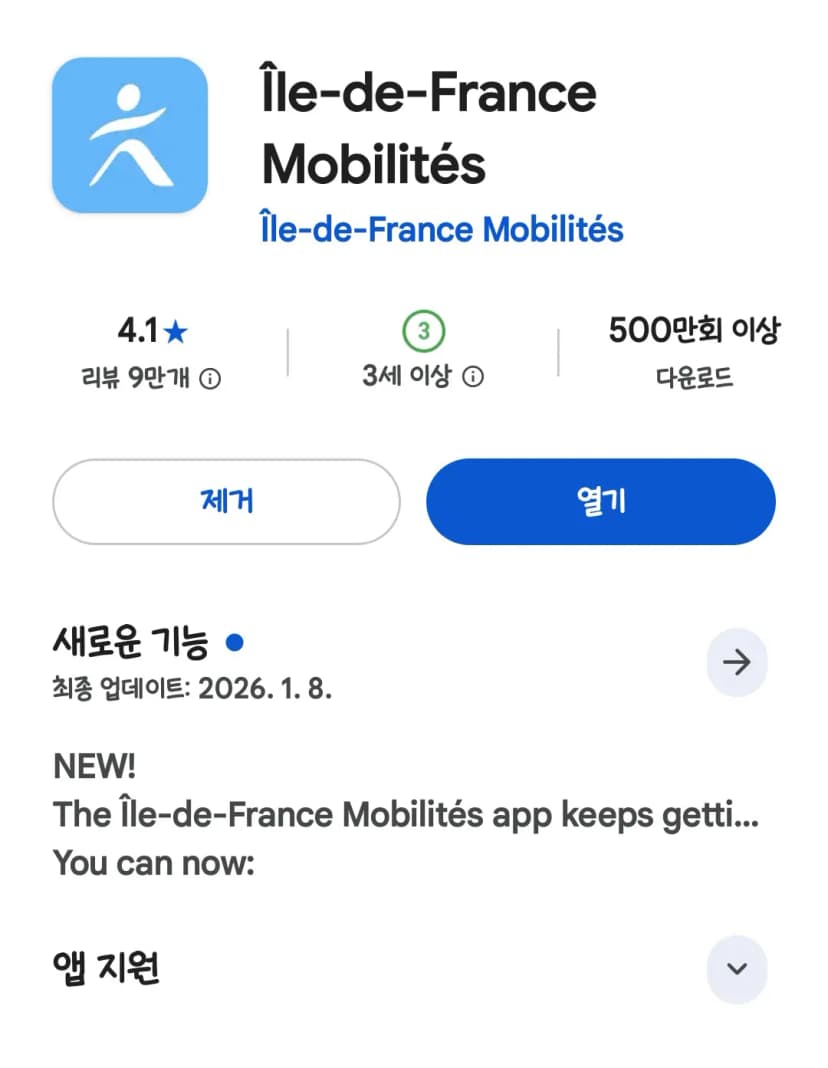
First things first, head to your app store (Google Play or Apple App Store) and download the IDF Mobilités app. A quick search for "IDF" should bring it right up!
How to Register Your Account
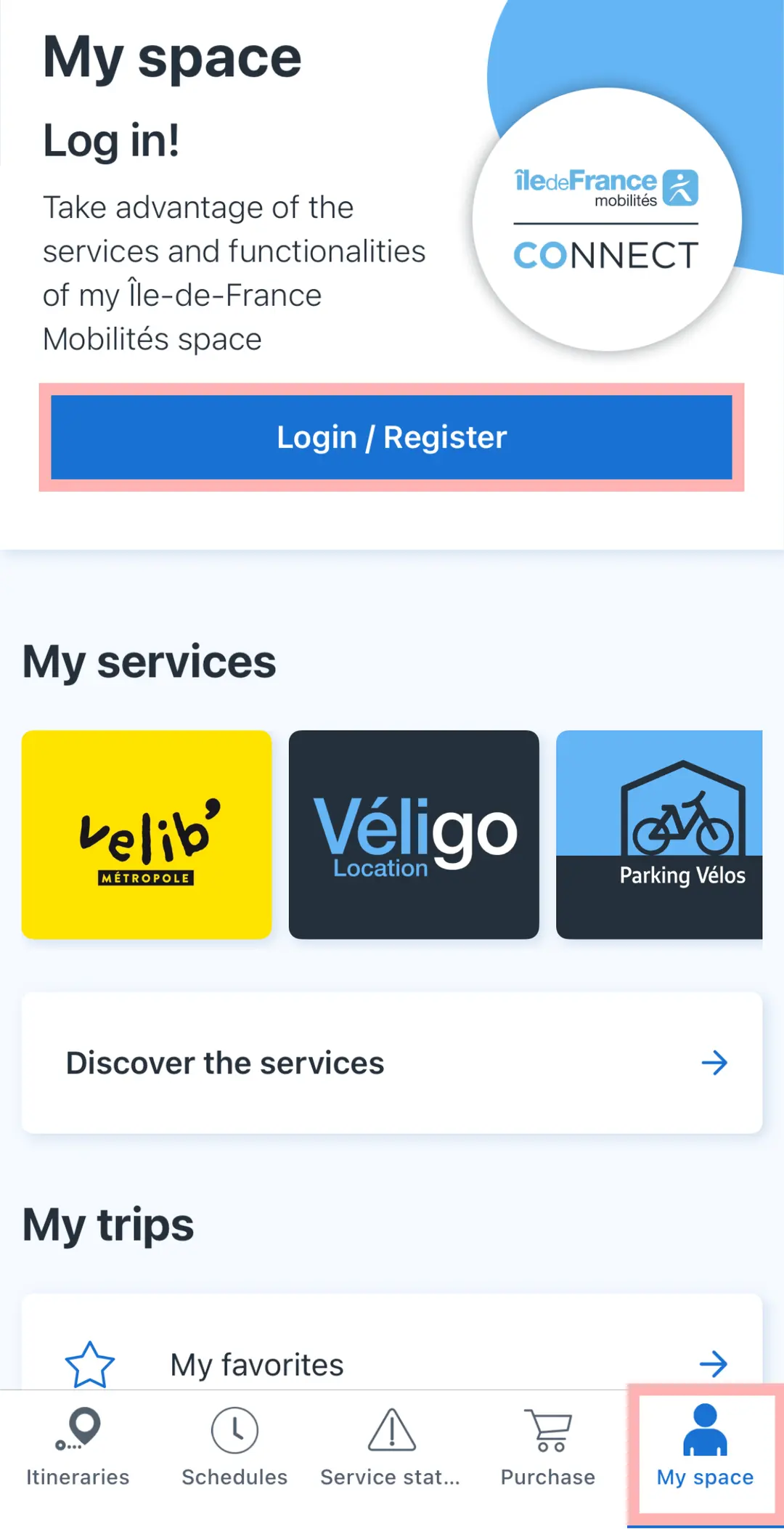
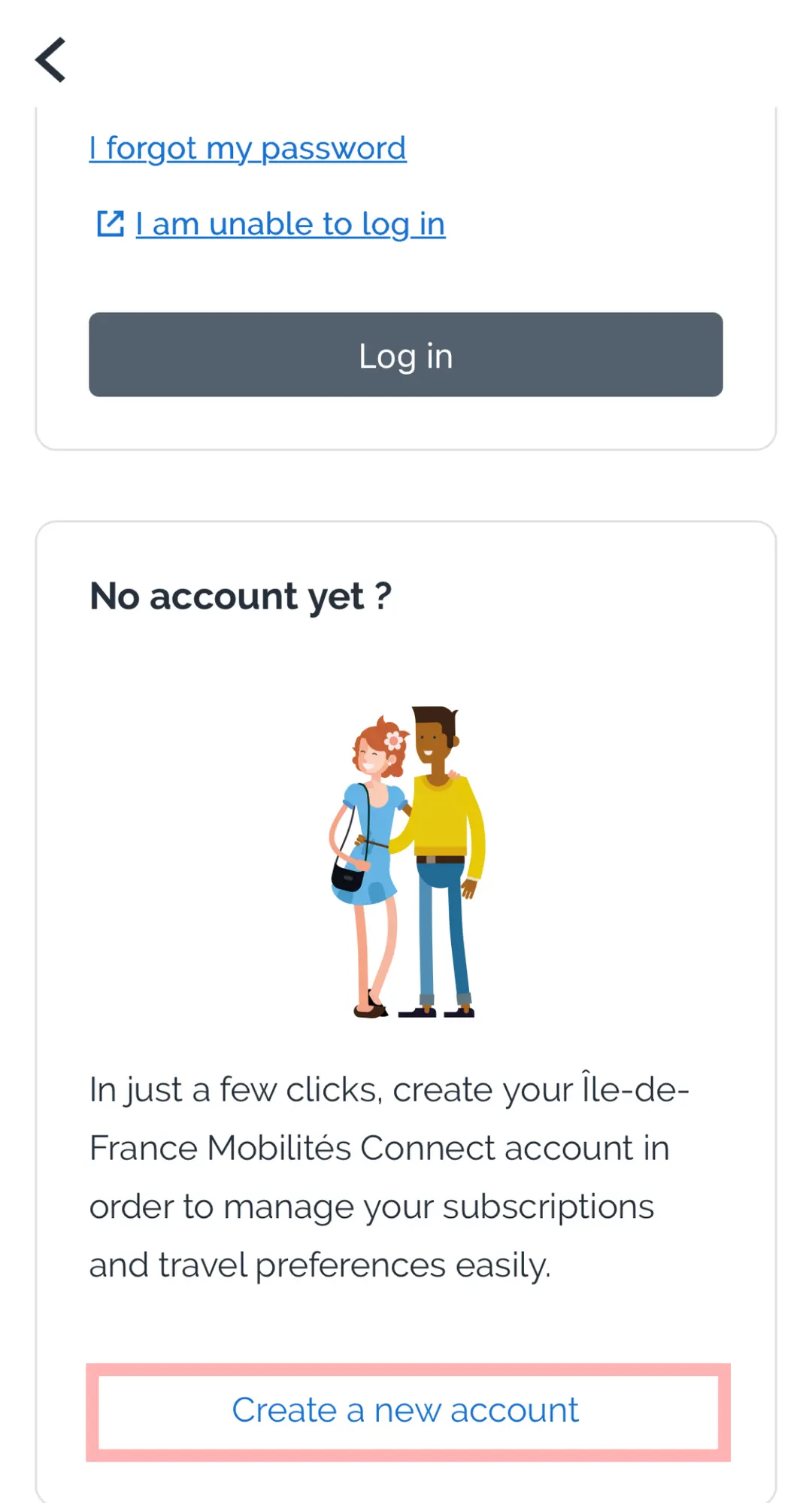
Once the app is installed, open it and navigate to "My space" in the bottom right corner. Tap "Login / Register." Since you're new, click on "Create a new account."
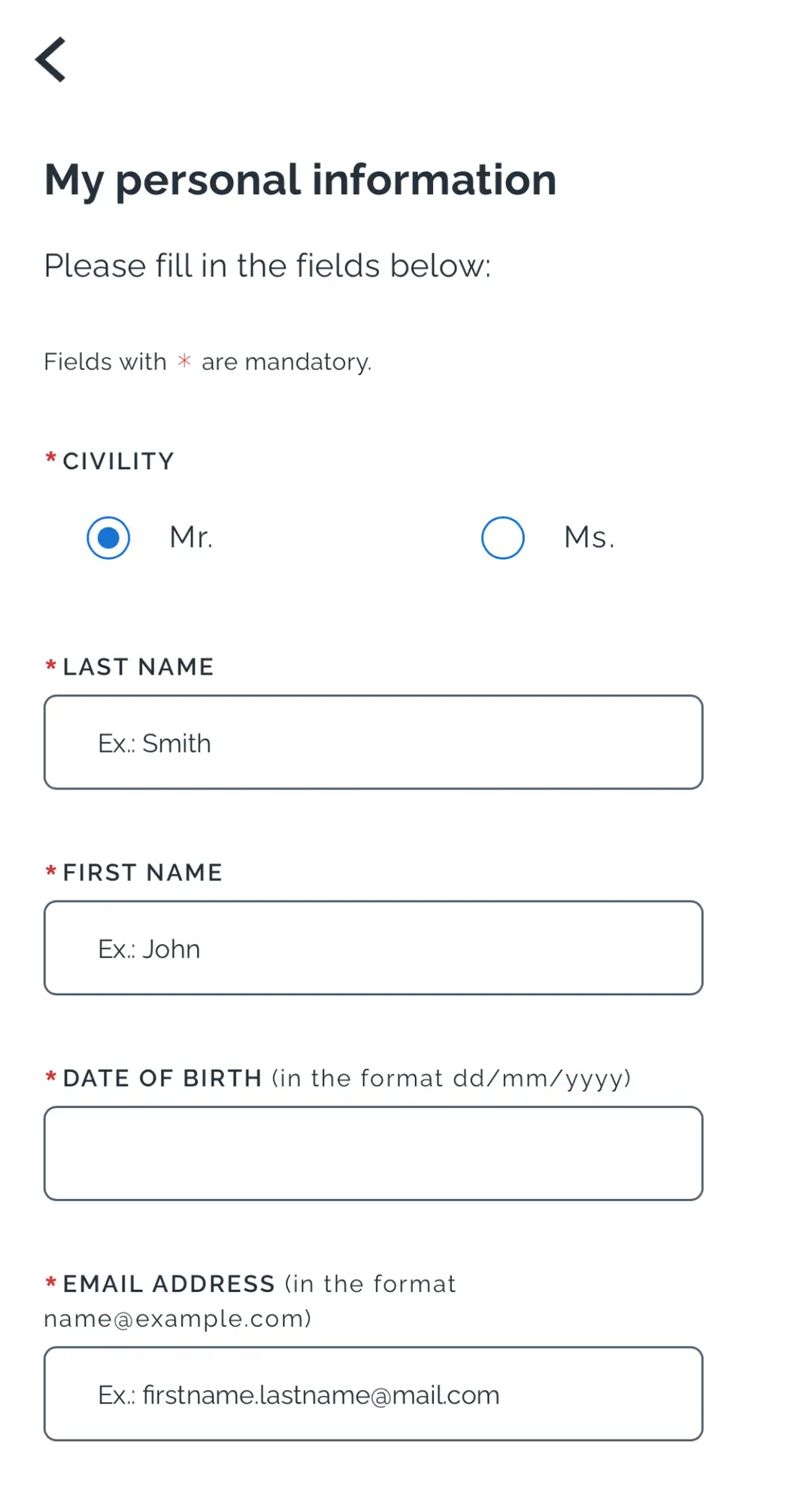
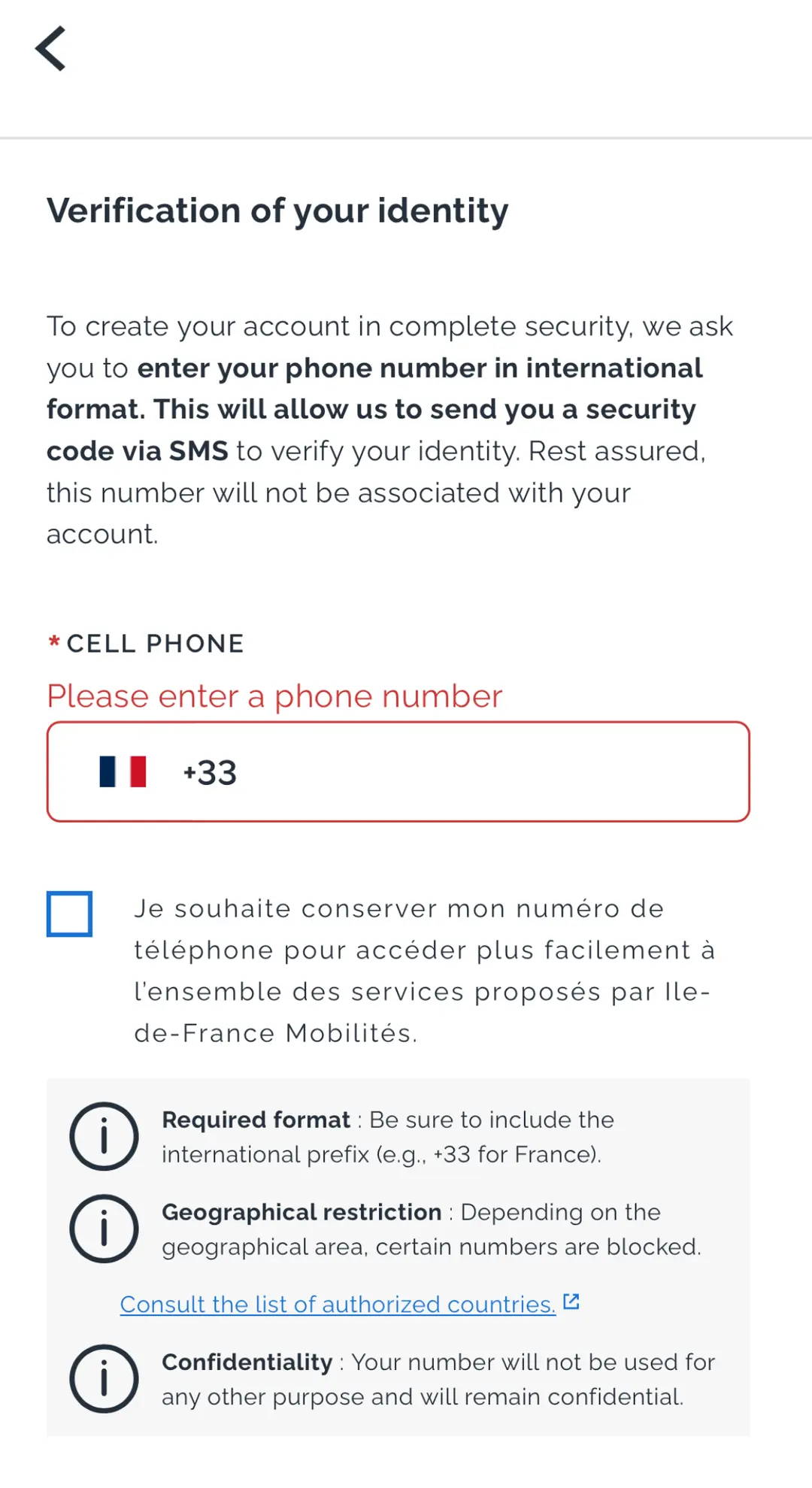
Fill in your gender, last name, first name, date of birth (remember to input it in the app's specified format, likely DD/MM/YYYY or MM/DD/YYYY, depending on your device's region settings), and email address. Then, enter your international phone number, ensuring you select the correct country code (e.g., +1 for the US or Canada, +44 for the UK, etc.).

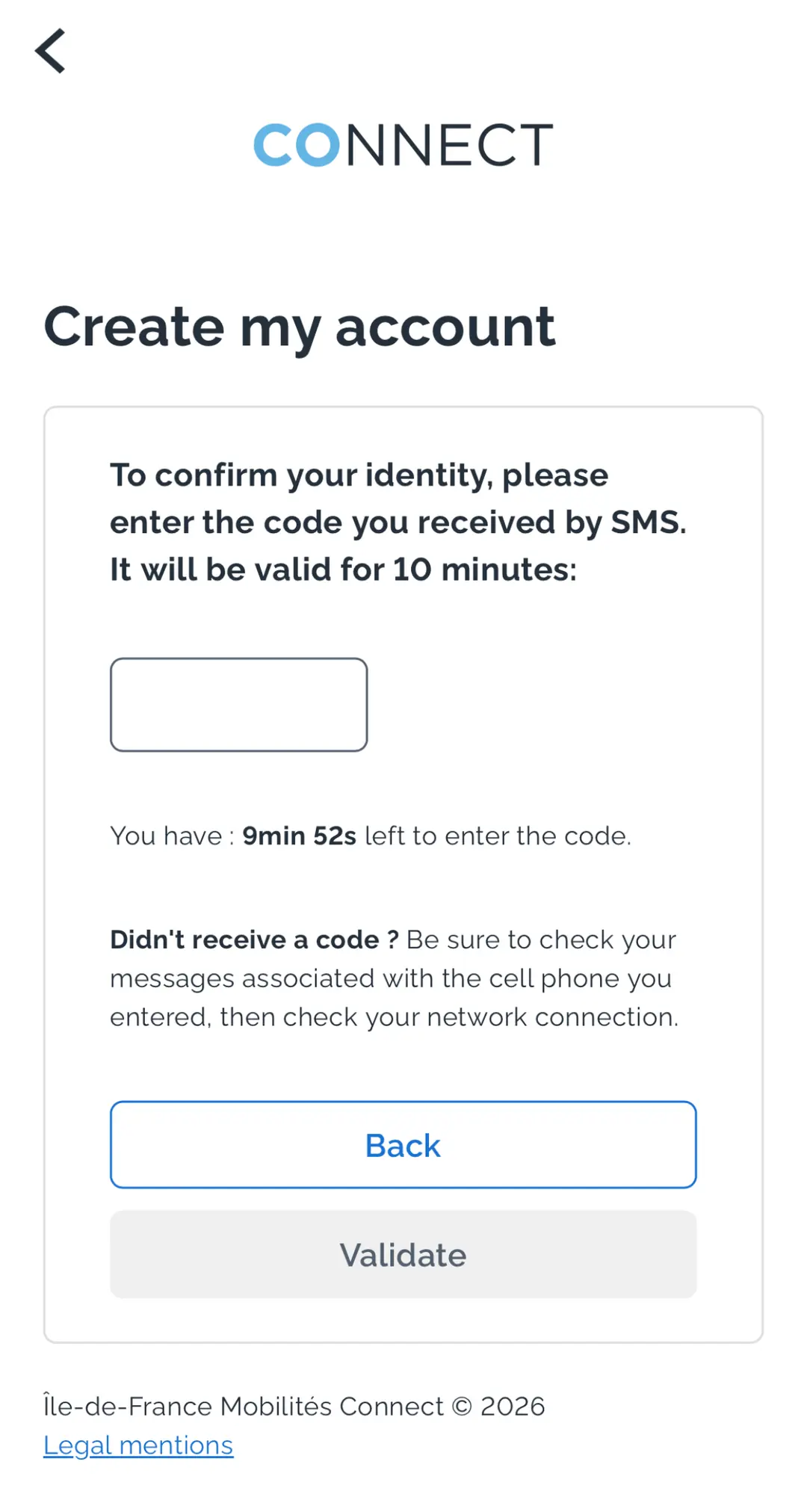
Leave the checkboxes unchecked for now and click "Next." This will take you to a screen for SMS verification. Enter the 6-digit code you receive via text message.
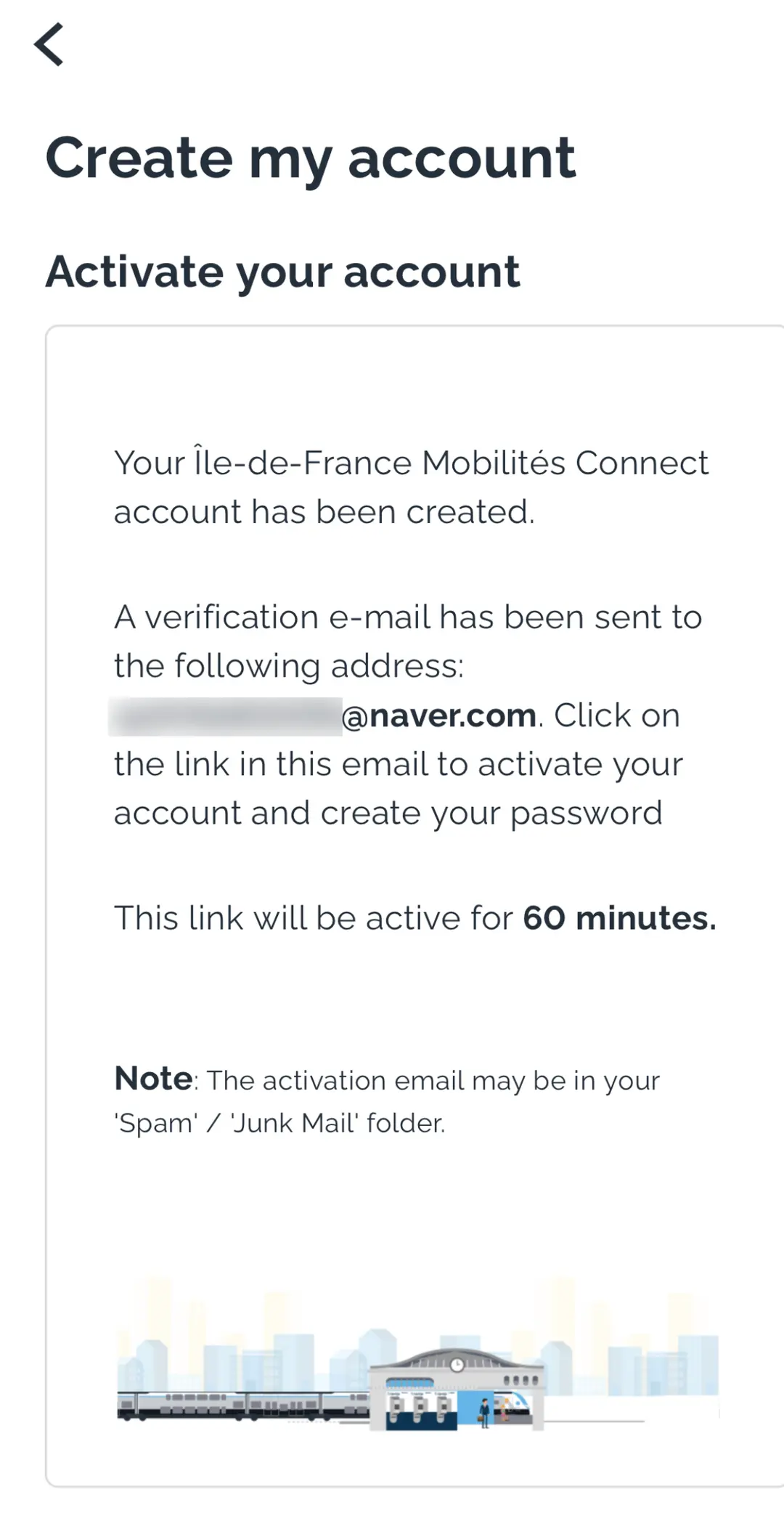
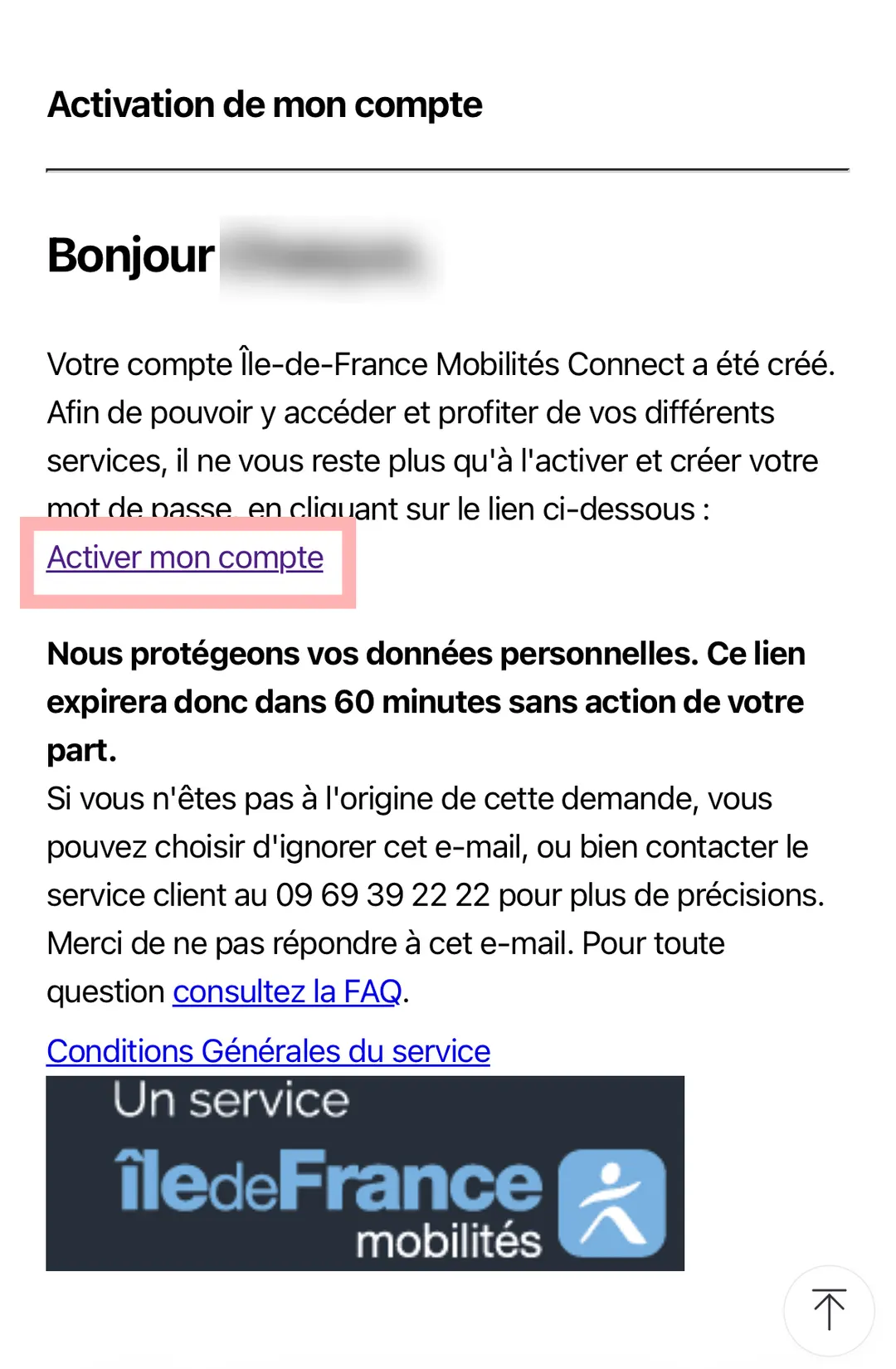
An activation email will be sent to the address you provided. Open it and click on "Activer mon compte" (Activate my account) to confirm your email.
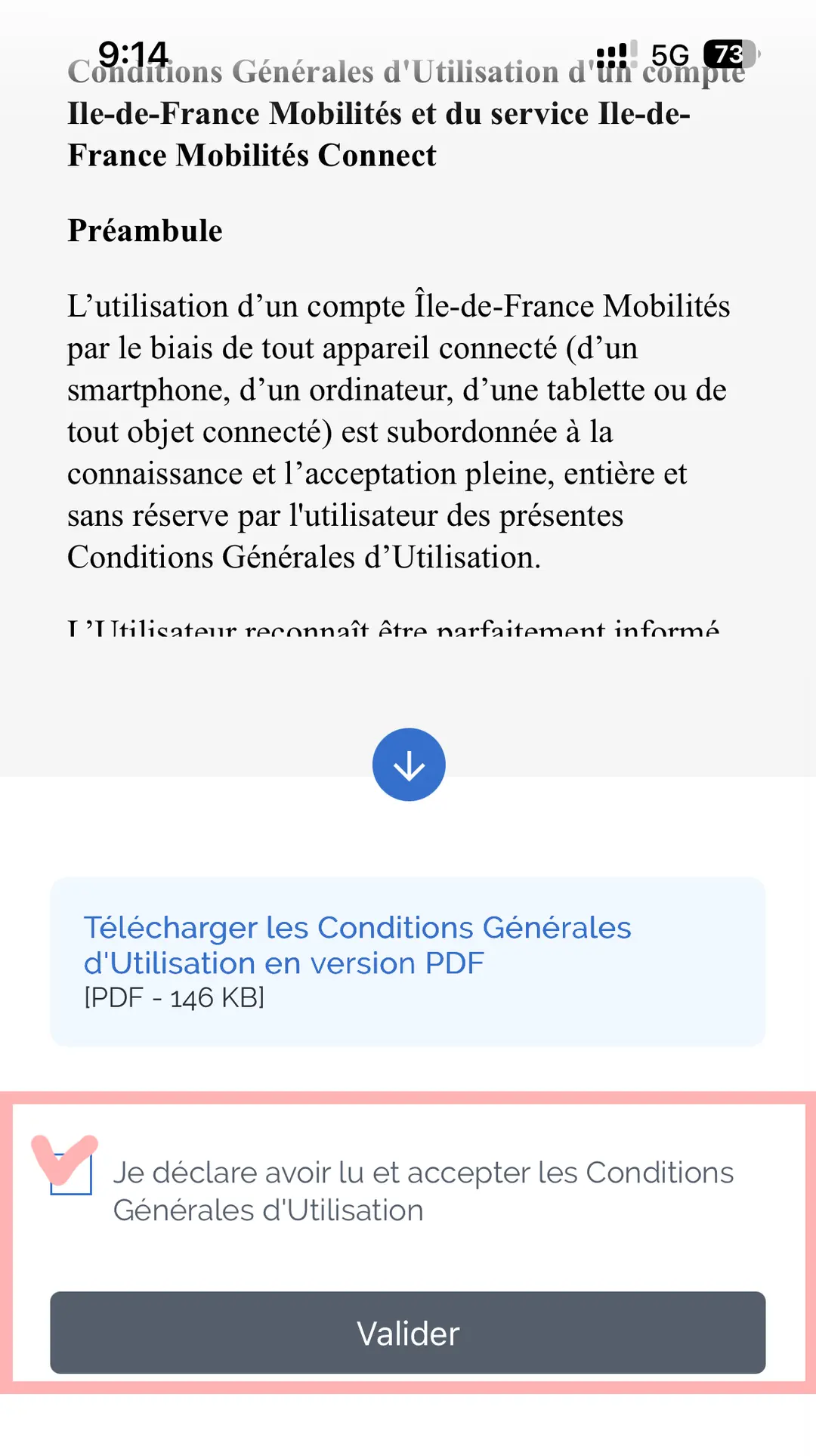
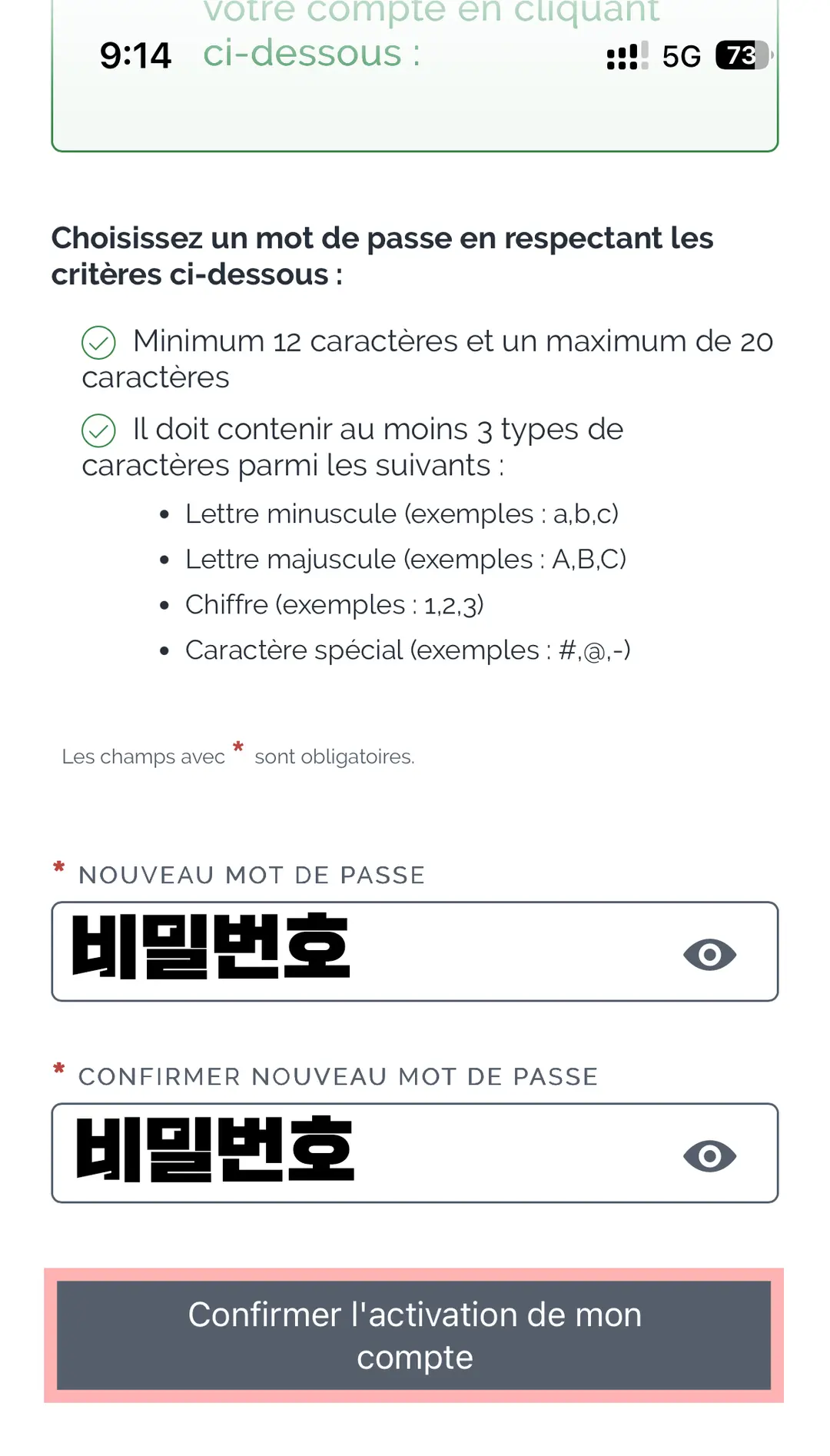
After activating your account, you'll be prompted to create a password. Once that's done, your account registration is complete! Now, simply log in to the IDF Mobilités app using your new credentials.
Uploading Your Photo for Navigo Pass
It's important to note that for Navigo weekly and monthly passes (unlike single-trip tickets), you'll need to upload a personal photo as part of the purchase process.
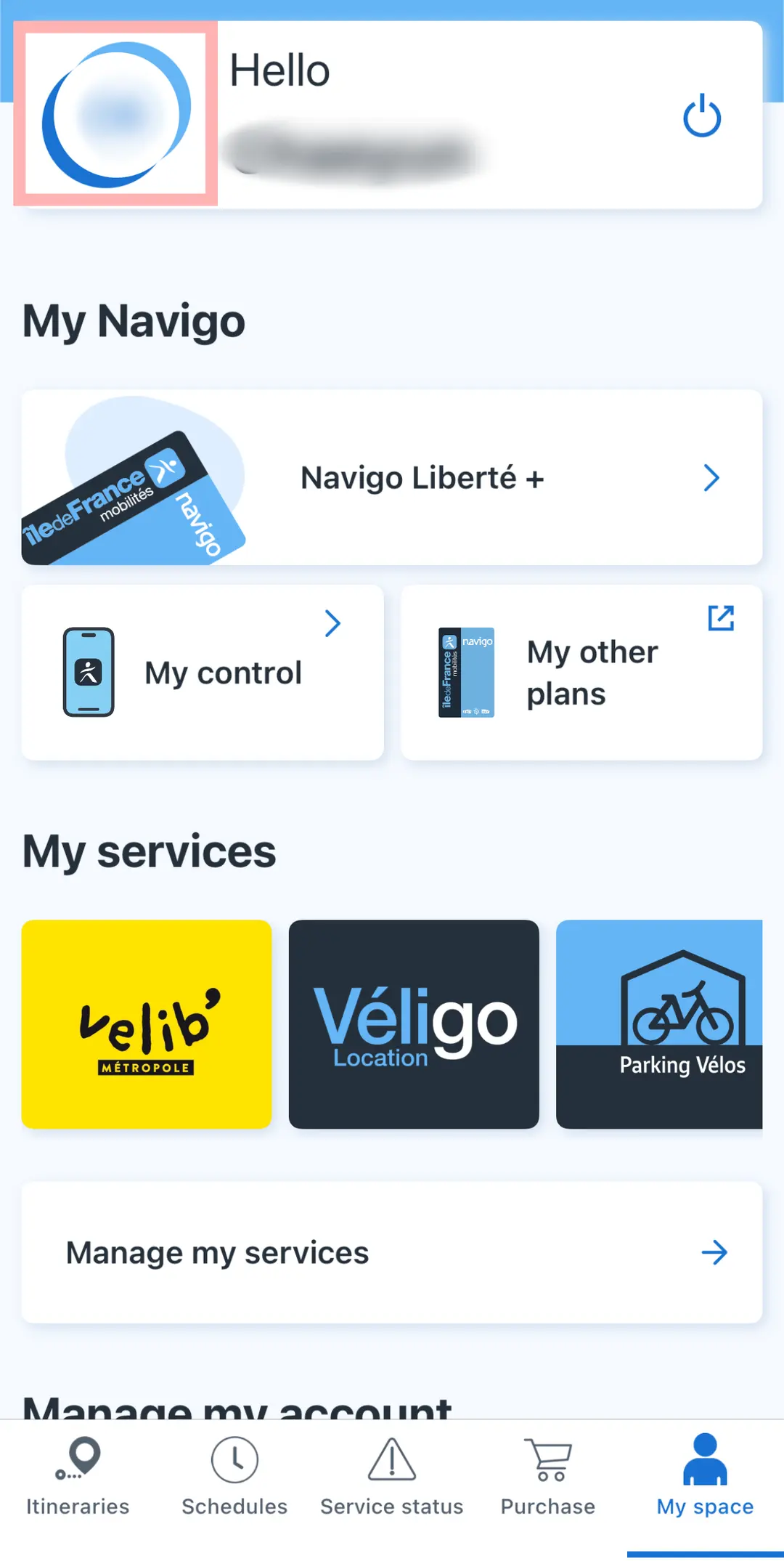
From "My space," tap on the circular icon in the top left corner to access your profile settings.
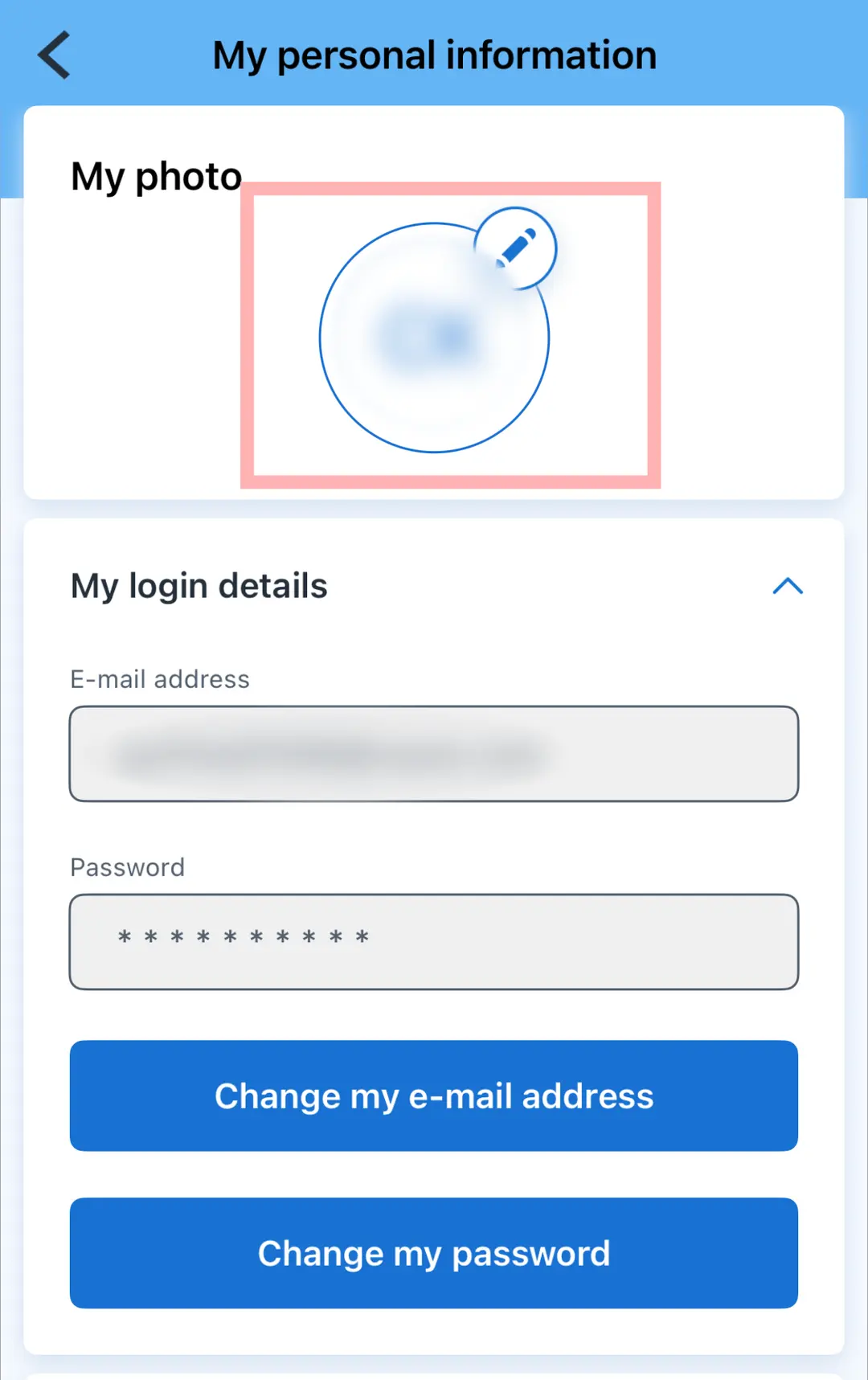
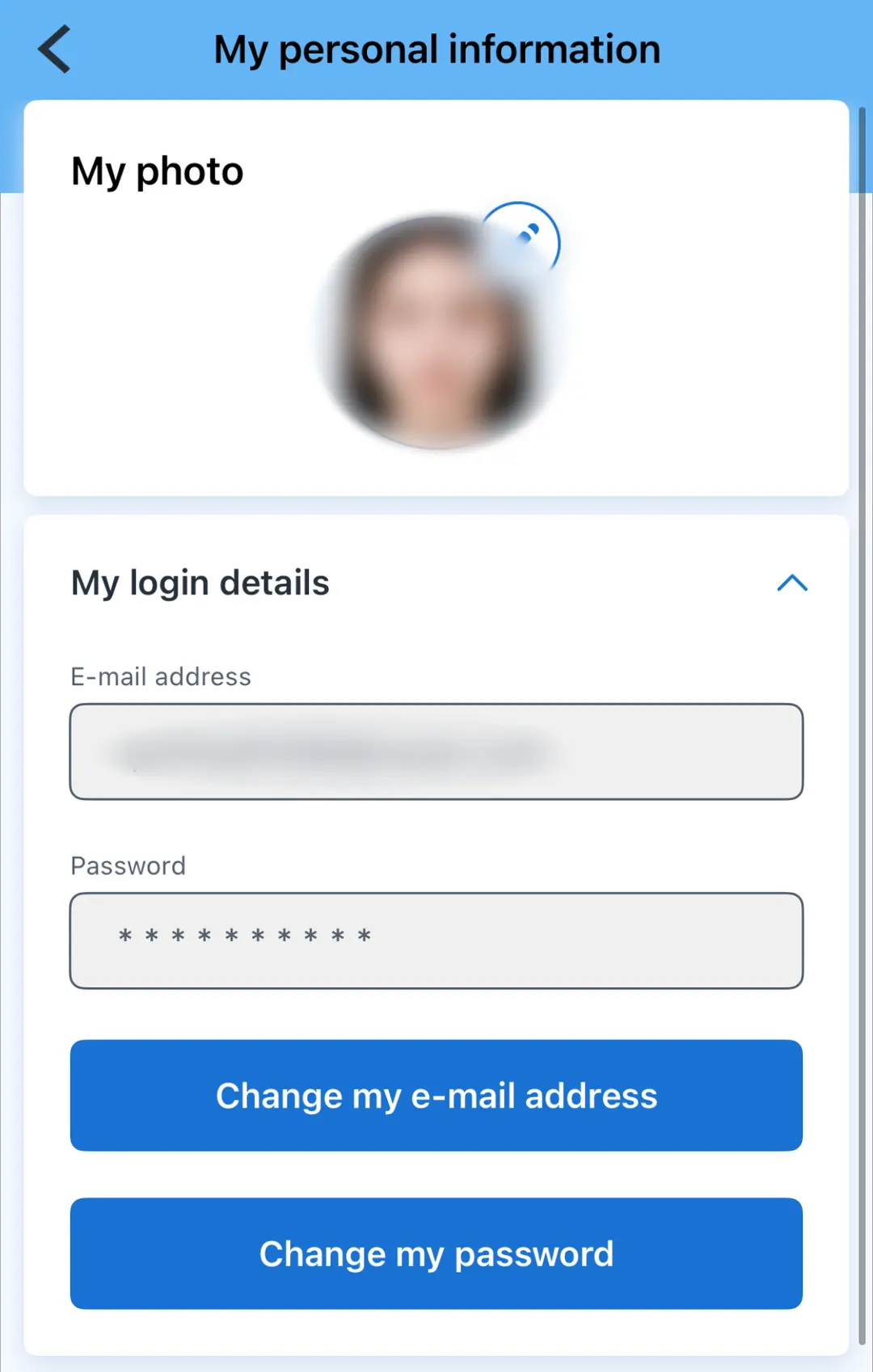
You can either select a photo from your phone's gallery or take a selfie on the spot. However, keep in mind that transport staff might check your photo during inspections, so it's best to use a clear, recognizable picture of your face. I personally recommend using a passport-style photo for clarity, which I had downloaded in advance.
How to Purchase Your Navigo Pass
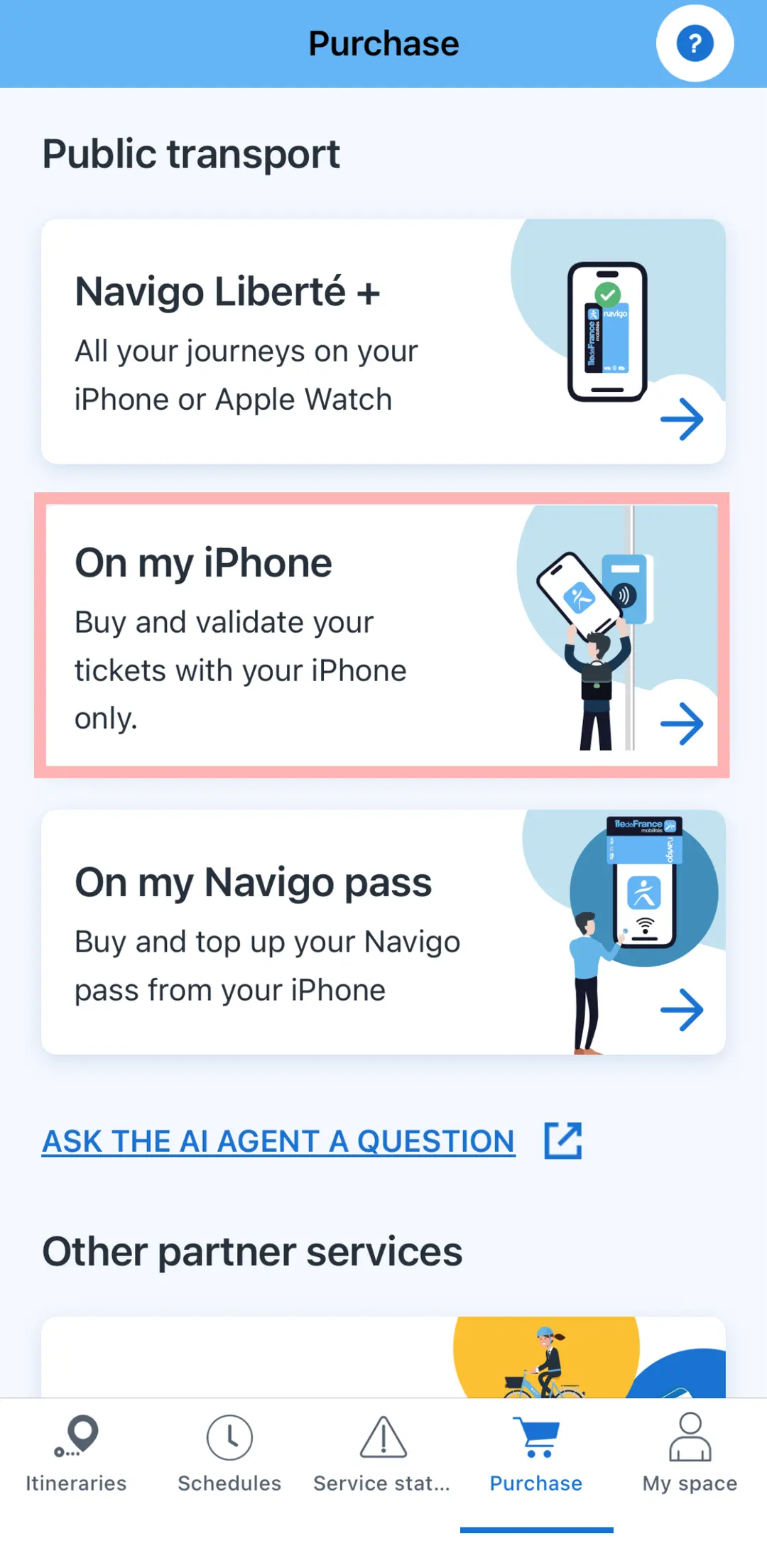
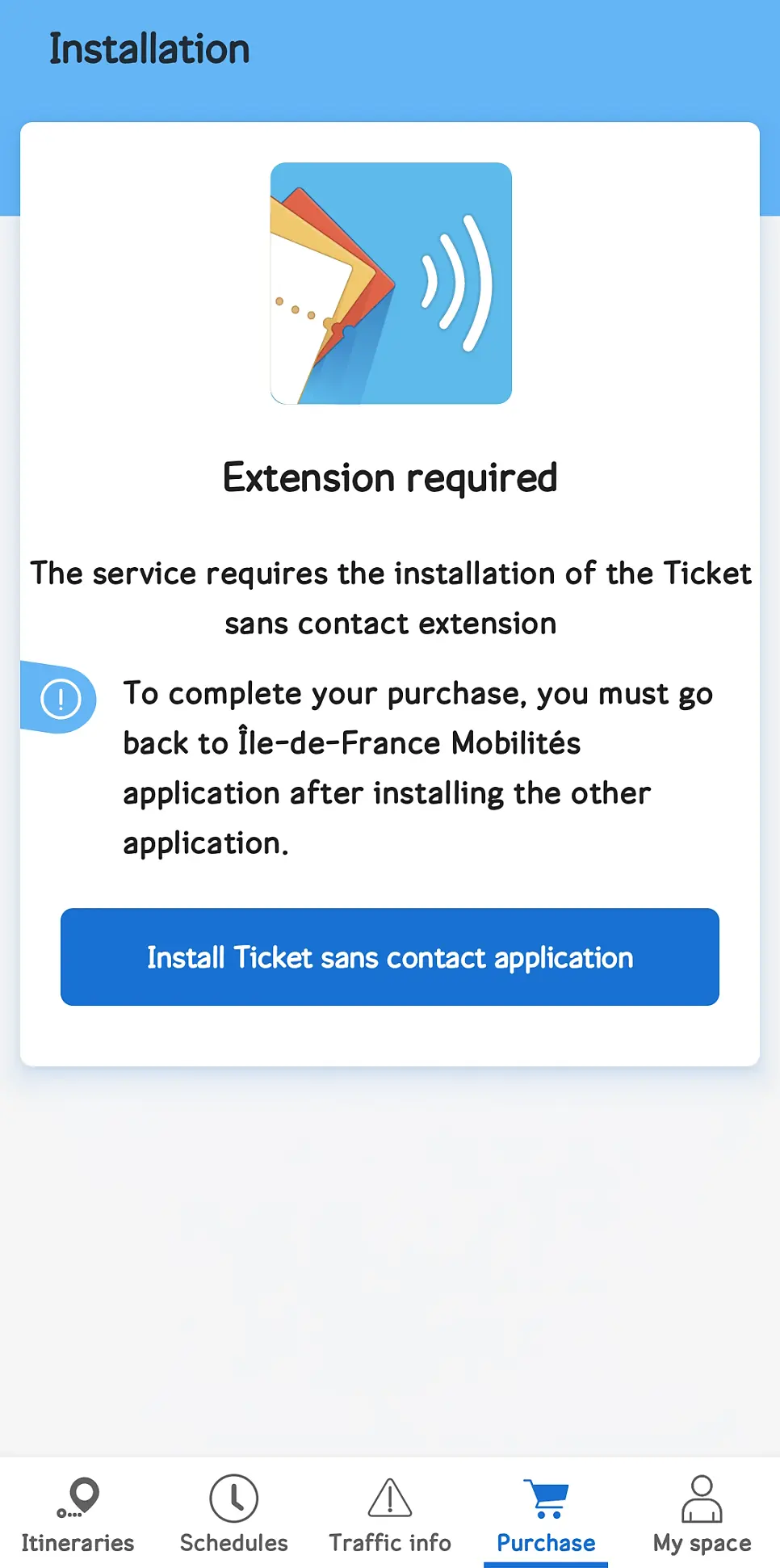
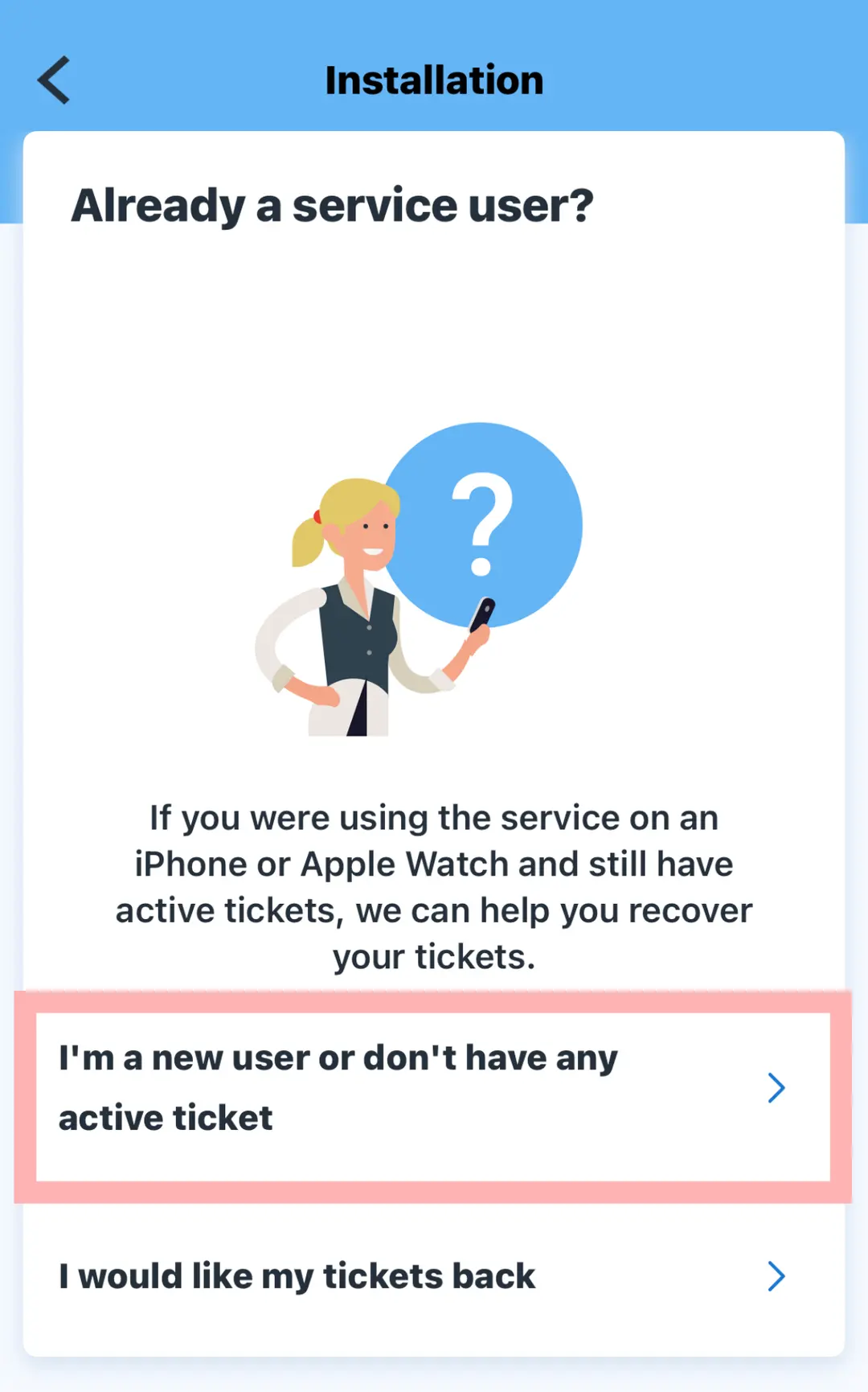
Click on "Purchase" and then "On my iPhone" (or equivalent for Android). For Android users, you'll need to install an additional app called 'Ticket sans contact' to proceed, but the rest of the steps will be similar.
Next, tap the button that starts with "I'm a new user..."
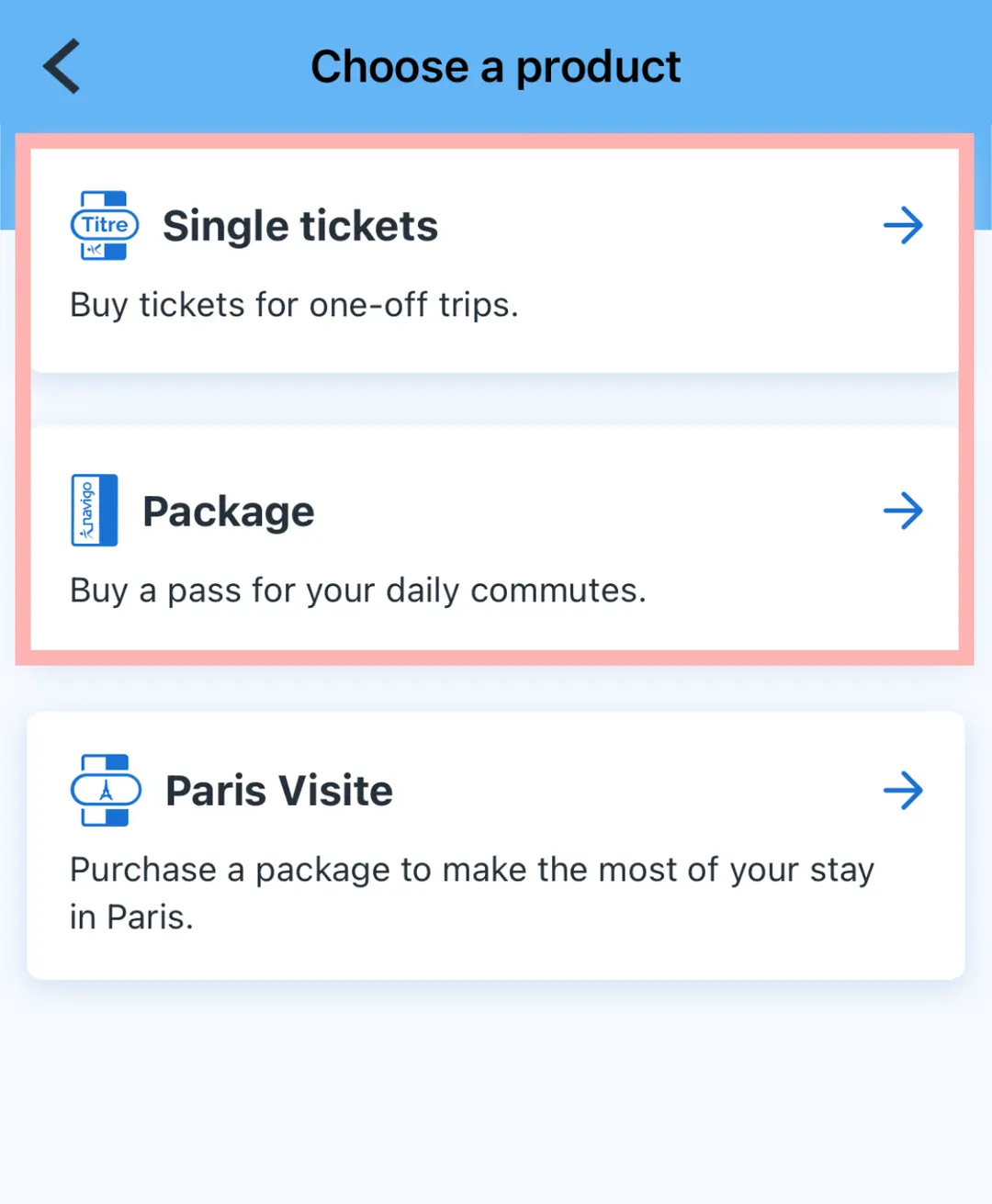
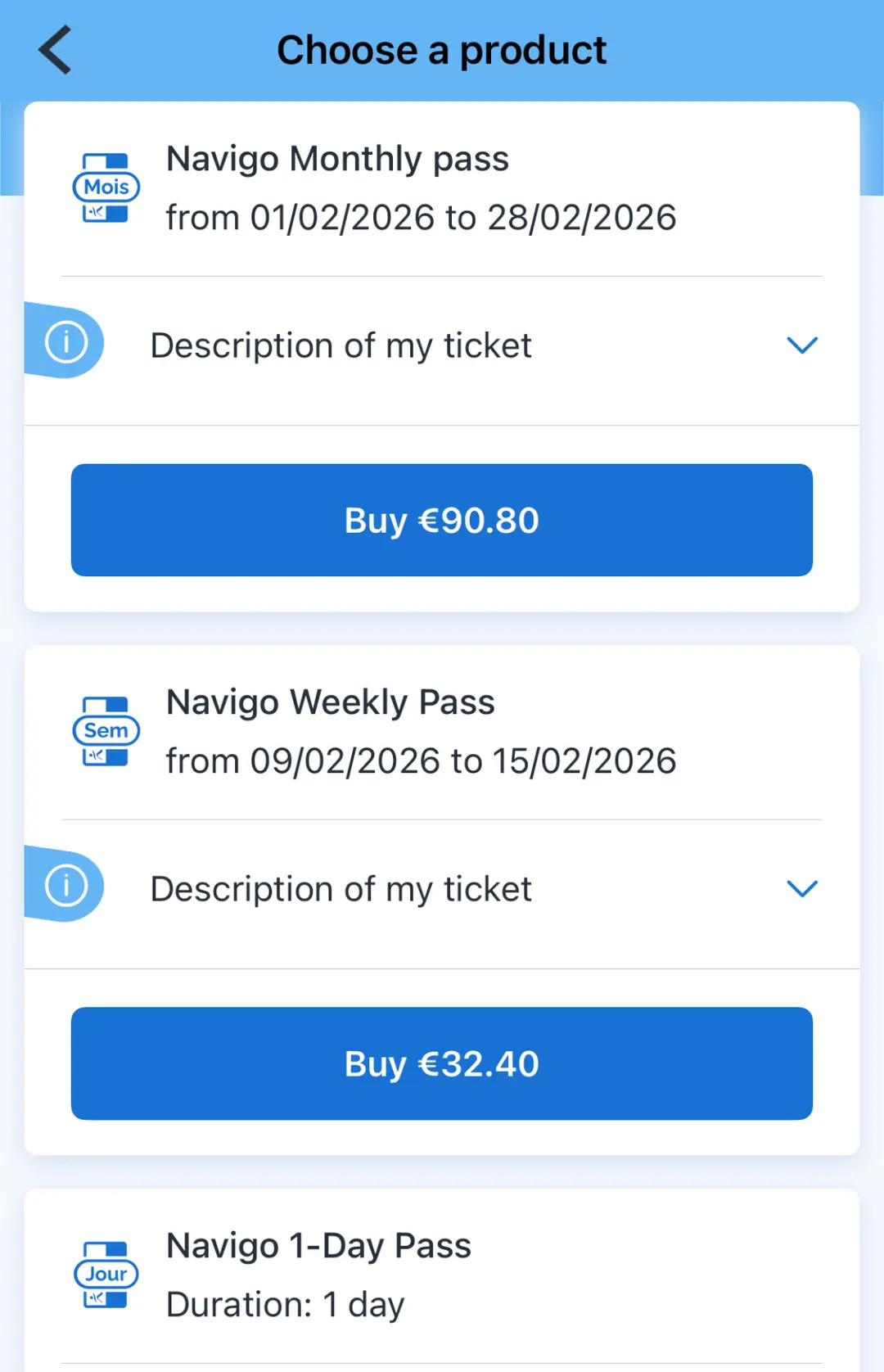
Here's a breakdown of the ticket options:
✅ For single-trip tickets or airport tickets, choose "Single tickets."
✅ For daily, weekly, or monthly passes, select "Package."
✅ If you're looking for the tourist-oriented Paris Visite pass, choose "Paris Visite."
Select the ticket type that best suits your travel plans.
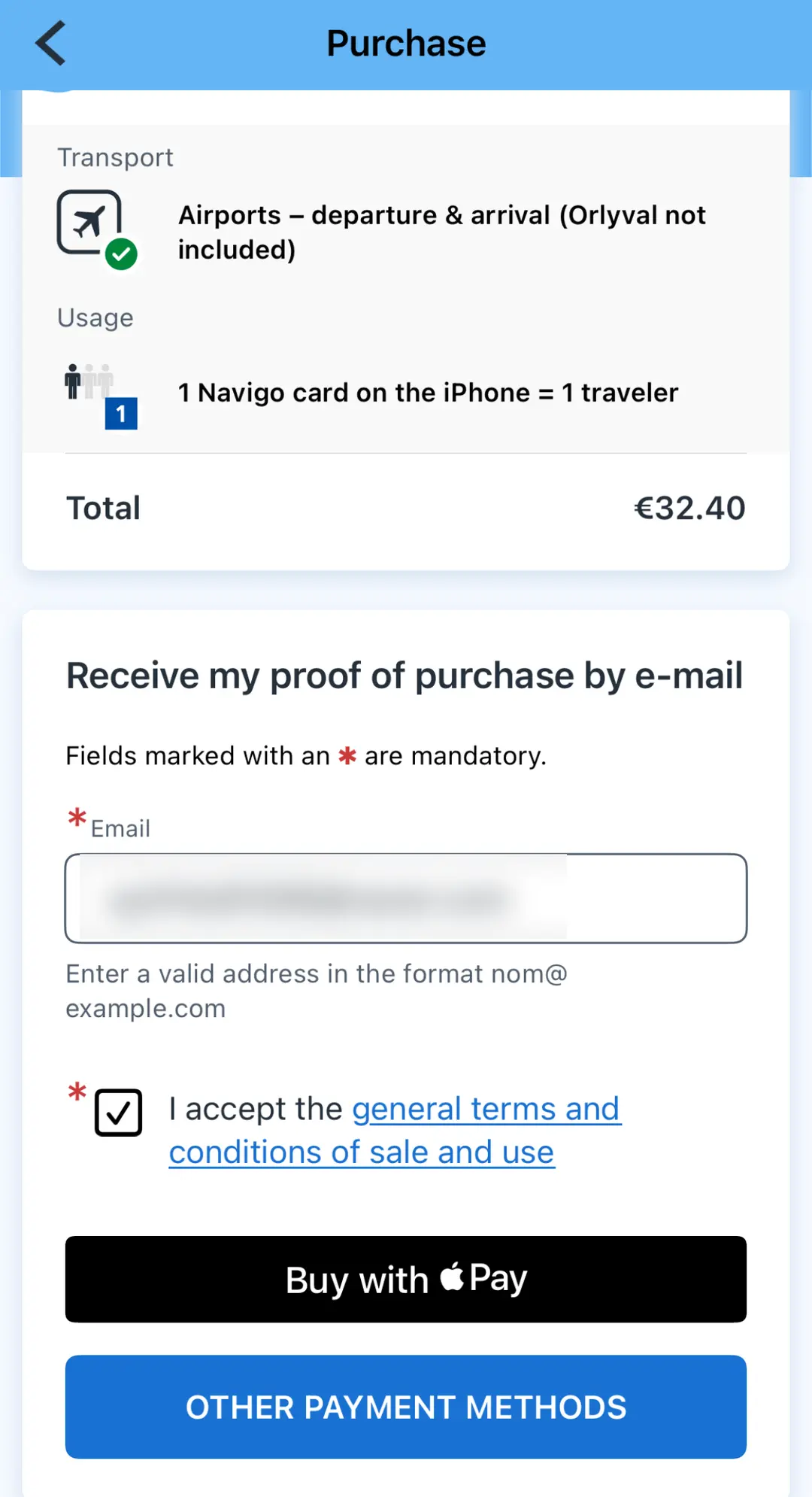
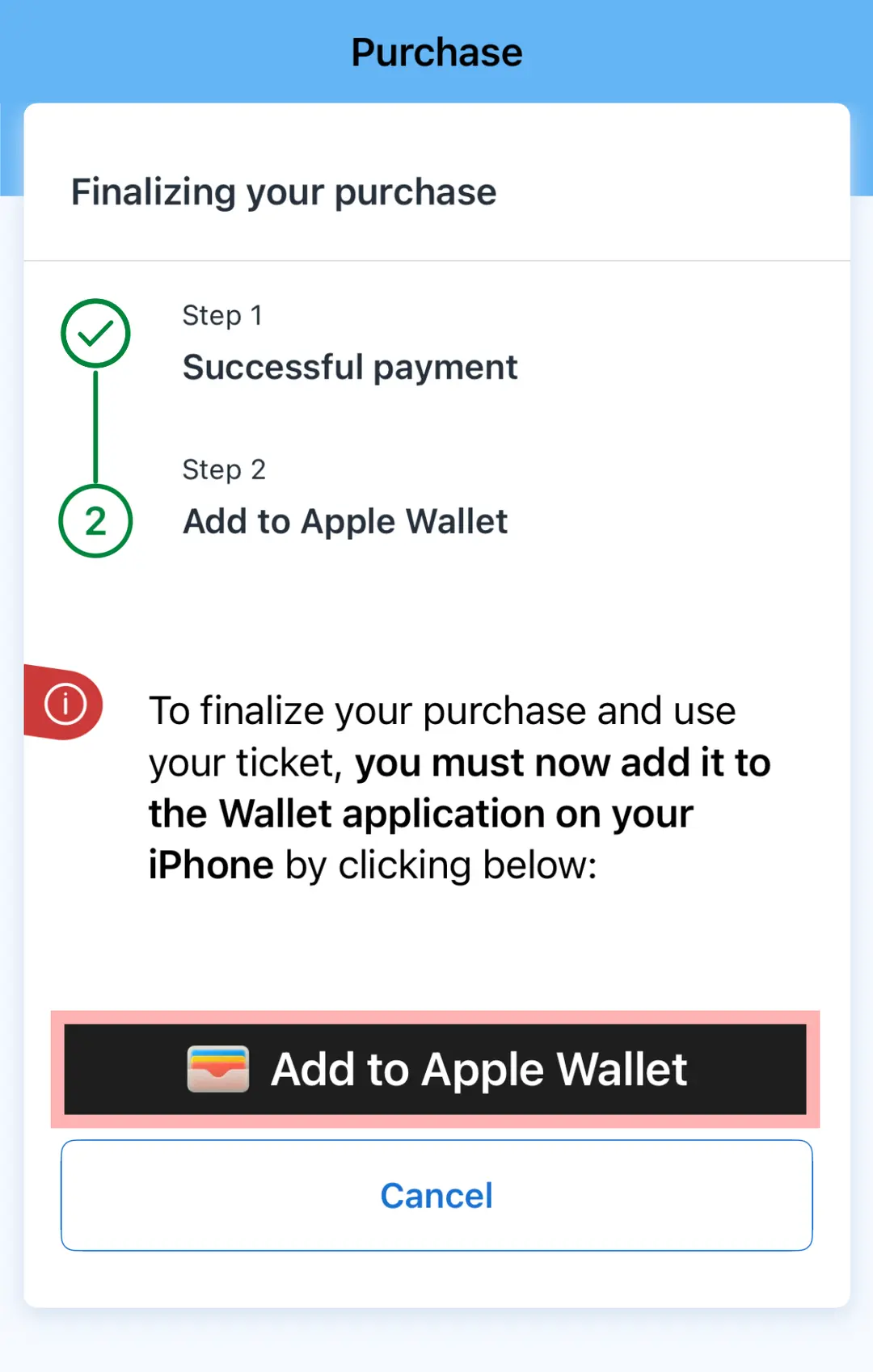
I found it super convenient to purchase using Apple Pay. Once your payment is complete, you can easily add your pass to your Apple Wallet (or equivalent digital wallet for Android users).
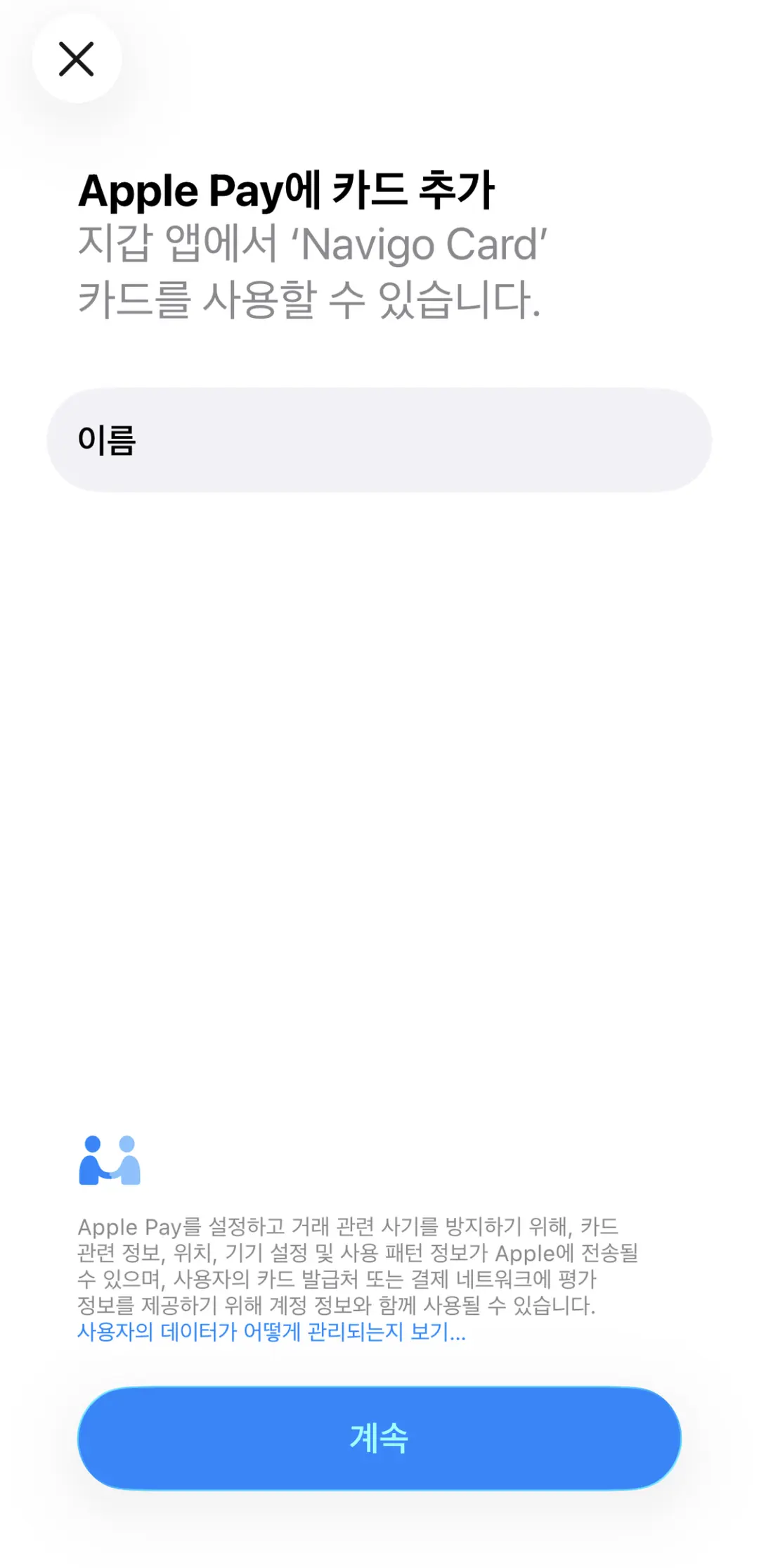
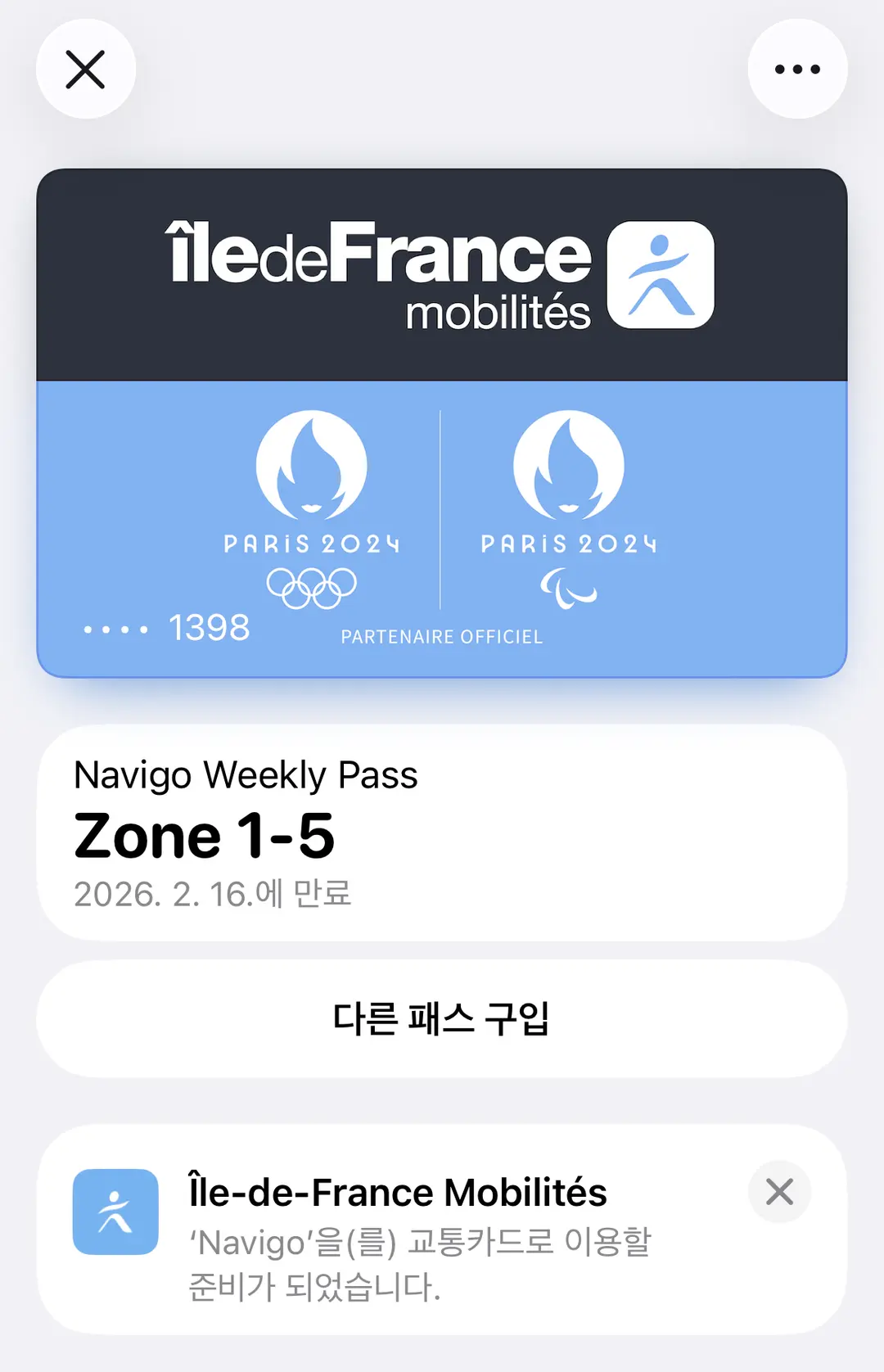
Weekly pass registered! Now all you have to do is tap your phone at the turnstiles and explore Paris with ease!
For a comprehensive comparison of Paris transport pass types and fares, be sure to check out our related article below. Happy travels! 😊
📌Paris Transport Pass Types & Fares: The Ultimate Guide
 Paris Transport Pass Types, Navigo & Visite Pass Comparison, Troubleshooting Tag Errors
Frequently Asked Questions
What additional app is required for Samsung Galaxy smartphone users to purchase a Paris Navigo Pass, besides the IDF Mobilités app?
Samsung Galaxy users need to install the 'Ticket sans contact' app in addition to the IDF Mobilités app to purchase a Navigo Pass. After installing this app, you can proceed with the purchase.
What personal information is required when purchasing a Navigo weekly or monthly pass through the IDF Mobilités app?
Registering your photo is mandatory when purchasing a Navigo weekly or monthly pass. You can register your photo by tapping the circle in the top-left corner of 'My space' within the IDF app. It is recommended to use a clear photo of your face in preparation for potential inspections by station staff.
Which categories should be selected to purchase different types of Paris transport tickets in the IDF Mobilités app?
In the IDF Mobilités app, single-journey tickets and airport tickets can be purchased under the 'Single tickets' category. For 1-day, weekly, and monthly passes, you should select the 'Package' category, and the Visite Pass is available under the 'Paris Visite' category.
Share this article
Featured in Collections
Discover more travel stories curated around the same theme.

Related Travel Stories

Paris Monet Exhibitions 2026: Orangerie & Orsay Celebrate 100 Years
Get ready for an extraordinary artistic journey in Paris! Celebrate Claude Monet's 100th anniversary with special exhibitions at Musée de l'Orangerie and Musée d'Orsay.

Citadines Les Halles Paris Review 2026: Pet-Friendly & Prime Location
Discover Citadines Les Halles Paris, a pet-friendly aparthotel in the 1st arrondissement. Enjoy self-catering options, an unbeatable central location, and easy access to top Parisian attractions.

Paris Museum Pass 2026: Is an E-Ticket Worth It?
Wondering if the Paris Museum Pass is worth it for your 2026 trip? Discover updated prices, how to use e-tickets, and which top attractions require reservations.

Paris Accommodation Guide 2026: Best Neighborhoods & Safety
Navigating Paris's 20 arrondissements for accommodation can be tricky. Our guide breaks down each district by attractions, safety, and budget to help you choose wisely.
Paris Travel Apps 2026: Essential Tools for Navigation & Sightseeing
Unlock the magic of Paris with this essential guide to the best travel apps for 2026. Navigate public transport, find hidden culinary gems, and explore top attractions with ease.

Bateaux Mouches Paris Cruise Review 2026: Tips & Best Ticket Deals
Embark on an unforgettable Bateaux Mouches cruise in Paris! Get insider tips on choosing the best seats, utilizing the English audio guide, and securing the cheapest tickets for your 2026 adventure.